1. Introduction
Thank you for choosing the AKLOT AUR-GO88 Digital Piano. This manual provides essential information for the safe and efficient operation of your instrument. Please read it thoroughly before use and retain it for future reference.
The AKLOT AUR-GO88 is an 88-key digital piano featuring graded hammer action, dual 15W speakers, USB-MIDI connectivity, and a triple pedal system, designed for beginners and experienced players alike.
2. Package Contents
Verify that all items listed below are included in your package:
- AKLOT AUR-GO88 Digital Piano
- Triple Pedal System
- Headphones
- Music Stand (removable)
- Keyboard Stickers
- Beginner Lesson Book
- Power Adapter
- USB Cable
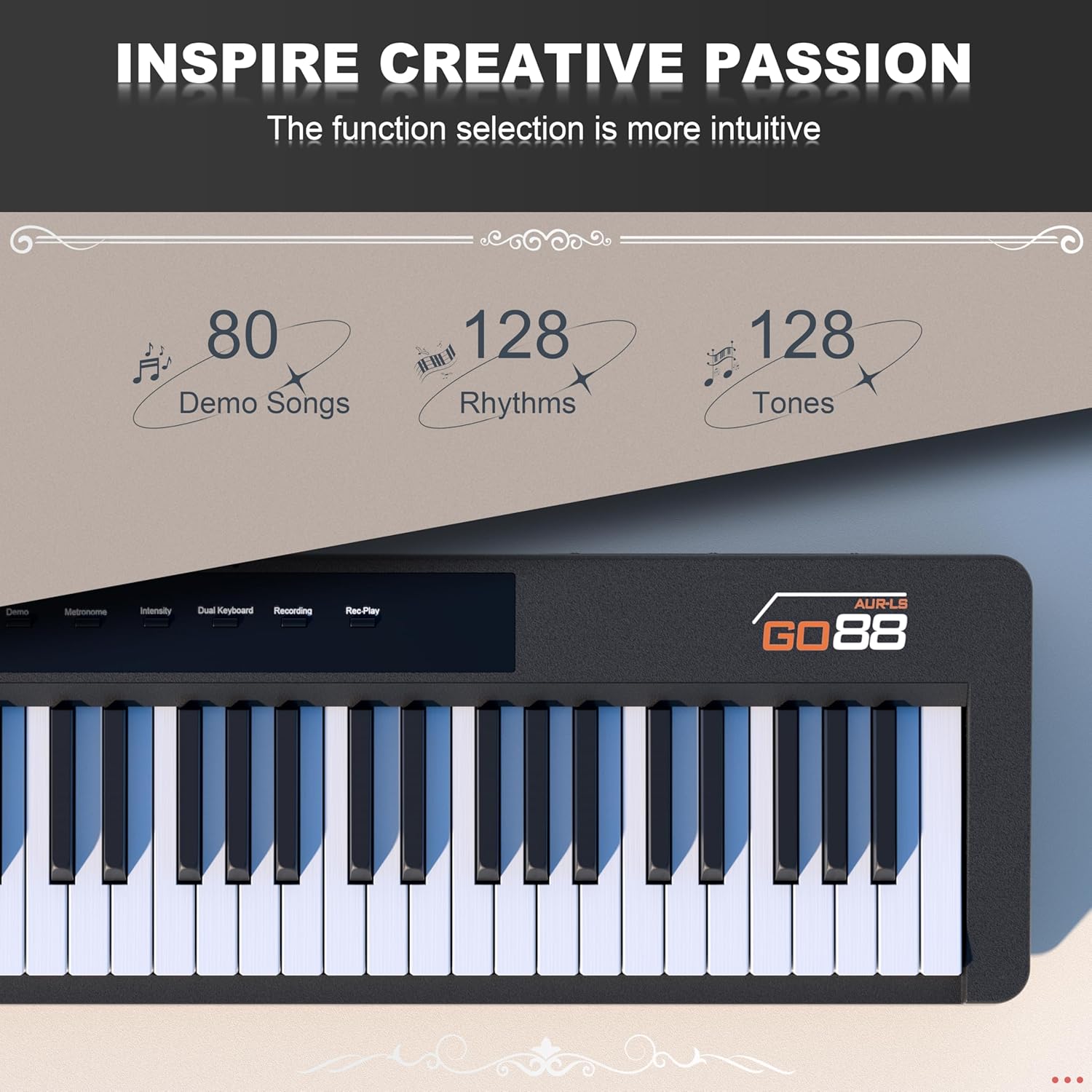
Image: AKLOT AUR-GO88 Digital Piano with headphones, triple pedal, music stand, lesson book, and keyboard stickers.

Image: The 'Beginner Lessons for Piano Keyboard' book, an exclusive guide for new players.
3. Setup
3.1 Unpacking and Placement
Carefully remove all components from the packaging. Place the digital piano on a stable, flat surface or a compatible keyboard stand (not included). The piano is lightweight and portable, allowing for flexible placement.

Image: The AKLOT AUR-GO88 Digital Piano emphasizing its lightweight design and portability.
3.2 Connecting Power
- Connect the power adapter to the DC IN port on the rear panel of the piano.
- Plug the power adapter into a standard electrical outlet.
3.3 Attaching the Music Stand
The included music stand can be easily inserted into the designated slots on the top panel of the piano. It is removable for convenience.
3.4 Connecting the Triple Pedal System
Connect the triple pedal system cable to the '3-SUS' port on the rear panel of the piano. This provides Damper/Sustain, Sostenuto, and Soft/Una Corda pedal functions.

Image: Close-up of the AKLOT AUR-GO88 keys, illustrating the balanced hammer action design for an authentic feel.
4. Operating the Piano
4.1 Power On/Off
Press the Power button located on the control panel to turn the piano on or off. The LED display will illuminate upon power-on.
4.2 Adjusting Volume
Use the Volume buttons to increase or decrease the overall sound output. For private practice, connect headphones to the 'PHONE OUT' jack.

Image: The AKLOT AUR-GO88 Digital Piano shown in a quiet setting, emphasizing its 'Silent Mode' for headphone use.
4.3 Sound Selection (Tones)
The piano offers 128 different voices (tones). Press the Tone button and use the Quick Pick knob to select your desired instrument sound. The LED display will show the current tone number.
4.4 Rhythm Selection
Choose from 128 rhythms to accompany your playing. Press the Rhythm button and use the Quick Pick knob to select a rhythm. Press Start/Stop to begin or end the rhythm.
4.5 Demo Songs
The piano includes 80 demo songs. Press the Demo button to cycle through and play the pre-loaded songs.

Image: The control panel of the AKLOT AUR-GO88, highlighting the intuitive function selection for 80 demo songs, 128 rhythms, and 128 tones.
4.6 Metronome
Activate the metronome by pressing the Metronome button. This feature helps maintain a steady tempo during practice.
4.7 Recording and Playback
Use the Recording button to capture your performance and the Rec. Play button to listen to your recorded tracks.
4.8 Dual Keyboard Mode
The Dual Keyboard mode splits the 88 keys into two independent sections, allowing two players to use the piano simultaneously. This is ideal for teaching or duets.

Image: A visual representation of the AKLOT AUR-GO88's Dual Keyboard Mode, versatile connectivity options, and the benefit of silent performance with headphones.
4.9 Pedal Functions
The triple pedal system provides enhanced expression:
- Damper/Sustain Pedal (Right): Prolongs all notes by lifting dampers, creating harmonic resonance and rich sustain.
- Sostenuto Pedal (Middle): Sustains only notes being held when depressed, allowing selective note extension.
- Soft/Una Corda Pedal (Left): Reduces volume and by shifting hammers to fewer strings.
4.10 Connectivity
The AUR-GO88 offers various connectivity options:
- USB-MIDI: Connect to a computer or smart device for recording, music production (DAW software like Ableton Live, Cubase, Logic Pro, FL Studio), or learning apps (Medly, GarageBand, Simply Piano, Yousician, Flowkey, Guitar Pro).
- Wireless 5.0: Seamlessly connect to learning apps and smart devices.
- Headphone Jack (3.5mm): For private practice.
- Audio Out (3.5mm): Connect to external speakers or amplification.
- Microphone Input: For vocal accompaniment.
- MP3 Input: Play along with your favorite tracks.

Image: The rear panel of the AKLOT AUR-GO88, detailing the various ports for headphones, audio out, DC power, microphone, MP3, sustain pedal, MIDI, and USB.
Video: An introduction to the AKLOT AUR-GO88 Digital Piano, showcasing its features and connectivity options.
Video: A performance demonstration on the AKLOT AUR-GO88 Digital Piano, highlighting its sound quality and key action.
5. Maintenance
5.1 Cleaning
Wipe the piano's surface with a soft, dry cloth. For stubborn dirt, use a slightly damp cloth and then dry thoroughly. Avoid abrasive cleaners or solvents that may damage the finish.
5.2 Storage
Store the piano in a cool, dry place away from direct sunlight, extreme temperatures, and high humidity. If storing for an extended period, cover it to protect against dust.
6. Troubleshooting
6.1 No Sound
- Ensure the piano is powered on and the volume is turned up.
- If headphones are connected, disconnect them to check if sound comes from the speakers.
- Verify that external speakers (if used) are properly connected and powered on.
- Check the selected tone; some tones may have very low volume by default.
6.2 Keys Not Responding
- Ensure the piano is powered on.
- Check for any foreign objects lodged between the keys.
6.3 Connectivity Issues
- For USB-MIDI, ensure the cable is securely connected to both the piano and your device. Check device settings for MIDI input recognition.
- For Wireless 5.0, ensure Bluetooth is enabled on your device and the piano is in pairing mode (refer to specific pairing instructions if available on the device).
If you encounter persistent issues, please refer to the customer support section.
7. Specifications
| Feature | Detail |
|---|---|
| Number of Keys | 88 |
| Key Action | Graded Hammer Action, Weighted Keys, Touch-Sensitive |
| Voices (Tones) | 128 |
| Rhythms | 128 |
| Demo Songs | 80 |
| Speakers | Dual 15W (25W total) with Anti-distortion Technology |
| Connectivity | USB-MIDI, USB Type B, Wireless 5.0, 3.5mm Headphone Jack, 3.5mm Audio Out, Microphone Input, MP3 Input |
| Pedal System | Triple Pedal (Damper/Sustain, Sostenuto, Soft/Una Corda) |
| Dimensions (D x W x H) | 9.8" x 51.1" x 4.5" |
| Item Weight | 21.2 lbs |
| Power Source | Corded Electric (9-12V DC) |

Image: The AKLOT AUR-GO88 Digital Piano with its dimensions clearly indicated.
8. Warranty and Support
AKLOT is committed to providing a seamless musical experience. Our responsive customer service team is always ready to help with any issues or questions you may have. Please contact us for care and support, allowing you to focus on your music.
For further assistance, please visit the official AKLOT store on Amazon or refer to the contact information provided with your purchase.


