
1. Introduction
This manual provides detailed instructions for the safe and effective use of your Oraimo SpaceBox Pro Portable Bluetooth Speaker. Please read this manual thoroughly before operating the device and retain it for future reference.

Image 1: Oraimo SpaceBox Pro Portable Bluetooth Speaker. This image shows the speaker's front grille with an illuminated infinity symbol light effect.
2. Package Contents
Verify that all items listed below are present in your package:
- Wireless Speaker x 1
- Welcome Guide x 1
- Shoulder Strap x 1
- Type-C Charging Cable x 1

Image 2: Package contents including the speaker, welcome guide, shoulder strap, and Type-C charging cable.
3. Product Overview
Familiarize yourself with the various parts and controls of your speaker.
3.1. Controls and Indicators

Image 3: Top panel of the speaker showing power, Bluetooth, volume down, play/pause, volume up, light effect, and bass buttons, along with battery indicator lights.
- Power Button: Press and hold to power on/off.
- Bluetooth Button: Press to enter pairing mode.
- Volume Down (-): Decrease volume.
- Play/Pause Button: Play or pause audio.
- Volume Up (+): Increase volume.
- Light Effect Button: Cycle through light modes.
- Bass Button: Activate/deactivate Bass Boost.
- Battery Indicator Lights: Show current battery level.
3.2. Ports and Connections

Image 4: Rear panel of the speaker showing the microphone input, AUX-in port, TF card slot, USB-A port, and USB-C charging port.
- Microphone Input (6.35mm): For connecting a wired microphone or wireless microphone dongle.
- AUX-in Port (3.5mm): For connecting external audio devices via an auxiliary cable.
- TF Card Slot: For playing audio directly from a TF (microSD) card (up to 128GB).
- USB-A Port: For playing audio from a USB drive or charging other devices.
- USB-C Charging Port: For charging the speaker.
4. Setup
4.1. Charging the Speaker
Before first use, fully charge your speaker. Connect the provided Type-C charging cable to the speaker's USB-C port and a compatible power adapter (not included). A full charge takes approximately 2 hours with a 35W charger.

Image 5: The speaker connected to a power source via its USB-C charging port.
4.2. Power On/Off
- To Power On: Press and hold the Power Button until the indicator lights illuminate.
- To Power Off: Press and hold the Power Button until the indicator lights turn off.
4.3. Bluetooth Pairing
- Power on the speaker. The Bluetooth indicator will flash, indicating it's in pairing mode.
- On your device (smartphone, tablet, etc.), enable Bluetooth and search for available devices.
- Select "Oraimo SpaceBox Pro" from the list. Once connected, the Bluetooth indicator will stop flashing and remain solid.
- For Android devices, a Google Pop-Up Notification may appear for quick pairing.

Image 6: A smartphone showing a Google Pop-Up Notification for quick pairing with the speaker.
4.4. Oraimo Sound App
Download the Oraimo Sound app for enhanced control and customization options. The app allows you to:
- Customize Equalizer (EQ) settings.
- Change light effects and patterns.
- Enable Karaoke effects.
- Update speaker firmware.

Image 7: The Oraimo Sound app displaying various customization options for the speaker.
5. Operating Instructions
5.1. Audio Playback
- Bluetooth: Connect your device via Bluetooth as described in Section 4.3.
- AUX-in: Connect an audio device to the 3.5mm AUX-in port using an auxiliary cable. The speaker will automatically switch to AUX mode.
- TF Card: Insert a TF (microSD) card with audio files into the TF card slot. The speaker will automatically play music from the card.
- USB Drive: Insert a USB drive with audio files into the USB-A port. The speaker will automatically play music from the drive.

Image 8: The speaker supports various playback options including Bluetooth, TF Card, AUX-in, and USB Drive.
5.2. Light Effects
Press the Light Effect Button on the top panel to cycle through different beat-adaptive light modes. Further customization of light patterns and colors is available via the Oraimo Sound app.

Image 9: Examples of different beat-adaptive light patterns available on the speaker, including Grooving, Flowing, Breathing, and Crossing.
5.3. Karaoke Function
Connect a 6.35mm wired microphone or a wireless microphone with a 6.35mm dongle to the dedicated microphone input port. Use the Oraimo Sound app to adjust voice enhancement, echo effects, and other settings for an optimized karaoke experience.
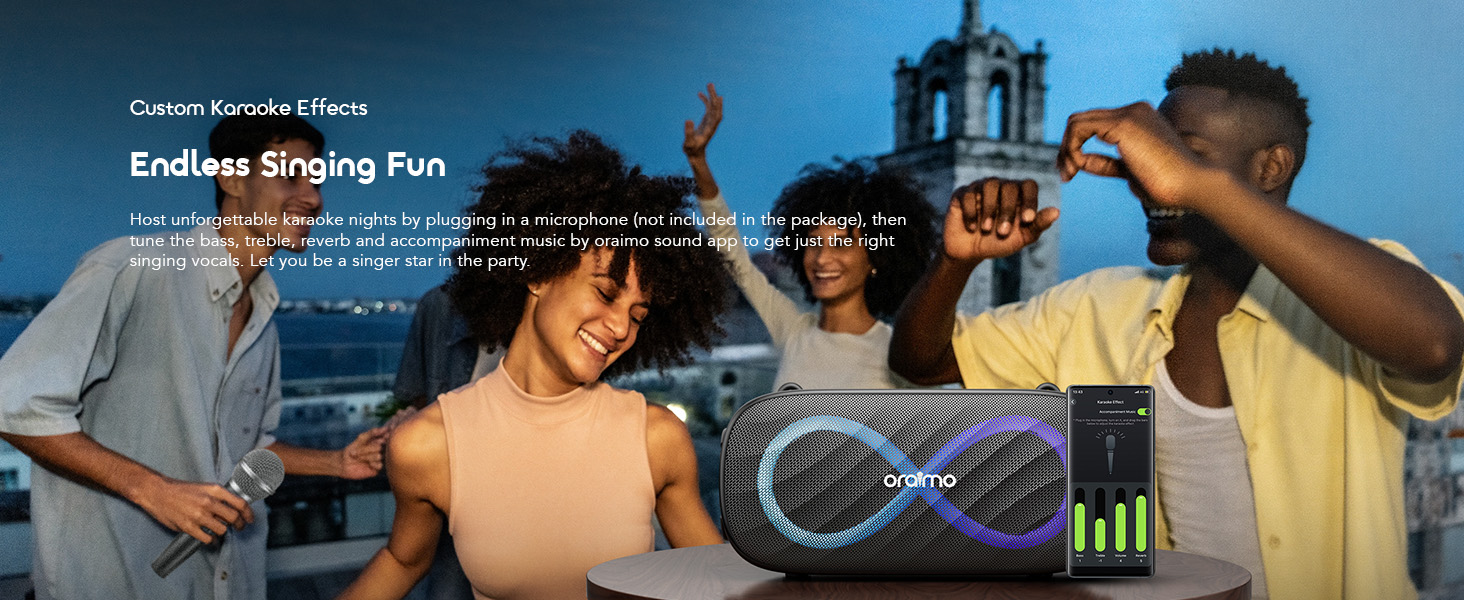
Image 10: The speaker being used for karaoke, with a smartphone app showing microphone and effect controls.
5.4. True Wireless Stereo (TWS) Pairing
To achieve 160W surround sound, you can pair two Oraimo SpaceBox Pro speakers together:
- Ensure both speakers are powered on and not connected to any Bluetooth device.
- On one speaker (this will be the primary speaker), press and hold the Bluetooth button until you hear a prompt indicating TWS pairing mode.
- The primary speaker will automatically search for the secondary speaker. Once connected, you will hear a confirmation sound, and the Bluetooth indicators on both speakers will synchronize.
- Connect your device to the primary speaker via Bluetooth. Audio will now play through both speakers.

Image 11: Two Oraimo SpaceBox Pro speakers shown together, illustrating the True Wireless Stereo (TWS) feature.
5.5. Playtime Boost Mode
Activate Playtime Boost Mode via the Oraimo Sound app to extend battery life. In this mode, the speaker can provide 24-27 hours of playtime, compared to 13-20 hours in normal mode. Note that equalizer and light settings may be disabled in Playtime Boost Mode to conserve battery.

Image 12: The speaker shown in two scenarios (day and night camping) to highlight the extended battery life with Playtime Boost Mode.
6. Maintenance
- Cleaning: Use a soft, dry cloth to clean the speaker's surface. Do not use abrasive cleaners or solvents.
- Water Resistance: The speaker is IPX4 splash-proof. Avoid submerging it in water or exposing it to heavy rain for extended periods. Ensure the port cover is securely closed to maintain water resistance.
- Storage: Store the speaker in a cool, dry place away from direct sunlight and extreme temperatures.
- Battery Care: To prolong battery life, charge the speaker regularly, even if not in frequent use. Avoid fully discharging the battery for extended periods.
7. Troubleshooting
If you encounter issues with your speaker, refer to the following common problems and solutions:
- Speaker does not power on: Ensure the battery is charged. Connect the speaker to a power source and try again.
- Cannot pair with Bluetooth device:
- Ensure the speaker is in Bluetooth pairing mode (flashing indicator).
- Make sure your device's Bluetooth is enabled and within range (up to 10 meters).
- Forget "Oraimo SpaceBox Pro" from your device's Bluetooth list and try pairing again.
- Restart both the speaker and your device.
- No sound:
- Check the volume levels on both the speaker and your connected device.
- Ensure the correct input source (Bluetooth, AUX, TF Card, USB) is selected or automatically detected.
- If using AUX, TF card, or USB, ensure the media files are not corrupted and the cable/card/drive is properly inserted.
- Poor sound quality:
- Move the speaker closer to your Bluetooth device to reduce interference.
- Avoid obstacles between the speaker and your device.
- Try adjusting the EQ settings via the Oraimo Sound app.
- TWS pairing fails:
- Ensure both speakers are the same model (Oraimo SpaceBox Pro).
- Make sure neither speaker is connected to another Bluetooth device before initiating TWS pairing.
- Repeat the TWS pairing steps carefully.
8. Specifications
| Feature | Specification |
|---|---|
| Model Name | OBS-682 |
| Brand | Oraimo |
| Material | Plastic |
| Speaker Type | Outdoor |
| Special Features | Bass Boost, Display, Hi Res Audio, LED Light |
| Connectivity Technology | Bluetooth |
| Wireless Communication Technology | Bluetooth |
| Speaker Maximum Output Power | 80 Watts (Max) |
| Audio Output Mode | Stereo, Surround (with TWS) |
| Water Resistance Level | IPX4 (Water Resistant) |
| Charging Time | 2 Hours (with 35W charger) |
| Playtime | 13-20 Hours (Normal), 24-27 Hours (Playtime Boost Mode) |
| Product Dimensions | 5"D x 10"W x 5"H |
| Item Weight | 6.3 pounds |
Note: Specifications are subject to change without prior notice.
9. Warranty and Support
9.1. Warranty Information
The Oraimo SpaceBox Pro Portable Bluetooth Speaker comes with a Limited Warranty. For detailed information regarding warranty terms, conditions, and duration, please refer to the official Oraimo website or the warranty card included in your package.
9.2. Customer Support
For further assistance, technical support, or inquiries, please visit the official Oraimo store or contact their customer service through the channels provided on their website.
Official Oraimo Store: OraimoHome on Amazon
