1. Introduction
This manual provides instructions for the safe and effective use of your TELESIN Magnetic Phone Stand. Please read this manual thoroughly before using the product and retain it for future reference.
The TELESIN Magnetic Phone Stand is a versatile accessory designed to enhance your mobile photography and viewing experience. It features a waterdrop-shaped design, 300° rotation, and strong magnetic attachment for various modes of use, including desktop stand, selfie stick, and handle grip.
2. What's in the Box
- TELESIN Magnetic Portable Phone Stand x 1
3. Product Features
- Waterdrop-shaped Design: Ergonomic and compact for portability.
- 300° Rotatable Hinge: Allows for flexible angle adjustments in various modes.
- Strong Magnetic Hold: Utilizes N52 magnets for secure attachment to compatible phones.
- Extendable Arm: Features a 30mm hidden extension for selfie stick functionality.
- Multiple Modes: Supports Portrait Mode, Floating Mode, Low Angle Landscape, Upright Shooting, Kettle-Style Shooting (Handle Grip), and Handheld Selfie.
- Lightweight and Compact: Weighs approximately 48g and is 6.1mm thick when folded.
4. Setup and Basic Operation
4.1 Unfolding the Stand
To unfold the stand, locate the top handle and gently pull the two halves apart. The product can open and close between 0° and 300°, allowing for various adjustments.
Video: Demonstrates unfolding the stand and adjusting its angle. The stand can be opened and closed between 0 and 300 degrees. The maximum stretch length of the extendable arm is 3cm.
4.2 Attaching to Your Phone
The TELESIN Magnetic Phone Stand attaches to your phone using its integrated magnets. For optimal magnetic strength, it is recommended to use the stand with a MagSafe-compatible phone or case. For non-MagSafe phones, a metal ring (not included) can be used for stronger adhesion.
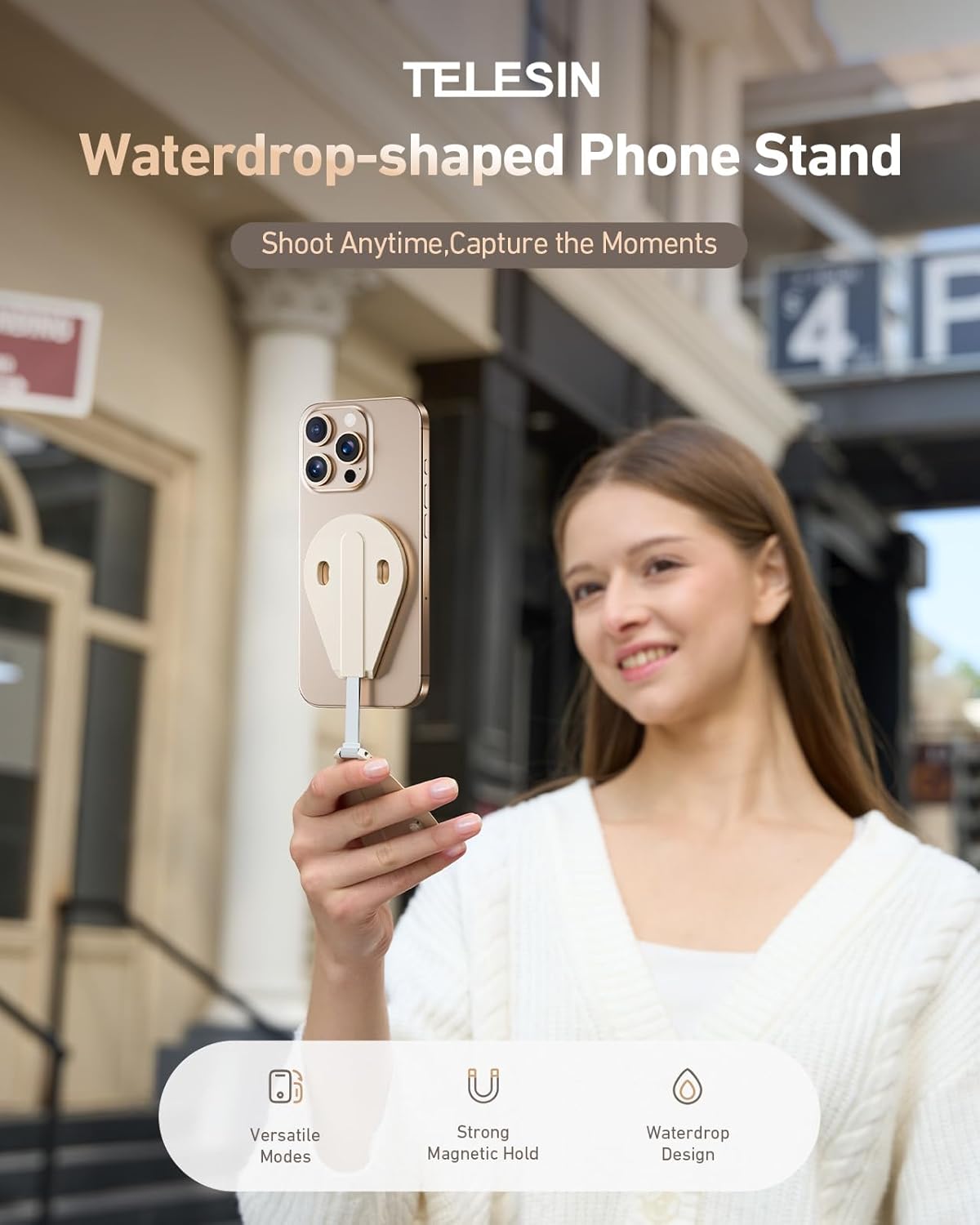
Image: A woman holding a smartphone with the TELESIN Magnetic Phone Stand attached to its back. The stand is in its folded, compact state, securely fastened to the phone.
Video: Demonstrates how to magnetically install the stand onto a phone. The stand is placed on the back of the phone and snaps into place.
5. Operating Modes
5.1 Desktop Stand Mode
The stand can be adjusted to various angles for desktop use, supporting both portrait and landscape orientations.
- Portrait Mode: Position your phone vertically for video calls or browsing.
- Floating Mode: Adjust for an elevated landscape view, ideal for watching videos.
- Low Angle Landscape: Set the stand for a comfortable low-angle viewing experience.

Image: Three examples of the phone stand in desktop mode: Portrait Mode (phone vertical), Floating Mode (phone horizontal and elevated), and Low Angle Landscape (phone horizontal at a low angle).
Video: Demonstrates opening the product to the desired angle to create a desktop stand. Shows adjustment for both portrait and landscape orientations.
5.2 Selfie Stick Mode
Extend the hidden telescopic pole by 30mm to use the stand as a selfie stick for capturing photos and videos.

Image: A woman holding a smartphone with the TELESIN Magnetic Phone Stand extended, using it as a handheld selfie stick. The stand's arm is extended to provide a better reach for selfies.
Video: Shows how to set up the selfie stick mode by opening the product, pulling out the stand, and adjusting the base. Demonstrates switching between portrait and landscape modes.
5.3 Handle Grip Mode (Kettle-Style Shooting)
Flip the product and adjust the base to approximately 90° to create a comfortable handle grip, ideal for low-angle shots or stable handheld recording.

Image: A hand holding a smartphone with the TELESIN Magnetic Phone Stand configured as a handle grip, positioned over a bed of orange flowers for a low-angle shot. The stand's arm is extended by 3cm.
Video: Illustrates setting up the "Teapot Mode" (Handle Grip) by flipping the product, holding it, and adjusting the base to around 90 degrees.
5.4 Upright Stand Mode (Low Angle Shooting)
For low-angle shots, pull out the stand, adjust the base to its maximum open angle, and place it on a flat surface. This provides a stable 60° high tilt angle for optimal shots.

Image: A smartphone with the TELESIN Magnetic Phone Stand set up in an upright position on the ground, capturing a low-angle video of a person walking. The stand provides a 60-degree tilt angle.
Video: Demonstrates the "Low Angle Mode" by pulling out the stand, adjusting the base to its maximum open angle, and placing it on the ground for stable low-angle shots.
6. Magnetic Adsorption Strength
The stand features N52 strong magnets for a secure hold, preventing accidental drops. The magnetic force varies based on usage:
- MagSafe Bare Phone: Approximately 16N (Newtons) of magnetic force.
- Bare Phone + MagSafe Case or Magnetic Ring: Greater than 35N of magnetic force.
For enhanced stability, especially with heavier phones or during active use, a MagSafe case or an additional magnetic ring is recommended.

Image: An illustration showing the magnetic strength of the TELESIN Phone Stand. It indicates 16N for a bare MagSafe phone and >35N when used with a MagSafe case or magnetic ring.
7. Compatibility
The TELESIN Magnetic Phone Stand is compatible with a wide range of smartphones. For optimal magnetic attachment, MagSafe-compatible devices or cases are recommended.
Compatible Devices include (but are not limited to):
- iPhone: iPhone 16/16 Plus/16 Pro/16 Pro Max, iPhone 15/15 Plus/15 Pro/15 Pro Max, iPhone 14/14 Plus/14 Pro/14 Pro Max, iPhone 13/13 Mini/13 Pro/13 Pro Max, iPhone 12/12 Pro/12 Pro Max/12 Mini, iPhone 11/11 Pro/11 Pro Max, iPhone Xs/Xs Max/Xr/X, iPhone 8/7/6s Plus.
- Samsung Galaxy: Note 20/A72/A52 5G/S21/S21+/S21 Ultra 5G/S20/S20+/Note10/Note10+/S10/S10+/S10e/S9/S8.
- Other Brands: LG, Google Pixel, OnePlus, Sony, Nokia, Xiaomi, Huawei, and other smartphones.
The stand can accommodate most smartphones, even with thick cases, especially when used with a magnetic ring for non-MagSafe devices.

Image: An illustration showing compatibility. On the left, various non-MagSafe phones are shown with a metal ring for attachment. On the right, MagSafe-compatible iPhones (16/15/14/13/12) are shown working directly with the stand.
8. Specifications
| Feature | Detail |
|---|---|
| Model Number | PFK-US-P7-RB-02 |
| Brand | TELESIN |
| Form Factor | Waterdrop-shaped |
| Mounting Type | Magnetic |
| Rotation Angle | 0° - 300° |
| Extendable Length | 30mm |
| Item Weight | 3.17 ounces (approx. 48g) |
| Package Dimensions | 5.39 x 3.43 x 0.75 inches |
| Material | Aluminum, Silicone (base) |
9. Maintenance and Care
- Cleaning: Wipe the stand with a soft, dry cloth. Avoid using harsh chemicals or abrasive materials.
- Storage: Store the stand in a cool, dry place when not in use. Keep it away from extreme temperatures and direct sunlight.
- Handling: Avoid excessive force when adjusting the hinge or extending the arm to prevent damage.
- Magnetic Surfaces: Ensure the magnetic surfaces are clean and free of debris for optimal adhesion.
10. Troubleshooting
10.1 Stand does not hold phone securely
- Check Compatibility: Ensure your phone or case is MagSafe compatible.
- Magnetic Ring: If your phone is not MagSafe compatible, use a magnetic ring (not included) for stronger attachment.
- Clean Surfaces: Ensure both the phone's back (or case) and the stand's magnetic surface are clean and free of dust or oil.
- Proper Alignment: Make sure the stand is correctly aligned with the magnetic area on your phone/case.
10.2 Hinge feels stiff or loose
- Stiff Hinge: The hinge is designed to be damped for stable adjustments. If it feels excessively stiff, ensure no foreign objects are obstructing it. Do not force it beyond its 300° range.
- Loose Hinge: If the hinge becomes too loose over time, it may indicate wear. Contact customer support if it affects functionality.
11. Warranty and Support
TELESIN products come with a standard manufacturer's warranty. For specific warranty details, please refer to the warranty card included with your product or visit the official TELESIN website.
For technical support, troubleshooting assistance, or warranty claims, please contact TELESIN customer service through their official channels. Contact information can typically be found on the product packaging or the TELESIN website.
TELESIN Customer Service: Visit TELESIN Contact Page


