
1. Introduction
Thank you for choosing the VECHTEL Android 13 Car Stereo. This manual provides essential information for the proper installation, operation, and maintenance of your new car multimedia system. Please read this manual thoroughly before installation and use to ensure optimal performance and safety.
This car stereo system is specifically designed for Volvo XC60 models manufactured between 2008 and 2013. It features an Android 13 operating system, an 8-core processor, 6GB RAM, 128GB ROM, and a 9-inch IPS HD touchscreen, offering advanced navigation, entertainment, and connectivity options for your vehicle.
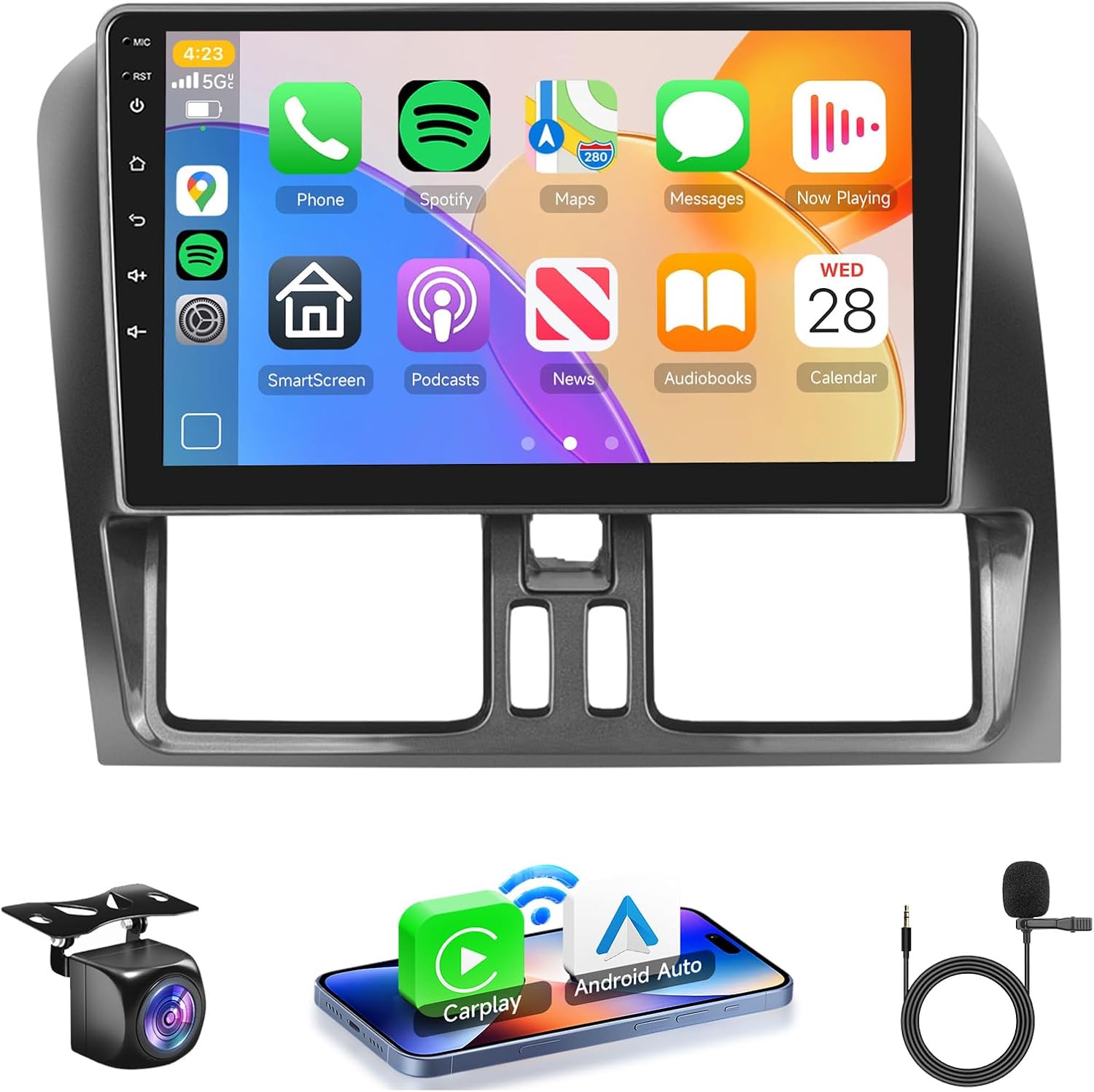
Image 1.1: The VECHTEL Android 13 Car Stereo unit, accompanied by a rear camera, external microphone, and visual representations of wireless CarPlay and Android Auto functionality.
2. Package Contents
Please verify that all the following components are included in your package:
- 1 x VECHTEL Android Car Stereo Unit
- 1 x Power Cable
- 1 x GPS Antenna
- 1 x Rear Camera Input Cable
- 1 x RCA Cable
- 2 x USB Cables
- 1 x External Microphone
- 1 x Instruction Manual (this document)
- 1 x HD Rear Camera
- 1 x Installation Tool
- 1 x Canbus Decoder
- 1 x Set of Accessories
- 1 x Audio Cable
3. Setup and Installation
Installation of the VECHTEL Android Car Stereo is designed to be plug-and-play for compatible Volvo XC60 models (2008-2013). However, professional installation is recommended.
3.1 Compatibility Check
Before proceeding with installation, it is crucial to confirm compatibility with your vehicle's central control panel. This product supports vehicles with a left-hand drive configuration. If your vehicle has a right-hand drive configuration, this unit may not be compatible. Please refer to the image below for clarification.

Image 3.1: Visual guide for identifying compatible left-hand drive (Option A) and incompatible right-hand drive (Option B) central control panels for the Volvo XC60.
Important Note: The included wiring harness is not compatible with high-end factory audio systems. Verify your vehicle's audio system specifications before installation.
3.2 Installation Steps (General Guidance)
- Preparation: Ensure the vehicle's ignition is off and the battery is disconnected before starting any electrical work.
- Remove Original Unit: Carefully remove the existing car stereo and central control panel components from your Volvo XC60. Use the provided installation tool if necessary.
- Connect Wiring: Connect the provided power cable, Canbus decoder, GPS antenna, rear camera input cable, RCA cable, USB cables, external microphone, and audio cable to the corresponding ports on the new VECHTEL unit and your vehicle's wiring harness. Ensure all connections are secure.
- Install Rear Camera: Mount the HD rear camera in a suitable location at the rear of your vehicle and route its cable to the main unit.
- Test Connections: Before fully reassembling, temporarily reconnect the battery and power on the unit to test basic functions (power, audio, display, steering wheel controls, camera input).
- Secure Unit: Once tested, securely mount the VECHTEL car stereo into the dashboard opening.
- Reassemble: Reinstall all removed trim pieces and panels.

Image 3.2: A visual comparison showing the original Volvo XC60 dashboard setup (left) and the dashboard after the VECHTEL Android Car Stereo installation (right).
4. Operating Instructions
This section details the primary functions and how to operate your VECHTEL Android Car Stereo.
4.1 Power On/Off and Basic Interface
Press the power button (usually located on the front panel or side) to turn the unit on or off. The 9-inch IPS HD touchscreen with a resolution of 1280*720 provides a clear and responsive interface. You can customize the home screen layout and application arrangement.

Image 4.1: Features of the IPS HD screen, highlighting its 178-degree wide viewing angle, Full HD resolution (1280*720), 2.5D curved glass, responsive touch functionality, and split-screen capability.
4.2 Wireless/Wired CarPlay and Android Auto
Connect your smartphone to the car stereo for seamless integration of CarPlay or Android Auto. Both wireless and wired connections are supported.
- Wireless Connection: Enable Bluetooth and Wi-Fi on your smartphone and connect to the car stereo's respective networks. Follow the on-screen prompts to initiate CarPlay or Android Auto.
- Wired Connection: Connect your smartphone to one of the USB ports using a compatible USB cable. The system will automatically detect and launch CarPlay or Android Auto.
Once connected, you can access navigation, make calls, send messages, and play music using voice commands (Siri for CarPlay, Google Assistant for Android Auto) or the touchscreen.

Image 4.2: An overview of the Carplay, Android Auto, and Mirror Link features, showing smartphone integration, hands-free calling, online music, and GPS navigation.
4.3 GPS Navigation
The unit comes with integrated GPS for navigation. You can use both online and offline maps. Connect to Wi-Fi to download offline maps for your desired regions.
4.4 Wi-Fi Connectivity
Connect the car stereo to a Wi-Fi hotspot (e.g., from your smartphone) to access online features, download apps from the app store, and update software.

Image 4.3: Demonstrates GPS navigation with online and offline map options, alongside Wi-Fi connectivity supporting various applications for an enriched in-car experience.
4.5 Bluetooth 5.0
Pair your smartphone via Bluetooth 5.0 for hands-free calling, audio streaming, and file transfer. Access your phone's contacts and call history directly from the car stereo.
4.6 FM/RDS Radio
Tune into your favorite FM radio stations. The RDS (Radio Data System) feature provides additional information such as station name and song titles where available.
4.7 Steering Wheel Control
The system supports your vehicle's original steering wheel controls, allowing you to manage audio playback, volume, and calls without taking your hands off the wheel. This functionality is enabled via the integrated Canbus decoder.
4.8 HD Rear Camera
When the vehicle is shifted into reverse gear, the display will automatically switch to the view from the included HD rear camera, providing clear visibility for parking and maneuvering.

Image 4.4: Illustrates key operational features including Bluetooth 5.0 for audio streaming, FM/RDS radio interface, integration with steering wheel controls, and the display from the HD reverse camera.
4.9 DSP (Digital Sound Processor)
Utilize the built-in 32-band equalizer to fine-tune the audio output to your preference, enhancing your listening experience.
4.10 Mirror Link
Mirror your Android or iOS smartphone screen directly onto the car stereo display, allowing you to view content from your phone on the larger screen.
5. Specifications
| Feature | Specification |
|---|---|
| System | Android 13, 8-Core Processor |
| Memory | 6GB RAM + 128GB ROM |
| Screen Size | 9 Inches |
| Screen Type | IPS HD Touch Screen |
| Screen Resolution | 1280*720 |
| Radio Chip | 8035 |
| Power Output | 4*45W |
| Bluetooth Version | 5.0 |
| Working Temperature | -20℃ to 75℃ |
| Steering Wheel Control | Supported |
| Video Output | Supported |
| Audio Formats | APE/FLAC/WAV/MP3/WMA etc. |
| Video Formats | MKV/RMVB/AVI/MP4/MDV etc. |
| Image Formats | PNG/JPEG/JPG/GIF/WBMP/BNP etc. |

Image 5.1: Illustrates the internal components, including the 8-core processor, 6GB RAM, and 128GB ROM, highlighting the Android operating system.
6. Troubleshooting
If you encounter issues with your car stereo, please refer to the following common troubleshooting steps:
- No Power: Check all power cable connections. Ensure the vehicle's battery is properly connected and charged.
- No Sound: Verify speaker connections. Check volume levels and audio settings. Ensure no cables are loose.
- GPS Signal Issues: Ensure the GPS antenna is correctly installed and has a clear view of the sky.
- Bluetooth Connection Problems: Ensure Bluetooth is enabled on both the car stereo and your smartphone. Try unpairing and re-pairing the devices.
- Screen Unresponsive: Try restarting the unit. If the issue persists, a factory reset might be necessary.
- Factory Settings Keyword: The keyword for accessing factory settings is 1234. Use this with caution, as incorrect changes can affect system performance.
For persistent issues or complex problems, please contact customer support for assistance.
7. Maintenance
To ensure the longevity and optimal performance of your VECHTEL Android Car Stereo, follow these maintenance guidelines:
- Screen Cleaning: Use a soft, lint-free cloth slightly dampened with water or a screen cleaner specifically designed for electronics. Avoid harsh chemicals or abrasive materials.
- Software Updates: Periodically check for available software updates via the system settings when connected to Wi-Fi. Keeping the software updated can improve performance and add new features.
- Environmental Conditions: Avoid exposing the unit to extreme temperatures, direct sunlight for prolonged periods, or excessive moisture.
- Cable Connections: Periodically check that all cables are securely connected and free from damage.
8. Warranty and Support
Your VECHTEL Android Car Stereo comes with a three-year manufacturer's warranty from the date of purchase. This warranty covers defects in materials and workmanship under normal use.
The warranty does not cover damage caused by improper installation, misuse, accidents, unauthorized repairs, or normal wear and tear.
For warranty claims, technical support, or any questions regarding your product, please contact the seller directly through your Amazon purchase history. When contacting support, please provide your order number and a detailed description of the issue.