
SUNKTA EF10-A
SUNKTA Military Smart Watch User Manual
Model: EF10-A
Brand: SUNKTA
1. Introduction and Overview
The SUNKTA Military Smart Watch is a robust and feature-rich device designed for active lifestyles. It boasts a large 1.85-inch HD display, an 800mAh long-lasting battery, and comprehensive health monitoring capabilities. This manual provides detailed instructions to help you get the most out of your new smartwatch.
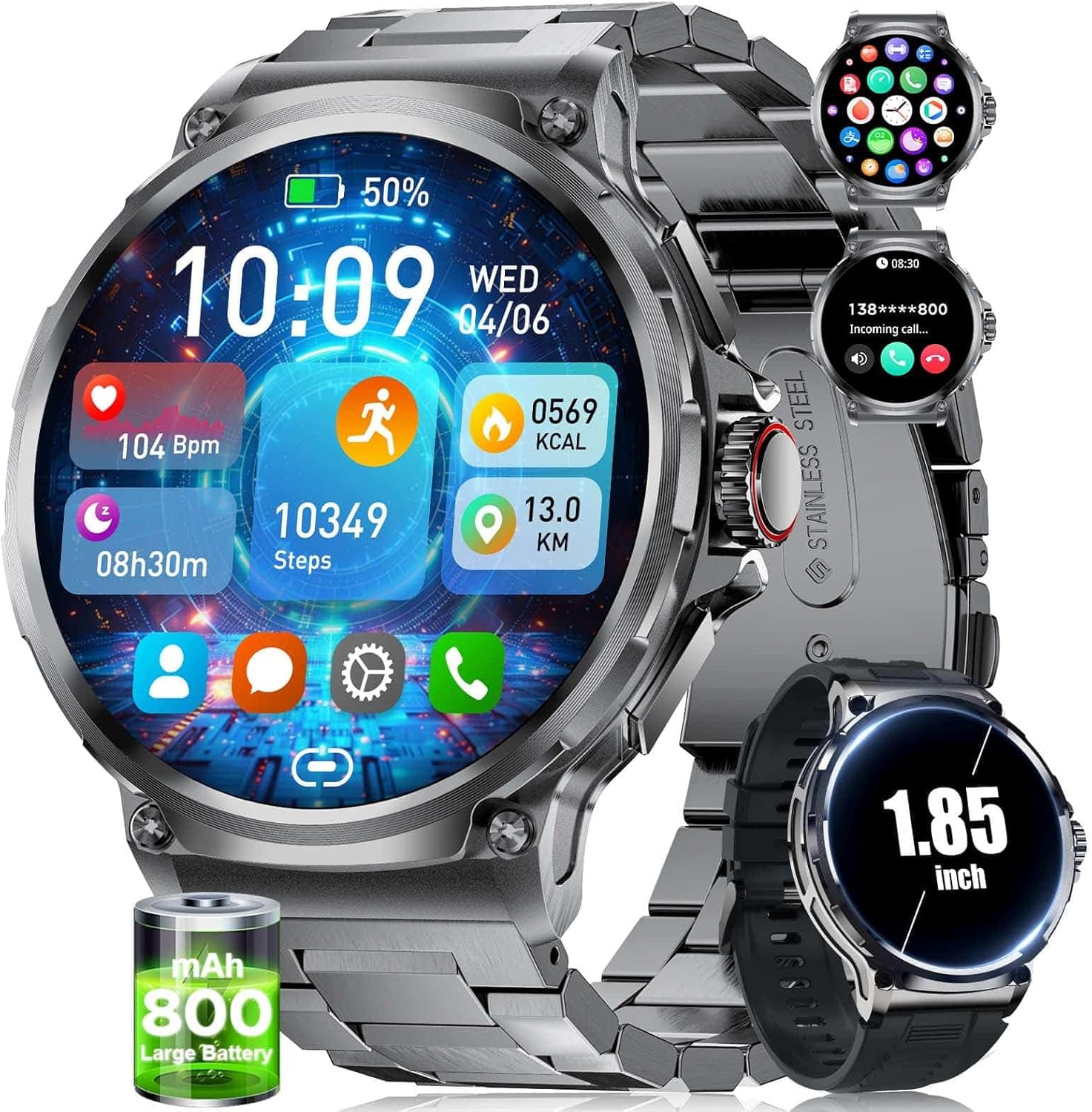
Image: The SUNKTA Military Smart Watch showcasing its large display and key features like heart rate, steps, calories, and distance.
2. Package Contents
Upon unboxing your SUNKTA Military Smart Watch, please ensure all the following items are present:
- 1 × Smart Watch
- 1 × Black Stainless Steel Bracelet
- 1 × Silicone Bracelet
- 1 × Magnetic Charging Cable
- 1 × Bracelet Replacement Tool
- 1 × User Manual
- 1 × 2-Year Warranty Card

Image: A visual representation of the complete package contents, including the smartwatch, both strap options, charging cable, and the strap adjustment tool.
3. Setup
3.1 Initial Charging
Before first use, fully charge your smartwatch. The 800mAh battery provides over 15 days of usage and more than 45 days of standby time. A full charge typically takes approximately 2 hours using the provided magnetic charging cable.

Image: The smartwatch connected to its magnetic charger, emphasizing its large 800mAh battery for extended use.
3.2 App Installation and Pairing
To unlock the full potential of your smartwatch, download and install the 'Da Fit' app from your smartphone's app store (compatible with iOS 9.0+ and Android 6.0+). Follow the in-app instructions to pair your device via Bluetooth 5.2 for a fast and stable connection.

Image: A visual guide demonstrating the process of connecting the smartwatch to a mobile device using the companion application.
3.3 Strap Installation
Your smartwatch comes with two interchangeable straps: a black stainless steel bracelet for formal occasions and a soft, washable silicone strap for casual or sports activities. Use the provided bracelet replacement tool to easily switch between styles.
4. Operating Instructions
4.1 Basic Navigation
Navigate the smartwatch interface using its responsive touchscreen and physical buttons. Swipe left/right or up/down to access different functions and menus. Press the side buttons for quick access to specific features or to return to the home screen.
4.2 Bluetooth Calling & Message Notifications
With Bluetooth 5.2, the smartwatch offers clear calls via its 60-decibel speaker and noise-canceling microphone. After pairing, you can answer, make, and end calls directly from your wrist. Receive notifications for text messages, Facebook, WhatsApp, TikTok, and more.
Video: Demonstrates the smartwatch's Bluetooth calling feature, showing how to answer calls and interact with the watch during a call.
4.3 Health Monitoring
The built-in advanced sensor chip provides 24/7 health monitoring. Track your heart rate, blood oxygen levels, and sleep quality (deep sleep, light sleep, REM). View detailed health reports in the companion app to understand your health condition better. (Note: Monitoring data is for reference only and not for medical use.)

Image: The smartwatch interface showing real-time health monitoring data for heart rate, blood oxygen, and sleep patterns.

Image: A detailed view of the scientific sleep monitoring feature, showing sleep duration and quality analysis.
4.4 Sports Modes
Engage in over 120 sports modes to track your fitness activities. The watch features 20 built-in training modes for daily use, with over 100 additional modes available in the app. It records calories burned, distance traveled, and steps taken in real-time, helping you achieve your training goals.

Image: The smartwatch interface showcasing its extensive range of sports modes and real-time activity tracking.
Video: A demonstration of the smartwatch's various sports modes, including tracking activities like cycling and basketball, and its health monitoring features.
4.5 Other Practical Functions
The smartwatch offers 20 practical functions, including weather forecast, voice assistant, alarm clock, stopwatch, timer, music control, camera control, sedentary and water-drinking reminders, multi-language switching, phone search, brightness adjustment, do-not-disturb mode, screen timer, and password setting.

Image: An overview of the smartwatch's diverse practical functions, from weather updates to music control and health reminders.
4.6 Customization (Watch Faces)
Personalize your smartwatch with nearly 300 online UI options available in the app. You can also set your favorite pictures as the watch face, allowing for unique customization.

Image: A selection of watch dials and the DIY dial feature, allowing users to personalize their smartwatch display.
5. Maintenance
5.1 Waterproofing
The smartwatch is built to military standards and is 5ATM waterproof, meaning it can withstand salt-spray, rain, and impact tests. It is suitable for swimming and daily water exposure. However, it is not recommended to wear the smartwatch while taking a hot shower, as steam can severely affect its waterproof performance.

Image: The smartwatch submerged in water, illustrating its robust 5ATM waterproof capability.

Image: An infographic highlighting the smartwatch's IP68 waterproof rating and its resilience against various water exposures.
5.2 Cleaning
To maintain the appearance and functionality of your smartwatch, regularly wipe the screen and straps with a soft, dry cloth. For stubborn smudges, a slightly damp cloth can be used, ensuring the watch is completely dry afterward.
5.3 Battery Care
To maximize battery lifespan, avoid extreme temperatures and do not allow the battery to fully deplete frequently. Charge the 800mAh battery using only the provided magnetic charger. The watch offers over 15 days of typical usage and more than 45 days of standby time on a single 2-hour charge.

Image: An infographic illustrating the impressive battery life of the smartwatch under various usage conditions.
6. Troubleshooting
If you encounter any issues with your SUNKTA Military Smart Watch, please try the following basic troubleshooting steps:
- Watch not turning on: Ensure the watch is fully charged. Connect it to the magnetic charger for at least 15 minutes.
- Pairing issues: Ensure Bluetooth is enabled on your smartphone and the watch is within range. Try restarting both the watch and your phone. Reset the watch if pairing remains abnormal.
- Inaccurate health data: Ensure the watch is worn snugly on your wrist, not too tight or too loose. Clean the sensor on the back of the watch.
- Notifications not appearing: Check app permissions on your smartphone to ensure the 'Da Fit' app has access to notifications. Verify notification settings within the 'Da Fit' app.
- Screen unresponsiveness: Restart the watch. If the issue persists, contact customer support.
7. Specifications
| Feature | Detail |
|---|---|
| Product Dimensions | 3.94 x 1.97 x 0.98 inches |
| Item Weight | 0.035 ounces |
| Item Model Number | EF10-A |
| Batteries | 1 Lithium Polymer batteries required (included) |
| OS Compatibility | Android/iOS |
| Wireless Communication | Bluetooth |
| GPS | GPS Via Smartphone |
| Display Features | 1.85'' HD large screen |
| Human Interface Input | Touchscreen, Buttons |
| Color | Black |
| Battery Power Rating | 800 Milliamp Hours |
| Manufacturer | SUNKTA |
| Country of Origin | China |
| Date First Available | March 21, 2025 |
8. Warranty and Support
Your SUNKTA Military Smart Watch comes with a 2-year warranty, as indicated by the included warranty card. For any questions, technical assistance, or support, please refer to the contact information provided in your package or reach out to SUNKTA customer service via the platform where you purchased the product. Our online customer service is available 24 hours to assist you.

Image: Information regarding SUNKTA's 2-year warranty and commitment to 24-hour online customer service.
Ask a question about this manual
Ask about setup, troubleshooting, compatibility, parts, safety, or missing instructions. Manuals+ will review the question and use this page’s manual context to help answer it.