
1. Introduction
Thank you for choosing the SMEG Retro-Style Analog & Digital Kitchen Scale. This manual provides essential information for the safe and efficient use of your new kitchen scale. Please read it thoroughly before first use and keep it for future reference.

Image 1.1: The SMEG Retro-Style Analog & Digital Kitchen Scale in Black, featuring its classic design and stainless steel bowl.
The SMEG Retro-Style Analog & Digital Kitchen Scale combines a classic 1950s aesthetic with modern weighing technology. It features both an analog dial and a backlit LCD for precise measurements, a rechargeable battery, and a removable, dishwasher-safe stainless steel bowl. This scale is designed for accurate measurement of ingredients for cooking, baking, and portion control.
2. What's in the Box
- Kitchen Scale base
- Stainless steel bowl
- USB charger cord
3. Key Features
- Dual Functionality: Combines analog dial design for a classic retro look with modern digital precision.
- High-Precision Weighing: Measures up to 11 lbs (5 kg) in 1g (0.04 oz) increments for exact results.
- Rechargeable Battery: Provides 36 hours of continuous use, eliminating the hassle of frequent battery replacements.
- Versatile Measurement Units: Easily switch between grams, pounds, ounces, and milliliters for different ingredients.
- Dishwasher-Safe Stainless Steel Bowl: 1.8-liter (60 oz) bowl is removable for easy cleaning and mixing convenience.
- Compact & Counter-Friendly: With dimensions of 10.5" (H) x 8" (W) x 8" (D), this stylish kitchen scale fits effortlessly into any space.
- Backlit LCD Display & Tare Function: Clear visibility in any lighting conditions with a function for precise multi-ingredient weighing.
- MY SMEG Assistant App: Scan the QR code on the product for instant access to how-to videos, manuals, and warranty information.
- Sustainable Internal Packaging: Crafted from plant-based viscose bags derived from cellulose fibers, this eco-friendly internal packaging eliminates plastic wrap while ensuring product and accessory protection during storage and transport.
- SMEG Stand Mixer Bowl Compatible: The weighing plate is sized to perfectly accommodate the SMB401 Stand Mixer Bowl, allowing you to measure ingredients directly in the bowl—ideal for seamless, mess-free baking prep.
4. Setup
4.1 Unpacking and Initial Placement
- Carefully remove all components from the packaging.
- Place the scale base on a flat, stable, and dry surface. Ensure there are no obstructions beneath the scale's feet.
- Place the stainless steel bowl securely onto the weighing platform.
4.2 Charging the Battery
The scale is equipped with a rechargeable battery. Before first use, or when the battery indicator shows low power, connect the scale to a USB power source using the provided USB charger cord.

Image 4.1: Rear view of the scale, highlighting the USB charging port.
A full charge provides approximately 36 hours of continuous use.
5. Operating Instructions
5.1 Power On/Off
- To turn ON the scale, press the power button located on the side of the scale. The backlit LCD display will illuminate.
- To turn OFF the scale, press and hold the power button for approximately 3 seconds. The display will turn off. The scale also features an auto-off function to conserve battery power after a period of inactivity.
5.2 Changing Measurement Units
The scale supports multiple measurement units. To cycle through the available units (grams, pounds:ounces, fluid ounces, milliliters), press the 'UNIT' button located on the side of the scale.
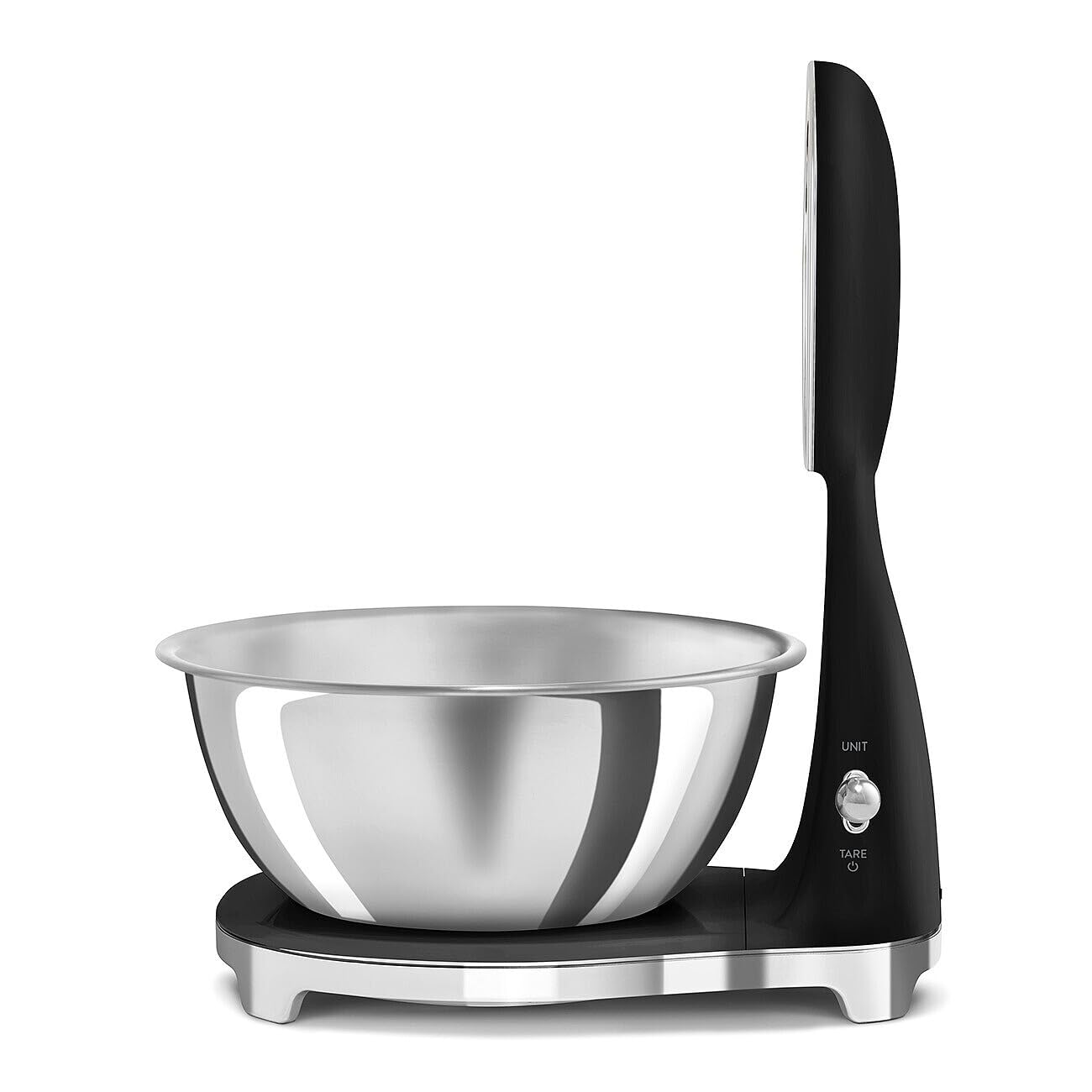
Image 5.1: Side view of the scale, indicating the 'UNIT' and 'TARE' buttons.
5.3 Tare Function
The Tare function allows you to weigh multiple ingredients consecutively without removing previous ingredients or to subtract the weight of a container.
- Place an empty container on the scale. The display will show its weight.
- Press the 'TARE' button. The display will reset to zero.
- Add your first ingredient. The display will show the weight of only that ingredient.
- To add another ingredient, press 'TARE' again to reset the display to zero, then add the next ingredient. Repeat as needed.

Image 5.2: The scale with its stainless steel bowl, ready for weighing.
5.4 Weighing Items
- Ensure the scale is on and the desired unit of measurement is selected.
- Place the item(s) directly onto the stainless steel bowl or a container (using the Tare function).
- Read the weight displayed on the backlit LCD screen. The analog dial will also indicate the approximate weight.
Video 5.1: An overview of the SMEG KSF01 Kitchen Scale, demonstrating its features and operation.
6. Maintenance and Care
6.1 Cleaning
- The removable stainless steel bowl is dishwasher safe for easy cleaning.
- To clean the scale base, wipe it with a soft, damp cloth. Do not immerse the scale base in water or use abrasive cleaners.
- Ensure the scale is completely dry before storage or next use.
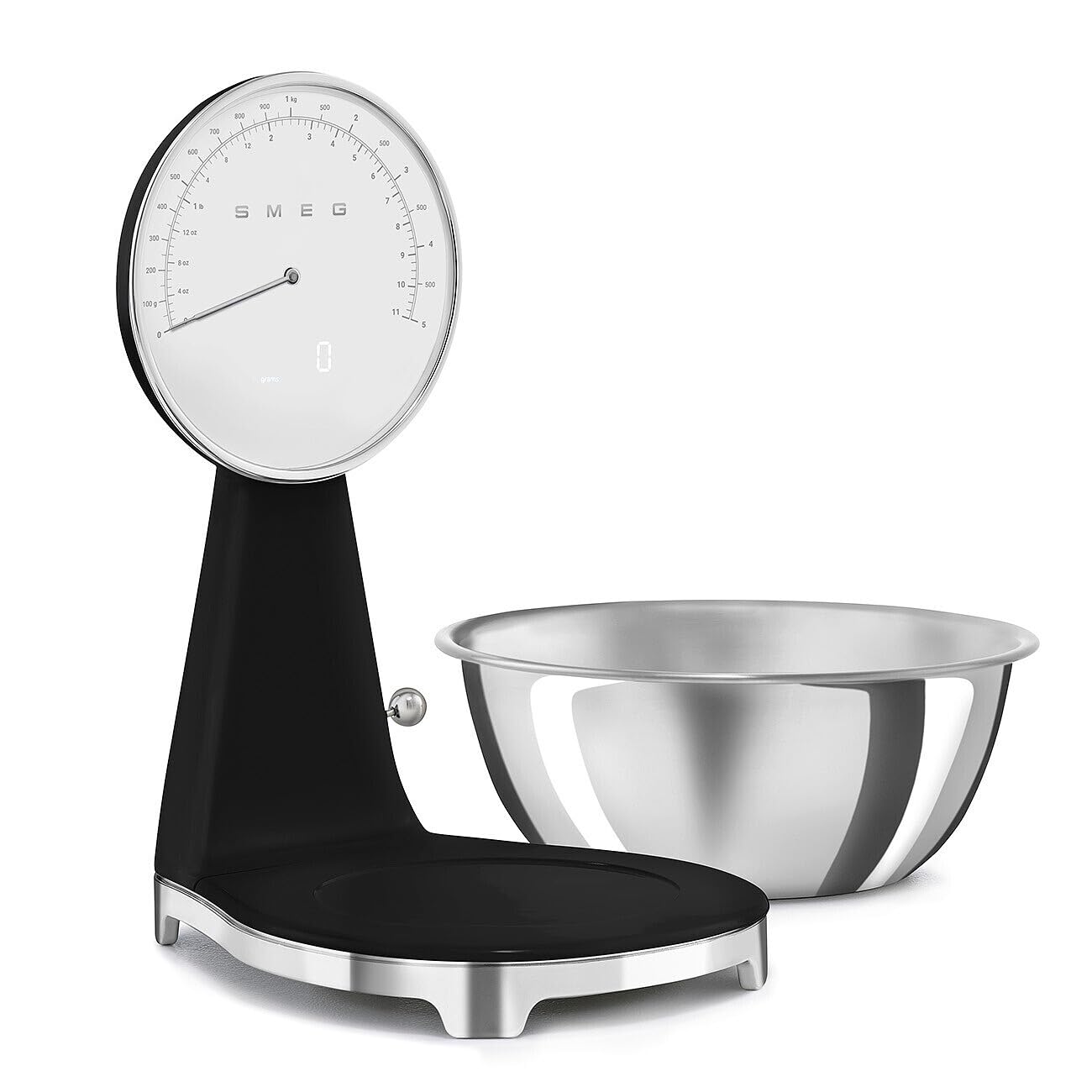
Image 6.1: The scale base with the stainless steel bowl removed, illustrating ease of cleaning.
6.2 Storage
Store the scale in a cool, dry place away from direct sunlight and extreme temperatures. Do not place heavy objects on the scale when not in use.
7. Troubleshooting
- Inaccurate Readings: Ensure the scale is on a flat, stable surface and not touching any other objects. Recalibrate if necessary (refer to the MY SMEG Assistant App for calibration instructions).
- Display Not Working: Check if the battery needs charging. Ensure the scale is powered on.
- Scale Not Turning On: Verify the battery is charged. If issues persist, contact customer support.
- Error Messages: Specific error codes may appear on the LCD. Consult the MY SMEG Assistant App or customer support for detailed explanations and solutions.
8. Specifications
| Model Number | KSF01BLUS |
| Capacity | 11 lbs (5 kg) |
| Increments | 1g (0.04 oz) |
| Display Type | Analog, Backlit LCD |
| Power Source | Rechargeable Battery |
| Battery Life | Up to 36 hours (continuous use) |
| Bowl Capacity | 1.8 liters (60 oz) |
| Dimensions (H x W x D) | 10.5" x 8" x 8" |
| Manufacturer | SMEG |
9. Warranty and Support
For detailed warranty information, video guides, and additional support, please scan the QR code on your SMEG appliance to access the MY SMEG Assistant App. US-based SMEG experts are available to assist you throughout the lifespan of your machine.
You can also visit the official Smeg Store on Amazon for more product information and support resources.


