1. Product Overview
The JENSEN J5UP7 is a 7-inch LED high-resolution touchscreen receiver designed for in-car entertainment and connectivity. It features certified wireless Apple CarPlay and Android Auto, built-in Bluetooth for hands-free calling and audio streaming, and multiple input options including a backup camera input and USB for playback and charging. The unit also includes unique top-mount tactile controls for ease of use.

Figure 1.1: Front view of the JENSEN J5UP7 receiver with the Apple CarPlay interface active.
2. Key Features
- 7-inch LED High Resolution Touch Screen (1280 x 720): Provides a clear and responsive display for all functions.
- Wireless Apple CarPlay: Seamless integration with iPhone for navigation, calls, messages, and music.
- Wireless Android Auto: Connects Android smartphones for safe access to maps, media, and communication.
- Unique Top Mount Tactile Controls: Features a volume knob and dedicated buttons for track, source, and voice assistant on the top panel.
- Built-in Bluetooth: Enables hands-free calling and wireless audio streaming from compatible devices.
- Backup Camera Input: Supports an optional backup camera for enhanced safety (BUCAM100J recommended, sold separately).
- Color Customization (illumiNITE): Adjustable button illumination with 6 color options to match vehicle interior or personal preference.
- Dual Rear USB Inputs: Includes two USB inputs, one with 2.1 Amp fast charging capability.
- Audio Control: Features 8 EQ presets (Off, User, Jazz, HipHop, Pop, Rock, R&B, Classic) and 10-Band Graphic EQ capabilities.
- Power Output: 240 Watts Peak Power (60 Watts x 4) MOSFET.
3. Setup Guide
3.1 What's in the Box
Upon opening the package, ensure all components are present:
- JENSEN J5UP7 Receiver Unit
- Wiring Harness
- Microphone
- GPS Antenna
- Mounting Screws
- Removal Tools

Figure 3.1: Included accessories for the J5UP7 receiver.
3.2 Installation Considerations
The J5UP7 receiver features a unique design where the front panel does not mount flush with the chassis. It will recess from the dash by approximately 1.25 inches. Ensure your vehicle's dashboard design can accommodate this protrusion before installation.

Figure 3.2: J5UP7 chassis and front panel dimensions, illustrating the non-flush mounting.
3.3 Attaching or Removing the Trim Ring
To attach or remove the trim ring, the volume control knob must be removed first. Follow these steps:
- Remove the volume control knob by gently pulling it straight off.
- Detach or attach the trim ring as needed.
- Re-insert the volume control knob by aligning it and pushing it back into place.

Figure 3.3: Instructions for trim ring installation/removal.
4. Operating Instructions
4.1 General Operation and Tactile Controls
The J5UP7 features a responsive touchscreen for most operations, complemented by physical top-mounted controls for quick access to essential functions like volume, track selection, source switching, and voice assistant activation.
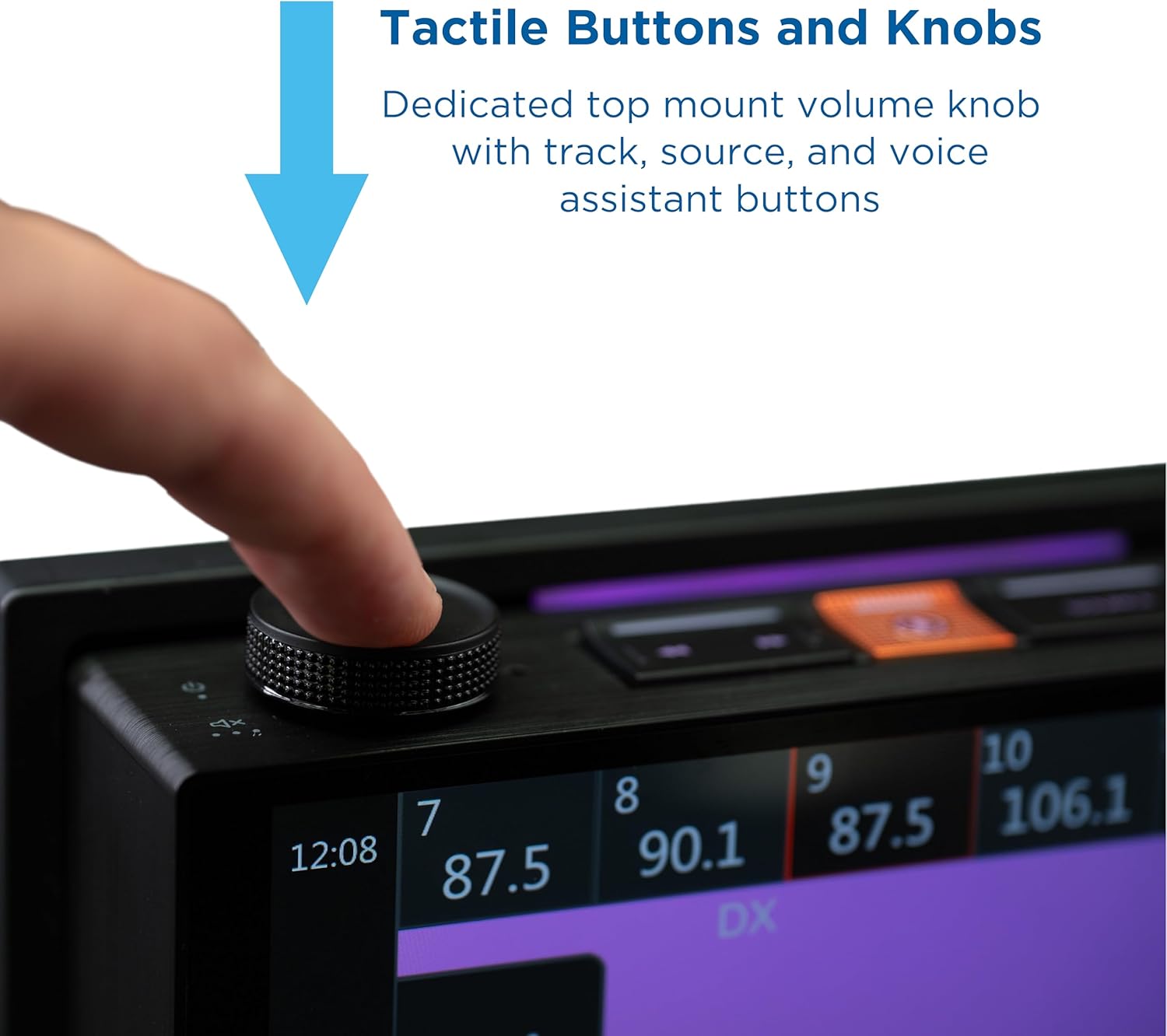
Figure 4.1: Detail of the top-mounted tactile controls.

Figure 4.2: The illumiNITE voice assistant button.
For a visual demonstration of the J5UP7's features and controls, please watch the official product video below:
Video 4.1: Official demonstration of the Jensen J5UP7 Car Stereo with Tactile Buttons & Knobs, showcasing its various functions and user interface.
4.2 Apple CarPlay and Android Auto
The J5UP7 supports both wireless Apple CarPlay and Android Auto, allowing you to integrate your smartphone's features directly onto the receiver's display. This includes navigation, music playback, messaging, and hands-free calling.

Figure 4.3: Apple CarPlay and Android Auto interfaces on the J5UP7.

Figure 4.4: Wireless and wired connectivity options for Apple CarPlay and Android Auto.
4.3 Bluetooth Connectivity
Pair your Bluetooth-enabled device with the J5UP7 for wireless audio streaming and hands-free phone calls. Refer to your device's manual for specific pairing instructions.

Figure 4.5: Bluetooth connectivity icon.
4.4 Camera Inputs
The receiver is equipped with RCA inputs for both front and rear view cameras, allowing you to view camera feeds directly on the 7-inch display for easier parking and maneuvering.
4.5 Audio Customization
Adjust your audio experience using the built-in equalizer. The J5UP7 offers 8 preset EQ modes and a 10-band graphic equalizer for fine-tuning sound to your preference.
4.6 illumiNITE Button Illumination
Personalize the look of your receiver by customizing the color of the button illumination. Choose from 6 available colors to match your vehicle's interior lighting or your mood.
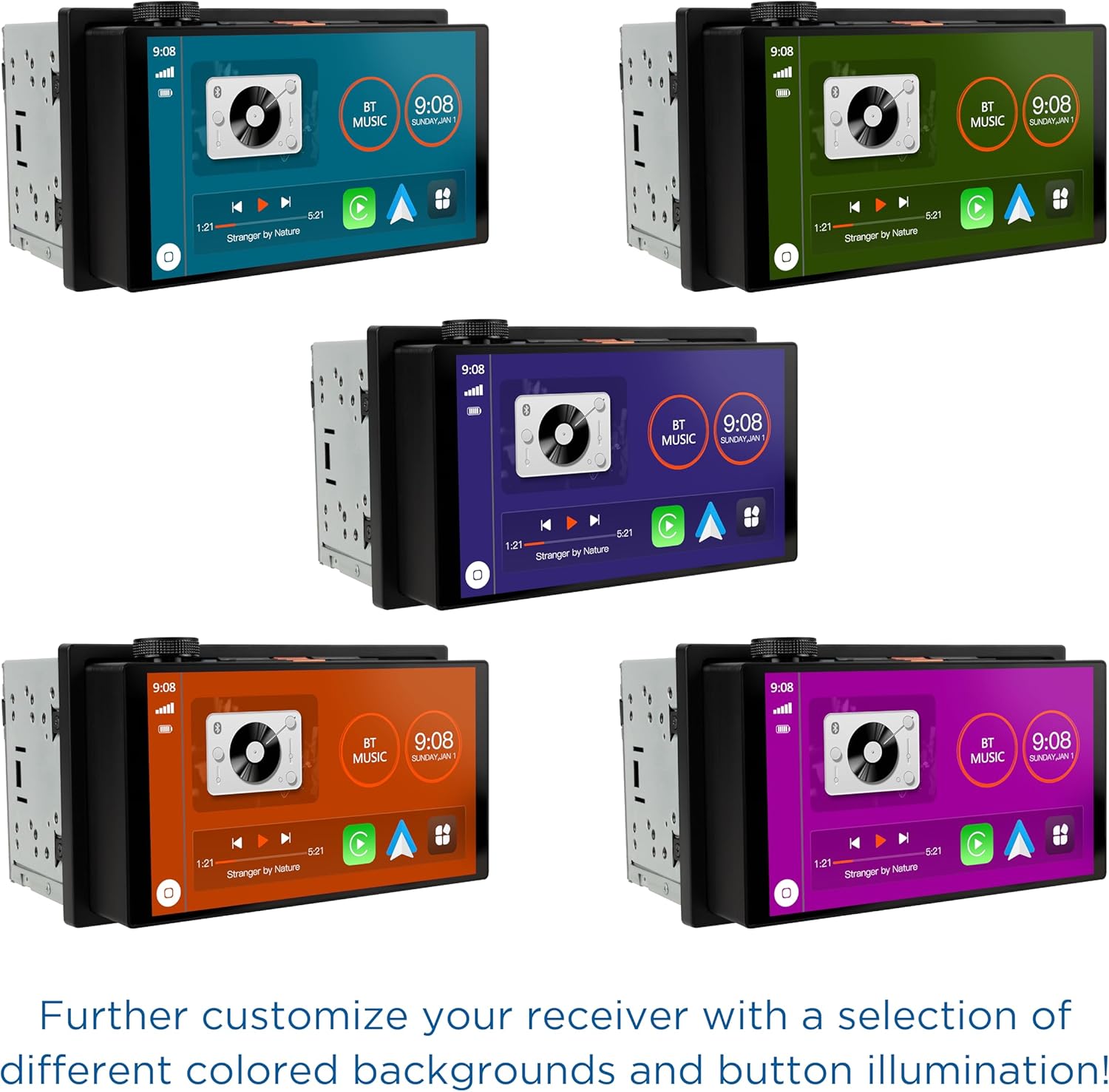
Figure 4.6: Examples of illumiNITE color customization.
5. Maintenance
To ensure the longevity and optimal performance of your JENSEN J5UP7 receiver, follow these maintenance guidelines:
- Cleaning the Screen: Use a soft, lint-free cloth to gently wipe the touchscreen. For stubborn smudges, slightly dampen the cloth with water or a screen-safe cleaner. Avoid abrasive materials or harsh chemicals.
- General Cleaning: Keep the unit free from dust and debris. Use a soft brush or compressed air to clean around buttons and vents.
- Temperature: Avoid exposing the unit to extreme temperatures, both hot and cold, for extended periods.
- Liquid Exposure: Prevent liquids from entering the unit. In case of accidental spills, power off the unit immediately and allow it to dry completely before use.
6. Troubleshooting
If you encounter issues with your JENSEN J5UP7 receiver, consider the following common troubleshooting steps:
- No Power: Check all power connections and fuses. Ensure the vehicle's ignition is on.
- No Sound: Verify speaker connections. Check volume levels and mute settings. Ensure the correct audio source is selected.
- Touchscreen Unresponsive: Try restarting the unit (if possible, refer to the full manual for reset procedures). Ensure the screen is clean and free of obstructions.
- Bluetooth Connection Issues: Ensure Bluetooth is enabled on both the receiver and your device. Delete previous pairings and attempt to re-pair. Move closer to the unit if range is an issue.
- CarPlay/Android Auto Not Connecting: Ensure your phone is compatible and the correct USB cable (if wired) is used. Check phone settings for CarPlay/Android Auto permissions.
For more detailed troubleshooting or persistent issues, please refer to the comprehensive user manual available on the Jensen website or contact customer support.
7. Specifications
| Feature | Specification |
|---|---|
| Model Number | J5UP7 |
| Screen Size | 7-inch LED High Resolution Touch Screen (1280 x 720) |
| Connectivity Technology | Bluetooth, USB Type A |
| Compatible Devices | Smartphone (Apple CarPlay, Android Auto) |
| Audio Output Mode | Stereo |
| Peak Power Output | 240 Watts (60 Watts x 4) MOSFET |
| Item Weight | 2.92 pounds |
| Package Dimensions | 8.74 x 7.64 x 6.5 inches |
| Manufacturer | Jensen |
| Country of Origin | China |
8. Warranty and Support
JENSEN offers a 3-year warranty on this product when registered on Jensenmobile.com. A standard 2-year warranty applies otherwise.

Figure 8.1: Jensen's commitment and warranty information.
For further assistance, technical support, or warranty claims, please visit the official Jensen website or contact their customer service department.