
1. Product Overview
The Metz MPE7200Z is a 24-inch portable smart TV designed for versatile use, featuring a built-in battery, anti-glare LED FHD display, and Google TV. Its portable design with an integrated handle allows for easy transport and use in various environments, from home to outdoor settings.
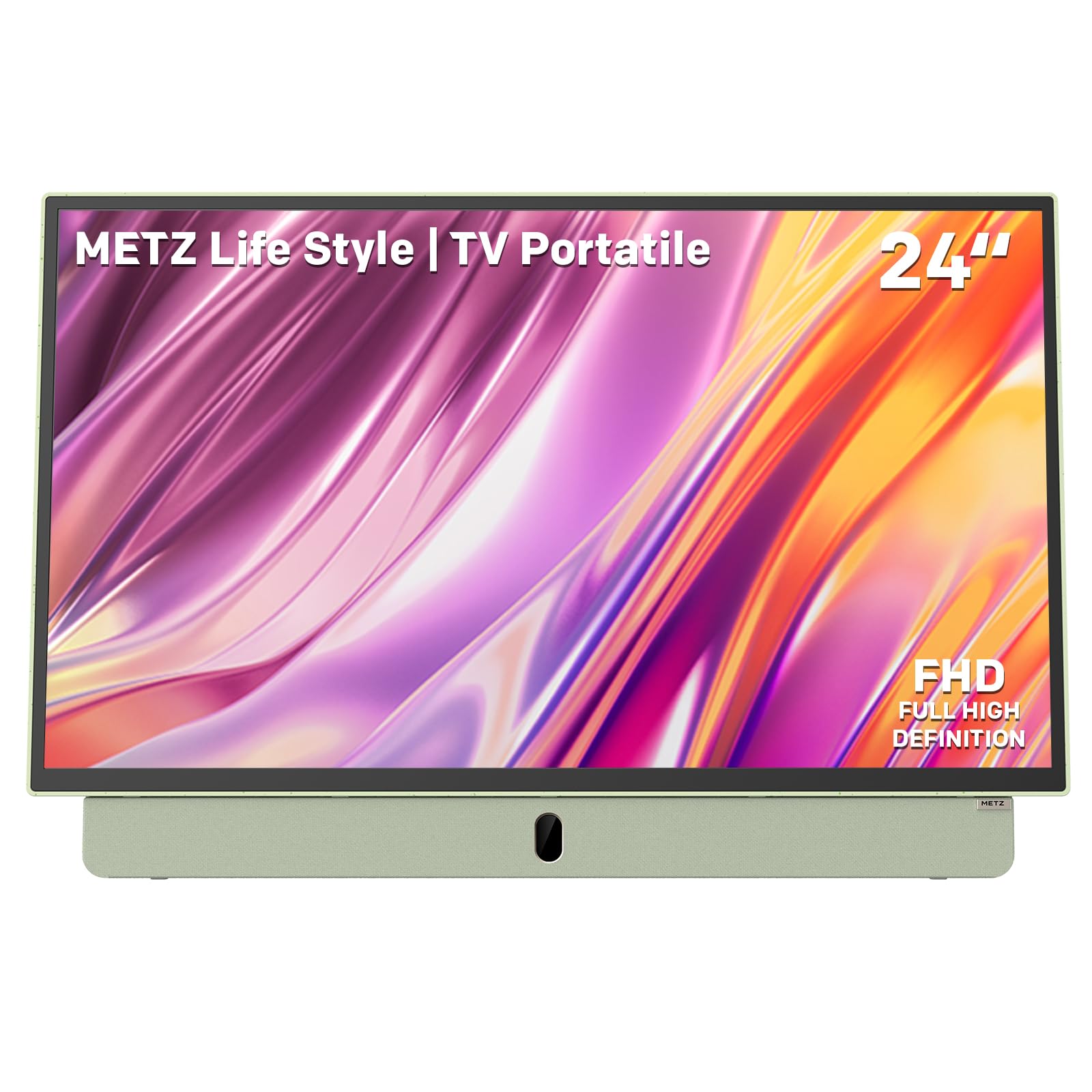
Figure 1: Metz MPE7200Z 24-inch Portable Smart TV, showcasing its sleek design and green finish.
2. Setup Guide
2.1 Unboxing and Components
Carefully remove all components from the packaging. Ensure the following items are present:
- Metz MPE7200Z 24-inch Portable Smart TV
- Remote Control
- User Manual (this document)
- Power Adapter
- 12V Car Charger (for in-vehicle charging)
2.2 Physical Setup
The TV features a portable design with an integrated handle and a stable base. Place the TV on a flat, stable surface. The handle can be used for easy carrying.

Figure 2: The Metz MPE7200Z features a portable design with an integrated handle, weighing less than 4kg, making it easy to carry.
2.3 Powering On and Charging
The MPE7200Z includes a built-in battery providing up to 3 hours of autonomy. It can be charged via the included power adapter or the 12V car charger for convenience during travel.
- Standard Charging: Connect the power adapter to the DC IN port on the TV and plug it into a wall outlet.
- Car Charging: Use the 12V car charger to power or charge the TV in your vehicle.
2.4 Connecting Peripherals
The TV offers multiple connectivity options:
- HDMI: Connect external devices like gaming consoles, laptops, or media players using an HDMI cable. The TV has 1 HDMI port.
- USB: Connect USB drives for media playback.
- Antenna: Connect a digital terrestrial antenna to the antenna input for receiving broadcast channels.
- Bluetooth & Wi-Fi: Connect to wireless networks and Bluetooth devices (e.g., headphones, speakers).

Figure 3: Side view of the Metz MPE7200Z, detailing its various input and output ports for comprehensive connectivity.
2.5 Initial Configuration
Upon first power-on, the TV will guide you through the initial setup process, including language selection, network connection, and Google TV account setup.
3. Operating Instructions
3.1 Google TV Interface
The Metz MPE7200Z runs on Google TV, providing a personalized experience with access to a wide range of streaming services, apps, and content recommendations. Navigate using the included remote control.

Figure 4: The Google TV interface offers a wide selection of entertainment options, supported by the TV's integrated battery, Bluetooth 5.0, and Wi-Fi.
3.2 Display Features
The 24-inch FHD LED display features anti-glare technology, ensuring clear and crisp visuals even in bright outdoor conditions. Enjoy a wide dynamic range and enhanced color depth.

Figure 5: The FHD resolution provides clean and detailed images with a wider dynamic range and higher color depth.
3.3 Audio Experience
Experience immersive sound with Dolby Audio and the integrated 2x6W front speakers, designed to deliver clear and crisp audio for all your content.
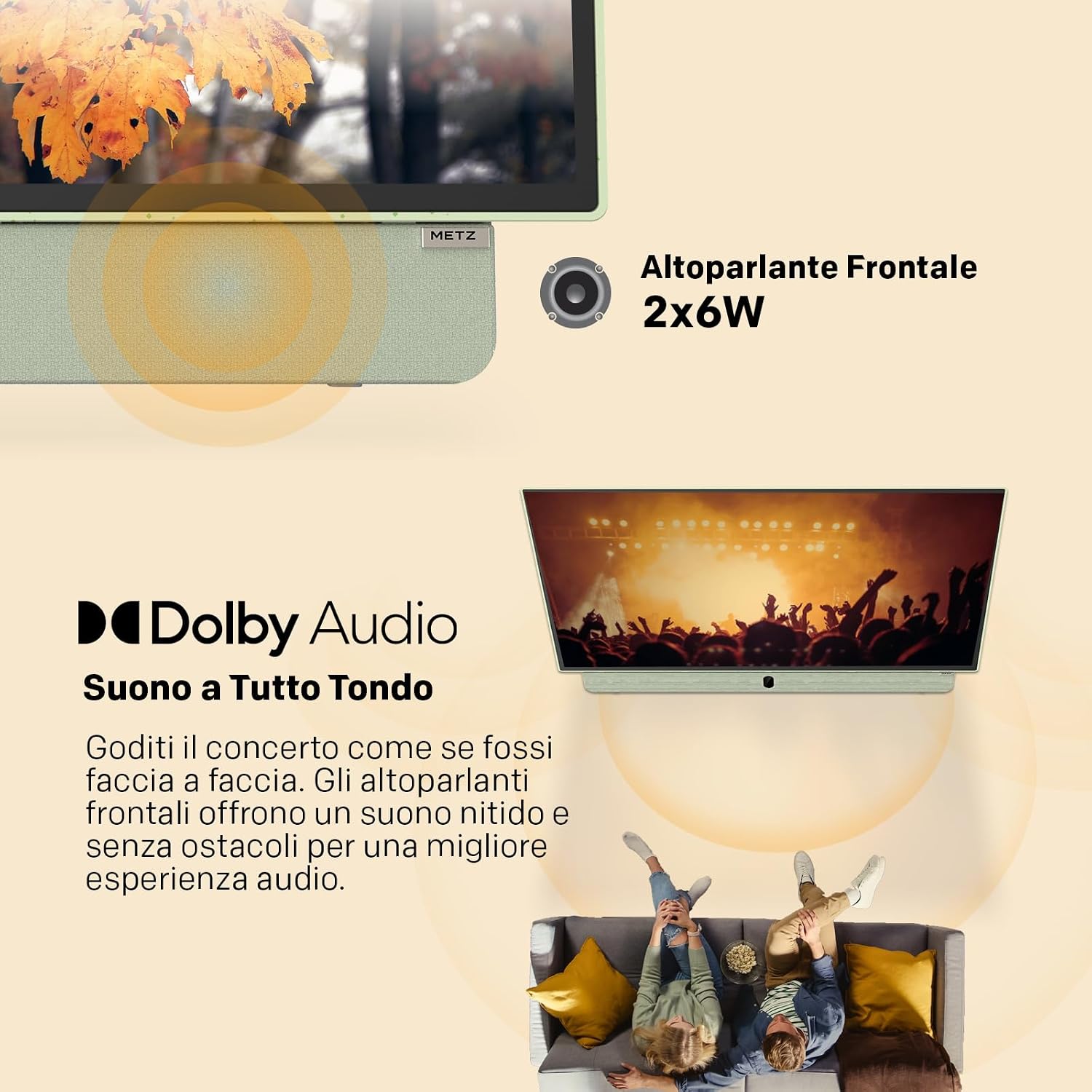
Figure 6: Enjoy rich audio with Dolby Audio and the powerful 2x6W front speakers.
3.4 Versatile Usage Scenarios
The Metz MPE7200Z is designed for various environments:
- Indoor Use: Perfect for kitchens, bedrooms, or as a secondary screen in an office.
- Outdoor Use: The anti-glare screen and built-in battery make it ideal for camping, picnics, or garden entertainment.
- On-the-Go: Its portability and 12V car charging capability are perfect for campers, trains, or boats.

Figure 7: The TV is suitable for office use, providing a clear display for presentations or teleconferences.

Figure 8: Enjoy entertainment outdoors with friends and family.

Figure 9: Ideal for kitchen use, allowing you to watch content while cooking.

Figure 10: Connect your gaming console via HDMI for portable gaming sessions.

Figure 11: Perfect for entertainment in campers, providing a home-like experience on the road.
3.5 Optimal Viewing Distance
For the 24-inch screen, optimal viewing distances range from 0.8 to 1.5 meters. Maintain approximately 1 meter for office use and 1.2-1.5 meters for home environments to ensure comfortable and detailed viewing. For outdoor activities, keep the distance under 1.5 meters for clear visibility.
3.6 Product Video
Video 1: Introduction to the Metz Portable TV (MPE7000Y model shown, features are highly similar to MPE7200Z). This video highlights the TV's portability, built-in battery, multiple charging options (adaptor, car, solar), and versatile usage scenarios (indoor, outdoor). It also showcases the display's 2K FHD resolution, Eye Care features (Flicker Free, Low Blue Light), anti-reflection matte screen, and Google TV interface with various apps and Kids Profile.
4. Maintenance
To ensure the longevity and optimal performance of your Metz MPE7200Z, follow these maintenance guidelines:
- Cleaning: Use a soft, dry cloth to clean the screen and exterior. For stubborn marks, slightly dampen the cloth with water or a screen-safe cleaner. Avoid harsh chemicals.
- Storage: When not in use for extended periods, store the TV in a cool, dry place, away from direct sunlight and extreme temperatures.
- Battery Care: To maintain battery health, avoid fully discharging the battery frequently. Charge it regularly, even if not in active use.
- Ventilation: Ensure the ventilation openings are not blocked to prevent overheating.
5. Troubleshooting
If you encounter issues with your Metz MPE7200Z, refer to the following common problems and solutions:
| Problem | Possible Cause | Solution |
|---|---|---|
| TV does not turn on | No power, discharged battery | Ensure the power adapter is securely connected and plugged in, or charge the built-in battery. |
| No signal from antenna | Antenna not connected, poor signal reception | Check antenna connection. Adjust antenna position for better reception. Perform a channel scan. |
| No picture/sound from HDMI device | Incorrect input source, faulty HDMI cable | Select the correct HDMI input. Try a different HDMI cable. Ensure the external device is powered on. |
| Wi-Fi connection issues | Incorrect password, out of range, router issue | Verify Wi-Fi password. Move closer to the router. Restart your router and the TV. |
6. Technical Specifications
| Feature | Specification |
|---|---|
| Screen Size | 24 Inches |
| Brand | Metz |
| Screen Technology | LED |
| Resolution | 1080p (FHD) |
| Refresh Rate | 60 Hz |
| Special Feature | Portable, Anti-glare, Google TV, Built-in Battery |
| Connectivity Technology | HDMI, USB, Bluetooth, Wi-Fi 5, Antenna Input |
| Product Dimensions | 8P x 55l x 37H cm |
| Color | Green |
| HDMI Ports | 1 |
| Batteries | 1 Lithium Ion battery required (included) |
| Model Year | 2025 |
| Video Encoding | HEVC Main 10 |

Figure 12: EU Energy Label for Metz 24MPE7200Z. For more details, visit EPREL Database.

Figure 13: Detailed product information sheet. For more details, visit EPREL Database.
7. Warranty and Support
The Metz MPE7200Z comes with a 2-year manufacturer's warranty. For warranty claims, technical support, or service inquiries, please contact Metz customer support or visit their official website. Keep your proof of purchase for warranty validation.
Manufacturer: Metz
Customer Service Email: support-blue@metz-ce.de
Manufacturer Website: www.metz-ce.de