
Product Overview
The TOPGOOSE 3-Channel Dash Cam is designed to provide comprehensive surveillance for your vehicle, capturing video from the front, inside, and rear simultaneously. It features Full HD 1080P recording, Wi-Fi connectivity for app control, advanced night vision, and a 24-hour parking monitoring mode for enhanced security.

Image: The TOPGOOSE 3-Channel Dash Cam system, including the main unit, interior camera, rear camera, and a 64GB TF card, demonstrating its compact design and smartphone connectivity.
Package Contents
Please verify that all items listed below are included in your package:
- 1 x Dual Dash Cam (main unit)
- 1 x Rear Camera
- 1 x Rear Camera Cable
- 1 x Car Charger Power Cable
- 1 x User Manual
- 1 x Adjustable Suction Mount
- 1 x 64GB High-Speed Memory Card (TF Card)
- 2 x Screws
- 1 x 3M Adhesive
- 1 x Installation Tool

Image: A visual representation of all items included in the dash cam package, neatly arranged.
Setup & Installation
Follow these steps to properly install your TOPGOOSE 3-Channel Dash Cam:
- Insert the Memory Card: Locate the TF card slot on the main dash cam unit and insert the provided 64GB memory card. Ensure it clicks into place.
- Mount the Front Dash Cam: Attach the adjustable suction mount to the main dash cam unit. Clean a spot on your windshield, ideally behind the rearview mirror, and firmly press the suction cup to secure the dash cam. Adjust the angle to ensure a clear view of the road ahead.
- Connect Power: Plug the car charger power cable into the dash cam's power input port and then into your vehicle's 12V cigarette lighter socket. Route the cable neatly along the windshield edge and dashboard to avoid obstructing your view.
- Install the Rear Camera: Connect the rear camera cable to the main dash cam unit. Route the cable to the rear of your vehicle. The rear camera can be mounted inside the rear window or externally. For external mounting, connect the red wire of the rear camera to your vehicle's reverse light power supply for automatic display when reversing.
- Adjust Camera Angles: Ensure the front camera has a 170° wide-angle view of the road. The in-car camera (integrated) has a 160° view of the cabin, and the rear camera provides a 160° view behind the vehicle.

Image: A visual guide illustrating the simple installation process for both the front and rear cameras within a vehicle.
Video: An official TOPGOOSE video demonstrating the unboxing and installation process of the 3-Channel Dash Cam, including connecting the power and mounting the units.
Operating Instructions
Power On/Off
The dash cam will automatically power on and begin recording when your vehicle's ignition is turned on. It will power off automatically when the ignition is turned off. You can also manually power on/off using the power button on the device.
Loop Recording
The dash cam supports loop recording, which means it will continuously record video. When the memory card is full, it will automatically overwrite the oldest unprotected files to make space for new recordings. This ensures you always have the most recent footage.
G-Sensor (Accident Lock)
Equipped with a built-in Gravity-Shock Sensor, the dash cam automatically detects sudden shakes or collisions. When triggered, it will auto-lock the current footage as evidence, preventing it from being overwritten by loop recording. These protected files are crucial for insurance claims or legal purposes.
24-Hour Parking Mode
For continuous protection even when your vehicle is parked, the dash cam offers a 24-hour parking mode. This feature requires the dash cam to be connected to a hardwire kit (not included in the package) or an external battery. It can operate in low bitrate recording mode to maximize recording quantity or motion/collision detection mode to initiate recording only when triggered.
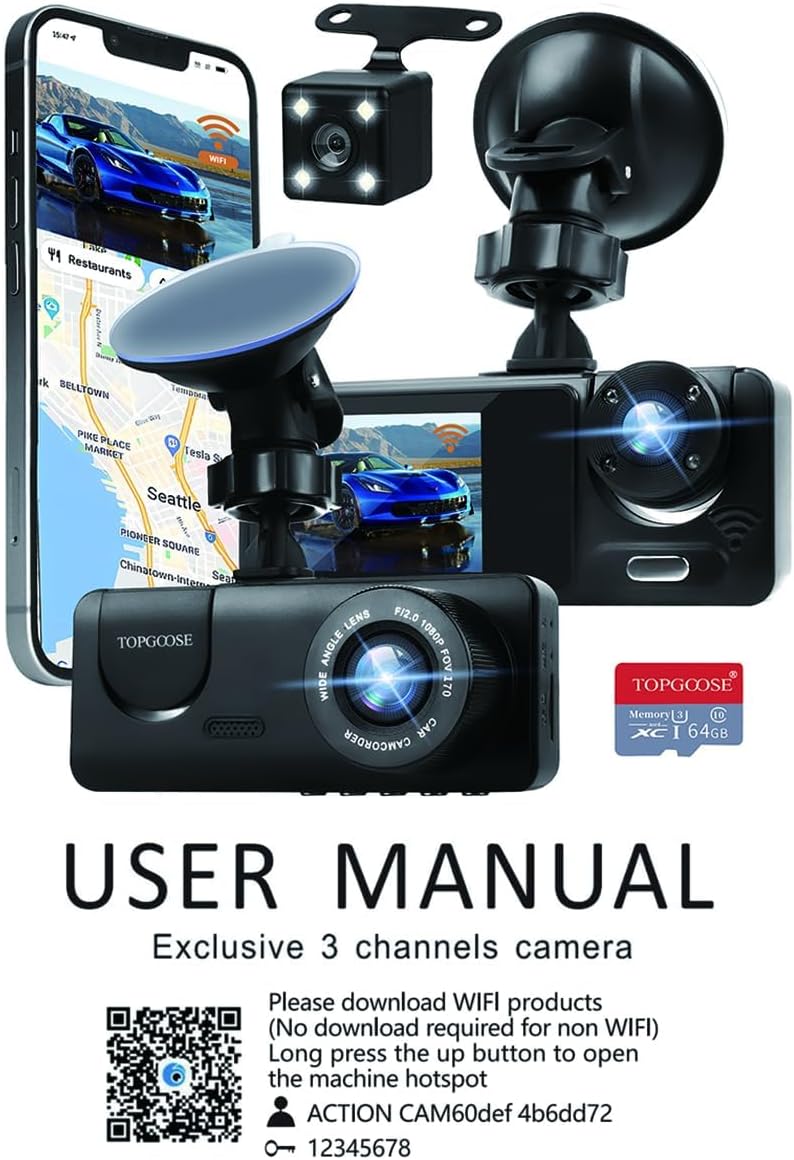
Image: A graphic explaining the 24-hour parking monitoring feature, showing how the dash cam protects the car and automatically locks video evidence upon impact.
Wi-Fi & App Control
The dash cam features built-in Wi-Fi, allowing you to connect it to your smartphone via the Viidure app (available for iOS and Android devices). Through the app, you can:
- View live video feedback from the dash cam.
- Playback recorded videos.
- Manage dash cam settings.
- Download and edit videos directly to your phone.
- Share videos to social media.
The initial Wi-Fi matching password is 12345678. You can download the app from https://www.6zhentan.com/app/d0001/index.html or by scanning the QR code in the user manual.

Image: The dash cam connected to a smartphone via Wi-Fi, showcasing the smart app control features for live viewing, playback, sharing, and downloading videos.
Night Vision & WDR
The dash camera is equipped with a super night vision function, featuring an F2.0 large aperture and Wide Dynamic Range (WDR) technology. This combination helps to capture clearer video and images in low-light conditions, making it suitable for night driving. WDR automatically fills in chromatic aberrations for high-definition recording.

Image: A visual comparison demonstrating the superior clarity of license plates captured with Super Night Vision 2.0 compared to poor night vision.

Image: Displays the three camera views (front, cabin, rear) and highlights the benefits of Wide Dynamic Range (WDR) and IR Night Vision with F2.0 aperture for clear recording.
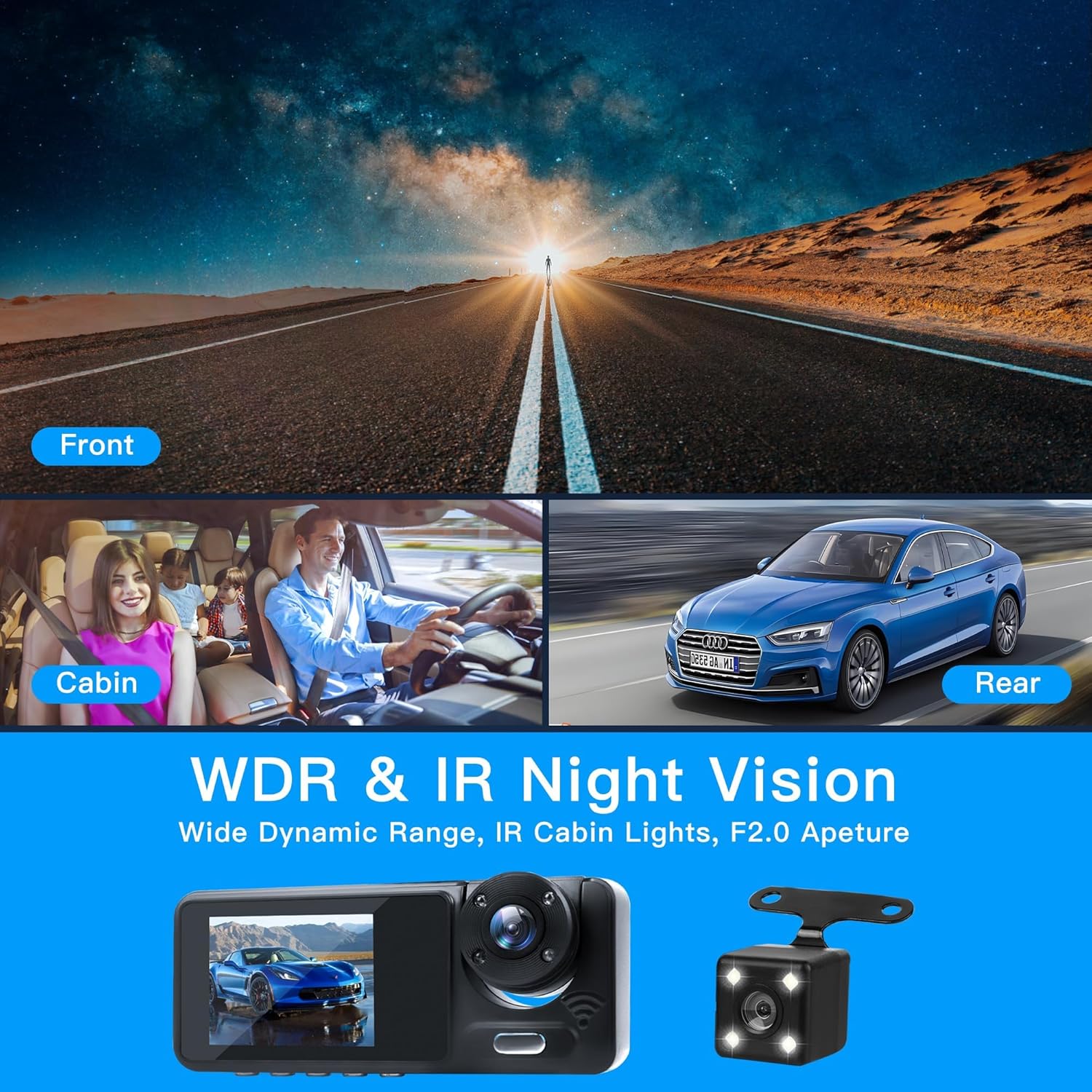
Image: Illustrates the comprehensive 3-channel camera coverage, including 170° for the front, 160° for in-car dynamics, and 160° for the rear of the vehicle, aiming to eliminate blind spots.
Maintenance
- Memory Card Formatting: The included 64GB TF memory card is pre-formatted. If you need to format the TF card using a computer, please use a tool to format it to FAT32 format. Note: The default format of Windows operating system is exFAT, which will not work on this car recorder.
- Cleaning: Regularly clean the camera lenses with a soft, lint-free cloth to ensure clear video quality. Avoid using harsh chemicals that could damage the lens coating.
- Firmware Updates: Check the Viidure app or the TOPGOOSE official website periodically for any available firmware updates to ensure optimal performance and new features.
Troubleshooting
- Dash Cam Not Powering On: Ensure the car charger is properly connected to both the dash cam and the vehicle's 12V socket. Check the vehicle's fuse for the cigarette lighter.
- Memory Card Error: If the dash cam displays a memory card error, try reformatting the card to FAT32 using a computer. If the issue persists, the card may be faulty and require replacement.
- Wi-Fi Connection Issues: Double-check the Wi-Fi password (default: 12345678). Ensure your smartphone is within range of the dash cam's Wi-Fi signal. Restart both the dash cam and your phone.
- Poor Video Quality: Clean the camera lenses. Ensure the dash cam is securely mounted and not vibrating excessively. Check settings in the app to confirm 1080P resolution is selected.
- Parking Mode Not Working: Verify that the dash cam is connected to a hardwire kit or an external battery, as it requires continuous power for 24-hour parking mode.
Specifications
| Feature | Detail |
|---|---|
| Product Dimensions | 7 x 4 x 11 inches |
| Item Weight | 9.9 ounces |
| ASIN | B0F226XFP7 |
| Batteries | 1 Lithium Ion batteries required (included) |
| Date First Available | March 20, 2025 |
| Manufacturer | TOPGOOSE |
| Brand | TOPGOOSE |
| Model Name | 3 Channel Dash Cam WiFi |
| Orientation | Front and Rear and Inside |
| Vehicle Service Type | ATV, Bicycle, Bus, Car, Minivan, Motorcycle, RV, Tractor, Truck |
| Connectivity Technology | USB |
| Video Capture Resolution | 1296*1080p |
| Mounting Type | Windshield Mount |
| Color | Black |
Warranty and Support
The TOPGOOSE 3-Channel Dash Cam comes with a 12-Month Reliable Warranty. For any technical support, warranty claims, or further inquiries, please refer to the contact information provided in your physical user manual or visit the official TOPGOOSE website.