1. Introduction
The YXPOLYER Breakaway-80 is an advanced support filament designed for FDM (Fused Deposition Modeling) 3D printing. It is specifically formulated to provide stable support during the printing process and to be easily removed from the printed part without the need for water or chemical solvents. This filament ensures a clean surface finish and is compatible with a wide range of printing materials.
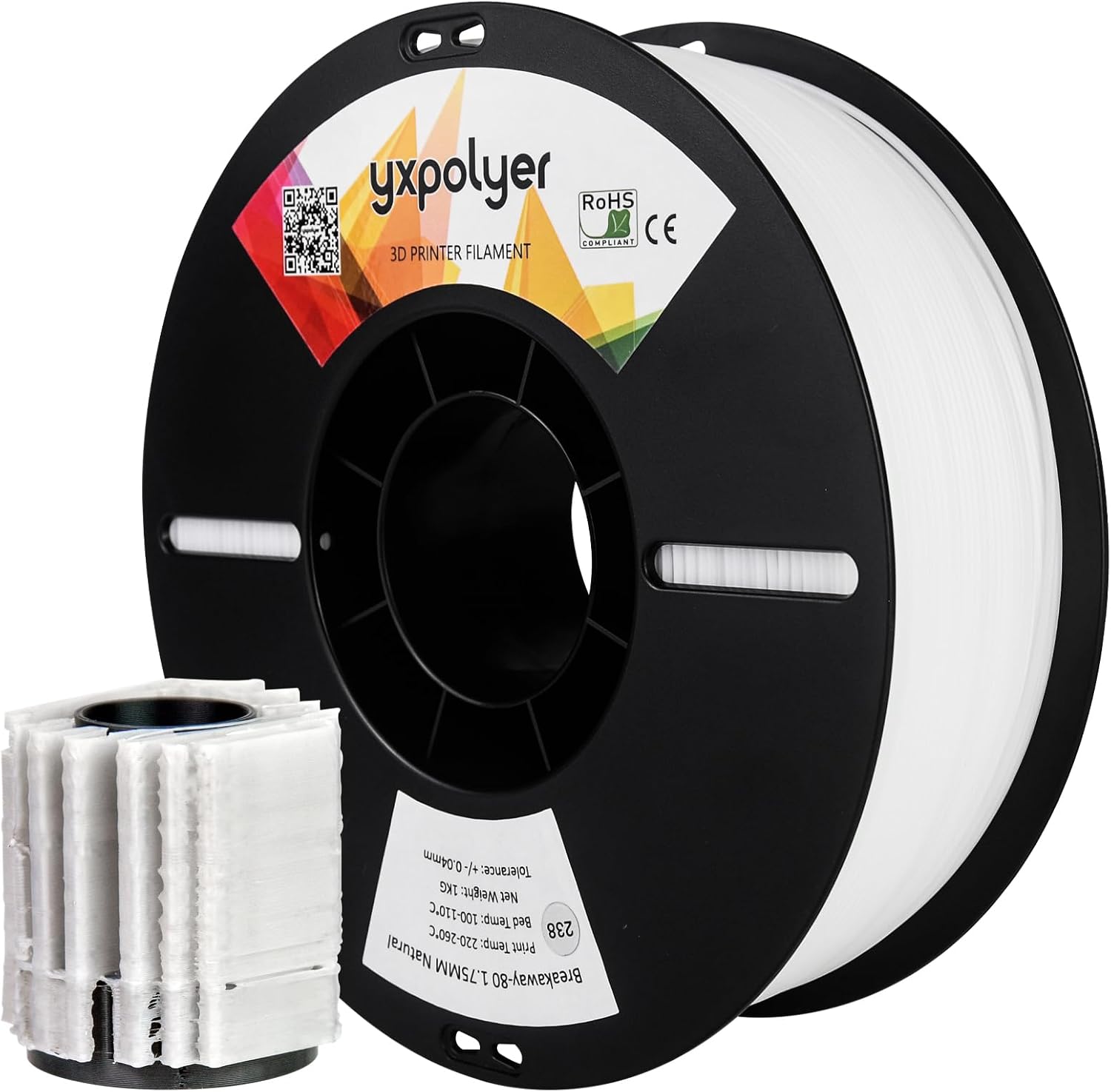
Image: YXPOLYER Breakaway-80 filament spool (Natural White, 1.75mm) alongside a 3D printed object, demonstrating the filament's application as support material.
Key Features:
- Easy Removal: Supports can be manually peeled away from the printed model, offering a clean separation without compromising surface quality.
- Time Efficiency: Reduces post-processing time as no dissolving step is needed, unlike soluble supports.
- Wide Compatibility: Compatible with various printing filaments including ABS, ASA, Nylon, PC, PETG, and other engineering-grade materials.
- Dimensional Stability: Provides stable and precise support, maintaining structural integrity throughout the print job.
- Impact Resistance & Rigidity: Designed for prints requiring strong support structures, ensuring parts remain intact.
- Excellent Flowability: Ensures smooth and even material distribution during printing.
- Less Sensitive to Moisture: Easier to store and maintain compared to highly hygroscopic filaments.
2. Setup and Installation
2.1 Unpacking and Inspection
Upon receiving your YXPOLYER Breakaway-80 filament, inspect the packaging for any signs of damage. The filament spool is typically shrink-wrapped and placed in a sturdy box to protect it from moisture and physical damage during transit.

Image: Illustration of the filament packaging process, including the spool, shrinkwrap, and outer box, ensuring product protection.
2.2 Printer Compatibility
This filament is ideal for dual-head 3D printers and is compatible with most FDM 3D printers. It works seamlessly with various model materials, including:
- ABS
- ASA
- Nylon (PA)
- PC (Polycarbonate)
- PETG
- PPS

Image: Visual representation highlighting the compatibility of Breakaway-80 support filament with common 3D printing materials like ABS, Nylon, and PETG.
2.3 Loading the Filament
Load the Breakaway-80 filament into your 3D printer according to your printer's specific instructions for loading support material. Ensure the filament feeds smoothly into the extruder.

Image: A 3D printer actively printing, illustrating the environment where the filament is used.
3. Operating Instructions
3.1 Recommended Print Settings
Optimal print settings can vary slightly depending on your specific 3D printer model and the primary filament being used. However, the following general guidelines are recommended for YXPOLYER Breakaway-80:
- Printing Temperature: 220-260°C
- Bed Temperature: 100-110°C
- Filament Diameter: 1.75mm (with a tolerance of ±0.04mm)

Image: Key technical specifications for YXPOLYER Breakaway-80 filament, including optimal printing and bed temperatures, and precise filament diameter.
It is advisable to perform a few test prints to fine-tune these settings for your specific setup to achieve the best results.
3.2 Designing with Breakaway Support
When designing your 3D models, consider areas that require support structures. Breakaway-80 is particularly effective for complex geometries where support removal needs to be quick and the model’s surface finish is critical. Configure your slicer software to use Breakaway-80 as the support material.
3.3 Post-Processing: Support Removal
One of the primary advantages of Breakaway-80 is its ease of removal. Once your print is complete and has cooled, the support structures can be manually peeled or broken away from the main print. This process typically requires minimal effort and leaves a clean surface.

Image: Step-by-step guide demonstrating the simple and quick manual removal of Breakaway-80 support structures from a 3D print.
Video: This video demonstrates the easy peeling and removal process of YXPOLYER Breakaway-80 support filament from a 3D printed ABS part, showcasing its clean separation properties.
Unlike soluble supports, no water baths or chemical treatments are required, significantly speeding up your post-processing workflow.

Image: A visual comparison illustrating the convenience of peeling off Breakaway-80 support without the need for fluids, contrasting it with supports that require dissolution.
4. Maintenance and Storage
4.1 Preventing Filament Tangles
To ensure smooth printing and prevent tangles or knots in the filament, always secure the filament end by inserting it into the designated reel hole after each use. This prevents the filament from unwinding and crossing over itself.

Image: Important tip for filament maintenance: always insert the filament end into the spool's reel hole after use to prevent tangles and knots.
4.2 Storage Guidelines
While Breakaway-80 is less sensitive to moisture compared to some other filaments, proper storage is still crucial for maintaining its quality and print performance. Store the filament in a cool, dry place, ideally in its original sealed packaging or a dry box with desiccant. This helps prevent moisture absorption, which can lead to printing issues.
5. Troubleshooting
If you encounter issues while printing with YXPOLYER Breakaway-80, consider the following common problems and solutions:
- Poor Bed Adhesion:
- Ensure your print bed is clean and level.
- Increase the bed temperature within the recommended range (100-110°C).
- Apply an appropriate adhesive (e.g., glue stick, hairspray) to the print bed if necessary.
- Adjust the first layer height and speed in your slicer settings.
- Filament Breaking/Brittle:
- This can sometimes indicate moisture absorption. Try drying the filament in a filament dryer or a low-temperature oven.
- Check for kinks or excessive tension in the filament path.
- Underextrusion:
- Verify that your printing temperature is within the recommended range (220-260°C).
- Check for partial clogs in the nozzle.
- Ensure the extruder gears are clean and gripping the filament properly.
- Difficulty Removing Support:
- Ensure the print has fully cooled before attempting removal.
- Review your slicer settings for support interface and density. Adjusting the Z-distance between the support and the model can impact ease of removal.
6. Specifications
| Attribute | Value |
|---|---|
| Brand | yxpolyer |
| Model | Breakaway-80 |
| Material Type | Breakaway |
| Color | Natural White |
| Item Weight | 1 kg (2.2 pounds) |
| Item Diameter | 1.75 mm |
| Diameter Tolerance | ±0.04 mm |
| Recommended Printing Temp | 220-260°C |
| Recommended Bed Temp | 100-110°C |
7. Warranty and Support
For specific warranty information regarding your YXPOLYER Breakaway-80 filament, please refer to the product packaging or contact the manufacturer directly.
For additional support, product information, or to explore other YXPOLYER products, please visit the official YXPOLYER Store:YXPOLYER Amazon Store.