
Introduction
This manual provides comprehensive instructions for the setup, operation, and maintenance of your MAILANGSHI Wireless Microphone System, Model YA-04NEW. Please read this manual thoroughly before using the product to ensure optimal performance and longevity.

Image: The MAILANGSHI Wireless Microphone System, featuring two grey handheld microphones, a compact black receiver, and USB-C charging cables. This image illustrates all main components included in the package.
Key Features:
- Advanced Wireless Technology: Upgraded frequency for stable signal transmission up to 60 meters (200 feet) with one-to-one connection, ensuring no delay, no radiation, anti-howling, anti-jamming, and constant frequency.
- Superior Sound Quality: Cardioid polar pattern and DSP noise reduction technology minimize background noise and capture clear human voices, providing warm, crisp, and clear audio.
- Plug and Play Operation: No software installation or pairing required; simply connect and use.
- Wide Compatibility: Compatible with speakers with microphone input, singing devices, audio amplifiers, PA systems, mixers, voice amplifiers, and other multimedia streaming devices. (Note: Not compatible with laptops, iPads, or phones.)
- Long-Lasting Rechargeable Battery: Equipped with a 1200 mAh rechargeable battery, offering up to 50 hours of operation. Full charge in 3-4 hours via USB-C.
- Durable Design: Constructed from metal and acrylonitrile butadiene styrene for robustness and portability.
Package Contents
Please verify that all items listed below are included in your package:
- 2 x Wireless Microphones (Grey)
- 1 x Rechargeable Receiver
- 2 x USB-C Charging Cables
- 1 x User Manual (this document)
Setup Guide
Follow these steps to set up your wireless microphone system:
- Charge the Devices: Before first use, ensure both microphones and the receiver are fully charged using the provided USB-C cables. The charging ports are located at the bottom of the microphones and on the side of the receiver. A full charge typically takes 3-4 hours.
- Connect the Receiver:
Insert the receiver into the microphone input jack (1/4" or 3.5mm, depending on your device) of your compatible audio equipment (e.g., speaker, amplifier, PA system, mixer). Ensure the connection is secure.
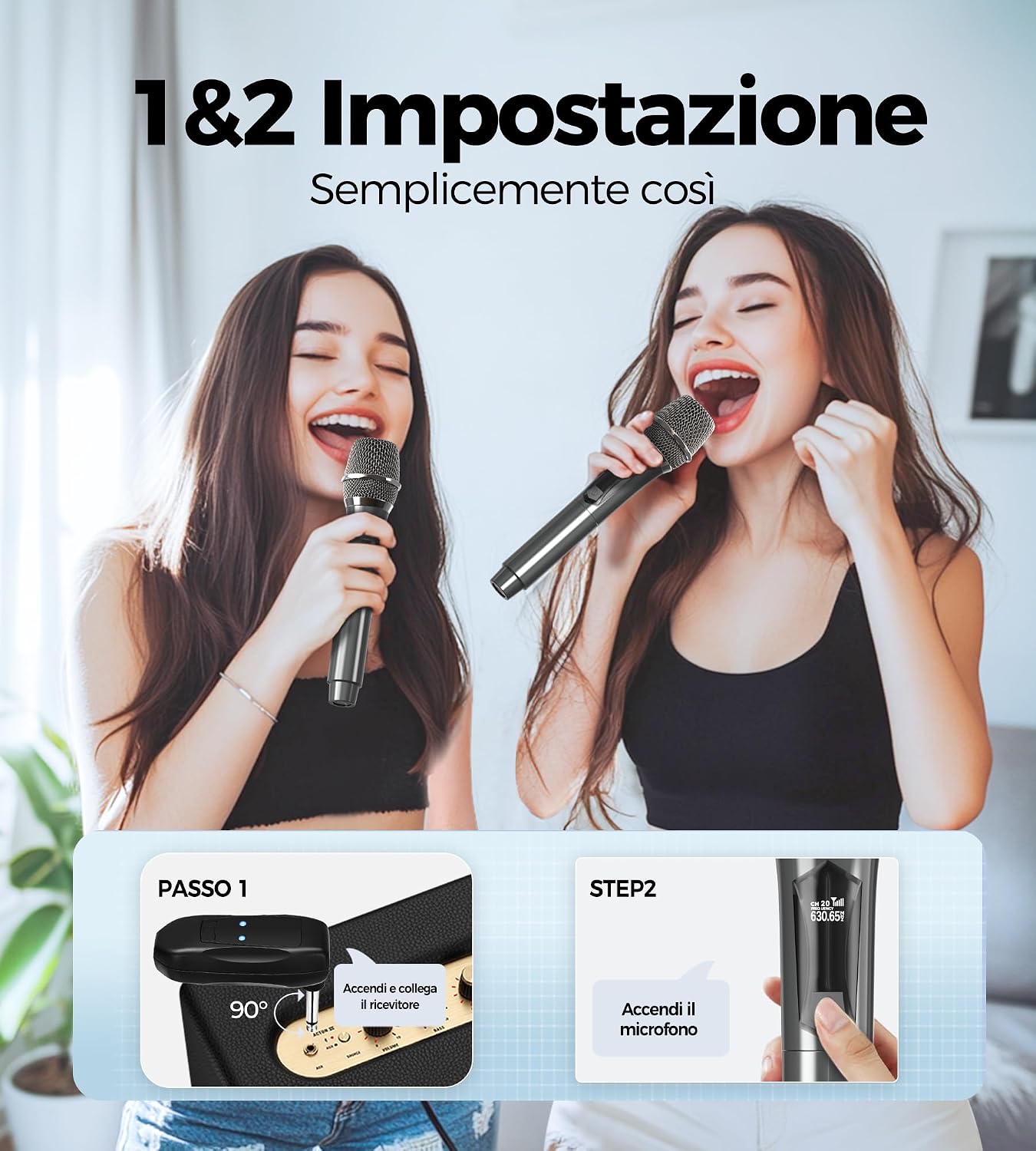
Image: A visual guide demonstrating the two simple setup steps: Step 1 shows connecting the receiver to an audio input, and Step 2 shows powering on the microphone.
- Power On the Receiver: Locate the power button on the receiver and press it to turn it on. An indicator light will typically illuminate to show it's active.
- Power On the Microphones: Press the power button on each microphone. The microphones and receiver are pre-paired from the factory, so they should automatically connect.
- Test the Connection: Speak into the microphone to test the audio output through your connected audio equipment. Adjust the volume on your audio equipment as needed.
Compatibility:
The system is designed for broad compatibility with various audio devices. Refer to the image below for examples of compatible setups.

Image: An illustration showcasing the universal compatibility of the microphone system with different audio equipment, including karaoke machines, Bluetooth speakers, vocal amplifiers, PA systems, mixers, and home audio systems, via 1/8" or 1/4" microphone inputs.
Important Note: This system is not compatible with laptops, iPads, or mobile phones for direct audio input.
Operating Instructions
Basic Operation:
- Power On/Off: Press and hold the power button on the microphone and receiver to turn them on or off.
- Volume Control: Adjust the output volume directly on your connected audio equipment. The microphones do not have independent volume controls.
- Optimal Usage Distance: For best performance, maintain a clear line of sight between the microphone and the receiver. The system supports stable transmission up to 60 meters (200 feet).

Image: A visual representation of the microphone system's capability for ultra-stable long-distance transmission, showing a user recording from approximately 200 feet away with clear signal.
Sound Quality and Performance:
- Cardioid Pickup Pattern: The microphones feature a cardioid polar pattern, which primarily picks up sound from the front, reducing background noise from the sides and rear. For optimal sound, speak directly into the top of the microphone.
- DSP Noise Reduction: The integrated Digital Signal Processing (DSP) technology actively reduces ambient noise, ensuring your voice remains clear and crisp.
- Anti-Howling and Anti-Jamming: The advanced one-to-one connection technology is designed to prevent audio feedback (howling) and interference (jamming), providing a stable and clear audio experience.

Image: A close-up of the microphone held by a user, with icons illustrating its studio-quality features: cardioid pickup, DSP noise reduction, anti-static noise, and lightweight construction.
Maintenance and Care
Charging:
- Use the provided USB-C cables to charge the microphones and receiver.
- Connect to a standard USB power adapter (not included) or a powered USB port.
- A full charge provides approximately 50 hours of continuous use.
- Charge time is typically 3-4 hours.

Image: A graphic illustrating the long battery life of the microphone, indicating 50 hours of use and highlighting the USB-C charging port for quick recharging.
Cleaning:
- Wipe the microphone and receiver surfaces with a soft, dry cloth.
- Do not use abrasive cleaners, solvents, or harsh chemicals.
- Avoid getting moisture into the microphone grille or charging ports.
Storage:
- Store the system in a cool, dry place away from direct sunlight and extreme temperatures.
- If storing for an extended period, charge the devices periodically to maintain battery health.
- The anti-roll ring on the microphone helps prevent it from rolling and potential damage when placed on a flat surface.

Image: Two MAILANGSHI wireless microphones showcasing the anti-fall silicone ring designed to prevent the microphones from rolling off surfaces and sustaining damage.
Troubleshooting
| Problem | Possible Cause | Solution |
|---|---|---|
| No sound from microphone. |
|
|
| Sound is distorted or has static. |
|
|
| Microphone not charging. |
|
|
| Microphone not compatible with my device. |
|
|
Specifications
| Feature | Detail |
|---|---|
| Model | YA-04NEW |
| Brand | MAILANGSHI |
| Color | Grey |
| Material | Metal, Acrylonitrile Butadiene Styrene |
| Microphone Form Factor | Handheld |
| Polar Pattern | Unidirectional (Cardioid) |
| Wireless Range | Up to 60 meters (200 feet) |
| Battery Type | Rechargeable Lithium Polymer (1200 mAh) |
| Battery Life | Approx. 50 hours |
| Charging Time | Approx. 3-4 hours (via USB-C) |
| Connectivity | Wireless (One-to-One), USB-C for charging |
| Dimensions (Package) | 28.9 x 15.6 x 5.7 cm |
| Weight (Item) | 660 grams |
| Additional Features | DSP Noise Reduction, Anti-howling, Anti-jamming, Anti-roll ring |
Warranty and Support
Your MAILANGSHI Wireless Microphone System is covered by a 1-year replacement warranty from the date of purchase.
For any questions, connection issues, or support inquiries, please do not hesitate to contact our customer service team. We offer 24/7 online customer support.
Please refer to your purchase documentation or the seller's information for specific contact details.