
VILTROX AF 50mm F/2 FE
VILTROX 50mm F2 Full Frame Lens for Sony Instruction Manual
Model: AF 50mm F/2 FE
Product Overview
The VILTROX 50mm F2 Full Frame Lens is a versatile and compact prime lens designed for Sony E-mount cameras. It offers a 50mm fixed focal length, ideal for portraiture, street photography, and general use. The lens boasts a sophisticated optical design with 13 elements in 9 groups, including specialized elements for superior image quality. Its STM autofocus motor ensures quick, quiet, and precise focusing, making it suitable for both still photography and video recording. The wide f/2.0 aperture allows for excellent low-light performance and beautiful background blur.
Key Features
- Superb Optics: Features a 9-group, 13-element structure, including 3 ED, 4 HR, and 1 Aspherical element for high image clarity.
- Full-frame E-mount Fast Prime Lens: AF 50mm F2.0 FE offers a focal length perfect for portraiture and a range of other subjects.
- STM (Stepping Motor): Provides reliable, fast, and quiet autofocus, ideal for both photos and video recording.
- 9-blade Circular Aperture: Enables effortless creation of smooth and pleasing background bokeh.
- Lightweight & Compact: Weighing only 205g, the AF 50/2.0 Air lens delivers excellent image quality while maintaining portability.
- Outstanding Close-Up Performance: With a minimum focusing distance of 0.51m and a maximum magnification of 0.11x, it handles various shooting environments and subjects effectively.
What's in the Box
Upon unboxing your VILTROX 50mm F2 lens, you should find the following items:
- Lens
- Lens Hood
- Lens Pouch
- Lens Caps (Front and Rear)

Figure 1: Included items in the VILTROX 50mm F2 lens package.
Setup
Attaching the Lens
- Ensure your camera is turned off.
- Remove the rear lens cap from the VILTROX 50mm F2 lens and the body cap from your Sony E-mount camera.
- Align the white index mark on the lens barrel with the corresponding white index mark on your camera's lens mount.
- Insert the lens into the camera mount and rotate it clockwise until it clicks into place, indicating it is securely locked.

Figure 2: VILTROX 50mm F2 lens attached to a Sony camera body.
Attaching the Lens Hood
The included lens hood helps to prevent stray light from entering the lens, reducing flare and ghosting, and also provides physical protection to the front element.
- Align the red dot on the lens hood with the red dot on the front of the lens barrel.
- Push the hood onto the lens and rotate it clockwise until it locks into place.

Figure 3: VILTROX 50mm F2 lens with the lens hood attached.
Operating the Lens
Autofocus (AF)
The VILTROX 50mm F2 lens features an STM (Stepping Motor) for fast, quiet, and precise autofocus. This motor is highly effective for both still photography and video recording, ensuring smooth transitions and accurate subject tracking. The lens supports advanced autofocus features of compatible Sony cameras, including Eye-Detection AF.

Figure 4: Front view of the VILTROX 50mm F2 lens.
Manual Focus (MF)
For situations requiring precise control, the lens also supports manual focus. Simply switch your camera to manual focus mode, and rotate the focus ring on the lens barrel to adjust focus. The smooth rotation of the focus ring allows for fine adjustments.
Aperture Control
The lens features a bright f/2.0 maximum aperture, which is excellent for shooting in low-light conditions and for creating images with a shallow depth of field. The 9-blade circular aperture contributes to a pleasing and creamy bokeh, making subjects stand out from the background.
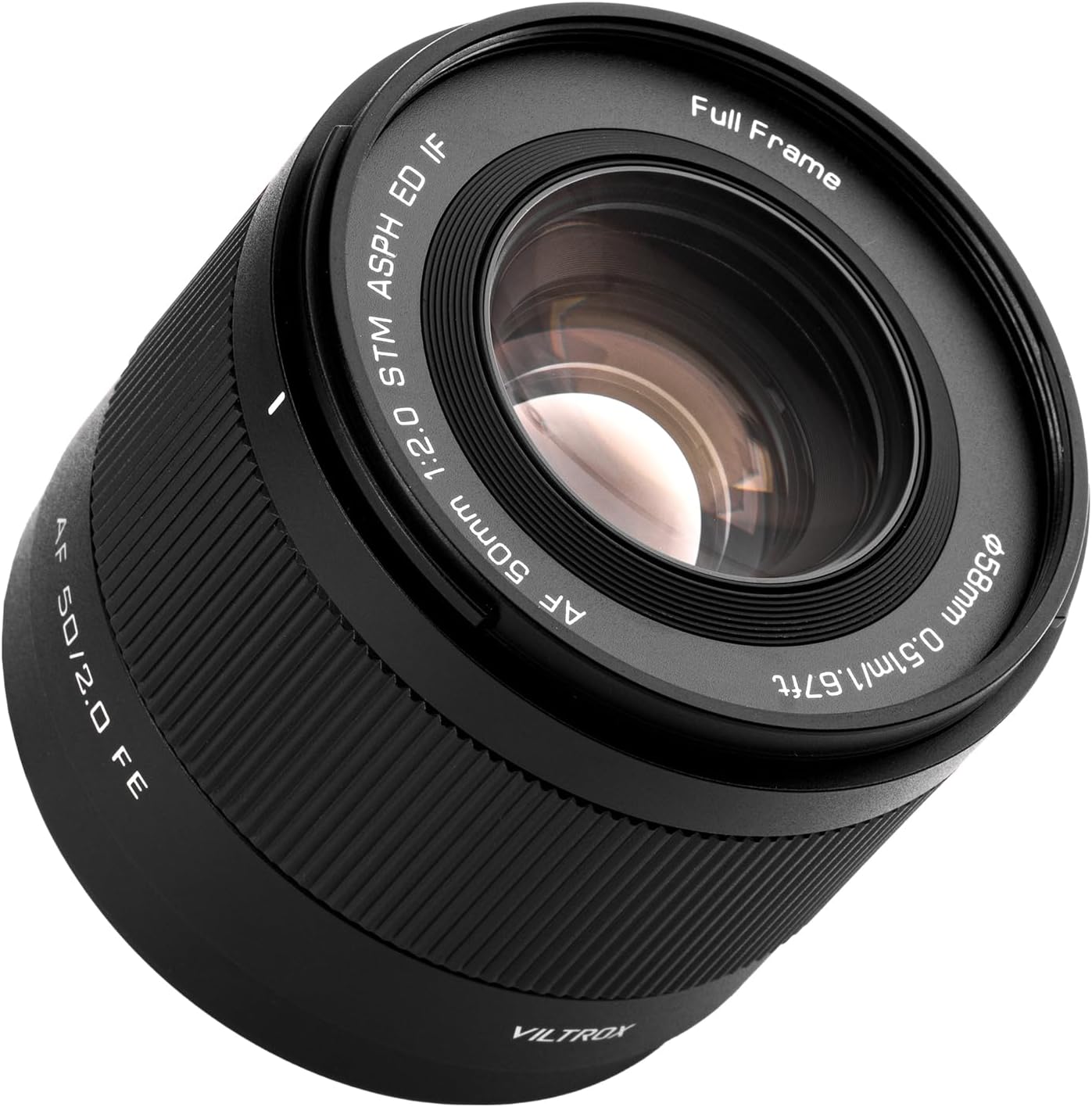
Figure 5: Close-up of the lens's front element, showing the aperture.
Firmware Updates
The VILTROX 50mm F2 lens is equipped with a USB-C port for convenient firmware updates. Regularly checking for and installing the latest firmware ensures optimal performance, compatibility, and access to new features.

Figure 6: USB-C port for firmware updates located on the lens mount.
Official Product Videos
Explore the capabilities of your VILTROX 50mm F2 lens with these official product videos from the manufacturer:
VILTROX 50mm F2 Full Frame Lens, AF Standard Prime Lens
This video provides a comprehensive overview of the VILTROX 50mm F2 Full Frame Lens, showcasing its features and performance in various shooting scenarios.
Viltrox AF 50mm F2 Air FE Lightweight Sony Full Frame
Discover the lightweight and compact design of the Viltrox AF 50mm F2 Air FE lens, highlighting its portability and ease of use for everyday photography.
VILTROX AF 50mm f/2.0 FE Full Frame Lens for Sony
This video demonstrates the lens's performance, including its autofocus capabilities and image quality, specifically for Sony full-frame cameras.
Maintenance
Proper maintenance will extend the life and performance of your VILTROX 50mm F2 lens.
- Cleaning the Lens: Use a soft, lint-free cloth or a lens brush to remove dust and debris from the lens surfaces. For stubborn smudges, use a specialized lens cleaning solution applied to a microfiber cloth, not directly to the lens.
- Storage: When not in use, store the lens with both front and rear caps attached in a dry, cool place, away from direct sunlight and extreme temperatures. Using the included lens pouch can provide additional protection.
- Avoid Moisture: Keep the lens away from water and high humidity. If it gets wet, wipe it dry immediately.
- Handle with Care: Avoid dropping or subjecting the lens to strong impacts, as this can damage the internal optical elements or mechanical components.
Troubleshooting
If you encounter issues with your VILTROX 50mm F2 lens, try the following troubleshooting steps:
- Autofocus Not Working:
- Ensure the lens is securely mounted to the camera body.
- Check your camera's focus mode settings (AF/MF).
- Clean the electrical contacts on both the lens and camera body with a clean, dry cloth.
- Update the lens firmware via the USB-C port.
- Image Quality Issues (e.g., soft images, excessive flare):
- Ensure the lens elements are clean and free from smudges or dust.
- Use the lens hood to minimize flare, especially when shooting towards bright light sources.
- Check your camera's shutter speed and ISO settings to avoid motion blur or noise.
- Ensure proper focus.
- Lens Not Recognized by Camera:
- Remove and reattach the lens, ensuring it clicks into place.
- Restart the camera.
- Verify that your camera's firmware is up to date.
Specifications
| Brand | VILTROX |
| Model Number | AF 50mm F/2 FE |
| Product Dimensions | 2.2 x 2.5 x 2.5 inches |
| Item Weight | 15.1 ounces |
| Focal Length Description | 50 Millimeters Fixed Focal Length |
| Lens Type | Standard |
| Compatible Mountings | Sony FE |
| Manufacturer | Shenzhen Jueying Technology Co., Ltd. |
| Country of Origin | China |
Warranty and Support
VILTROX products are covered by a manufacturer's warranty. For specific details regarding your warranty period, coverage, and how to obtain service, please refer to the warranty card included in your product packaging or visit the official VILTROX website. For technical support, troubleshooting assistance, or any other inquiries, please contact VILTROX customer service through their official channels.
Related documentsAF 50mm F/2 FE


Ask a question about this manual
Ask about setup, troubleshooting, compatibility, parts, safety, or missing instructions. Manuals+ will review the question and use this page’s manual context to help answer it.