
1. Introduction
The INIA Under-Eye Red Light Therapy Device is a versatile 4-in-1 beauty tool designed to target various eye area concerns. It integrates red light therapy, gentle vibration, soothing heat, and massage functions to support skin health and appearance. This manual provides essential information for safe and effective use of your device.
2. Important Safety Information
Legal Disclaimer:
Statements regarding dietary supplements have not been evaluated by the FDA and are not intended to diagnose, treat, cure, or prevent any disease or health condition.
Please read all instructions carefully before using the device. Keep this manual for future reference.
- Avoid direct eye contact with the red light.
- Do not use the device on broken, irritated, or infected skin.
- Keep out of reach of children.
- If you experience any discomfort, discontinue use immediately.
- Consult a healthcare professional if you have any pre-existing medical conditions or concerns.
3. Package Contents
Verify that all items are present in your package:
- INIA Under-Eye Red Light Therapy Device
- USB-C Charging Cable
- Hydrating Conductive Gel
- Crystal Collagen Gold Powder Eye Masks (10-piece set)
- Ice Roller
- Magnetic Protective Cap

Image: The INIA Under-Eye Red Light Therapy Device shown with its included accessories: charging cable, conductive gel, eye masks, and ice roller.
4. Device Features
The INIA device combines four key technologies for comprehensive eye area treatment:
- Red Light Therapy: Penetrates deep into the skin to stimulate collagen production, aiming to reduce wrinkles and improve elasticity.
- Vibration: Delivers gentle pulses to energize the skin, supporting a firmer appearance and reducing visible signs of fatigue.
- Heat (Thermal Frequency): Gently warms the eye area to boost circulation and support collagen and elastin production, helping to reduce puffiness and enhance absorption of skincare products.
- Massage: Provides a soothing massage experience to relax the eye area and promote overall skin health.

Image: A visual representation of the device highlighting its four integrated treatments: Red Light, Metal Massage, Heated Infusion, and Vibration.

Image: A cross-section diagram illustrating how the INIA device's 4-in-1 technology penetrates the epidermis, dermis, and muscles for comprehensive anti-aging benefits.
5. Setup
5.1. Charging the Device
- Before first use, fully charge the device.
- Connect the provided USB-C cable to the charging port at the bottom of the device and to a suitable power source.
- The indicator lights will show charging status and turn solid when fully charged.
5.2. Preparing for Use
- Ensure your skin is clean and dry before application.
- Apply a thin layer of the Hydrating Conductive Gel (or your preferred eye cream/serum) to the area you intend to treat. This ensures optimal conductivity and smooth gliding of the device.
6. Operating Instructions
6.1. Powering On/Off
- To power on, press and hold the power button (usually the top button) for 1-2 seconds.
- To power off, press and hold the power button again for 1-2 seconds.
6.2. Selecting Modes
The device offers three tailored modes for specific eye concerns:
- Lift Mode: Combines red and blue LED light with microcurrent to stimulate facial muscles, increase skin elasticity, and help the face look tighter.
- Tighten Mode: Utilizes red LED light with microcurrent to accelerate collagen production and reduce the appearance of wrinkles.
- Infuse Mode: Uses red LED light and heat to enhance product absorption, allowing serums and lotions to penetrate deeper into the skin.
Press the mode selection button (usually the bottom button) to cycle through Lift, Tighten, and Infuse modes. The corresponding indicator light will illuminate.

Image: The INIA device displaying its mode indicators for Lift, Tighten, and Infuse functions.
6.3. Adjusting Intensity
Each mode typically has multiple intensity levels (e.g., low, medium, high). Press the intensity button (often integrated with the mode button or a separate button) to adjust the strength of the treatment. Start with the lowest intensity and gradually increase as your skin adapts.
6.4. Application Guide
For optimal results, use the device for 3 minutes daily. Glide the device slowly and gently over the desired areas, always moving in an upward motion. Allow the device to fully penetrate the skin with its light and microcurrent. The device is designed to automatically end each session.
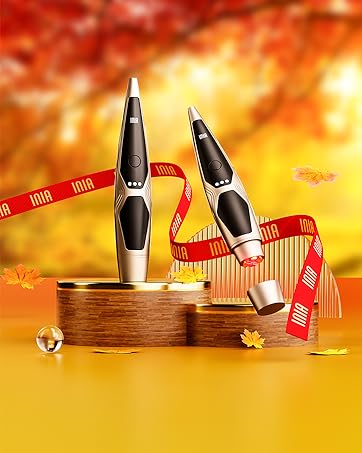
Image: A visual guide demonstrating the three steps for using the INIA LUMEN device: Apply Gel, Select Mode, and Use the Device.
7. Care and Maintenance
7.1. Cleaning
- After each use, gently wipe the treatment head of the device with a soft, damp cloth.
- Do not use abrasive cleaners, alcohol, or harsh chemicals, as these can damage the device.
- Ensure the device is completely dry before storing.
7.2. Storage
- Store the device in a cool, dry place, away from direct sunlight and moisture.
- Use the magnetic protective cap to cover the treatment head for hygiene and to prevent damage.
8. Troubleshooting
| Issue | Possible Cause | Solution |
|---|---|---|
| Device does not turn on | Low battery or not charged | Charge the device fully. |
| No vibration or heat | Insufficient contact with skin or incorrect mode selected | Ensure full contact with skin and conductive gel. Verify correct mode is active. |
| Charging indicator not working | Faulty charging cable or power source | Try a different USB-C cable or power adapter. |
| Skin feels dry during use | Insufficient conductive gel | Apply more conductive gel to the treatment area. |
9. Product Specifications
- Product Dimensions: 6.48 x 1.22 x 0.68 inches; 3.35 ounces
- Batteries: 1 Lithium Ion battery required
- Manufacturer: INIA
- ASIN: B0F21N3KXV
- Date First Available: March 20, 2025
10. Warranty and Support
INIA offers protection plans for your device:
- 2-Year Protection Plan: Available for purchase.
- 3-Year Protection Plan: Available for purchase.
For any product inquiries, troubleshooting assistance, or warranty claims, please refer to the contact information provided with your purchase or visit the official INIA website.
