
1. Introduction
This instruction manual provides essential information for the safe and efficient use of the Bolisila FS-N13N Fiber Amplifier Sensor. Please read this manual thoroughly before installation, operation, or maintenance to ensure proper functionality and to prevent damage to the device or injury to personnel. Keep this manual in a safe place for future reference.
2. Safety Information
Always observe the following safety precautions to prevent electric shock, fire, or damage to the product.
- Electrical Safety: Ensure all power connections are made by qualified personnel and comply with local electrical codes. Disconnect power before performing any installation or maintenance.
- Environment: Do not expose the sensor to extreme temperatures, humidity, or corrosive environments.
- Handling: Handle the device with care. Avoid dropping or subjecting it to strong impacts.
- Modifications: Do not attempt to modify or disassemble the sensor. Unauthorized modifications can lead to malfunction and void the warranty.
3. Product Overview
The Bolisila FS-N13N is a high-performance fiber amplifier sensor designed to enhance optical signals in various industrial applications. It is engineered for reliability and precision, ensuring optimal signal amplification and minimal signal loss.
Key Features:
- Designed to enhance optical signals.
- Compatible with various fiber optic systems.
- Compact and durable design for industrial environments.
- Ensures optimal signal amplification and minimal signal loss.
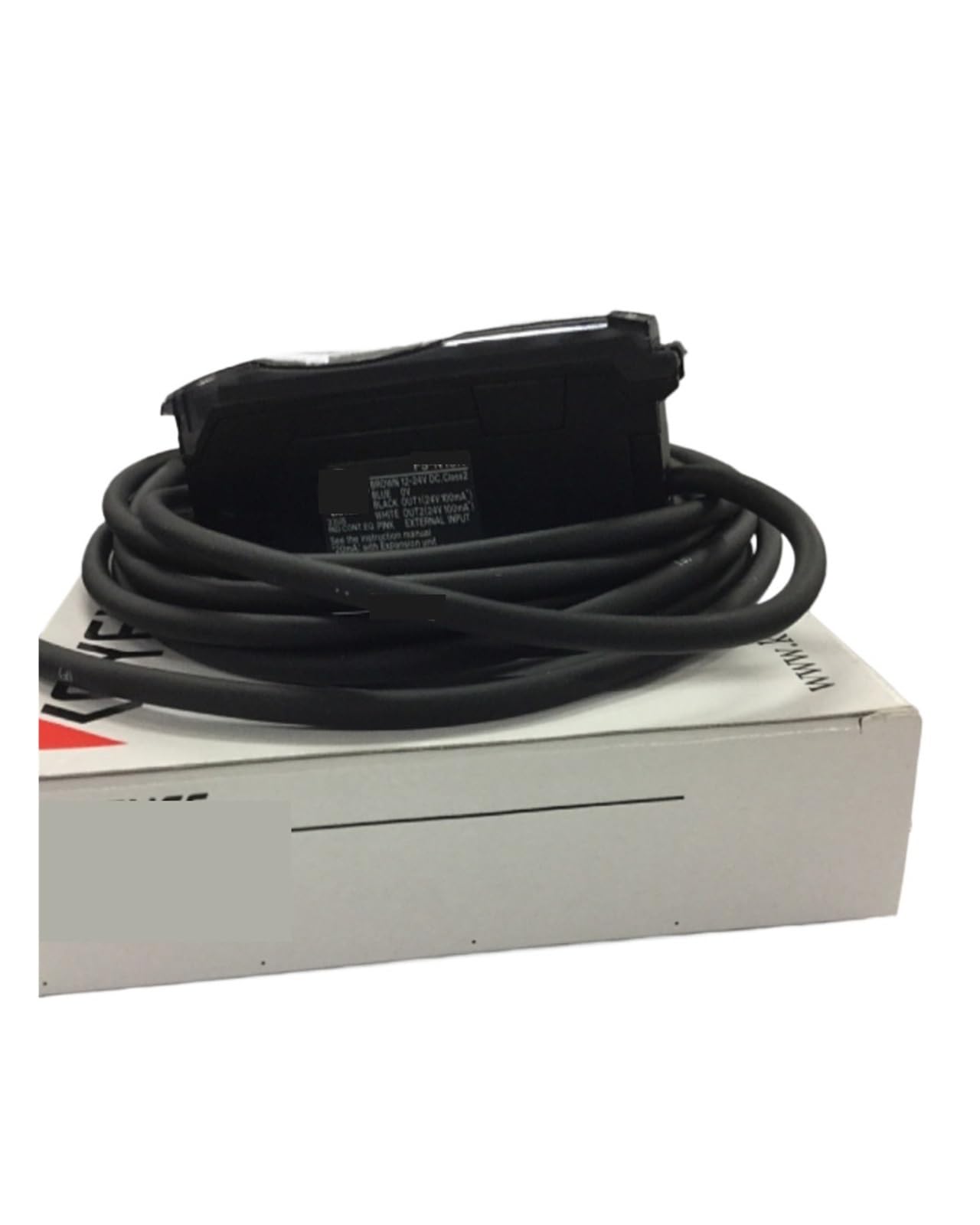
Figure 3.1: Bolisila FS-N13N Fiber Amplifier Sensor. This image displays the compact and robust design of the sensor, highlighting its main body and connection points.
4. Package Contents
Verify that all items are present and undamaged upon opening the package:
- Bolisila FS-N13N Fiber Amplifier Sensor (1 unit)
- Instruction Manual (this document)
- Mounting accessories (if applicable, not specified in product data)
5. Setup
Follow these steps for proper installation of the FS-N13N Fiber Amplifier Sensor:
- Mounting: Securely mount the sensor in the desired location using appropriate hardware. Ensure the mounting surface is stable and free from excessive vibration.
- Fiber Optic Connection: Carefully connect the fiber optic cables to the designated ports on the sensor. Ensure connectors are clean and properly seated to avoid signal loss. Refer to your fiber optic cable's specifications for proper handling.
- Power Connection: Connect the power supply to the sensor. Verify that the power source matches the sensor's voltage requirements. Do not apply power until all connections are secure.
- Initial Power-Up: Once all connections are verified, apply power to the sensor. Observe the indicator lights for proper operation.
6. Operating Instructions
The FS-N13N Fiber Amplifier Sensor is designed for straightforward operation. Once powered, it will begin amplifying the optical signal passing through it.
- Status Indicators: Monitor the LED indicators on the sensor. A steady green light typically indicates normal operation, while a blinking or red light may indicate a fault or specific operating mode. Consult the product's technical datasheet for detailed indicator meanings.
- Signal Monitoring: Use appropriate test equipment to verify the amplified signal strength and quality at the output.
- Adjustments: If the sensor features adjustable settings (e.g., gain control), refer to the specific product datasheet for instructions on how to make these adjustments to optimize performance for your application.
7. Maintenance
Regular maintenance ensures the longevity and optimal performance of your Bolisila FS-N13N sensor.
- Cleaning: Keep the sensor's exterior clean. Use a soft, dry cloth to wipe away dust. For stubborn dirt, a slightly damp cloth with mild detergent can be used, ensuring no liquid enters the device.
- Fiber Optic Connectors: Periodically inspect and clean fiber optic connectors using specialized fiber optic cleaning tools to prevent signal degradation due to dust or debris.
- Environmental Check: Regularly check the operating environment to ensure it remains within the specified temperature and humidity ranges.
- Cable Integrity: Inspect all cables for signs of wear, damage, or loose connections.
8. Troubleshooting
If you encounter issues with your FS-N13N sensor, refer to the following common troubleshooting steps:
| Problem | Possible Cause | Solution |
|---|---|---|
| No power/No indicator lights | Power cable disconnected; Faulty power supply; No power from source. | Check power cable connection; Verify power supply functionality; Ensure power outlet is active. |
| Low or no signal output | Dirty or damaged fiber optic connectors; Incorrect fiber connection; Faulty fiber cable. | Clean fiber connectors; Re-seat fiber cables correctly; Test with known good fiber cables. |
| Intermittent signal | Loose connections; Environmental interference; Damaged internal components. | Check all connections; Ensure stable operating environment; Contact support if problem persists. |
If the problem persists after attempting these solutions, please contact customer support.
9. Specifications
Technical specifications for the Bolisila FS-N13N Fiber Amplifier Sensor:
| Model | FS-N13N |
| Brand | Bolisila |
| Item Weight | 500 Grams |
| Unit Count | 1.0 Count |
| ASIN | B0F21FY725 |
| Manufacturer | Bolisila |
10. Warranty and Support
Warranty: The Bolisila FS-N13N Fiber Amplifier Sensor is covered by a standard manufacturer's warranty against defects in materials and workmanship. The warranty period typically begins from the date of purchase. Please retain your proof of purchase for warranty claims. This warranty does not cover damage caused by improper installation, misuse, unauthorized modification, or natural disasters.
Customer Support: For technical assistance, troubleshooting beyond this manual, or warranty inquiries, please contact your vendor or the manufacturer's customer support. Provide your product model number (FS-N13N) and purchase details when contacting support to expedite service.