
1. Introduction
This manual provides comprehensive instructions for the Tedeligo 3-Button Wireless Remote Control (Model TD203up-1). This accessory is designed for seamless compatibility with Tedeligo wireless dimming modules, offering convenient control over your lighting. Please read this manual thoroughly before installation and operation to ensure proper use and longevity of the product.
2. Product Overview
The Tedeligo 3-Button Wireless Remote Control is a compact and easy-to-use device for managing your Tedeligo wireless dimming module. It features three distinct buttons for intuitive control of connected lights.
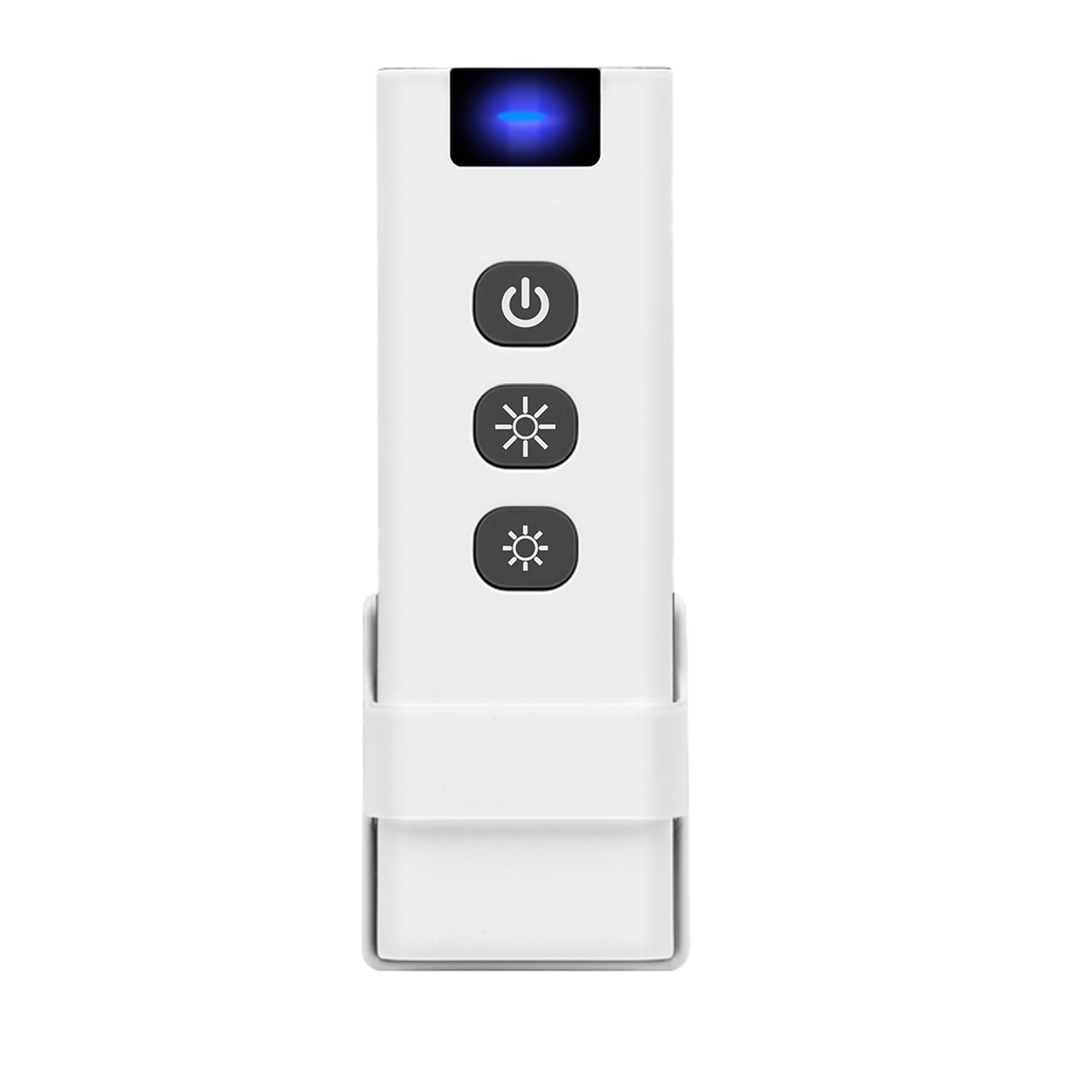
Image 1: Front view of the Tedeligo 3-Button Wireless Remote Control. The remote is rectangular with rounded corners, featuring three distinct circular buttons arranged vertically on its surface. The top button is typically for 'On', the middle for 'Dimming', and the bottom for 'Off'.
3. Specifications
| Model Number | TD203up-1 |
| Dimensions (L x W x H) | 11 x 3.8 x 1.5 cm (4.33 x 1.5 x 0.59 inches) |
| Weight | 80 grams |
| Battery | 1 x 12V battery (included) |
| Material | Plastic |
| Operating Voltage | 12 Volts |
| Control Method | Remote Control |
| Compatible Devices | Tedeligo Wireless Dimming Module |
| IP Rating | IP00 |
| Certifications | CE |
4. Setup
4.1 Battery Installation
- Locate the battery compartment on the back of the remote control.
- Open the compartment cover.
- Insert the included 12V battery, ensuring correct polarity (+ and -).
- Close the battery compartment cover securely.
4.2 Pairing with Tedeligo Wireless Dimming Module
To use the remote control, it must first be paired with a compatible Tedeligo wireless dimming module. Follow these general steps:
- Ensure your Tedeligo wireless dimming module is powered on and in pairing mode. (Refer to your dimming module's manual for specific instructions on entering pairing mode, which often involves pressing a button on the module).
- Within a few seconds of the module entering pairing mode, press and hold one of the buttons on the 3-button remote control (e.g., the 'On' button) for approximately 3-5 seconds.
- Release the button. The connected light should flash or change state, indicating successful pairing.
- Test the remote control's functions to confirm pairing.
Note: If pairing fails, repeat the steps. Ensure the remote is within range of the dimming module during the pairing process.
5. Operating Instructions
Once paired, the remote control provides simple operation for your dimming module:
- Top Button (On/Increase Brightness): Press once to turn the light ON. If the light is already on, press and hold to gradually increase brightness.
- Middle Button (Dimming/Pause): Press once to pause dimming. Press and hold to cycle through dimming levels (up or down depending on previous action).
- Bottom Button (Off/Decrease Brightness): Press once to turn the light OFF. If the light is already on, press and hold to gradually decrease brightness.
6. Maintenance
6.1 Battery Replacement
When the remote control's range decreases or it becomes unresponsive, it's time to replace the battery. Follow the battery installation steps in Section 4.1.
6.2 Cleaning
Wipe the remote control with a soft, dry cloth. Do not use abrasive cleaners or solvents, as these can damage the surface.
6.3 Storage
Store the remote control in a cool, dry place away from direct sunlight and extreme temperatures when not in use for extended periods.
7. Troubleshooting
- Remote not responding:
- Check the battery. Replace if necessary.
- Ensure the remote is within range of the dimming module.
- Re-pair the remote control with the dimming module (refer to Section 4.2).
- Dimming function not working:
- Verify that the dimming module is correctly installed and powered.
- Ensure the remote is properly paired.
- Intermittent control:
- Check for potential interference from other wireless devices.
- Ensure the battery is not low.
8. Warranty Information
Warranty information for the Tedeligo 3-Button Wireless Remote Control (Model TD203up-1) is not available in the provided product details. Please refer to the retailer or manufacturer's official website for specific warranty terms and conditions.
9. Support
Specific support contact information for the Tedeligo 3-Button Wireless Remote Control (Model TD203up-1) is not available in the provided product details. For technical assistance or further inquiries, please contact your point of purchase or visit the official Tedeligo website.


