
DOOGEE BLADE10PRO
DOOGEE Blade 10 Pro Rugged Phone User Manual
Model: BLADE10PRO
1. Introduction
Welcome to the user manual for your new DOOGEE Blade 10 Pro Rugged Phone. This guide provides essential information to help you set up, operate, and maintain your device. Designed for durability and high performance, the Blade 10 Pro combines advanced features with a robust build, making it ideal for various environments and activities.
Please read this manual carefully to ensure proper use and to maximize the potential of your smartphone.

Figure 1: DOOGEE Blade 10 Pro Rugged Phone
2. Product Overview
The DOOGEE Blade 10 Pro is engineered for resilience and efficiency, featuring:
- Operating System: Android 14 for enhanced privacy and performance.
- Processor: Robust Octa-core processor for seamless multitasking.
- Memory & Storage: 30GB RAM (6GB + 24GB Extended) and 256GB internal storage, expandable up to 2TB via microSD.
- Display: 6.56-inch HD+ 90Hz display with Widevine L1 support for high-quality streaming.
- Camera: 50MP AI main camera with Morpho Imaging Algorithm, Night Mode, EIS Anti-Shake, and UltraZoom. 8MP front camera.
- Battery: Massive 5150mAh battery for extended usage.
- Durability: IP68/IP69K waterproof and dustproof rating, ultra-thin 10.7mm design.
- Connectivity: Dual SIM 4G (Note: Does not support Verizon and AT&T), Wi-Fi, NFC (Google Pay support), GPS, Beidou, GLONASS, Galileo.
- Security: Face Unlock feature for convenient access.

Figure 2: Key Features Overview
3. Setup
3.1. SIM Card and MicroSD Card Installation
The DOOGEE Blade 10 Pro supports dual SIM cards and one MicroSD card for expanded storage. To install:
- Locate the SIM tray on the side of the device.
- Use the provided SIM ejector tool (or your fingernail, as the design allows) to open the tray.
- Carefully place your Nano-SIM cards and/or MicroSD card into the designated slots on the tray. Ensure the gold contacts are facing down.
- Gently push the tray back into the device until it clicks into place.
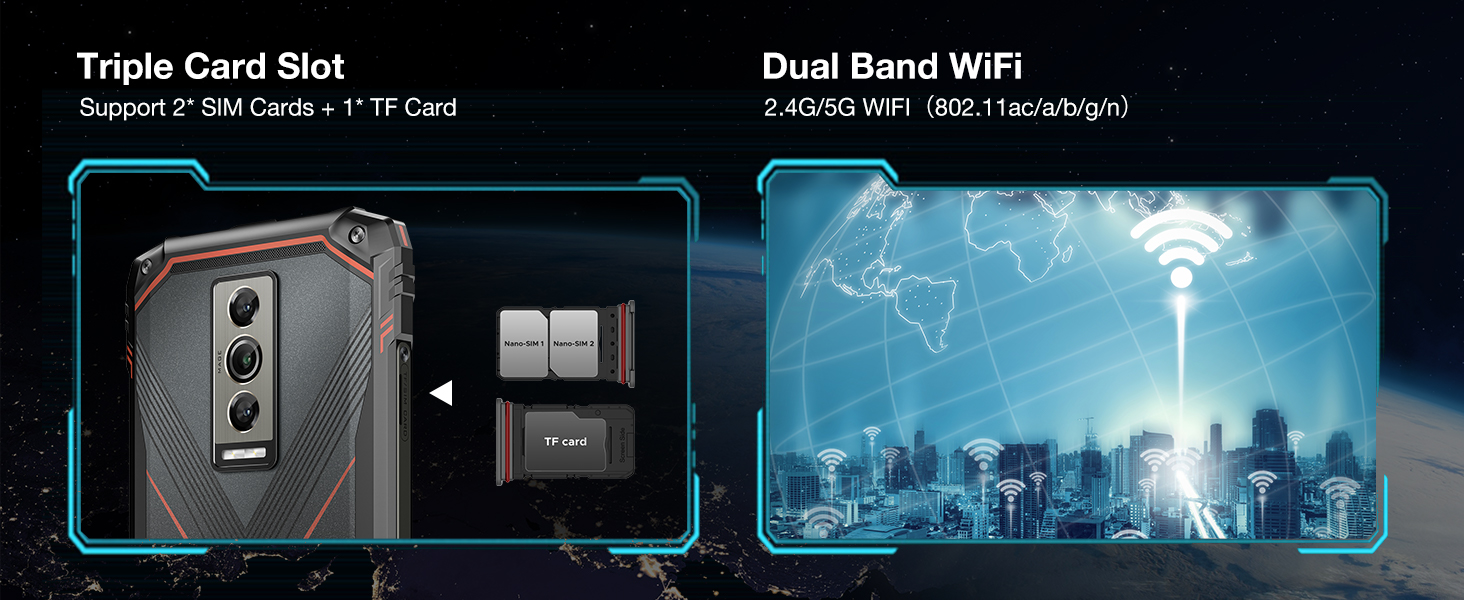
Figure 3: SIM and MicroSD Card Installation
3.2. Initial Power On and Setup Wizard
To power on your device for the first time, press and hold the Power button until the DOOGEE logo appears. Follow the on-screen instructions to complete the initial setup, including:
- Selecting your language and region.
- Connecting to a Wi-Fi network.
- Signing in with your Google account.
- Setting up screen lock (PIN, pattern, password, or Face Unlock).
3.3. Face Unlock Setup
For convenient and secure unlocking, set up Face Unlock:
- Go to Settings > Security & privacy > Device unlock.
- Select Face unlock and follow the prompts to register your face.
- Ensure you are in a well-lit area and hold the phone at eye level during registration.

Figure 4: Face Unlock Feature
4. Operating Your Device
4.1. Android 14 Interface
Your DOOGEE Blade 10 Pro runs on Android 14, offering an intuitive and customizable user experience. Navigate through the interface using gestures or traditional navigation buttons. Swipe down from the top for quick settings and notifications. Access all your applications from the app drawer.
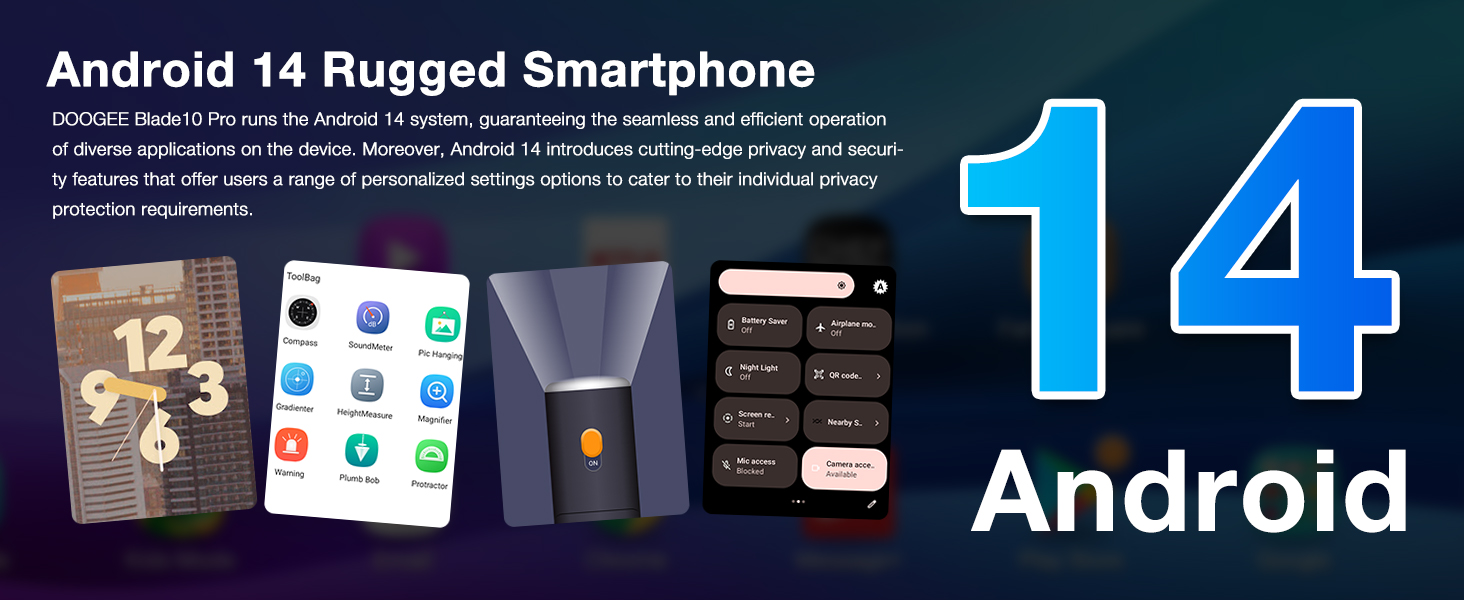
Figure 5: Android 14 User Interface
4.2. Camera Usage
The 50MP AI main camera, coupled with the Morpho Imaging Algorithm, allows you to capture stunning photos and videos. Key camera features include:
- Night Mode: Enhances photos in low-light conditions.
- EIS Anti-Shake: Provides stable video recording, even during movement.
- UltraZoom: Captures distant details with clarity.
- Portrait Mode: Creates professional-looking photos with blurred backgrounds.
- Panorama: Captures wide scenic views.

Figure 6: Camera Features
4.3. Connectivity
Your device supports various connectivity options:
- Wi-Fi: Connect to 2.4G/5G Wi-Fi networks for internet access.
- NFC: Use NFC for contactless payments via Google Pay and quick data sharing.
- GPS: Utilize GPS, Beidou, GLONASS, and Galileo for accurate navigation.
- 4G LTE: Enjoy fast mobile data speeds. Please note: This phone does not support Verizon and AT&T networks. Verify compatibility with your local frequency bands before purchasing.
4.4. Battery Management
The 5150mAh battery provides long-lasting power. To optimize battery life:
- Adjust screen brightness.
- Close unused apps running in the background.
- Enable battery saver mode when needed.
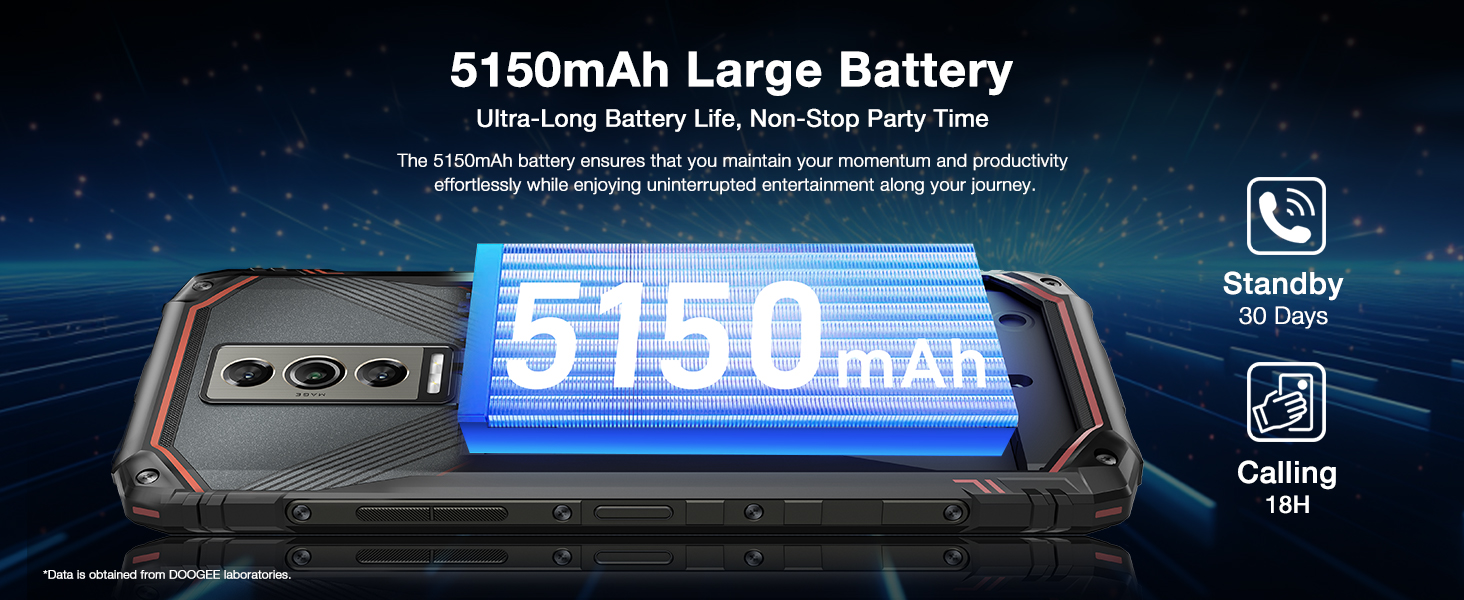
Figure 7: Battery Capacity and Endurance
4.5. Official Product Video
Watch this official video to see the DOOGEE Blade 10 Series in action, highlighting its ultra-thin body and long battery life.
Video 1: DOOGEE Blade 10 Series Ultra-Thin Body, Ultra-Long Battery Life
5. Maintenance
5.1. Rugged Features
The DOOGEE Blade 10 Pro is built to withstand harsh conditions with its IP68/IP69K ratings, meaning it is highly resistant to dust and water. While designed for durability, avoid intentional submersion in water or exposure to extreme temperatures.

Figure 8: Designed for Various Environments
5.2. Cleaning Your Device
To clean your phone, use a soft, lint-free cloth. For stubborn dirt, dampen the cloth slightly with water. Avoid using harsh chemicals, abrasive cleaners, or compressed air, as these can damage the device's seals and finish.
5.3. Software Updates
Regularly check for and install software updates to ensure your device has the latest features, security patches, and performance improvements. Go to Settings > System > System update to check for updates.
6. Troubleshooting
If you encounter issues with your DOOGEE Blade 10 Pro, try the following common solutions:
- Device unresponsive: Press and hold the Power button for about 10-15 seconds to force a restart.
- Network issues: Ensure your SIM card is properly inserted. Check your mobile data settings or try toggling Airplane Mode on and off. Remember, this phone does not support Verizon and AT&T.
- App crashes: Clear the cache and data of the problematic app (Settings > Apps > [App Name] > Storage > Clear cache/Clear data). If the issue persists, uninstall and reinstall the app.
- Battery draining quickly: Review Section 4.4 on Battery Management. Reduce screen brightness, disable unnecessary features like GPS or Wi-Fi when not in use, and close background apps.
- Slow performance: Free up storage space by deleting unnecessary files or apps. Restart your device regularly.
For more complex issues, refer to the official DOOGEE support resources or contact customer service.
7. Specifications
| Feature | Specification |
|---|---|
| Model Name | BLADE10PRO |
| Operating System | Android 14 |
| RAM Memory Installed Size | 30 GB (6GB + 24GB Extended) |
| Memory Storage Capacity | 256 GB (Expandable up to 2TB) |
| Screen Size | 6.56 Inches |
| Resolution | 2340 x 1080 |
| Battery Capacity | 5150 Milliamp Hours |
| Item Weight | 15.8 ounces |
| Special Features | 10.7mm Ultra-Thin, 50MP+8MP Cameras, IP68/IP69K Waterproof, Widevine L1, NFC/Face Unlock |
| Wireless Carrier | Unlocked for All Carriers (Does not support Verizon and AT&T) |
| Connectivity Technologies | Wi-Fi, 4G Cellular, GPS |
8. Warranty and Support
8.1. Warranty Information
Your DOOGEE Blade 10 Pro comes with a 2-Year Limited Warranty. This warranty covers manufacturing defects and ensures your device functions as intended under normal use. Please retain your proof of purchase for warranty claims.
8.2. Customer Service
DOOGEE is committed to providing excellent customer support. If you have any questions, require technical assistance, or need to initiate a return or warranty claim, please contact our support team:
- 30-Days Money Back Guarantee and Free Return: For initial purchase satisfaction.
- 24/7 One-on-One Online Support: Available for immediate assistance.
For the most up-to-date contact information and support resources, please visit the official DOOGEE website or refer to the contact details provided with your product packaging.

Figure 9: Customer Service Information
Related documentsBLADE10PRO


Ask a question about this manual
Ask about setup, troubleshooting, compatibility, parts, safety, or missing instructions. Manuals+ will review the question and use this page’s manual context to help answer it.