
1. Important Safety Instructions
Please read all safety instructions carefully before using the UML0 V160 Battery. Failure to follow these instructions may result in electric shock, fire, or serious injury.
- Compatibility: This battery is designed exclusively for the UML0 V160 cordless vacuum cleaner. Do not attempt to use it with other models or brands. Verify your vacuum cleaner's model number before purchase and use.
- Charging: Only charge the battery using the original 35V charger provided with your UML0 V160 vacuum cleaner. Using an incompatible charger may damage the battery or pose a fire hazard.
- Protection Features: The battery includes built-in over-charge, over-discharge, over-voltage, over-current, and over-heating protection for safe operation. However, always monitor the charging process.
- Storage: If the battery will not be used for an extended period, fully charge it before storing to maintain its service life. Store in a cool, dry place away from direct sunlight and extreme temperatures.
- Handling: Do not disassemble, puncture, or modify the battery. Avoid dropping the battery or exposing it to water or other liquids.
- Disposal: Dispose of the battery according to local regulations. Do not dispose of it in household waste or by incineration.
2. Product Overview
The UML0 V160 Battery is a high-capacity, rechargeable power source designed to provide extended runtime for your UML0 V160 cordless vacuum cleaner.
2.1. What's in the Box
- UML0 V160 Battery (1 unit)
Note: The original 35V charger for the UML0 V160 vacuum cleaner is required for charging and is sold separately with the vacuum cleaner.
2.2. Key Features
- High Capacity: Features 8 cells with 2000 mAh capacity for extended use.
- Long Runtime: Provides up to 60 minutes of operation in Eco mode, suitable for cleaning areas up to 200㎡ (2152.85 sq. ft).
- Detachable Design: Allows for separate charging and easy replacement, enabling double cleaning time with a spare battery (sold separately).
- Safety Protections: Integrated over-charge, over-discharge, over-voltage, over-current, and over-heating protection.
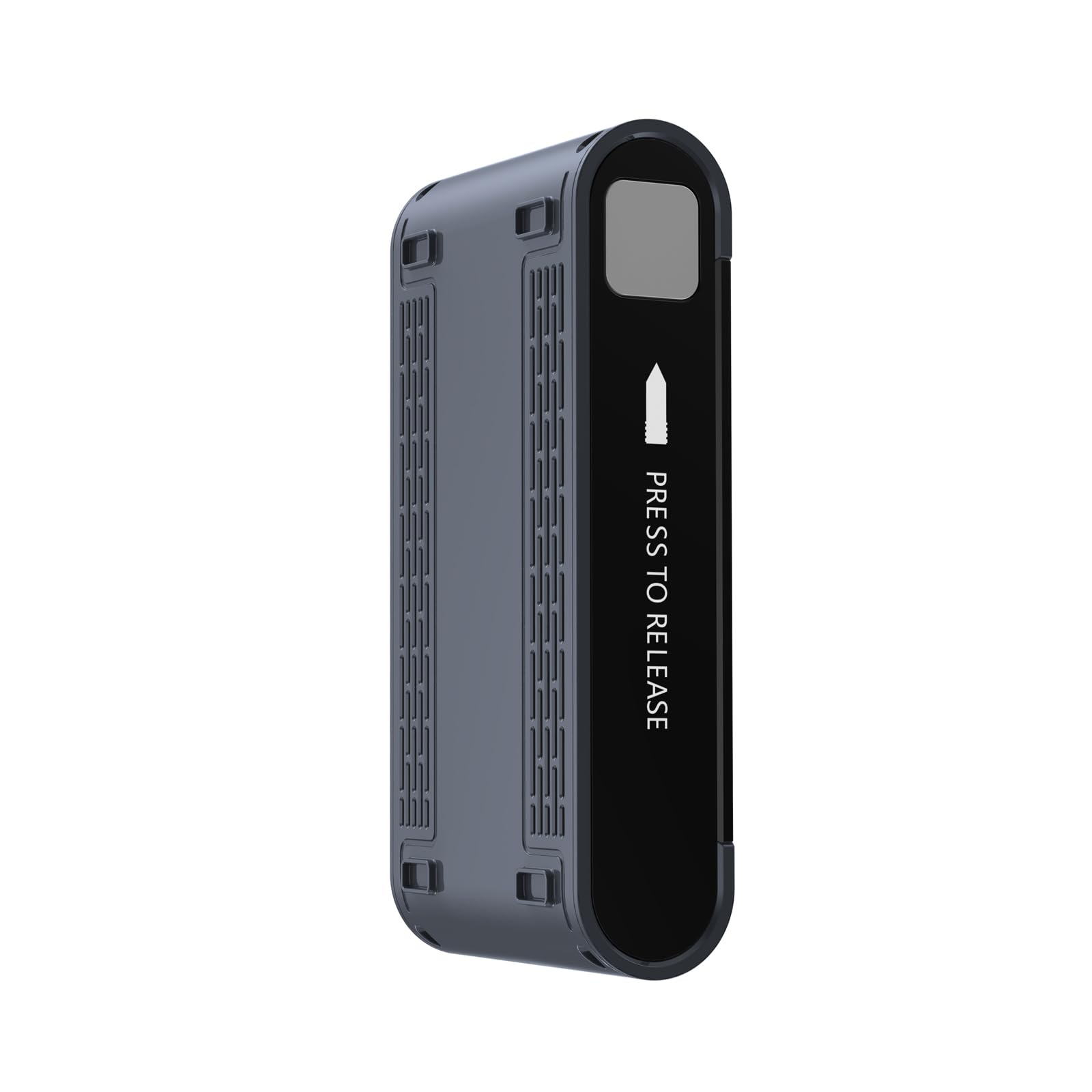
Image 1: UML0 V160 Battery. This image shows the compact design of the rechargeable battery pack, highlighting its compatibility with the V160 vacuum cleaner.
3. Setup and Charging
Before first use, or after extended storage, fully charge the battery.
3.1. Installing the Battery
- Ensure the vacuum cleaner is powered off and unplugged from any charging source.
- Locate the battery compartment on your UML0 V160 vacuum cleaner.
- Align the battery with the compartment and slide it in until it clicks securely into place.
- To remove, press the release button (if applicable) and slide the battery out.
3.2. Charging the Battery
- Connect the original 35V charger to a power outlet.
- Connect the charger's output plug to the charging port on the battery (either directly if detached, or on the vacuum cleaner if attached).
- The charging indicator light on the battery or vacuum cleaner will illuminate, typically indicating charging status. Refer to your vacuum cleaner's main manual for specific indicator light behavior.
- A full charge usually takes approximately 4-5 hours. Do not overcharge the battery.
- Once fully charged, disconnect the charger from the battery and the power outlet.
4. Operating the Battery
The UML0 V160 Battery powers your cordless vacuum cleaner. Once installed and charged, it provides the necessary energy for cleaning tasks.
- Power Modes: The battery supports various power modes of the V160 vacuum cleaner. In Eco mode, it can provide up to 60 minutes of continuous operation. Higher power modes will result in shorter runtimes.
- Battery Level: Monitor the battery level indicator on your vacuum cleaner to determine remaining power. Recharge the battery when the indicator shows low power.
- Detachable Use: The detachable design allows you to charge the battery separately from the vacuum cleaner. If you have a spare battery, you can swap them to extend cleaning time without waiting for a recharge.
5. Maintenance and Care
Proper maintenance ensures the longevity and optimal performance of your UML0 V160 Battery.
- Regular Charging: Do not allow the battery to completely discharge for extended periods. Recharge it promptly when low.
- Long-Term Storage: If storing the battery for more than a month, fully charge it before storage. Recharge it every 3-6 months to prevent deep discharge and maintain cell health.
- Cleaning: Wipe the battery's exterior with a dry, soft cloth. Do not use harsh chemicals or abrasive cleaners. Ensure charging contacts are clean and free of debris.
- Temperature: Avoid exposing the battery to extreme temperatures (below 0°C / 32°F or above 40°C / 104°F) during use, charging, or storage.
6. Troubleshooting
If you encounter issues with your UML0 V160 Battery, refer to the following common solutions:
| Problem | Possible Cause | Solution |
|---|---|---|
| Battery not charging |
|
|
| Short runtime |
|
|
| Battery not fitting into vacuum |
|
|
7. Specifications
| Feature | Detail |
|---|---|
| Model Name | V160 Battery |
| Brand | UML0 |
| Battery Cell Composition | Lithium Ion |
| Number of Cells | 8 |
| Capacity | 2000 mAh |
| Voltage (Nominal) | Approx. 28.8V - 29.6V (8-cell Lithium Ion) |
| Charging Voltage Requirement | 35V (using original UML0 charger) |
| Approximate Charging Time | 4-5 hours |
| Maximum Runtime (Eco Mode) | Up to 60 minutes |
| Item Weight | 1.24 pounds |
| Package Dimensions | 8 x 4.5 x 2 inches |
Note: The product specifications listed "1 12V batteries required" and "Voltage: 120 Volts" which are inconsistent with an 8-cell Lithium Ion battery and the specified 35V charger. The nominal voltage is inferred from the 8-cell configuration.
8. Warranty and Support
For warranty information and customer support, please refer to the documentation included with your UML0 V160 vacuum cleaner or visit the official UML0 website. Keep your purchase receipt as proof of purchase for warranty claims.
If you experience any issues not covered in this manual, please contact UML0 customer service for assistance.
UML0 Customer Service: Visit the UML0 Store on Amazon