
Introduction
The TOOXYZ J13 is a high-performance 3-channel dash camera system designed to provide comprehensive video surveillance for your vehicle. It records ultra-high-definition video from the front, interior, and rear, ensuring clear capture of road conditions, vehicle numbers, and in-cabin activity. Equipped with advanced features like 5G WiFi, loop recording, G-sensor, WDR, night vision, and 24-hour parking monitoring, the J13 offers enhanced safety and peace of mind.
Package Contents
- 1 * J13 Front + Inside Dash Camera
- 1 * Rear Camera
- 1 * Crowbar/4*xCable Clamp/Reset Pin
- 1 * Suction Cup Mount
- 1 * Cable Hiding Clips
- 1 * Cigarette Lighter with Type C Car Charger (11.5ft/3.5m)
- 1 * 64GB Memory Card (pre-installed in the dashcam)
- 1 * User Manual
Product Overview
The TOOXYZ J13 dash cam features a compact design with a 3.16" IPS screen. It integrates three cameras for a wide field of view: 170° for the front, 120° for the interior, and 120° for the rear.

This image displays the main unit of the TOOXYZ J13 dash camera, highlighting its compact form factor and key features such as 4K resolution, 5G WiFi, 64GB storage, and G-Sensor.
Installation Guide
Step 1: Mount the Front Dash Camera
Attach the suction cup mount to a suitable position on your windshield, ensuring it does not obstruct your view. Secure the dash camera to the mount.
This video demonstrates the easy installation of the main dash camera unit onto the windshield using the suction cup mount and connecting the power cable.
Step 2: Install the Rear Camera
Find a suitable position on the rear windshield for the rear camera. Wipe and clean the pre-installation area. Stick the static sticker firmly, remove air bubbles, and let it stand for half an hour before installing the rear camera for secure adhesion. Connect the rear camera cable to the main dash cam unit.
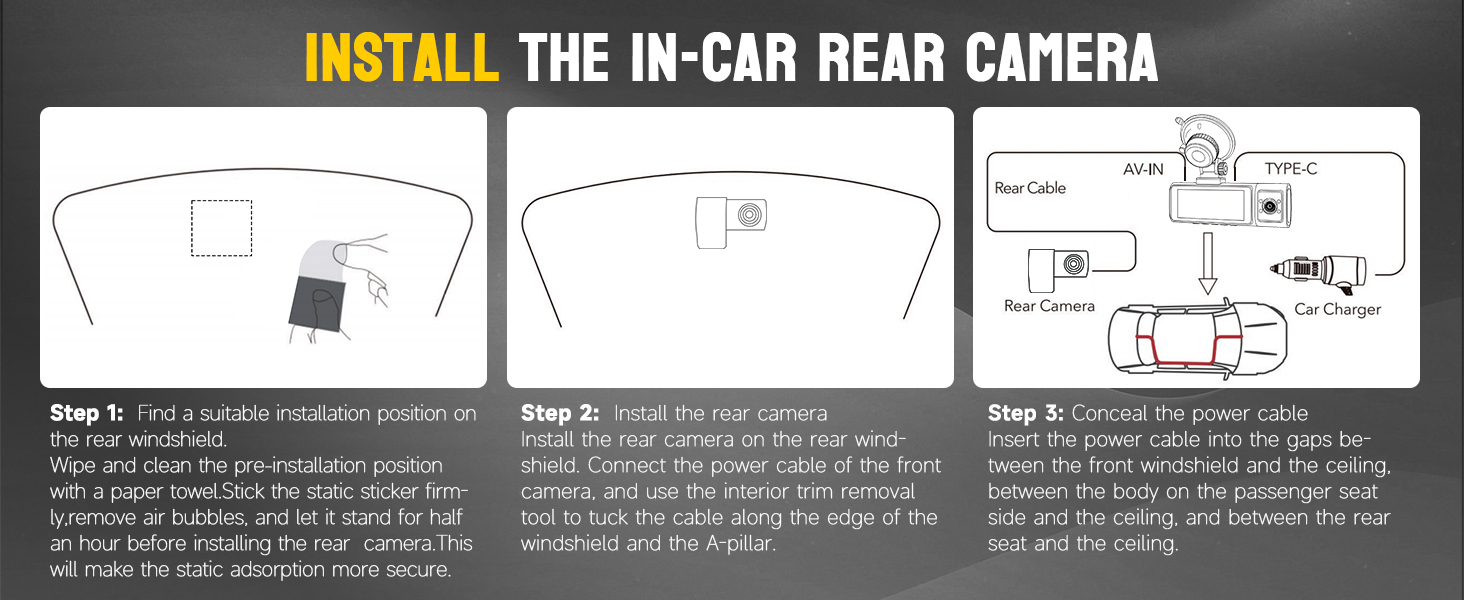
This diagram illustrates the three steps for installing the in-car rear camera: finding a suitable position, attaching the camera, and concealing the power cables along the car's interior.
Step 3: Cable Management
Plug the power cable into the dash cam and route it along the edges of your car's interior (e.g., along the windshield, A-pillar, and ceiling) to the cigarette lighter power source. Use the provided cable hiding clips and crowbar tool to neatly tuck away the cables.
Operating the Dash Cam
Power On/Off
The dash cam automatically powers on when your vehicle starts and powers off when the engine is turned off.
5G WiFi and App Control
Connect the dash cam to the "Viidure" app on your smartphone via 5G WiFi for fast and stable connections. This allows real-time viewing, video download, and management of dash cam settings. The default WiFi password is "12345678".
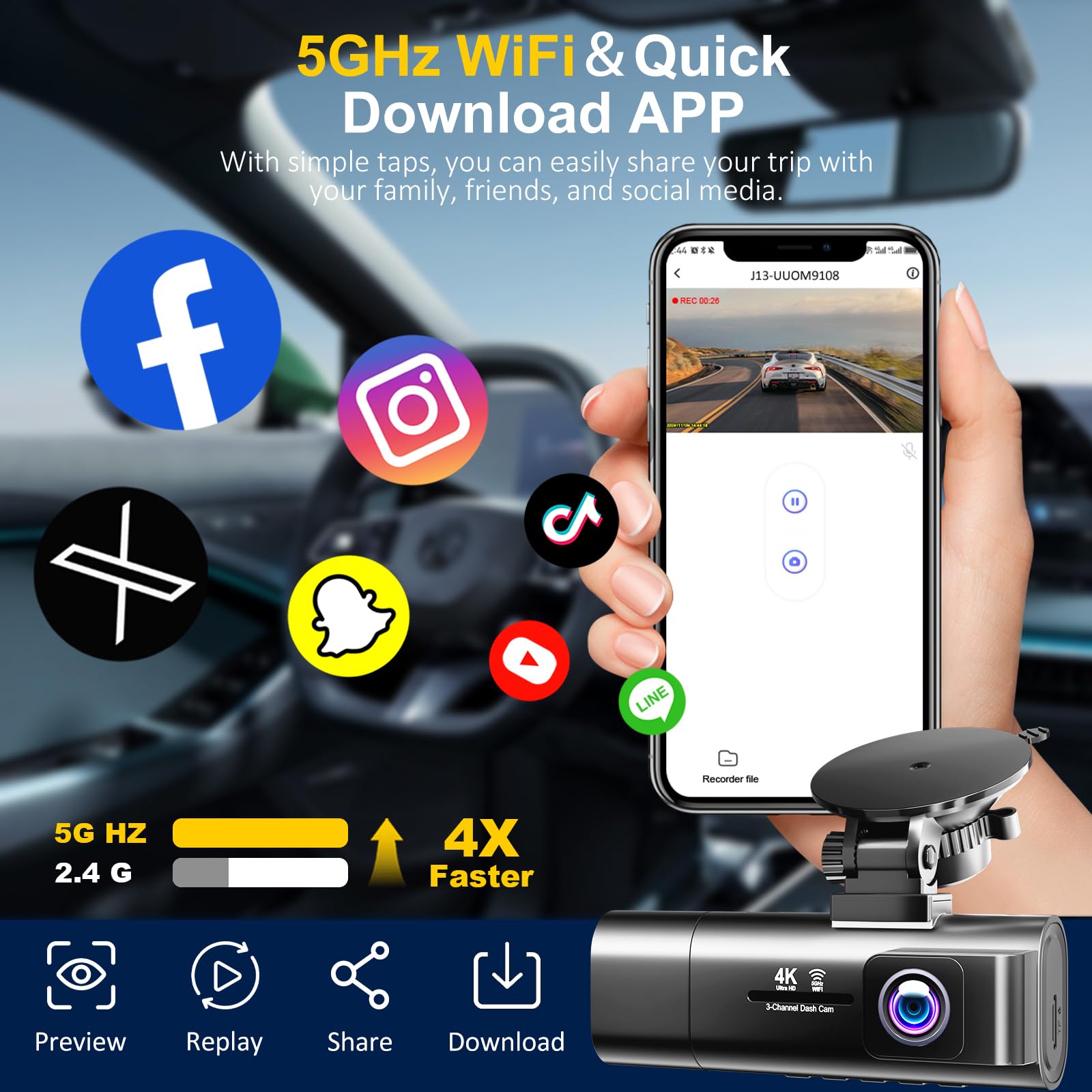
This image illustrates the 5G WiFi connectivity and app control feature, showing a smartphone connected to the dash cam via the "Viidure" app for real-time viewing and file management.
This video demonstrates connecting the dash cam to a smartphone via the Viidure app, showing how to access live footage and settings.
Loop Recording
The dash cam features loop recording. When the included 64GB SD card is full, new recordings will automatically overwrite the oldest unlocked videos. Emergency-locked videos are protected from overwriting.

This image explains the loop recording function, where the dash cam continuously records and overwrites the oldest files, while also highlighting the G-sensor's role in locking important footage.
G-Sensor & Emergency Locking
The built-in G-sensor automatically detects sudden shakes or collisions. In such events, it locks the current video footage to prevent it from being overwritten, preserving critical evidence.
Parking Monitoring
The J13 offers 24-hour parking monitoring. You can enable time-lapse recording for continuous low-frame-rate recording when the car is off, or set it to automatically record and lock a 30-second full-frame video upon detecting vehicle shaking or collision.
Note: For 24-hour parking monitoring, a hardwiring kit (ASIN: B0F1K8QNDB) is required and sold separately.
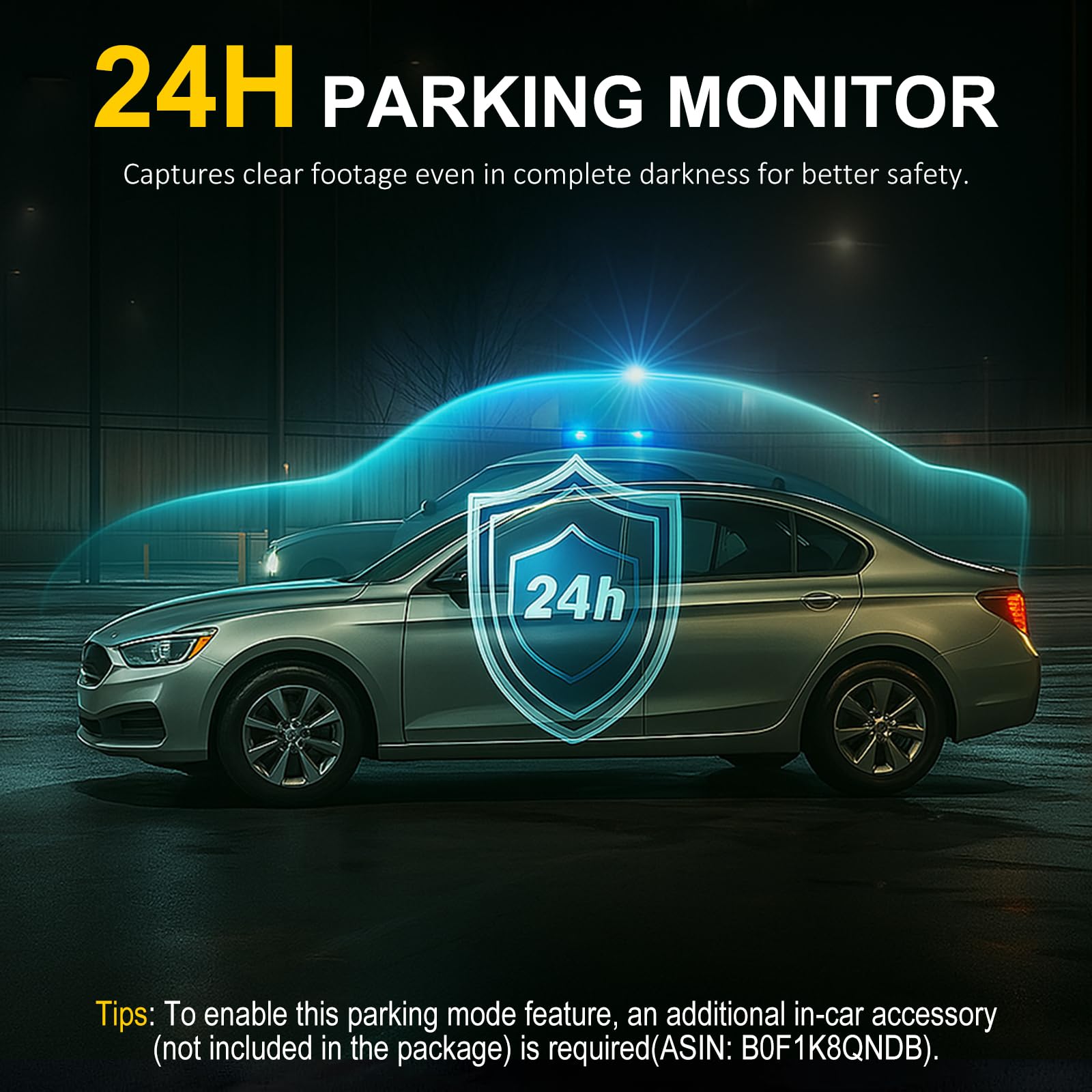
This image visually represents the 24-hour parking monitoring feature, showing a car protected by the dash cam, and notes that a separate hardwiring kit is needed for this function.
WDR & Night Vision
Wide Dynamic Range (WDR) technology ensures clear video capture in high-contrast lighting conditions, such as driving out of a tunnel or at night with bright headlights. Enhanced IR Night Vision records details perfectly even in low-light environments.

This image demonstrates the effectiveness of Enhanced IR Night Vision and WDR (Wide Dynamic Range) in capturing clear video details under challenging lighting conditions, from overly bright to very dark.
Specifications
| Feature | Detail |
|---|---|
| Model Name | J13 |
| Brand | TOOXYZ |
| Video Capture Resolution | 4K (Front), 1080P (Interior), 1080P (Rear) |
| Screen Size | 3.16 Inches |
| Field of View | 170° (Front), 120° (Interior), 120° (Rear) |
| Connectivity Technology | Wi-Fi (5G) |
| Included Memory Card | 64 GB |
| Max Supported Flash Memory | 256 GB |
| Mounting Type | Windshield Mount |
| Special Features | Loop Recording, Built-In WiFi, Parking Monitor, Night Vision, App Control, WDR, G-Sensor, Time-Lapse |
| Product Dimensions | 11.8 x 3.8 x 4 cm |
| Manufacturer | TOOXYZ |
Warranty and Support
The TOOXYZ J13 dash cam comes with a 1-Year Manufacturer Warranty. For any issues or support, please contact TOOXYZ customer support at TOOXYZservice@outlook.com.