
1. Introduction
Thank you for choosing the hykolity TF3807TR-L 38-inch Oscillating Tower Fan. This manual provides essential information for the safe and efficient operation of your new fan. Please read it thoroughly before use and retain it for future reference.
2. Safety Instructions
- Always unplug the fan before cleaning, servicing, or moving it.
- Do not insert fingers or foreign objects into any openings of the fan.
- Ensure the fan is placed on a stable, level surface to prevent tipping.
- Do not operate the fan with a damaged cord or plug. Contact customer service for repairs.
- Keep the fan away from water and moisture. Do not use it in bathrooms or wet environments.
- This fan is designed for indoor use only.
- Supervise children when the fan is in operation.
3. Package Contents
- hykolity TF3807TR-L Tower Fan Unit
- Base Plate (2 halves)
- Remote Control
- User Manual
4. Product Overview
Fan Components

Figure 1: hykolity TF3807TR-L Tower Fan
Control Panel

Figure 2: Top-mounted touch control panel with digital display.
- MODE: Cycles through Normal, Natural, Sleep, and Child modes.
- TIMER: Sets the auto-off timer (1-12 hours).
- POWER: Turns the fan On/Off.
- OSC (Oscillation): Activates/deactivates 90° oscillation.
- SPEED: Adjusts fan speed (3 levels).
Remote Control
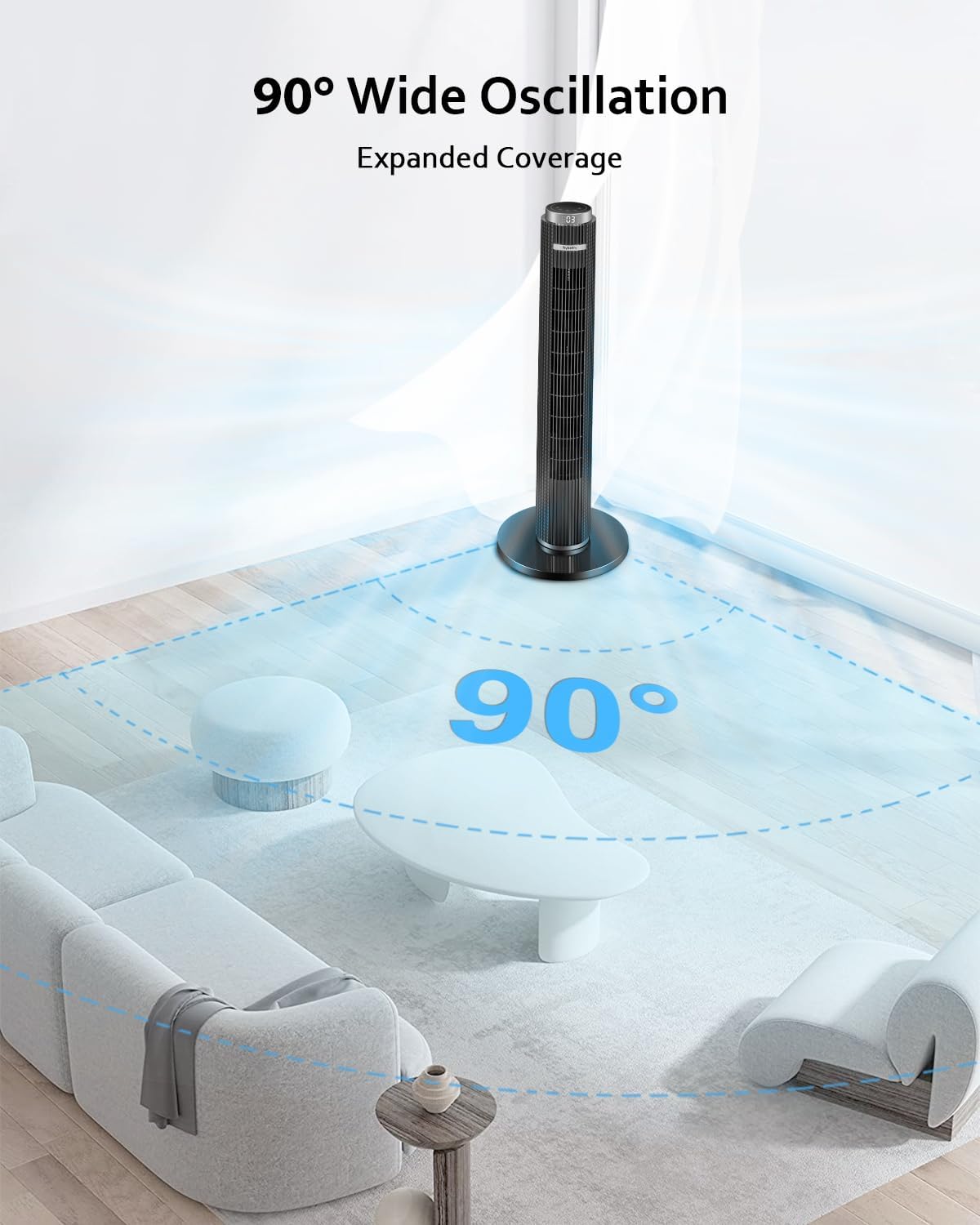
Figure 3: Remote control for convenient operation.
The remote control provides full functionality of the fan from a distance. It includes buttons for Power, Mode, Speed, Timer, Oscillation, Mute, and LED display control. The fan features a dedicated storage slot for the remote on its backside.
5. Setup
The hykolity TF3807TR-L Tower Fan features a tool-free setup process.
- Carefully remove all components from the packaging.
- Assemble the two halves of the base plate.
- Align the assembled base plate with the bottom of the fan unit and secure it by twisting or using the provided fasteners (if any, typically integrated for tool-free design).
- Place the fan on a firm, level surface.
- Plug the power cord into a standard 110V AC electrical outlet.

Figure 4: Tool-free base assembly and fan dimensions.
6. Operation
Operate your hykolity tower fan using either the top control panel or the remote control.
Power On/Off
- Press the POWER button once to turn the fan on.
- Press the POWER button again to turn the fan off.
Adjusting Fan Speed
- Press the SPEED button repeatedly to cycle through 3 fan speed settings (Low, Medium, High).
Operating Modes
The fan offers 4 distinct operating modes:

Figure 5: Fan operating modes.
- Normal Mode: Provides a constant airflow at the selected speed.
- Natural Mode: Simulates natural breezes by varying fan speed.
- Sleep Mode: Operates at a lower, quieter speed with a dimmable LED display for undisturbed rest.
- Child Mode: Designed for gentle, consistent airflow suitable for children's rooms.
Press the MODE button repeatedly to cycle through these modes.
Oscillation Function

Figure 6: 90° Wide Oscillation.
- Press the OSC button once to activate the 90° wide-angle oscillation.
- Press the OSC button again to stop oscillation.
Timer Function

Figure 7: 1-12 Hours Timer.
- Press the TIMER button repeatedly to set the desired auto-off time in 1-hour increments, up to 12 hours.
- The display will show the remaining time.
- To cancel the timer, cycle through the settings until '00' is displayed or turn the fan off.
LED Display Control (Remote Only)
- Use the dedicated LED button on the remote control to turn the digital display on or off, useful for nighttime use.
7. Maintenance
Regular cleaning helps maintain the fan's performance and extends its lifespan.
- Cleaning the Exterior: Wipe the exterior surfaces with a soft, damp cloth. Do not use abrasive cleaners or solvents.
- Cleaning the Air Inlet/Outlet: Use a vacuum cleaner with a brush attachment to gently remove dust from the air inlet and outlet grilles.
- Storage: When not in use, store the fan in a cool, dry place. Use the integrated cable hook on the back to neatly store the power cord.
- Do not immerse the fan in water or any other liquid.
8. Troubleshooting
| Problem | Possible Cause | Solution |
|---|---|---|
| Fan does not turn on. | Not plugged in; Power outlet not working; Power button not pressed. | Ensure the fan is securely plugged into a working outlet. Press the Power button. |
| Weak airflow. | Fan speed is too low; Air inlets/outlets are blocked. | Increase fan speed. Clean any dust or obstructions from the grilles. |
| Fan is noisy. | Fan is not on a level surface; Obstruction in the fan. | Place the fan on a stable, level surface. Check for and remove any foreign objects. |
| Remote control not working. | Batteries are dead or incorrectly inserted; Obstruction between remote and fan. | Replace batteries. Ensure clear line of sight to the fan's receiver. |
9. Specifications
| Feature | Specification |
|---|---|
| Model Number | TF3807TR-L |
| Brand | hykolity |
| Dimensions (D x W x H) | 12.4"D x 12.39"W x 38"H |
| Item Weight | 7.48 Pounds |
| Power Source | AC |
| Voltage | 110 Volts |
| Wattage | 45 watts |
| Number of Speeds | 3 |
| Operating Modes | Normal, Natural, Sleep, Child (4 modes) |
| Oscillation | 90° Wide-Angle |
| Timer | 1-12 Hours |
| Noise Level | 28 Decibels |
| Control Method | Remote, Touch Panel |
| Material | Plastic |
| Indoor/Outdoor Use | Indoor Only |
10. Warranty and Support
For warranty information and customer support, please refer to the documentation included with your product or visit the official hykolity website. You may also contact the seller directly for assistance.