1. Safety Information
Please read all safety instructions carefully before operating the GYMAX Cold Plunge Chiller. Failure to follow these instructions may result in electric shock, fire, or serious injury.
- Ensure the chiller is placed on a stable, level surface.
- Do not operate the chiller if the power cord or plug is damaged. The unit features an ETL-certified plug for enhanced safety.
- Keep the chiller away from direct sunlight and heat sources.
- Do not immerse the chiller in water. The unit is IP65 waterproof, but direct immersion is not recommended.
- Always disconnect the power supply before performing any maintenance or cleaning.
- Keep children and pets away from the chiller during operation.
- Ensure proper ventilation around the unit to prevent overheating.
2. Product Overview
The GYMAX Cold Plunge Chiller GM2146 is designed to cool water for ice baths and cold therapy. It features a powerful 0.8HP compressor, a dual filtration system, and convenient control options via a panel and a mobile application.

Image: Front and rear view of the GYMAX Cold Plunge Chiller, highlighting the control panel and external filter.
Key Features:
- High Cooling Performance: 0.8HP compressor with 2230(570-2820)W cooling capacity, suitable for up to 92-gallon water tubs. Adjustable temperature range from 37℉ to 108℉.
- Efficient Filtration System: Dual filtration with a 20-micron external PET filter and a built-in filter to remove impurities and particulate matter.
- Dual Control Methods: Operate via the integrated control panel or remotely using the Tuya mobile application with WiFi connectivity.
- Portability: Equipped with convenient handles and universal casters (two with brakes) for easy transport and stable positioning.
- Safety Features: IP65 waterproof rating and ETL-certified plug.
3. Package Contents
Verify that all items listed below are included in your package:
- 1 × Water Chiller
- 1 × External Filter with Housing and Cover
- 2 × Replacement Filters
- 1 × External Filter Wrench
- 1 × Built-in Filter
- 1 × Built-in Filter Wrench
- 1 × Mesh Filter
- 1 × Short Water Hose with Cover
- 2 × Long Water Hoses with Covers
- 2 × Adapters (3/4-inch female thread to 1/2-inch male thread)
- 16 × Rubber Seals
- 1 × Instruction Manual

Image: Close-up views of the chiller's mesh filter, convenient handles, universal casters, drain, and ETL-certified plug.
4. Specifications
| Attribute | Specification |
|---|---|
| Model Number | GM2146 |
| Product Dimensions (L x W x H) | 24" × 16" × 20" |
| Net Weight | 66 lbs |
| Horse Power | 0.8HP |
| Voltage | 106-127V |
| Input Power | 890(110-1120)W |
| Cooling Capacity | 2230(570-2820)W |
| Max Input Current | 11.3A |
| Refrigerant | R32 |
| Temperature Range | 37℉-108℉ |
| Working Temperature | 34℉-113℉ |
| Reservoir Capacity (Recommended) | Up to 92 Gallons |
| Waterproof Rating | IP65 |
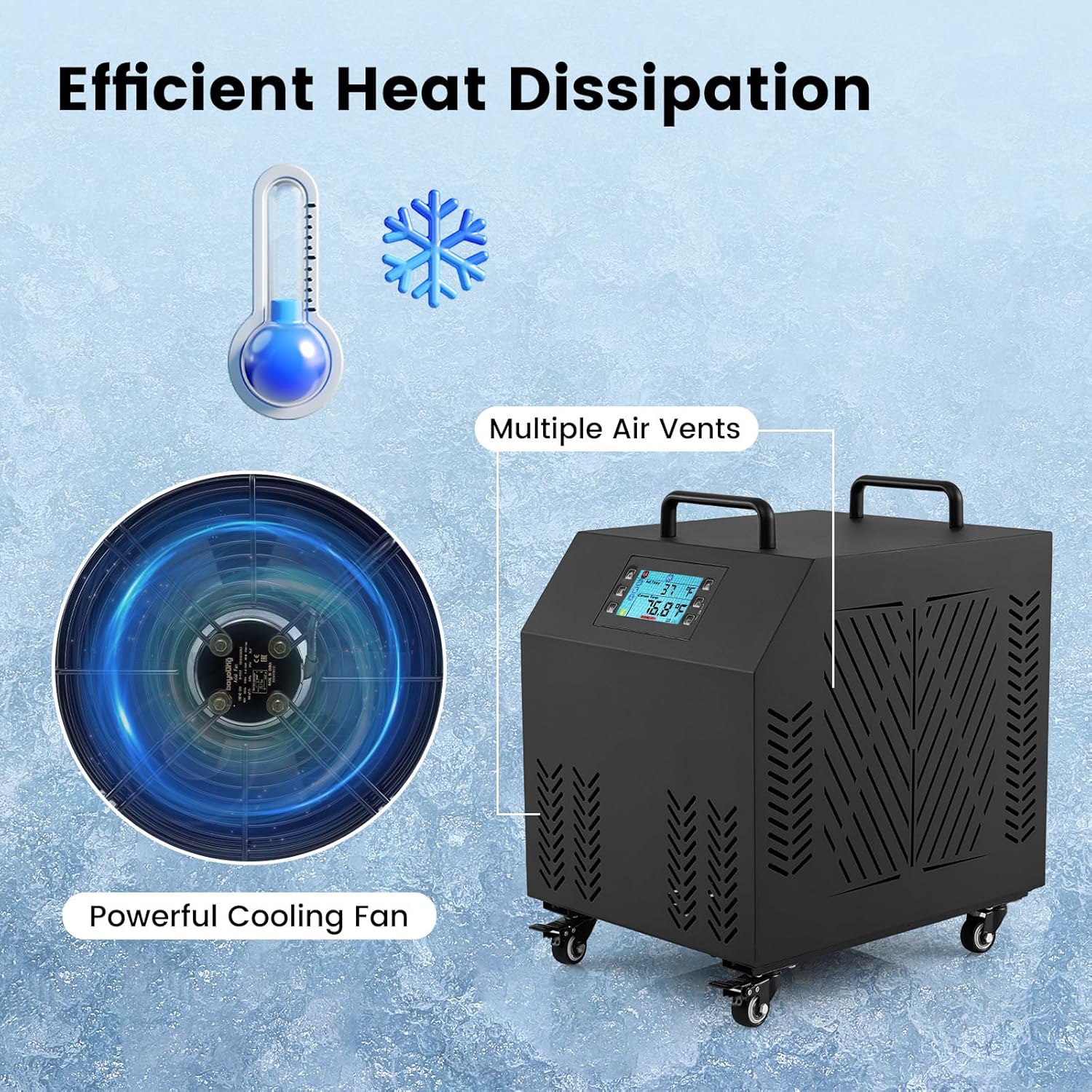
Image: Illustration of the chiller's efficient heat dissipation system, showing the powerful cooling fan and multiple air vents.
5. Setup Guide
5.1 Placement
- Position the chiller on a flat, stable surface. The universal casters allow for easy movement; engage the brakes on two casters for stable positioning.
- Ensure adequate space around the chiller for proper air circulation, especially around the air vents and fan.
- Place the chiller near your cold plunge tub, ensuring the hoses can reach comfortably without kinks.
5.2 Hose Connection
- Connect the short water hose to the 'WATER IN' port on your cold plunge tub and the 'WATER OUT' port (green) on the chiller.
- Connect one long water hose to the 'WATER OUT' port on your cold plunge tub and the 'WATER IN' port (red) on the chiller.
- Use the provided adapters if your tub's ports require conversion (3/4-inch female thread to 1/2-inch male thread).
- Ensure all connections are secure and use the rubber seals to prevent leaks. The hose covers are designed to absorb condensate water.

Image: Diagram illustrating the correct hose connections for water circulation between the chiller and a cold plunge tub. Includes details on the two adapters.
5.3 Filter Installation
- External Filter: The external filter housing should be connected in-line with the water flow, typically on the return line to the chiller. Ensure the filter is correctly oriented for water flow.
- Built-in Filter: The built-in filter is pre-installed. Ensure it is properly seated. Use the provided built-in filter wrench for maintenance.

Image: Detailed diagram of the dual filtration system, showing the 20-micron pleated PET external filter and the built-in filter for particulate matter. Includes instructions for checking the built-in filter's red ring.
5.4 Power Connection
- Plug the ETL-certified power cord into a grounded electrical outlet (106-127V).
- Do not use extension cords unless absolutely necessary and ensure they are rated for the chiller's power requirements.
6. Operation
6.1 Control Panel Operation
The chiller can be operated directly using the control panel on the front of the unit.

Image: Close-up of the chiller's control panel, showing the digital display for set temperature and current temperature, along with buttons for WiFi connectivity, temperature display, C/F conversion, and child lock.
- Power Button: Press to turn the unit ON/OFF.
- Temperature Adjustment: Use the UP/DOWN arrows to set your desired water temperature (37℉ to 108℉).
- Display: The screen shows the set temperature and the current water temperature.
- C/F Conversion: Toggle between Celsius and Fahrenheit display.
- Child Lock: Activate to prevent accidental changes to settings.
6.2 App Control (Tuya APP)
For remote control and advanced features, download and connect to the Tuya APP.

Image: Screenshot of the Tuya app interface on a smartphone, demonstrating intelligent app control features such as WiFi enabled, temperature adjustment, time setting, and sound on/off. Includes links to App Store and Google Play.
- Download the Tuya Smart app from the App Store (iOS) or Google Play Store (Android).
- Register or log in to your Tuya account.
- Ensure your chiller is powered on and WiFi is enabled on the unit (indicated on the control panel).
- Follow the in-app instructions to add your GYMAX Cold Plunge Chiller.
- Once connected, you can adjust temperature, set timers, and monitor the chiller remotely.
7. Maintenance
Regular maintenance ensures optimal performance and longevity of your chiller.
7.1 Filter Cleaning and Replacement
- External PET Filter: Periodically inspect the external 20-micron PET filter. When it appears dirty or water flow is reduced, clean it by rinsing under running water. Replace the filter every 1-3 months depending on usage and water quality. Two replacement filters are included.
- Built-in Filter: The built-in filter captures larger particulate matter. Use the provided built-in filter wrench to remove and clean it. Rinse thoroughly.
- Mesh Filter: The mesh filter on the chiller's air intake should be cleaned regularly to ensure efficient heat dissipation. Remove and brush off any dust or debris.
7.2 Draining the Chiller
When not in use for extended periods or for deep cleaning, drain the chiller:
- Disconnect the chiller from the power supply.
- Disconnect the hoses from the cold plunge tub.
- Locate the drain plug on the chiller (refer to product images for location).
- Place a suitable container under the drain and remove the plug to allow water to drain completely.
- Once drained, replace the plug securely.
7.3 General Cleaning
- Wipe the exterior of the chiller with a soft, damp cloth. Do not use abrasive cleaners or solvents.
- Ensure all air vents are clear of obstructions.
8. Troubleshooting
If you encounter issues with your GYMAX Cold Plunge Chiller, refer to the following common problems and solutions:
| Problem | Possible Cause | Solution |
|---|---|---|
| Chiller not turning on | No power supply | Check power cord connection, wall outlet, and circuit breaker. |
| Water not cooling | Incorrect temperature setting Blocked air vents Dirty filters Insufficient water flow | Verify set temperature. Clear any obstructions from air vents. Clean or replace filters. Check hose connections for kinks or blockages. |
| Water flow is weak | Kinked or blocked hoses Dirty filters | Inspect hoses for kinks or debris. Clean or replace filters. |
| App not connecting | WiFi issues Incorrect app setup | Ensure chiller WiFi is enabled. Check home WiFi network. Re-attempt app pairing process. |
| Unusual noise | Loose components Fan obstruction | Turn off and unplug the unit. Inspect for any loose parts or obstructions in the fan. If noise persists, contact support. |
9. Warranty and Support
For warranty information, technical support, or service inquiries, please contact GYMAX customer service. Refer to your purchase documentation for specific warranty terms and contact details.
When contacting support, please have your model number (GM2146) and purchase date available.


