
1. Introduction
Thank you for choosing DUSONLAP E6 Open Ear Earbuds. This manual provides essential information for setting up, operating, and maintaining your earbuds to ensure optimal performance and longevity. Please read this manual thoroughly before use.
2. Package Contents
- DUSONLAP E6 Open Ear Earbuds (Left and Right)
- Charging Case
- USB Charging Cable
- User Manual
3. Setup
3.1 Charging the Earbuds and Case
Before first use, fully charge the earbuds and the charging case. Place the earbuds into the charging case. Connect the charging case to a power source using the provided USB cable. The LED display on the charging case indicates the battery level.

Image: The DUSONLAP E6 Open Ear Earbuds in their charging case, illustrating the charging process and battery life. A single charge provides up to 8 hours of playtime, extending to 32 hours with the charging case. Full charge time is approximately 1.5 hours.
- Earbud Playtime: Up to 8 hours on a single charge.
- Total Playtime (with case): Up to 32 hours.
- Charging Time: Approximately 1.5 hours for a full charge.
3.2 Wearing the Earbuds
The DUSONLAP E6 earbuds feature an open-ear design with ergonomic ear hooks for comfortable and secure wear without inserting into the ear canal. This design allows for awareness of ambient sounds, enhancing safety during outdoor activities.

Image: A man wearing the DUSONLAP E6 Open Ear Earbuds, demonstrating their ergonomic earhook design, use of skin-friendly material, and ultra-lightweight construction for a comfortable and precise fit.
3.3 Bluetooth Pairing
The earbuds utilize Bluetooth 5.4 technology for quick and stable connections.
- Open the charging case. The earbuds will automatically power on and enter pairing mode.
- On your device (smartphone, tablet, laptop), enable Bluetooth and search for available devices.
- Select "E6" from the list of devices to connect.
- Once connected, the earbuds are ready for use. They will automatically reconnect to the last paired device when taken out of the case.

Image: The DUSONLAP E6 Open Ear Earbuds in their charging case, alongside a smartphone screen displaying a successful Bluetooth connection to the "E6" device, illustrating the one-step pairing process.
4. Operating the Earbuds
4.1 Touch Controls
The DUSONLAP E6 earbuds feature intuitive touch controls for managing audio playback and calls.

Image: A visual guide to the touch controls on the DUSONLAP E6 Open Ear Earbuds, detailing functions such as Play/Pause, Voice Assistant activation, Answer/Hang Up calls, Volume adjustment, and Next/Previous Track selection.
| Action | Function |
|---|---|
| Single Tap | Play/Pause music, Answer/End call |
| Double Tap (Left Earbud) | Volume Down |
| Double Tap (Right Earbud) | Volume Up |
| Triple Tap (Left Earbud) | Previous Track |
| Triple Tap (Right Earbud) | Next Track |
| Long Press (2 seconds) | Activate Voice Assistant / Reject Call |
4.2 Audio Features
The earbuds are equipped with a 14mm large driver unit for HiFi stereo sound and ENC (Environmental Noise Cancellation) technology for clear calls.
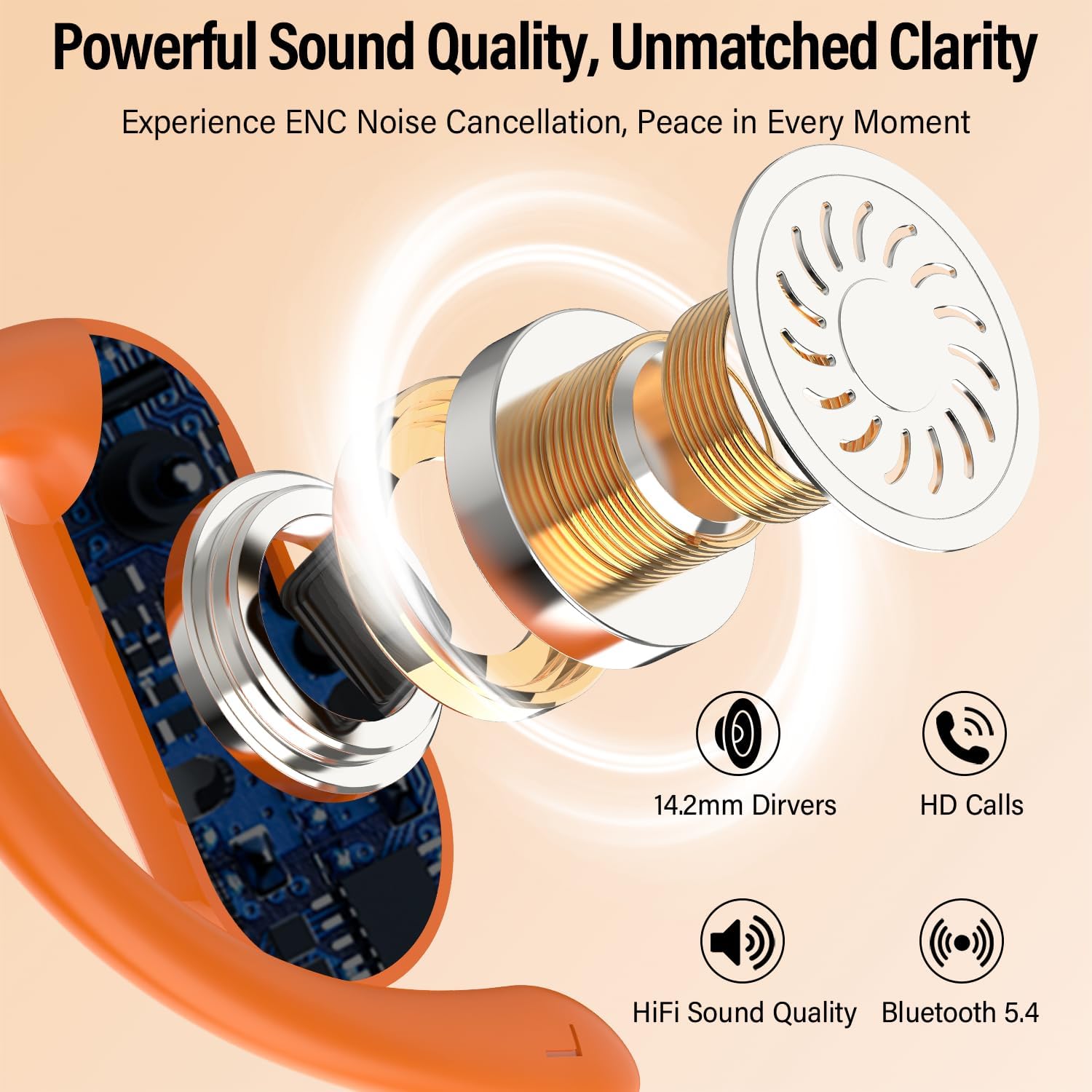
Image: An exploded view diagram of the DUSONLAP E6 earbud's internal structure, emphasizing the 14.2mm audio driver and its contribution to HiFi sound quality, clear HD calls, and stable Bluetooth 5.4 connectivity.
- HiFi Stereo Sound: Enjoy rich, immersive audio for music and podcasts.
- ENC Call Noise Reduction: Built-in microphones isolate your voice and filter out background noise for clear communication.
5. Maintenance
5.1 Cleaning
The earbuds are IPX7 waterproof, making them resistant to sweat, rain, and splashes. To clean, gently wipe the earbuds with a soft, damp cloth. Ensure the charging contacts are dry before placing them back in the charging case.

Image: A woman exercising while wearing DUSONLAP E6 Open Ear Earbuds, demonstrating their IPX7 waterproof rating which ensures protection against sweat, rain, and splashes during intense activities.
5.2 Storage
When not in use, store the earbuds in their charging case to protect them from dust and damage, and to keep them charged.
6. Troubleshooting
- Earbuds not pairing: Ensure both earbuds are in the charging case, then open the lid to activate pairing mode. Check your device's Bluetooth settings to ensure it's searching for new devices. If issues persist, try resetting your device's Bluetooth or forgetting the device and re-pairing.
- No sound from one earbud: Place both earbuds back into the charging case, close the lid, and then open it again. This often re-syncs them. Ensure both earbuds are charged.
- Charging case not charging: Verify the USB cable is securely connected to both the case and the power source. Try a different charging cable or power adapter.
- Earbuds falling out: Ensure the ear hooks are properly positioned over your ears. The ergonomic design is intended for a secure fit during various activities.
7. Specifications
| Feature | Specification |
|---|---|
| Model Name | E6 |
| Connectivity Technology | Wireless (Bluetooth) |
| Bluetooth Version | 5.4 |
| Bluetooth Range | 15 Meters |
| Audio Driver Size | 14.2 Millimeters |
| Battery Life (Earbuds) | 8 Hours |
| Total Battery Life (with Case) | 32 Hours |
| Charging Time | 1.5 Hours |
| Water Resistance Level | IPX7 Waterproof |
| Control Method | Touch |
| Material | Silicone |
| Weight | 4.2 ounces (total package) |
| Compatible Devices | Phones, Tablets, Laptops (iOS, Android, Windows) |
8. Warranty and Support
DUSONLAP provides a two-year warranty for the E6 Open Ear Earbuds. For any product-related inquiries or support, please contact DUSONLAP customer service. We offer 24-hour customer service to assist you.

Image: A graphic highlighting key features of the DUSONLAP E6 earbuds, including their open design, flexible and skin-friendly material, ultra-light design, and the provision of 24-hour customer service and a two-year warranty.