
SAFEMO SS121
Contents
SAFEMO 4K AOV Dual View Pan & Tilt Security Camera System (Model SS121) Instruction Manual
Comprehensive guide for setup, operation, and maintenance.
1. Introduction
This instruction manual provides detailed guidance for the installation, operation, and maintenance of your SAFEMO 4K AOV Dual View Pan & Tilt Wireless Outdoor Security Camera System, Model SS121. Please read this manual thoroughly before using the product to ensure correct usage and optimal performance. Keep this manual for future reference.
2. Product Overview
The SAFEMO SS121 is a 4K AOV Dual View Pan & Tilt Wireless Outdoor Security Camera System designed for comprehensive home surveillance. Key features include:
- 4K Resolution: Provides ultra-high-definition video for clear image capture.
- AOV Dual View: Offers multiple viewing angles simultaneously for broader coverage.
- Pan & Tilt Functionality: Allows remote adjustment of camera direction for flexible monitoring.
- Wireless Connectivity: Connects via Wi-Fi for easy installation and remote access.
- Outdoor Durability: Designed for outdoor use, suitable for various weather conditions.
- 24/7 Surveillance: Continuous monitoring capabilities.
- Color Night Vision: Enhanced visibility in low-light conditions with full-color imaging.
- Solar Powered: Utilizes solar energy for sustainable power, reducing the need for frequent battery changes or wired power.
- Smart Home Integration: Compatible with Amazon Alexa for voice control and smart home ecosystems.
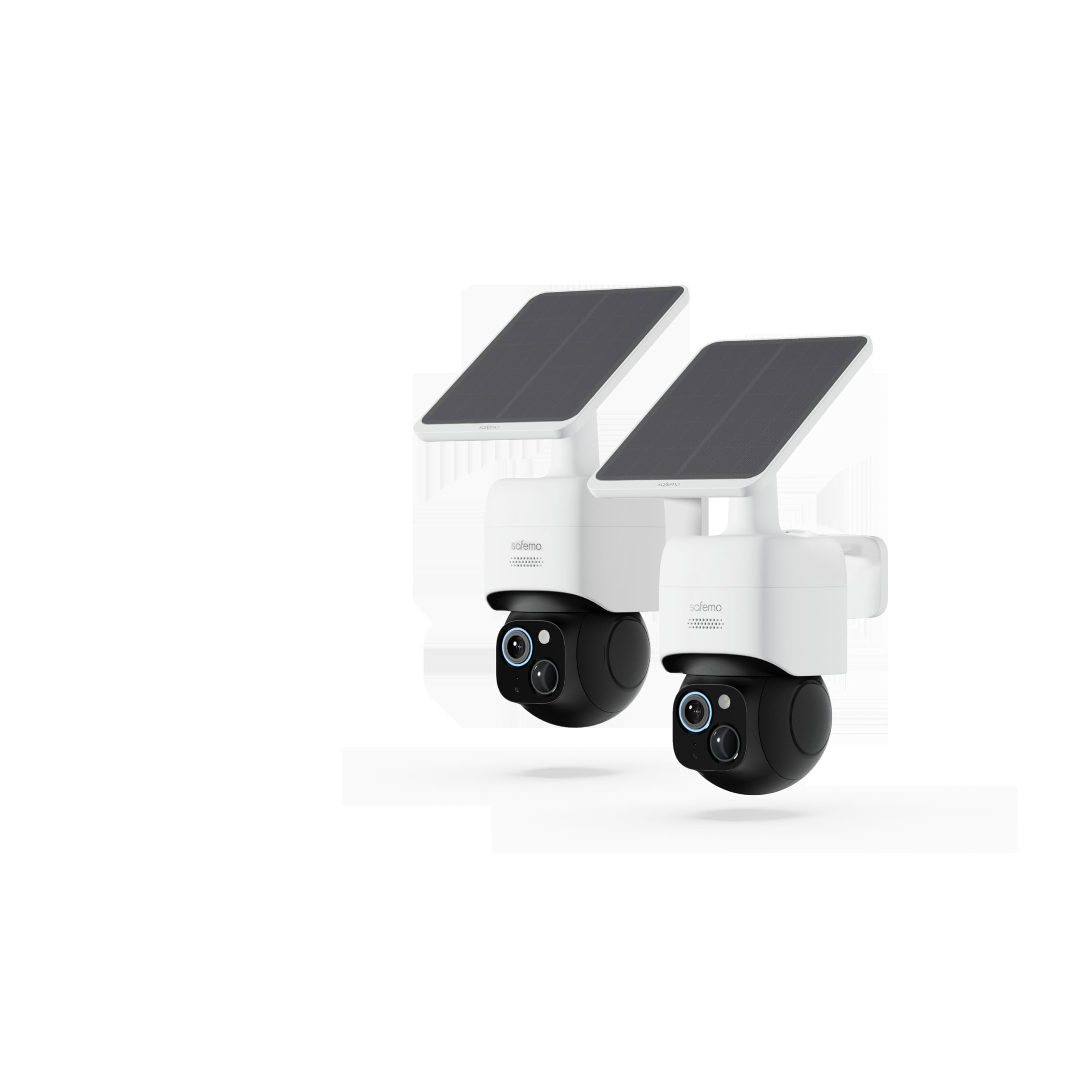
Image 1: SAFEMO SS121 4K AOV Dual View Pan & Tilt Security Camera. This image displays the front view of the security camera, highlighting its dual lens design and pan-tilt base.
3. Package Contents
Please check the package contents upon unboxing. If any items are missing or damaged, contact customer support.
- SAFEMO 4K AOV Dual View Pan & Tilt Security Camera (2 units)
- Solar Panel (2 units, typically integrated or separate for charging)
- Mounting Bracket and Screws (for each camera)
- USB Charging Cable (for initial charge, if applicable)
- Quick Start Guide
- Warning Sticker (optional)
4. Setup and Installation
The SAFEMO SS121 camera system is designed for easy installation. Follow these steps for optimal setup:
- Charge the Camera: Before installation, ensure the camera's internal battery is fully charged using the provided USB cable. Although solar-powered, an initial charge is recommended.
- Download the App: Search for the official SAFEMO security camera application on your smartphone's app store (iOS or Android) and install it.
- Create an Account: Open the app and follow the on-screen instructions to create a new user account or log in if you already have one.
- Add Device: In the app, select "Add Device" or the '+' icon. Follow the prompts to connect your camera to your home Wi-Fi network (2.4GHz Wi-Fi is typically required).
- Select Mounting Location: Choose an outdoor location that provides a clear view of the area you wish to monitor. Ensure the solar panel receives adequate direct sunlight throughout the day for continuous power.
- Mount the Camera: Use the provided mounting bracket and screws to securely attach the camera to a wall or suitable surface. Adjust the angle of the solar panel for maximum sun exposure.
- Final Adjustments: Once mounted, use the app to fine-tune the camera's pan and tilt angles to cover the desired surveillance area.
5. Operating Instructions
Once your SAFEMO SS121 camera system is set up, you can begin monitoring using the dedicated mobile application.
- Live View: Open the app and select your camera to view the live feed. You can switch between the dual views if available.
- Pan & Tilt Control: Use the directional controls within the app to remotely adjust the camera's horizontal (pan) and vertical (tilt) angles.
- Recording and Playback: The camera supports 24/7 surveillance. Recorded footage can be accessed and played back through the app. Refer to the app's specific instructions for cloud storage or local storage options.
- Motion Detection: Configure motion detection settings, including sensitivity and alert zones, within the app. You will receive notifications on your smartphone when motion is detected.
- Color Night Vision: The camera automatically switches to color night vision mode in low-light conditions, providing clear, full-color images.
- Two-Way Audio: If equipped, use the app to communicate through the camera's built-in speaker and microphone.
- Alexa Integration: To integrate with Amazon Alexa, enable the SAFEMO skill in the Alexa app. Follow the Alexa app's instructions to link your SAFEMO account and discover devices. You can then use voice commands to view camera feeds on compatible Alexa devices.
6. Maintenance
Regular maintenance ensures the longevity and optimal performance of your security camera system.
- Cleaning: Periodically clean the camera lens and solar panel with a soft, damp cloth to remove dust, dirt, or water spots. Do not use harsh chemicals.
- Firmware Updates: Check the SAFEMO app regularly for firmware updates. Keeping the firmware updated ensures access to the latest features and security enhancements.
- Connection Check: Occasionally verify the camera's Wi-Fi connection strength in the app to ensure stable operation.
- Solar Panel Efficiency: Ensure the solar panel remains unobstructed by leaves, snow, or other debris to maximize charging efficiency.
7. Troubleshooting
If you encounter issues with your SAFEMO SS121 camera, refer to the following common solutions:
| Problem | Possible Cause | Solution |
|---|---|---|
| Camera not powering on. | Low battery; solar panel not charging effectively. | Fully charge the camera using the USB cable. Ensure the solar panel is in direct sunlight and free from obstructions. |
| Unable to connect to Wi-Fi. | Incorrect Wi-Fi password; camera too far from router; 5GHz Wi-Fi network. | Verify Wi-Fi password. Move camera closer to the router or use a Wi-Fi extender. Ensure you are connecting to a 2.4GHz Wi-Fi network. |
| Poor image quality. | Dirty lens; poor network connection; insufficient light. | Clean the camera lens. Check Wi-Fi signal strength. Ensure adequate lighting or verify night vision is active. |
| Motion detection not working. | Motion detection disabled; sensitivity too low; incorrect detection zone. | Enable motion detection in the app. Adjust sensitivity settings. Configure detection zones correctly. |
For further assistance, please refer to the in-app help section or contact SAFEMO customer support.
8. Specifications
| Feature | Detail |
|---|---|
| Model Name | SS121 |
| Brand | SAFEMO |
| Resolution | 4K |
| Camera Type | AOV Dual View Pan & Tilt Security Camera |
| Connectivity Technology | Wireless (Wi-Fi) |
| Power Source | Solar Powered |
| Indoor/Outdoor Usage | Outdoor |
| Special Features | Easy to Install, Color Night Vision, 24/7 Surveillance |
| Compatible Devices | Amazon Alexa |
| Number of Items | 2 (Cameras) |
| Item Weight | 2.53 kg (for the package) |
| Parcel Dimensions | 26.42 x 22.23 x 18.31 cm |
| Manufacturer | Safemo |
9. Warranty and Support
For detailed warranty information, please refer to the warranty card included in your product packaging or visit the official SAFEMO website. If you require technical support or have questions not covered in this manual, please contact SAFEMO customer service through their official website or the contact information provided in the product packaging.
Note: Product specifications and features are subject to change without prior notice.
Ask a question about this manual
Ask about setup, troubleshooting, compatibility, parts, safety, or missing instructions. Manuals+ will review the question and use this page’s manual context to help answer it.