
1. Introduction
This manual provides essential instructions for setting up, operating, and maintaining your LAGENIO K9 AI Kids Smartwatch. Please read this guide thoroughly to ensure proper usage and to maximize the benefits of its features.

Figure 1: LAGENIO K9 AI Kids Smartwatch
2. What's in the Box
Verify that all items are present in your package:
- LAGENIO AI Kids Watch Phone K9
- User Manual
- Important Notes Booklet
- Warranty Card
- Data Cable (Charging Cable)
- SIM Card Ejector Tool

Figure 2: Package Contents
3. Setup
3.1. SIM Card Installation
The LAGENIO K9 Smartwatch requires a Nano-SIM card for 4G connectivity, calls, and GPS tracking. Ensure the watch is powered off before inserting the SIM card.
- Locate the SIM card slot on the side of the smartwatch.
- Use the provided SIM ejector tool to open the SIM tray.
- Carefully place the Nano-SIM card into the tray, ensuring correct orientation.
- Insert the tray back into the smartwatch until it clicks into place.
- Power on the smartwatch.
Note: Only Nano-SIM cards are compatible. Standard, Micro, or cut SIM cards are not supported and may damage the device.

Figure 3: SIM Card Compatibility
3.2. App Installation and Pairing
To manage the smartwatch and access its full features, parents must install the LAGENIO app on their smartphone.
- Download the LAGENIO app from the App Store (iOS) or Google Play Store (Android).
- Register an account and log in.
- On the smartwatch, navigate to the binding QR code or device ID.
- In the app, select 'Add Device' and scan the QR code or manually enter the device ID to pair the smartwatch with your account.
- Follow the on-screen prompts to complete the pairing process and set up initial parental controls.

Figure 4: LAGENIO App Interface
4. Operating Instructions
4.1. Basic Navigation
- Touchscreen: Swipe left/right to navigate between apps, swipe down for quick settings, swipe up for notifications.
- Power Button: Press and hold to power on/off. Short press to wake/sleep screen.
- SOS Button: Press and hold for 5 seconds to activate the SOS function (see Section 4.3).
4.2. Communication Features
The smartwatch supports various communication methods:
- 4G Video Calls: Initiate and receive video calls with approved contacts via the 4G network.
- Voice Calls: Make and receive standard voice calls with pre-approved contacts.
- Chat: Send and receive text or voice messages with contacts through the LAGENIO app.
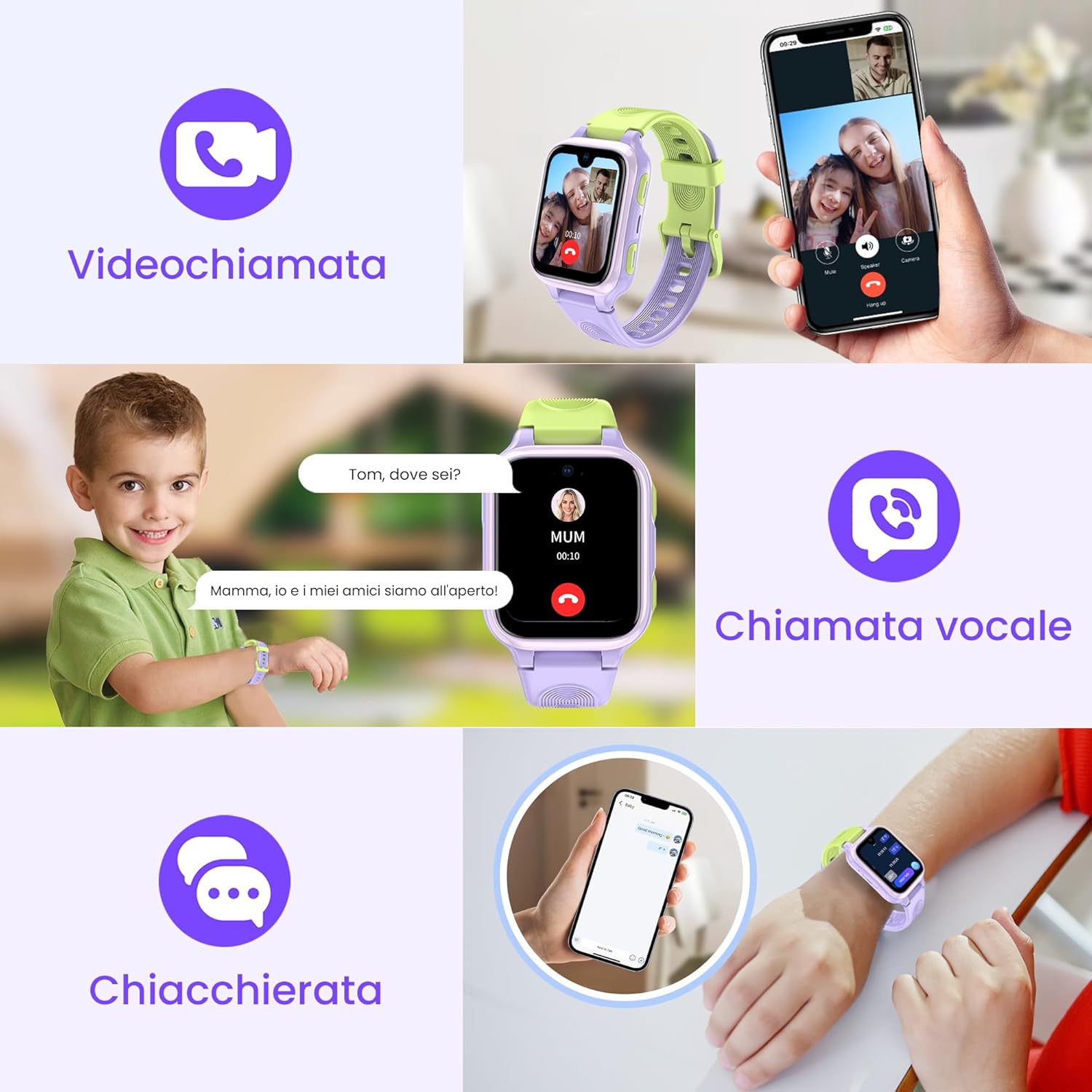
Figure 5: Communication Options
4.3. Safety Features
- Real-time Location Tracking: Parents can monitor the child's location using 4G/Wi-Fi/GPS/LBS via the LAGENIO app.
- Safety Zones (Geofencing): Set up virtual boundaries in the app. An alert is sent if the child enters or exits these predefined areas.
- SOS Function: In an emergency, pressing and holding the SOS button for 5 seconds will automatically dial pre-set emergency contacts in a loop until one answers.

Figure 6: SOS Function in Action

Figure 7: GPS Location Tracking
4.4. AI Learning Partner
The smartwatch integrates an AI learning ecosystem to support educational development:
- Nio AI: An integrated AI assistant for interactive learning.
- English Dictionary: A tool for learning English words, definitions, and examples.
- Tell Me Why: A feature providing answers to various questions about life, science, and nature.
- Learning Assistant: Designed to boost study and homework efficiency.

Figure 8: AI Learning Features
Video 1: Introduction to AI Learning Features on LAGENIO K9 Smartwatch. This video demonstrates the Nio AI, English Dictionary, Drawing, Tell Me Why, and Learning Assistant functions.
4.5. School Mode and Unknown Call Blocking
Parents can activate 'School Mode' and 'Unknown Call Blocking' via the LAGENIO app. In School Mode, notifications are disabled, and only the SOS function is available, allowing children to focus on their studies without distractions. Unknown calls are automatically blocked, ensuring only approved contacts can reach the child.

Figure 9: Smartwatch in School Mode
4.6. Other Features
- 5MP Camera: For taking photos and video calls.
- Pedometer: Tracks steps and activity.
- Alarm: Set reminders and wake-up times.
- Calculator: Basic arithmetic functions.
- Friend Function: Allows children to add other LAGENIO smartwatch users as friends.
- Customizable Watch Faces: Personalize the watch display.

Figure 10: Additional Smartwatch Features

Figure 11: Customizable Watch Faces and Battery Indicator
5. Maintenance
5.1. Water Resistance (IP68)
The LAGENIO K9 Smartwatch is IP68 rated, meaning it is resistant to dust and can withstand immersion in water up to 1.5 meters for 30 minutes. It is suitable for daily activities like hand washing and exposure to rain. However, it is not suitable for swimming, diving, or prolonged immersion in water.
5.2. Charging
Use the provided data cable to charge the smartwatch. Connect the magnetic charging end to the watch's charging port and the USB end to a compatible power adapter (not included) or computer USB port. A full charge typically takes approximately 2-3 hours. The battery capacity is 700 mAh.
5.3. Cleaning
Wipe the smartwatch with a soft, dry, or slightly damp cloth. Avoid using harsh chemicals or abrasive materials, as these can damage the device.
6. Troubleshooting
- No Network Signal / SIM Card Not Recognized:
Ensure the Nano-SIM card is correctly inserted and activated. Verify that the SIM card has an active 4G data plan. Contact your SIM card provider for network compatibility or signal issues. - Inaccurate GPS Location:
GPS accuracy can be affected by signal strength and network compatibility. For best results, use a recommended SIM card operator. Location services may be less accurate indoors or in areas with poor satellite reception. - Short Battery Life:
Frequent use of 4G features (video calls, real-time tracking) and high screen brightness can drain the battery faster. Adjust settings to optimize battery life. Ensure the watch is fully charged before use. - Cannot Pair with App:
Ensure the smartwatch is powered on and has a stable network connection. Double-check the device ID or QR code. Make sure the app is updated to the latest version. - Watch Not Responding:
Try restarting the watch by pressing and holding the power button. If unresponsive, allow the battery to fully discharge and then recharge it.
7. Specifications
| Feature | Specification |
|---|---|
| Brand | LAGENIO |
| Model | LAGENIO K9 |
| Display | 1.78-inch AMOLED |
| Resolution | 320 x 320 |
| Connectivity | 4G Cellular, Bluetooth |
| SIM Card Type | Nano-SIM |
| Location Technology | GPS, Wi-Fi, LBS, A-GPS, Accelerometer |
| Camera | 5 MP |
| Memory Capacity | 8 GB |
| Battery Capacity | 700 mAh Lithium Polymer |
| Water Resistance | IP68 |
| Dimensions | 11 x 10.1 x 7.2 cm (Package); 13mm thickness (Watch) |
| Weight | 190 g |
8. Warranty and Support
Your LAGENIO K9 Smartwatch comes with a warranty. Please refer to the included Warranty Card for details regarding coverage and duration. For technical support, product inquiries, or warranty claims, please contact LAGENIO customer service through the contact information provided on the Warranty Card or the official LAGENIO website.
Video 2: LAGENIO K9 AI Kids Watch Phone Overview. This video provides a general overview of the smartwatch, including SIM card insertion, parental app control, safety zone settings, 4G video calls, and its slim design.


