1. Safety Information
Please read all instructions carefully before beginning installation and use. Retain this manual for future reference.
1.1 Electrical Safety
- Ensure power is disconnected at the circuit breaker before installation or servicing.
- All wiring must be in accordance with national and local electrical codes.
- If you are unsure about wiring, consult a qualified electrician.
1.2 General Safety
- Do not install any dimmer switch with this fan. Use the provided remote control for dimming.
- Ensure the fan is securely mounted to a ceiling joist or a suitable support structure.
- Keep hands and objects clear of the fan blades during operation.
2. Package Contents
Verify that all components are present and undamaged before proceeding with installation.

Video: Unboxing and overview of the Asyko ceiling fan components.
- Fan Motor Assembly
- Fan Blades (3 or 6, reversible black/wood finish)
- LED Light Kit
- Light Diffuser
- Remote Control with Receiver
- Mounting Bracket
- Downrods (various lengths, e.g., 5-inch and 10-inch)
- Canopy and Canopy Ring
- Hardware Pack (screws, washers, wire nuts)
- User Manual
3. Specifications
| Feature | Specification |
|---|---|
| Brand | Asyko |
| Model Name | Ceiling Fans with Lights |
| Size | 46 inches |
| Number of Blades | 3 |
| Color | Black |
| Motor Type | DC Motor |
| Control Method | Remote Control |
| Light Type | Dimmable LED (3000K, 4000K, 6000K) |
| Fan Speeds | 6 Levels |
| Reversible Motor | Yes |
| Installation Type | Flush Mount |
| Item Weight | 7.09 pounds |
| Product Dimensions | 6"D x 6"W x 6"H (Note: This appears to be packaging dimensions, actual fan dimensions are 46" diameter) |
4. Installation
Follow these steps for proper installation. It is recommended to watch the provided installation video for visual guidance.
Video: Detailed installation guide for the Asyko ceiling fan.
- Prepare the Mounting Location: Ensure the power is off at the circuit breaker. Securely attach the mounting bracket to a ceiling joist or an approved outlet box.
- Assemble the Downrod: If using a downrod, feed the electrical wires from the fan motor through the downrod. Secure the downrod to the fan motor assembly.
- Hang the Fan: Carefully lift the fan assembly and hang it from the mounting bracket.
- Make Electrical Connections: Connect the fan's electrical wires to the household wiring according to the wiring diagram in the manual. Ensure all connections are secure.
- Install Fan Blades: Attach the fan blades to the motor housing using the provided screws. The blades are reversible, allowing you to choose between a black or wood-grain finish.
- Install LED Light Kit: Connect the LED light kit wires and secure the light kit to the bottom of the fan motor assembly.
- Attach Light Diffuser: Secure the light diffuser to the light kit.
- Secure Canopy: Slide the canopy up to the ceiling and secure it to the mounting bracket.

Image: Asyko 46-inch ceiling fan showing product dimensions and suitable room sizes for flush mounting.

Image: Close-up view of the fan's three blades, 22W LED light, and quiet DC motor.
5. Operating Instructions
Your Asyko ceiling fan is controlled by the included remote. Ensure batteries are installed in the remote control.
5.1 Remote Control Functions
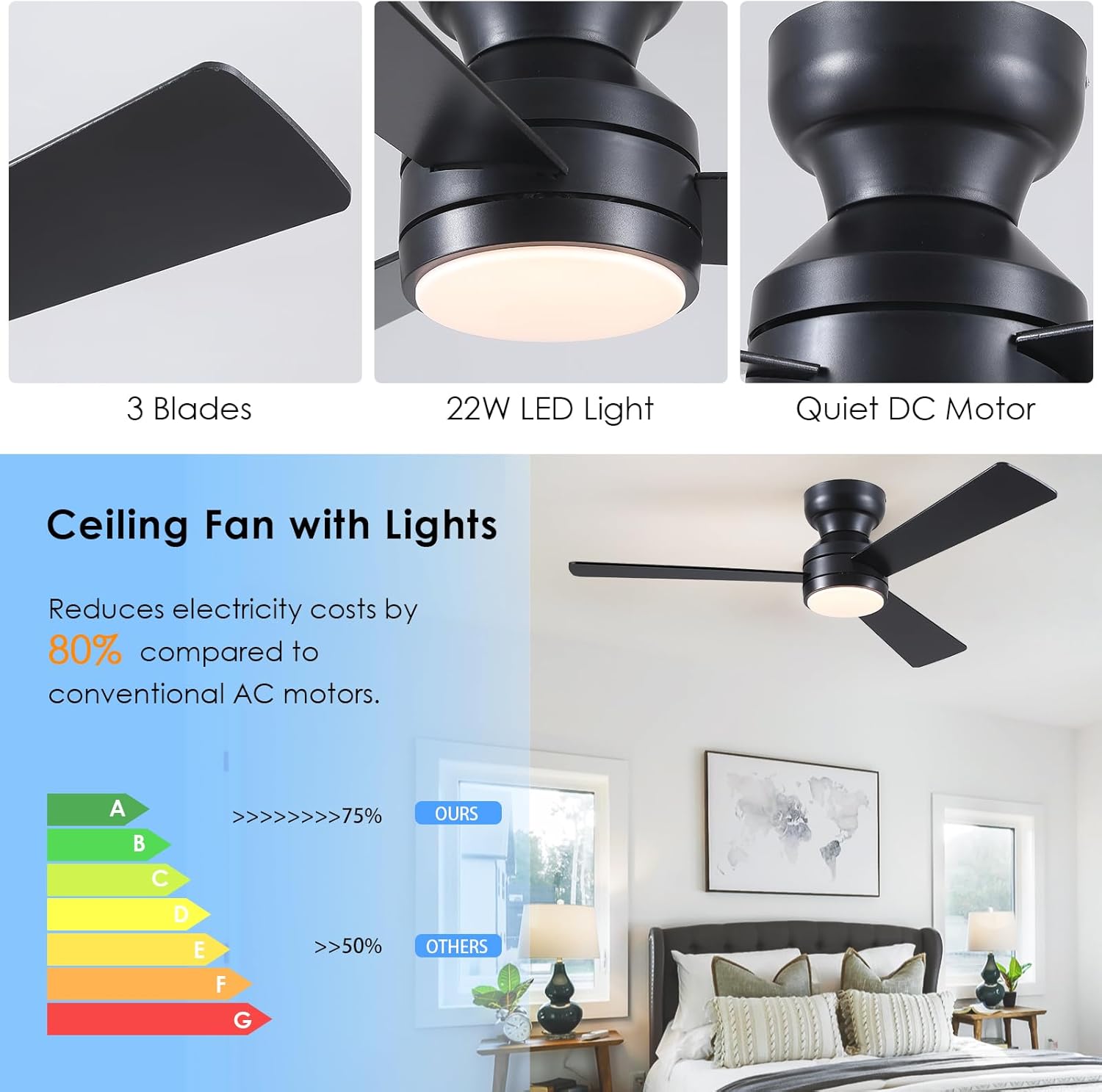
Image: Remote control for the Asyko ceiling fan, showing buttons for fan speed, light color, timing, and power.
- ON/OFF: Turns the fan and light on/off.
- Fan Speed: Adjusts fan speed from 1 (low) to 6 (high).
- Light Control: Turns the light on/off independently from the fan.
- Color Temperature: Cycles through 3000K (warm white), 4000K (nature white), and 6000K (cold white).
- Dimming: Adjusts light brightness from 10% to 100%.
- Timer: Sets the fan to turn off after 1 or 2 hours.
- Reversible Function (F/R): Changes the direction of blade rotation for summer (downward airflow) or winter (upward airflow for air circulation).
5.2 Reversible Motor
The reversible DC motor allows for year-round comfort. In summer, the fan rotates counter-clockwise to create a cooling downdraft. In winter, it rotates clockwise to circulate warm air trapped near the ceiling.

Image: Illustration of the fan's reversible function for summer (forward rotation) and winter (reverse rotation) modes.
5.3 Memory Function
The fan features a memory function that retains your preferred brightness, color temperature, and fan speed settings. If the light is turned off for at least 10 seconds, it will resume the last settings when turned back on. The fan will also continue to run in the same gear it was in last time. Note: Turning on the light within 10 seconds will change the color temperature.
6. Maintenance
Regular maintenance ensures optimal performance and longevity of your ceiling fan.
- Cleaning: Use a soft, damp cloth to clean the fan blades and motor housing. Do not use abrasive cleaners or solvents.
- Blade Inspection: Periodically check the fan blades for any signs of damage or warping.
- Tighten Screws: Ensure all screws on the fan blades and mounting bracket are tight. Loose screws can cause wobbling and noise.
7. Troubleshooting
If you encounter issues with your fan, refer to the following common problems and solutions:
| Problem | Possible Solution |
|---|---|
| Fan does not start | Check circuit breaker. Ensure all electrical connections are secure. Verify remote control batteries. |
| Light does not work | Check light kit wiring. Ensure light is turned on via remote. |
| Fan wobbles | Ensure all blade screws are tightened. Check mounting bracket for secure installation. |
| Remote control not working | Replace remote control batteries. Ensure remote is paired with the fan (refer to remote pairing instructions in the full manual). |
For further assistance, please contact customer support.
8. Warranty and Support
Asyko offers prompt customer support with a 24-hour response time to ensure your satisfaction with every purchase.
For warranty claims or technical assistance, please refer to the contact information provided in your product packaging or visit the official Asyko website.


