
Product Overview
The MOERTEK 2K QHD Webcam is a high-resolution computer camera designed for video conferencing, live streaming, and online learning. It features a 4MP ultra-sensitive 1/2.8" CMOS sensor for clear visuals, a built-in noise-reducing microphone, and a convenient privacy cover. This webcam also integrates Windows Hello facial recognition for secure and quick access to your computer.
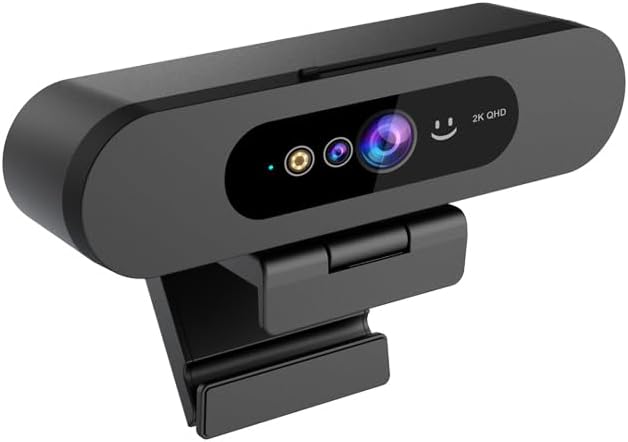
Image: Front view of the MOERTEK 2K QHD Webcam, showcasing its sleek design and lens.
What's in the Box
Please check the package contents to ensure all items are present:
- MOERTEK 2K QHD Webcam
- USB Cable
- USB-C to USB-A Adapter
- User Manual (this document)
Setup Guide
Connecting the Webcam
The MOERTEK 2K QHD Webcam is designed for plug-and-play functionality, requiring no additional drivers for basic operation. Simply connect the webcam to your computer using the provided USB cable.
- Connect the USB-C end of the provided cable to the USB-C port on the webcam.
- Connect the USB-A end of the cable to an available USB port on your computer. If your computer only has USB-C ports, use the included USB-C to USB-A adapter.
- Place the webcam securely on top of your monitor or a flat surface using its adjustable clip.

Image: A hand plugging the USB cable of the webcam into a laptop, illustrating the plug-and-play setup.
Setting up Windows Hello Facial Recognition
The webcam supports Windows Hello facial recognition for convenient and secure login. This feature is compatible with Windows 10 and above.
- Ensure your computer is running Windows 10 or a newer version.
- Go to Settings > Accounts > Sign-in options.
- Under "Ways to sign in," select Facial recognition (Windows Hello) and click Set up.
- Follow the on-screen prompts to register your face.
- Tip: If facial recognition is not recognized, disable "enhance facial recognition protection" in the facial recognition (Windows Hello) settings and try again. You may need to re-enter your face information if your system/device updates.

Image: A woman using the webcam for Windows Hello facial recognition on her laptop, demonstrating the secure login feature.
Operating Instructions
Video Quality and Field of View
The webcam delivers 2K QHD resolution (2560*1440) at 30 frames per second, providing crystal clear video for all your communication needs. Its 92° wide-angle lens ensures a broad field of view, accommodating multiple participants or showing more of your environment.
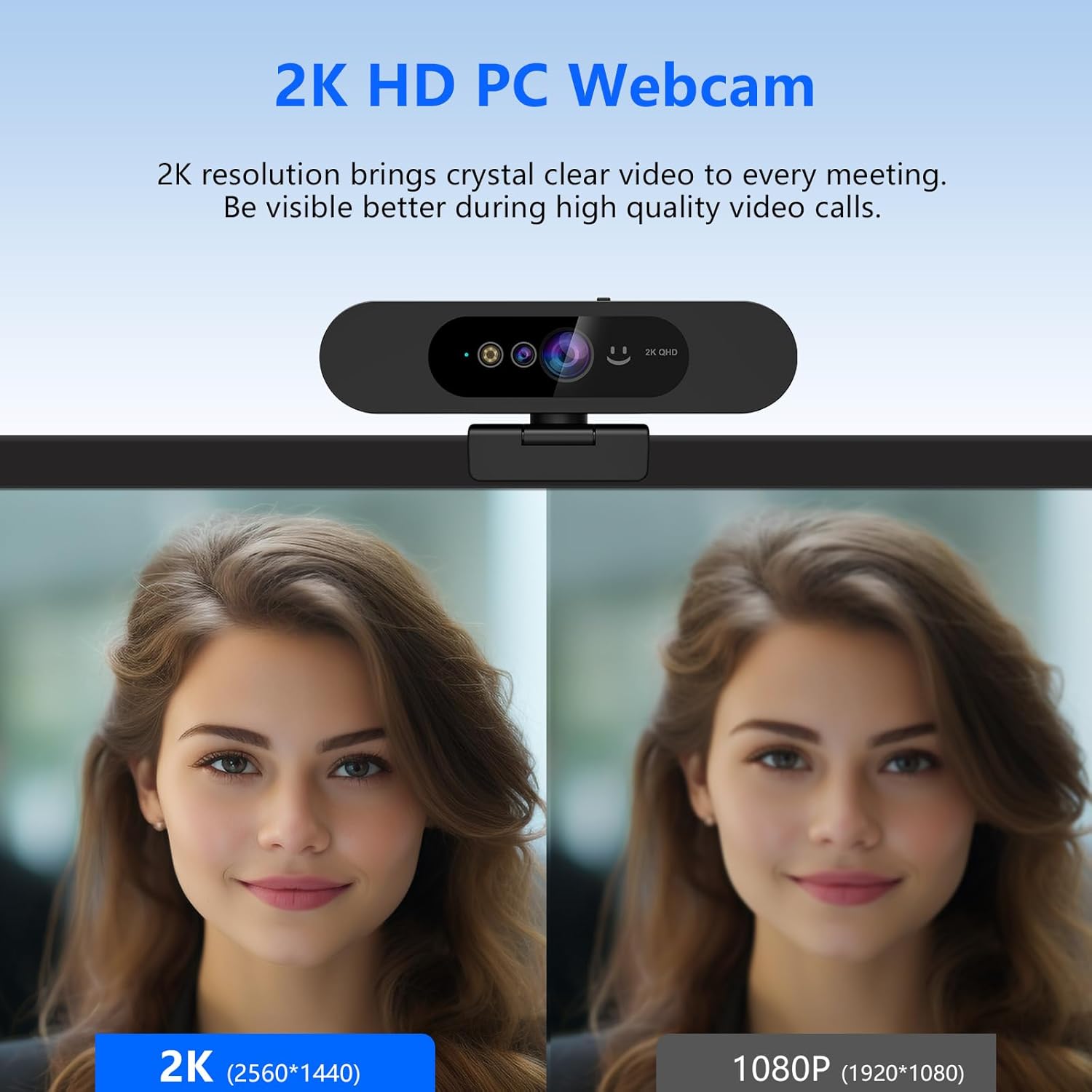
Image: A side-by-side comparison showing the superior clarity of 2K resolution (2560x1440) compared to 1080P (1920x1080) from the webcam.

Image: An illustration demonstrating the 92-degree wide field of view of the webcam, capturing a family in a video call.
Using the Built-in Microphone
The integrated high-quality microphone is designed to capture sounds clearly within 3 meters while minimizing background noise, ensuring your voice is heard distinctly during calls.

Image: A visual representation of the webcam's built-in noise-reducing microphone, with sound waves indicating clear audio capture.
Privacy Cover Operation
For enhanced privacy, the webcam includes a built-in sliding privacy cover. Simply slide the cover to block the camera lens when not in use, ensuring your image is not visible during meetings or live streams without needing to disconnect the camera.

Image: A close-up of the webcam showing the sliding mechanism of the built-in privacy cover.
Multi-Angle Adjustment
The webcam offers flexible positioning with 360° horizontal rotation and 90° vertical adjustment, allowing you to easily find the optimal angle for your video calls.
Wide Compatibility
This webcam is widely compatible with various operating systems including Windows, Mac, Linux, and Android. It works seamlessly with popular video conferencing and streaming platforms such as Zoom, Skype, Teams, YouTube, and Facetime.
Maintenance
Proper maintenance ensures the longevity and optimal performance of your webcam.
- Cleaning: Gently wipe the lens with a soft, lint-free cloth. For the body, use a dry or slightly damp cloth. Avoid harsh chemicals or abrasive materials.
- Storage: When not in use, especially for extended periods, store the webcam in a cool, dry place away from direct sunlight and extreme temperatures. Utilize the privacy cover to protect the lens.
- Handling: Avoid dropping the webcam or subjecting it to strong impacts, as this can damage internal components.
Troubleshooting
If you encounter issues with your MOERTEK 2K QHD Webcam, please refer to the following common solutions:
| Issue | Possible Solution |
|---|---|
| Webcam not detected / No image |
|
| Windows Hello facial recognition not working |
|
| Microphone not picking up sound |
|
Specifications
| Feature | Detail |
|---|---|
| Brand | MOERTEK |
| Model Number | MO-MT825WH-US |
| Resolution | 2K QHD (2560x1440) |
| Sensor | 4MP ultra-sensitive 1/2.8" CMOS |
| Field of View (FOV) | 92° |
| Microphone | Built-in Noise-reducing Mic |
| Facial Recognition | Windows Hello Compatible |
| Privacy Feature | Built-in Privacy Cover |
| Connectivity | USB |
| Compatibility | Windows, Mac, Linux, Android |
| Item Weight | 6.7 ounces |
| Package Dimensions | 5.75 x 5.12 x 1.85 inches |
Support & Warranty
For any questions or technical assistance, MOERTEK provides lifetime technical support. Please contact us via email through your purchase platform (e.g., My Account - My Order - Contact Seller).
Information regarding specific warranty terms and conditions can be found on the product packaging or by contacting MOERTEK customer support directly.