
1. Safety Information
For your safety and to prevent tipping, always secure the table to the wall using the provided anti-tip kit. Ensure the table is placed on a stable, even surface. Avoid placing heavy objects on the table that could cause instability. Proper ventilation around the table is also recommended.
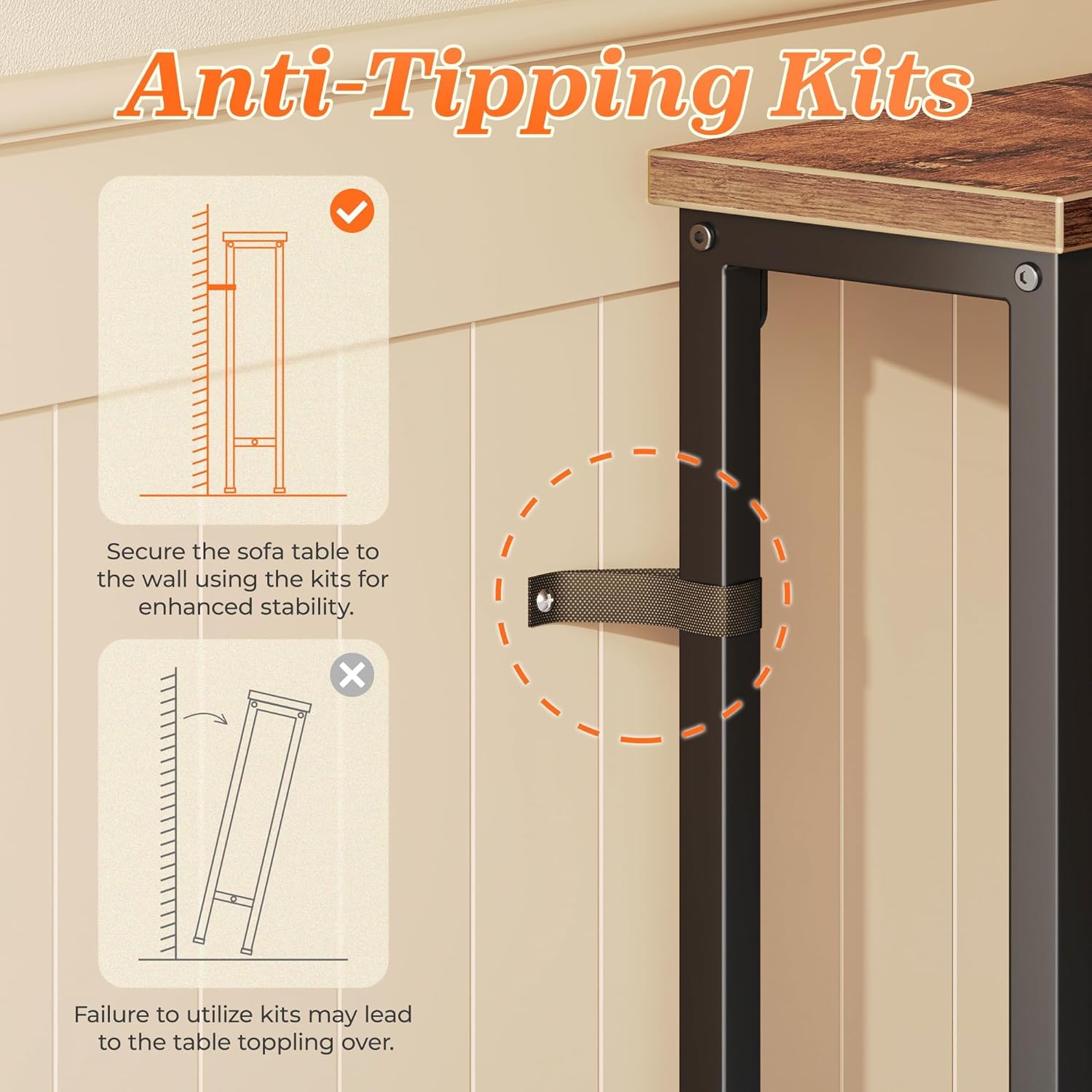
Image 1.1: Illustration of the anti-tipping kit installation to secure the table to the wall, preventing accidental tipping.
2. Product Overview
The SUPERJARE 102-inch Sofa Console Table is designed to maximize functional space in narrow areas. Its slim profile (5.9 inches deep) makes it ideal for placement behind sofas, in entryways, or along narrow walls. This extra-long table is constructed as a single, solid piece, ensuring stability without shaky seams or uneven surfaces often found in multi-segment tables.
- Integrated Power: Features two built-in power strips, each with 2 AC outlets, 1 USB port, and 1 USB-C port.
- Flexible Outlet Placement: Power strips can be positioned anywhere along the tabletop (excluding the center board) to suit your needs.
- Sturdy Construction: Made from high-quality engineered wood and a robust metal frame.
- Enhanced Stability: Includes an anti-tip kit and upgraded, larger adjustable feet for stability on uneven floors.
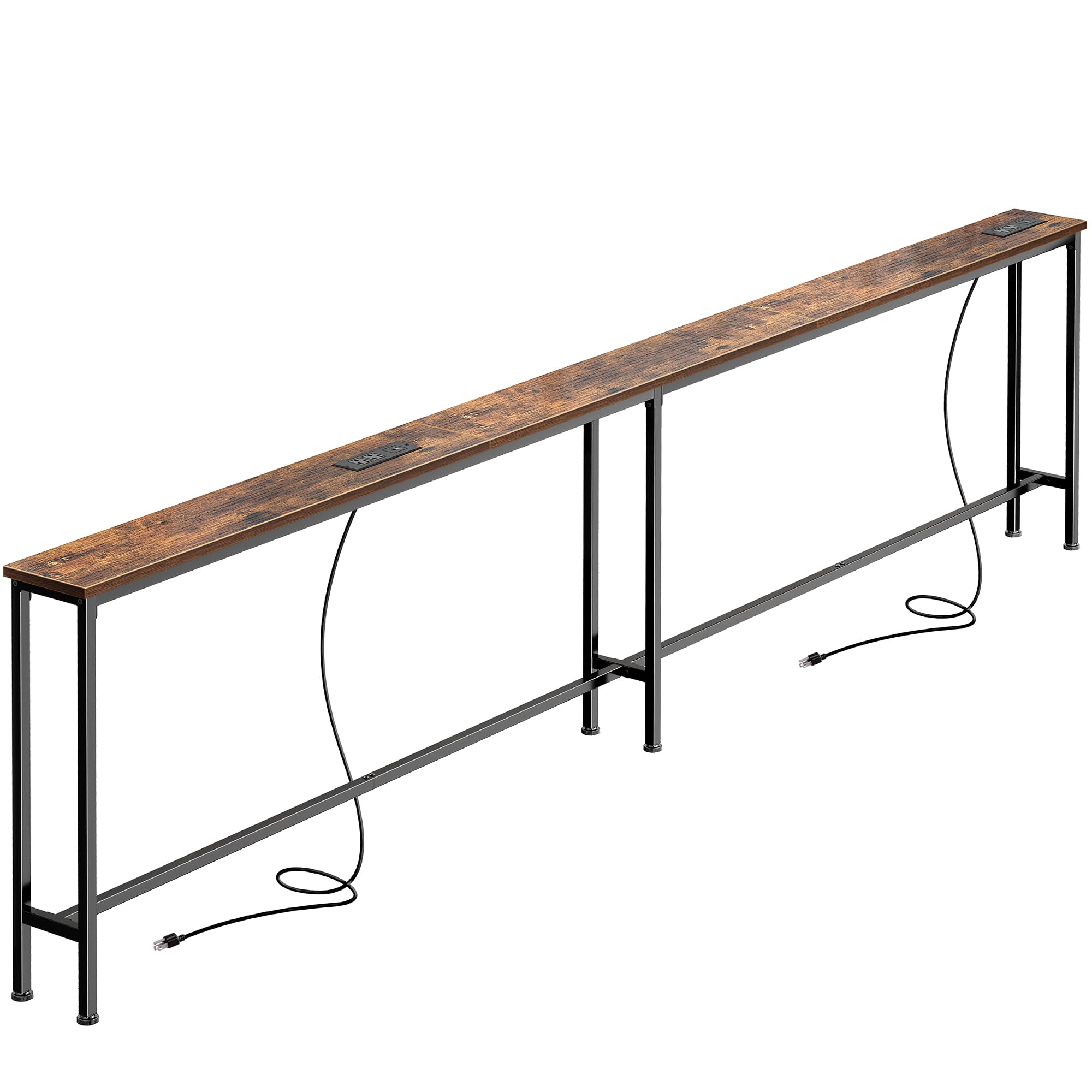
Image 2.1: The SUPERJARE sofa console table positioned behind a couch, highlighting its slim design and functional surface.

Image 2.2: An infographic detailing common issues with standard sofa tables, emphasizing the advantages of this product's design.
3. Package Contents
Before beginning assembly, please ensure all parts listed below are present and undamaged. If any parts are missing or damaged, please contact customer support.
- Tabletop sections (engineered wood)
- Metal frame/legs
- 2 Power strips (each with 2 AC outlets, 1 USB, 1 USB-C port)
- Assembly hardware (screws, nuts, dowels)
- Anti-tip kit
- Installation tool (Allen wrench, screwdriver)
Video 3.1: An unboxing video demonstrating the various components included in the SUPERJARE console table package, including hardware and power strips.
4. Setup and Assembly
The SUPERJARE console table is designed for easy assembly. Clear instructions, labeled parts, and all necessary tools are included to ensure a smooth setup process.
- Unpack Components: Carefully remove all parts from the packaging and lay them out on a clean, soft surface to prevent scratches.
- Assemble Frame: Connect the metal frame pieces using the provided screws and Allen wrench. Ensure all connections are secure but do not overtighten initially.
- Attach Tabletop Sections: Secure the engineered wood tabletop sections to the assembled metal frame. Use the dowels and screws as indicated in the assembly guide.
- Install Power Strips: Place the power strips into the pre-cut openings on the tabletop. The design allows for flexible positioning (e.g., at the ends or closer to the center). Secure them with the provided screws.
- Final Tightening: Once all components are in place, fully tighten all screws to ensure maximum stability.
- Attach Adjustable Feet: Screw the upgraded adjustable feet into the bottom of the table legs. Adjust them as needed to level the table on uneven surfaces.
- Install Anti-Tip Kit: Follow the instructions in the Safety Information section to securely attach the anti-tip kit to the wall.

Image 4.1: Detail of the upgraded adjustable feet, designed for improved stability on various floor types.
Video 4.2: A video demonstrating the assembly process and the sturdy nature of the SUPERJARE sofa table.
Video 4.3: This video highlights how the narrow console table helps with cable management and organization.
5. Operating Instructions
The integrated power strips provide convenient access to charging for various devices. Each power strip includes 2 standard AC outlets, 1 USB-A port, and 1 USB-C port.
- Connecting to Power: Plug the power cord from each power strip into a wall outlet. The cords are designed to be long enough to reach most standard outlets.
- Using AC Outlets: Insert standard electrical plugs into the AC outlets to power lamps, laptops, or other appliances.
- Using USB Ports: Connect your USB-A or USB-C compatible devices (e.g., smartphones, tablets, game controllers) directly to the respective USB ports for charging.
- Flexible Placement: The power strips can be rotated during assembly to face the desired direction, allowing for optimal access from different seating positions.

Image 5.1: A detailed view of the power strip, demonstrating its various charging options for different devices.

Image 5.2: The console table in use, illustrating how the flexible socket setup allows for convenient device charging while relaxing.
Video 5.3: This video demonstrates how the sofa table allows for convenient charging and storage behind a couch.
6. Maintenance
To maintain the appearance and longevity of your SUPERJARE sofa console table, follow these simple care instructions:
- Cleaning: Wipe the surface with a damp cloth. Avoid using harsh chemicals or abrasive cleaners, as these may damage the finish.
- Spills: Promptly clean up any spills to prevent staining, especially since the table is not stain-resistant.
- Inspection: Periodically check all screws and connections to ensure they remain tight. Retighten if necessary.
7. Specifications
| Brand | SUPERJARE |
| Model Name | 70324 |
| Product Dimensions (D x W x H) | 5.9"D x 102.3"W x 29.7"H |
| Item Weight | 20 Pounds |
| Maximum Weight Recommendation | 22 Pounds |
| Frame Material | Metal |
| Top Material Type | Engineered Wood |
| Color | Rustic Brown |
| Included Components | Assembly Guide, Charging Station, Installation Tool |
| Required Assembly | Yes |
| Product Care Instructions | Wipe with Damp Cloth |
| Is Stain Resistant | No |
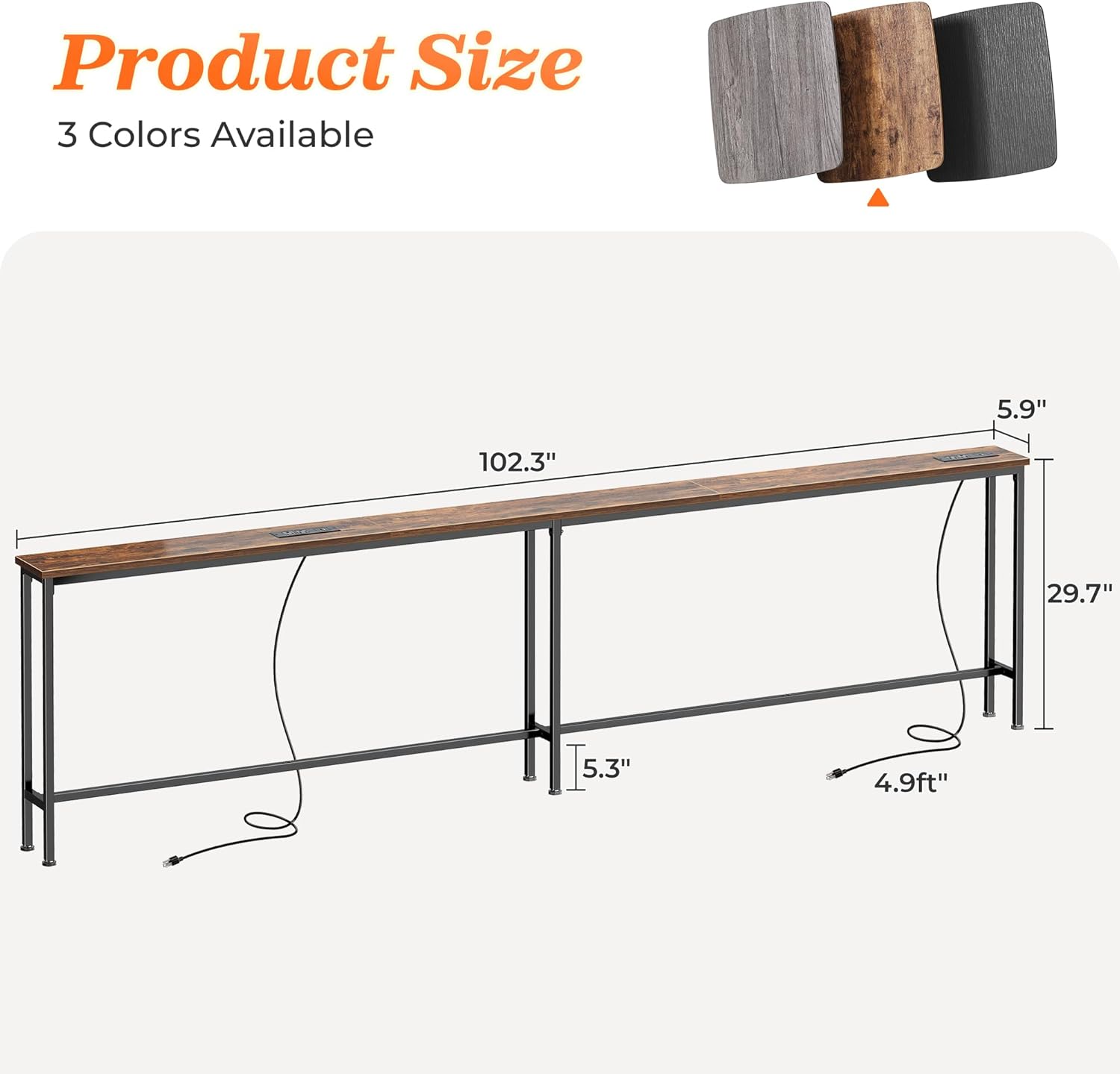
Image 7.1: Detailed product dimensions for accurate measurement and placement.
8. Warranty and Support
The SUPERJARE 102-Inch Sofa Console Table comes with a 3-year warranty. For any questions, missing parts, or assistance with assembly, please refer to the included assembly guide or contact SUPERJARE customer support directly. Contact information can typically be found in the packaging or on the official SUPERJARE website.