
Introduction
The PWAYTEK Wireless HDMI Transmitter and Receiver system provides a convenient solution for wirelessly transmitting video and audio signals. It supports 4K decoding with 1080P@60Hz HDMI output, enabling both screen mirroring and extension modes. This system is designed for plug-and-play operation, eliminating the need for complex software installations or network configurations. It is ideal for streaming content from laptops, cameras, and set-top boxes to HDTVs, projectors, and monitors.
Package Contents
Please verify that all items are present in your package:
- 1 x Wireless HDMI Transmitter (TX)
- 1 x Wireless HDMI Receiver (RX)
- 2 x USB-C Power Cables
- 1 x HDMI to USB-C Adapter
- 1 x Micro HDMI to HDMI Adapter
- 1 x Mini HDMI to HDMI Adapter
- 1 x User Manual
- 1 x Warranty Card

Image: The PWAYTEK Wireless HDMI Transmitter and Receiver units shown with various adapters and cables.
Setup Instructions
Follow these steps to set up your PWAYTEK Wireless HDMI system:
- Connect the Receiver (RX): Plug the Receiver (RX) unit into an available HDMI input port on your display device (HDTV, projector, or monitor). Connect a 5V/1A power supply to the RX unit using the provided USB-C power cable.
- Connect the Transmitter (TX): Plug the Transmitter (TX) unit into the HDMI output port of your source device (laptop, PC, TV box, camera, etc.). If your source device cannot provide sufficient power through its HDMI port, connect a 5V/1A power supply to the TX unit using the provided USB-C power cable.
- Power On and Pair: Ensure both the TX and RX units are powered on. The devices are factory-paired and should automatically establish a connection within seconds. The LED indicators on both units will confirm a successful connection.

Image: Step-by-step visual guide for connecting the Transmitter (TX) to a laptop and the Receiver (RX) to a TV, including power connections.

Image: Detail showing the Transmitter connected to an HDMI port and an optional USB-C power connection for devices requiring external power.
Operating Instructions
Plug and Play Operation
The PWAYTEK Wireless HDMI system is designed for immediate use. No drivers, applications, Bluetooth, or Wi-Fi connections are required. Simply connect the TX and RX units as described in the setup section, and the system will automatically begin streaming content.
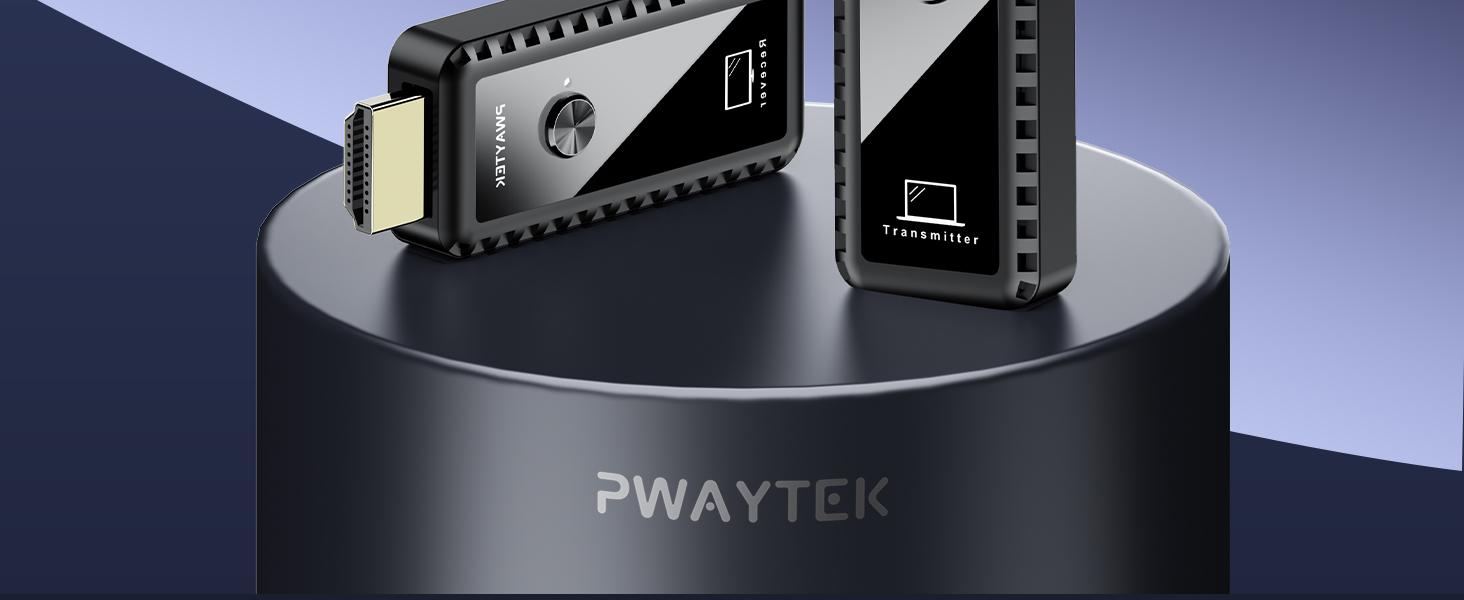
Image: A laptop wirelessly mirroring its screen content to a large television, demonstrating the plug-and-play functionality.
Screen Mirroring and Extension Modes
The system supports two display modes:
- Mirroring Mode: Duplicates your source device's screen onto the connected display.
- Extension Mode: Extends your source device's desktop, allowing for a multi-display setup.
To switch between these modes, simply press the button located on the Transmitter (TX) unit.

Image: A visual representation of switching between 'Extended Mode' and 'Copy Mode' (mirroring) by pressing a button on the Transmitter.
Audio Synchronization
The system features automatic audio synchronization (SBC level decoding, supporting 44kHz/16bit audio). If the streaming media includes audio optimization, the system can synchronize audio output losslessly.

Image: A laptop wirelessly transmitting audio and video to a television, highlighting the autosync audio feature.
Long Range Transmission
Enjoy stable connectivity with a transmission range of up to 50 meters (164 feet) in open environments, utilizing 2.4G/5G dual-frequency transmission. Please note that physical obstacles such as walls can affect the transmission distance and signal quality.

Image: An outdoor setting demonstrating long-range wireless transmission from a laptop to a projector screen, with a range indicator of 164 feet / 50 meters.
Multiple Transmitters to One Receiver
The system supports connecting up to 4 Transmitters (TX) to a single Receiver (RX). To switch the screen signal from a different transmitter, simply press the button on that specific transmitter.

Image: A meeting room scenario illustrating how multiple laptops can wirelessly connect to a single large display, with a user switching between sources.
Screen Adjustment
If the image on your receiver screen appears zoomed in or out, you can easily adjust it:
- One-Touch Adjustment: The Receiver (RX) unit features a screen adjustment function. Simply press and hold the button on the RX unit until the image is resized perfectly to fit your screen. No complex settings are required.

Image: A visual explanation of how to adjust the image size on the receiver screen by pressing the RX button.
Maintenance
To ensure the longevity and optimal performance of your PWAYTEK Wireless HDMI system, please observe the following maintenance guidelines:
- Cleaning: Use a soft, dry cloth to clean the devices. Avoid liquid cleaners or abrasive materials.
- Environment: Store and operate the devices in a dry environment, away from extreme temperatures, direct sunlight, and high humidity.
- Power Supply: Always use the recommended 5V/1A power supply for both the Transmitter and Receiver units to prevent damage.
- Handling: Handle the devices with care. Avoid dropping or subjecting them to strong impacts. Do not attempt to disassemble or modify the units, as this will void the warranty.
Troubleshooting
If you encounter issues with your PWAYTEK Wireless HDMI system, refer to the following common solutions:
- No Signal / No Display:
- Ensure both the Transmitter (TX) and Receiver (RX) units are properly powered and their LED indicators are on.
- Verify that the HDMI cables are securely connected to both the source device and the display.
- Confirm that the display device is set to the correct HDMI input source.
- If your computer lacks power or cannot supply power to the HDMI port, ensure both the Transmitter and Receiver are connected to an external 5V/1A power adapter.
- Try power cycling both the TX and RX units by unplugging and re-plugging their power sources.
- Lagging or Unstable Connection:
- Reduce the distance between the TX and RX units.
- Ensure there are no significant physical obstacles (like walls or large furniture) directly between the TX and RX units, as these can impede the wireless signal.
- Minimize interference from other wireless devices operating on 2.4G or 5G frequencies.
- Image Not Fitting Screen:
- Press and hold the button on the Receiver (RX) unit to activate the one-touch screen adjustment function.
- No Audio:
- Check the audio settings on your source device and display to ensure they are not muted or set to an incorrect output.
- Verify that the HDMI connection is secure.
Specifications
| Brand | PWAYTEK |
| Model Number | DT269W-H (w3104) |
| Product Dimensions | 16.5 x 11.7 x 1.7 cm |
| Item Weight | 130 g |
| Colour | Bright Black |
| Connectivity Technology | Wireless, HDMI (2.4G/5G dual-frequency) |
| Connector Type | HDMI |
| Resolution | 4K Decoding, 1080P@60Hz Output |
| Video Codec | H.264, H.265/HEVC |
| Wireless Transmission Range | Up to 50 meters (164 feet) in open terrain |
| Compatible Devices | Television, Personal Computer, Tablet, Laptop, Projector, Camera, DV machine, Set-top box, PS3/4/5 |

Image: An illustration detailing compatible HDMI input devices (HDTV, Monitor, Projector) for the Receiver (RX) and HDMI output devices (Video camera, DV machine, Set-top box, PS3/4/5, PC computer, Laptop) for the Transmitter (TX).

Image: A visual emphasizing the 4K Ultra HD decoding capability and 1080P Full HD output of the device.
Warranty
This PWAYTEK product is covered by a 2-year warranty from the original date of purchase. Please retain your proof of purchase (receipt or invoice) for any warranty claims. The warranty covers manufacturing defects and malfunctions under normal use. It does not cover damage caused by misuse, accidents, unauthorized modifications, or improper installation. For warranty service, please contact PWAYTEK customer support.
Support
For additional assistance, technical support, or to provide feedback, please visit the official PWAYTEK website or contact their customer service department. Detailed contact information can typically be found on the product packaging or the PWAYTEK official website.
