
Introduction
Welcome to the world of precision and durability with your new SOCICO Men's Digital Watch. This timepiece is engineered for an active lifestyle, combining robust features with a clear, easy-to-read display. Designed to withstand various environments, it's an ideal companion for daily wear and outdoor adventures.
Your watch features a large digital screen for clear visibility, 3ATM water resistance, a stopwatch, hourly chime, date display, alarm clock, and a convenient backlight for nighttime use. This manual provides detailed instructions to help you maximize your watch's potential.
Key Features
- Digital Display: Large face digital screen for clear time, date, and function display in any lighting.
- Waterproof Design: Built with 3ATM water resistance, suitable for swimming and various water activities.
- Multiple Functions: Includes stopwatch, hourly chime, date, alarm clock, and backlight for enhanced utility.
- Military Style Durability: Rugged construction with a durable case and comfortable band, ideal for outdoor and sports use.
- Alarm Settings: Easily programmable alarms for daily reminders and wake-up calls.
Setup Guide
Setting Time, Date, and Week
Follow these steps to accurately set the time, date, and day of the week on your SOCICO Digital Watch:
- Press the MODE button three times to enter time setting mode. The seconds display will begin to blink.
- Press the RESET button once. The hour display will blink. Press the START button to adjust the hour.
- Press the RESET button again. The minute display will blink. Press the START button to adjust the minute.
- Press the RESET button again. The month display will blink. Press the START button to adjust the month.
- Press the RESET button again. The day display will blink. Press the START button to adjust the day.
- Press the RESET button again. The week display will blink. Press the START button to adjust the day of the week.
- Once all settings are complete, press the MODE button once to exit and return to the normal time display.
Video: Learn how to set the time, date, and week on your SOCICO Digital Watch.
Setting the Alarm and Hourly Chime
Your watch features a programmable alarm and an hourly chime. Here's how to manage them:
- Press the MODE button twice to enter alarm mode (display shows "AL").
- To adjust the alarm hours, press the RESET button once. The hour display will blink. Use the START button to set the desired hour.
- Press the RESET button again. The minute display will blink. Use the START button to set the desired minute.
- To turn the alarm on or off, press the START button while in alarm mode. "ALM" will appear or disappear.
- To turn the hourly chime on or off, press the START button again. "SIG" will appear or disappear.
- To turn both the alarm and hourly chime on or off, press the START button again. "ALM SIG" will appear or disappear.
- To activate the snooze function when the alarm sounds, press the MODE button. The display will show a blinking "ALM", and the alarm will repeat after 5 minutes.
- To stop the alarm immediately, press either the START or RESET button.
- Once settings are complete, press the MODE button once to exit and return to the normal time display.
Video: How to use the snooze function on your SOCICO Digital Watch.
Video: How to turn the alarm and hourly chime on or off.
Operating Instructions
Using the Stopwatch
The stopwatch function allows for precise timing of activities.
- Press the MODE button once to enter stopwatch mode. The display will show "ST" and "00:00".
- Press the START button to begin timing.
- Press the START button again to pause the timing.
- To reset the stopwatch to zero, press the RESET button while the stopwatch is paused.
- Press the MODE button once to exit and return to the normal time display.
Video: Learn how to use the stopwatch function on your SOCICO Digital Watch.
Activating the Backlight
For enhanced visibility in low-light conditions or at night, use the built-in backlight feature.
- Press the LIGHT button (top left) to illuminate the display. The light will stay on for a few seconds.
- The watch features an extra-large LED display with bold numbers, ensuring easy readability day or night, especially with the gentle green night light that protects your eyes.
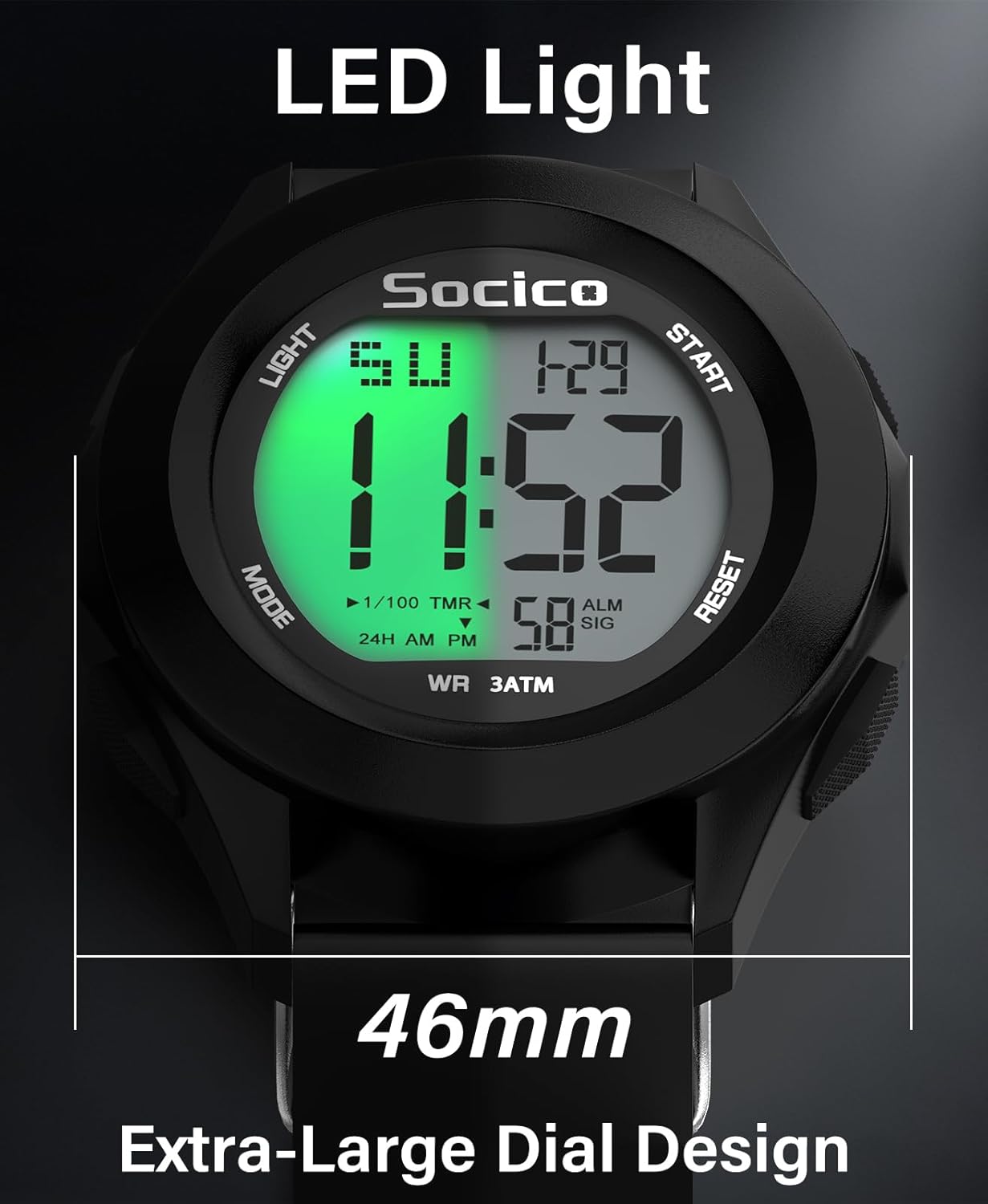
Image: The watch features an extra-large 46mm dial with an LED backlight for clear visibility.

Image: The gentle green backlight ensures easy reading in the dark while protecting your eyes.
Maintenance
Water Resistance (3ATM)
Your SOCICO Digital Watch is designed with 3ATM water resistance, meaning it can withstand splashes, rain, and brief immersion in water, such as during handwashing or swimming. It is not recommended for diving or prolonged underwater activities at significant depths.
- Do not press any buttons while the watch is submerged in water.
- Avoid exposing the watch to hot water or steam, as this can compromise the water-resistant seals.
- After exposure to saltwater, rinse the watch with fresh water and dry it thoroughly.

Image: The watch is designed for 3ATM water resistance, suitable for swimming and daily water exposure.
Video: Demonstrates the waterproof capabilities of the SOCICO Digital Watch.
General Care
- Clean the watch regularly with a soft, damp cloth. Avoid using harsh chemicals or abrasive materials.
- Store the watch in a cool, dry place when not in use, away from direct sunlight and extreme temperatures.
- The watch features a feather-light, stretchy, sweatproof, and anti-allergic TPU band for all-day comfort and durability.
- The hypoallergenic stainless steel back is sweatproof and corrosion-resistant, making it gym-ready.

Image: The soft and anti-allergic TPU band provides comfort and flexibility.

Image: The hypoallergenic stainless steel back ensures durability and comfort.
Troubleshooting
If you encounter any issues with your SOCICO Digital Watch, please refer to the common solutions below. For further assistance, do not hesitate to contact our customer support.
| Problem | Possible Cause / Solution |
|---|---|
| Display is blank or dim. | Battery may be low or depleted. Replace the battery. Ensure the backlight is activated by pressing the LIGHT button. |
| Time/Date is incorrect. | The time/date settings may need to be re-adjusted. Follow the "Setting Time, Date, and Week" instructions in the Setup Guide. |
| Alarm is not sounding. | Ensure the alarm function ("ALM") is activated in the alarm settings. Verify the alarm time is correctly set. |
| Watch is not responding to button presses. | The watch may be in a locked mode or require a soft reset. Try removing and reinserting the battery (if accessible and recommended by manufacturer, otherwise contact support). |
| Water inside the watch. | Ensure buttons were not pressed while submerged. Avoid hot water/steam. If water ingress occurs, contact customer support immediately. |
Specifications
| Feature | Detail |
|---|---|
| Model Number | Soc-3328 |
| Display Type | Digital LED |
| Water Resistance | 3ATM (30 meters) |
| Case Material | ABS |
| Band Material | TPU (Thermoplastic Polyurethane) |
| Back Material | Stainless Steel |
| Dial Diameter | 46mm (1.8 inches) |
| Case Thickness | 14mm (0.55 inches) |
| Band Width | 24mm (0.94 inches) |
| Weight | 47g (0.1 lb) |
| Functions | Time, Date, Day, Alarm, Stopwatch, Hourly Chime, Backlight |
| Battery Type | 1 Nonstandard Battery (included) |

Image: Detailed dimensions of the SOCICO Digital Watch for proper fit.
Video: Showcasing the extra-large dial of the SOCICO Digital Watch.
Warranty and Support
SOCICO is committed to providing high-quality products and excellent customer service. While specific warranty details are not provided in this manual, please retain your proof of purchase for any warranty claims.
If you encounter any setup issues or require further assistance, please do not hesitate to contact our customer support team. We are dedicated to resolving your issues as soon as possible upon receiving your message.
For more information and support, please visit the official SOCICO Store: SOCICO Store on Amazon.