
1. Product Overview
The AsperX AX260 is a versatile portable device designed for automotive emergencies and general utility. It integrates a powerful jump starter, a smart tire inflator, a 44Wh power bank, and a multi-mode LED flashlight. This device is suitable for a wide range of 12V vehicles, including those with up to 10L gas or 8L diesel engines.

Figure 1: AsperX AX260 Jump Starter with Air Compressor and accessories.
1.1 Key Features
- Powerful Jump Starter: 3000A peak current, capable of starting 12V vehicles (up to 10L Gas/8L Diesel engines) in extreme temperatures (-4°F to 140°F). Features Force Start technology for completely exhausted batteries.
- Smart Air Compressor: 150 PSI maximum pressure with 35L/min inflation speed. Includes intelligent preset, pressure detection, and auto-shutoff functions. Four preset modes (SUV, Car/Motorcycle, Bike, Ball) and custom mode with ±1 PSI accuracy.
- Portable Power Bank: 44Wh capacity with USB-A and USB-C outputs for charging mobile devices.
- Multi-mode LED Flashlight: Features standard flashlight, SOS, and emergency strobe modes for various situations.
- Advanced Safety: UL2743/CE/RoHS certified with 10-fold protection (anti-spark, anti-reverse connection, anti-overheating, etc.).
2. Package Contents
Verify that all items are present in your package:
- 1 x AsperX Jump Starter with Air Compressor (Model AX260)
- 1 x Smart Jumper Cable
- 1 x USB-A to USB-C Cable
- 1 x Pump Tube
- 3 x Air Nozzles (various types)
- 1 x Carrying Bag
- 1 x User Manual

Figure 2: All components included in the AsperX AX260 package.
3. Setup and Initial Charging
Before first use, ensure the jump starter is fully charged.
- Initial Charge: Upon receiving the jump starter, fully charge it using the provided USB-A to USB-C cable and a suitable USB power adapter (not included). Even if the display indicates a full charge, a complete initial charge is recommended.
- Charging Indicator: The LCD screen will display the charging status. Once fully charged, the battery indicator will show full.
- Storage: Store the device in its carrying bag in a cool, dry place when not in use.
4. Operating Instructions
4.1 Jump Starting a Vehicle
It is recommended to jump start a vehicle when the jump starter's battery level is above 75%.
- Connect Smart Clip: Insert the smart jumper cable's blue connector into the jump starter's output port. Ensure a secure connection.
- Attach Clamps: Connect the red clamp to the vehicle's positive (+) battery terminal and the black clamp to the vehicle's negative (-) battery terminal.
- Check Indicator: Observe the indicator light on the smart jumper cable.
- If the green light is solid, proceed to start your car.
- If the green light is flashing, press the "BOOST" button on the smart cable, then start your car when the light turns solid green. This is for deeply discharged batteries.
- If a red light or no light appears, check connections or refer to troubleshooting.
- Start Vehicle: Once the green light is solid, start your vehicle.
- Remove Clamps: After the vehicle starts, immediately remove the smart jumper cable clamps from the car battery, then disconnect the cable from the jump starter.

Figure 3: Step-by-step guide for jump starting a vehicle.

Figure 4: Location and function of the Force Start (BOOST) button.
4.2 Using the Air Compressor
The air compressor features smart presets and auto-shutoff for convenient inflation.
- Connect Pump Tube: Screw the pump tube securely into the air compressor port on the jump starter.
- Connect to Item: Attach the other end of the pump tube to the item you wish to inflate (tire valve, ball, etc.), using the appropriate nozzle if necessary.
- Power On: Long press the power button on the jump starter to turn it on. The LCD screen will display the current pressure.
- Select Mode: Press the mode selection button (usually indicated by a triangle or 'M') to cycle through preset modes (SUV, Car/Motorcycle, Bike, Ball) or select the custom "Free Mode".
- SUV Mode: Default 36 PSI
- Car & Motorcycle Mode: Default 34 PSI
- Bike Mode: Default 44 PSI
- Ball Mode: Default 9 PSI
- Free Mode: Adjustable from 7 PSI to 150 PSI. Adjust target pressure using the '+' and '-' buttons.
- Start Inflation: Short press the power button to begin inflation. The compressor will automatically stop once the preset pressure is reached.
- Disconnect: Disconnect the pump tube from the item and the jump starter.
Important Note:
- Do not use the air pump function continuously for extended periods.
- If the air pump becomes seriously hot, allow it to cool down for a few minutes before resuming inflation to prevent damage.

Figure 5: Operating steps for the tire inflator.

Figure 6: Overview of the four core inflation modes and custom option.
4.3 Using as a Power Bank
The AsperX AX260 can charge your electronic devices.
- Connect Device: Use a USB cable (USB-A to USB-C cable included, others sold separately) to connect your electronic device to the jump starter's USB output port.
- Start Charging: The jump starter will automatically begin charging your device.
- Monitor Battery: The LCD screen will show the remaining battery level of the jump starter.
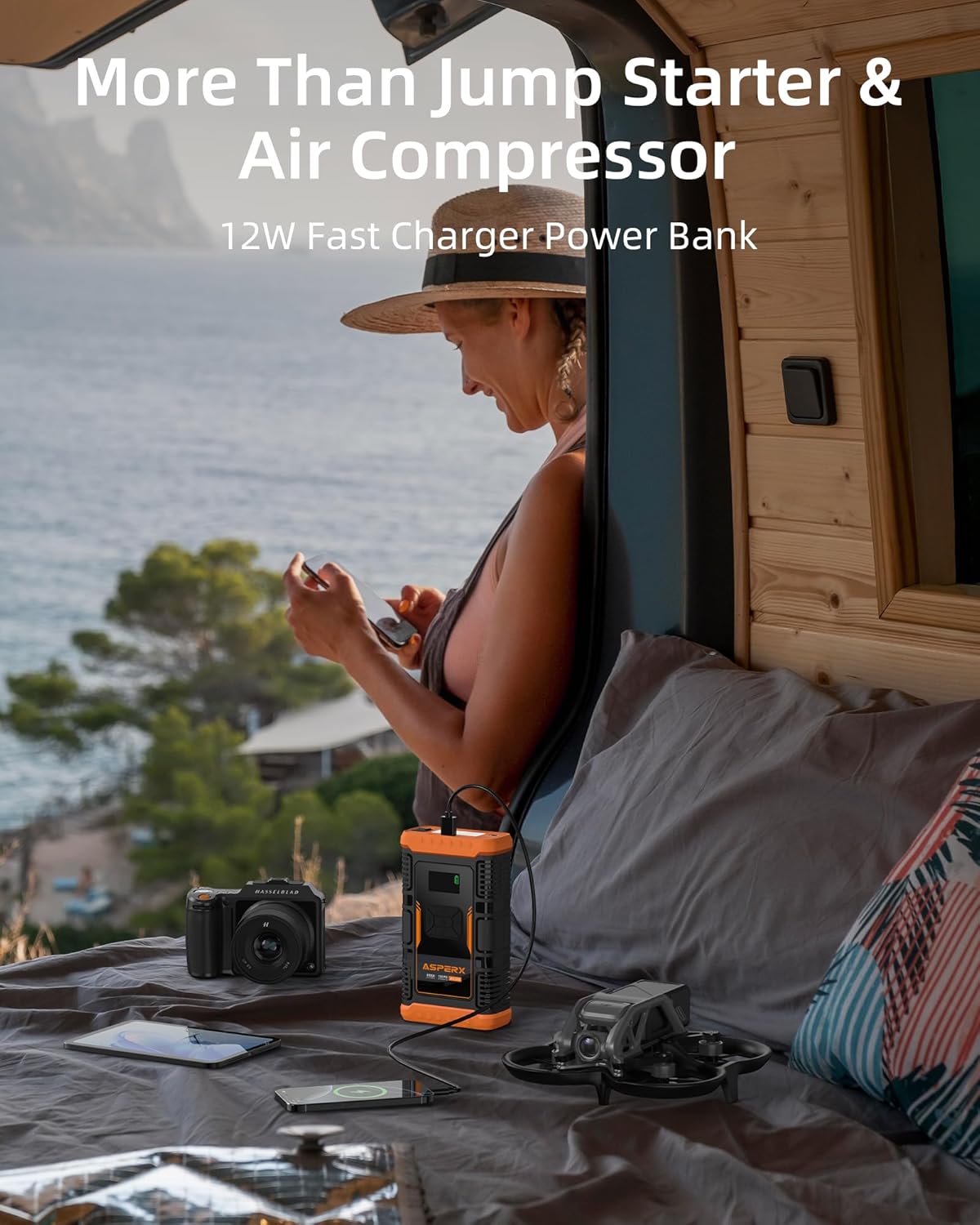
Figure 7: Using the AsperX AX260 as a power bank to charge devices.
4.4 Using the LED Flashlight
The integrated LED flashlight offers multiple lighting modes.
- Turn On/Off: Long press the flashlight button (usually indicated by a light bulb icon) to turn the flashlight on or off.
- Change Modes: Short press the flashlight button to cycle through the modes: Flashlight (steady light) → SOS (flashing pattern) → Emergency Strobe (rapid flashing).

Figure 8: Demonstrating the flashlight and emergency lighting functions.
5. Maintenance
- Recharge Regularly: To maintain optimal battery health, recharge the jump starter every 3-6 months, even if not used.
- Cleanliness: Keep the device clean and free from dust and debris. Use a soft, dry cloth for cleaning.
- Storage: Store in a cool, dry environment, away from direct sunlight, extreme temperatures, and flammable materials.
- Cable Care: Inspect jumper cables and pump tube for any damage before each use. Replace if frayed or damaged.
6. Troubleshooting
| Problem | Possible Cause | Solution |
|---|---|---|
| Jump starter does not turn on. | Battery is completely discharged. | Charge the jump starter fully. |
| Vehicle does not start after connecting. | Incorrect clamp connection; jump starter battery too low; vehicle battery too deeply discharged. | Ensure clamps are correctly connected (red to +, black to -). Ensure jump starter is above 75% charge. If green light flashes, press "BOOST" button. |
| Air compressor stops or overheats. | Continuous use without cooling; internal safety mechanism activated. | Allow the air compressor to cool down for several minutes before continuing use. Avoid continuous operation for extended periods. |
| Inaccurate pressure reading on air compressor. | Loose connection to tire valve. | Ensure the pump tube is securely screwed onto the tire valve. |
| Electronic device not charging from power bank. | Jump starter battery low; incorrect cable; device not compatible. | Check jump starter battery level. Use a compatible USB cable. Ensure your device supports USB charging. |
7. Specifications
| Feature | Detail |
|---|---|
| Model | AX260 |
| Peak Amperage | 3000 Amps |
| Engine Compatibility | Up to 10L Gas / 8L Diesel (12V vehicles) |
| Air Compressor Pressure | Max 150 PSI |
| Air Compressor Flow Rate | 35 L/min |
| Power Bank Capacity | 44Wh |
| Battery Type | Lithium Polymer |
| Operating Temperature | -4°F to 140°F (-20°C to 60°C) |
| Item Weight | 3.47 pounds |
| Package Dimensions | 10.39 x 5.31 x 4.29 inches |
| Certifications | UL2743, CE, RoHS |
8. Warranty and Support
AsperX provides comprehensive support for your product:
- 24-Month Protection Plan: Covers defects in materials and workmanship for 24 months from the date of purchase.
- Lifetime Technical Support: Access to technical assistance for the lifespan of the product.
- After-Sales Support: 7*24 after-sales support is available for any inquiries or issues.
For warranty claims or technical assistance, please refer to the contact information provided in your product packaging or visit the official AsperX website.


