
Introduction
The Linkind Smart Curtain Lights offer a versatile lighting solution with 400 LEDs arranged in a 20x20 pixel grid. These lights are designed for both indoor and outdoor use, featuring an IP65 waterproof rating. Control your lighting experience through the AiDot app, voice commands via Alexa or Google Home, and explore a wide range of preset scenes, DIY customization, and AI-powered pattern generation. The innovative merge technology allows synchronization of up to four light sets for expansive displays.
What's in the Box
- Curtain Lights x 1
- Control Box x 1
- Power Adapter x 1
- Hook Retainers x 4
- Windproof Holders x 19
- Screws x 6
- User Manual x 1
Setup Instructions
1. App Installation and Connection
- Download the AiDot App: Search for "AiDot" in the Apple App Store (iOS) or Google Play Store (Android) and install the application.
- Create/Log In to Account: Open the AiDot app and either sign in to an existing account or create a new one.
- Add Device: Tap the "+" icon, then select "Add Device". Choose "Nearby" to scan for your Linkind Smart Curtain Lights. Ensure Bluetooth is enabled on your mobile device.
- Complete Setup: Follow the on-screen prompts to connect your lights to your Wi-Fi network and complete the setup process.

2. Physical Installation
The Linkind Smart Curtain Lights are designed for easy installation with included accessories. The main horizontal cable should be mounted first, from which the vertical light strands will hang.
- Mounting the Top Cable: Use the provided hook retainers. These can be attached using the included screws or 3M adhesive tape for tool-free installation. Ensure the mounting surface is clean and dry if using adhesive.
- Securing Vertical Strands: Utilize the windproof holders to secure the bottom of the vertical light strands, preventing them from swaying in windy conditions.
- Power Connection: Connect the control box to the curtain lights and then to the power adapter. Plug the power adapter into a suitable electrical outlet.


Operating Instructions
1. AiDot App Control
The AiDot app provides comprehensive control over your Linkind Smart Curtain Lights.
- Preset Scenes: Access over 200 pre-programmed lighting scenes, including 134+ dynamic effects and 71+ static patterns, suitable for various occasions and moods.
- Music Sync Modes: Choose from 5 music sync modes to synchronize your lights with audio rhythms and beats.
- DIY Creation Mode: Customize individual LED colors and effects to create personalized patterns, spell words, or design gradients.
- GIF, Text & Image Display: Upload GIFs, text, or custom images to be displayed on the 20x20 pixel grid for unique visual effects.
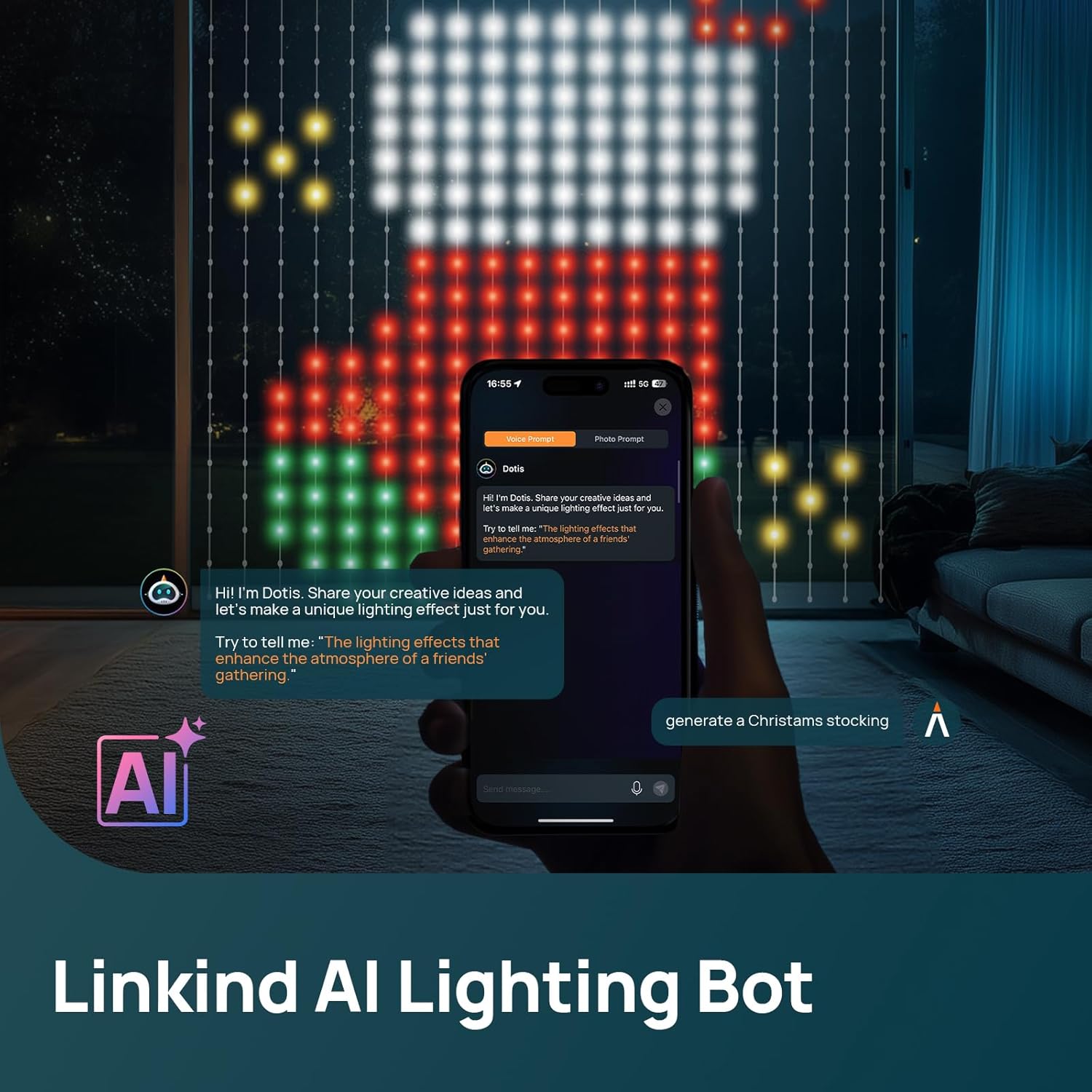
- AI-Powered Pattern Generation (Dotis Assistant): Use the Dotis AI assistant within the app to generate unique animated patterns based on themes like "animal," "gaming," or "holiday." You can also convert photos into dynamic displays.



2. Voice Control
The Linkind Smart Curtain Lights are compatible with Amazon Alexa and Google Home. Once connected through the AiDot app, you can use voice commands to control your lights, such as turning them on/off, changing colors, or activating scenes.
3. Merge Technology
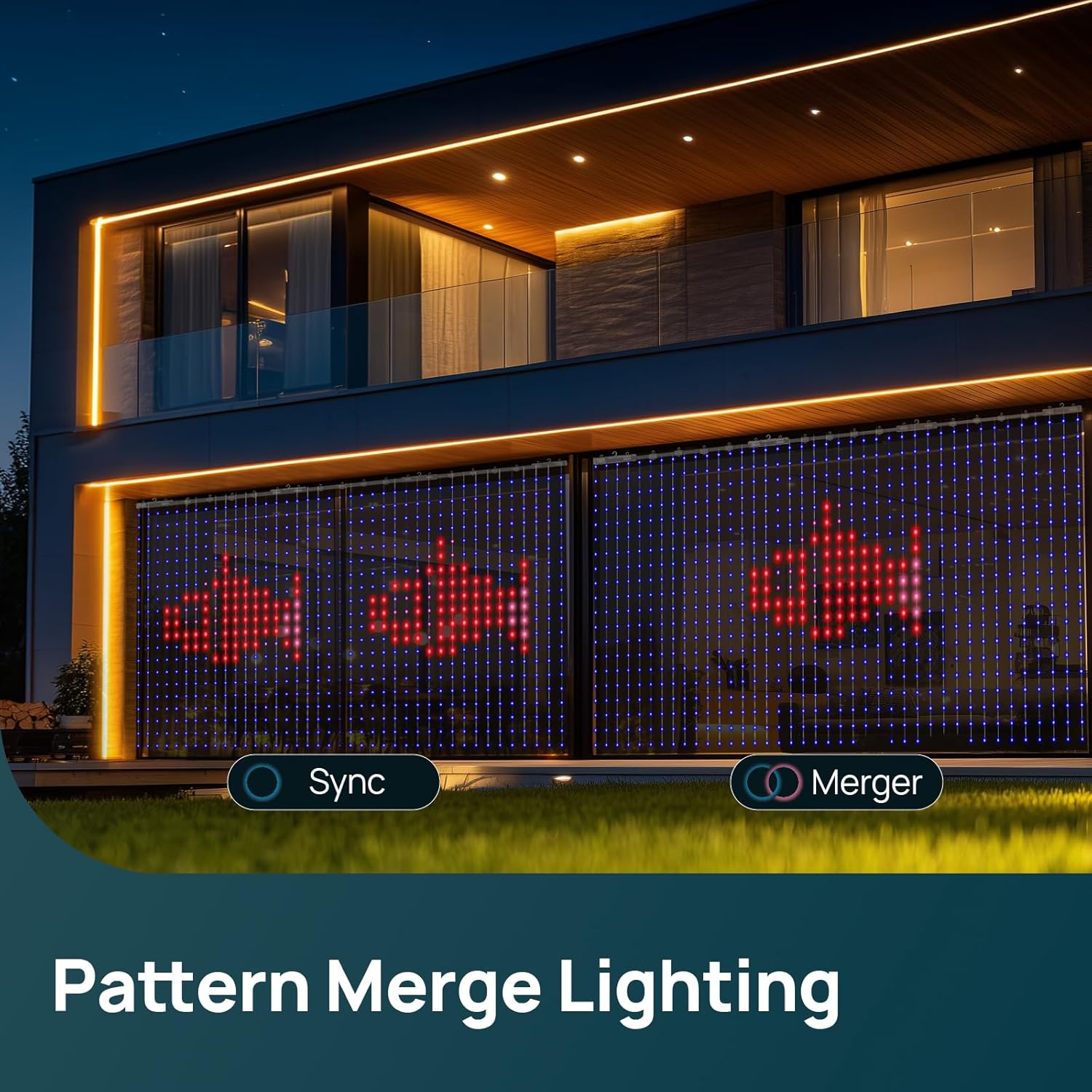
Linkind's innovative merge technology allows you to synchronize up to 4 sets of curtain lights via Wi-Fi. This feature combines patterns across multiple sets, creating a seamless and expansive visual display for larger areas.
4. App Setup Guide Video
For a visual guide on setting up the AiDot app and connecting your smart lights, please refer to the video below. While the video title mentions "Permanent Outdoor Lights," the app setup process is generally applicable to Linkind smart lighting products.
5. Halloween Holiday Lights Video
See the Linkind Smart Curtain Lights in action with various Halloween-themed displays in this official seller video.
Maintenance
The Linkind Smart Curtain Lights are designed for durability with an IP65 waterproof rating, making them suitable for outdoor use in various weather conditions. To ensure longevity and optimal performance:
- Cleaning: Gently wipe the lights with a soft, damp cloth to remove dust or dirt. Avoid using harsh chemicals or abrasive cleaners.
- Storage: When not in use for extended periods, carefully detangle the strands and store the lights in a cool, dry place away from direct sunlight and extreme temperatures.
- Inspection: Periodically check the cables and connections for any signs of wear or damage. If any damage is found, discontinue use and contact customer support.
Troubleshooting
| Problem | Possible Cause | Solution |
|---|---|---|
| Lights do not turn on. | No power, loose connection, faulty adapter. |
|
| Cannot connect to AiDot app. | Bluetooth/Wi-Fi issues, incorrect app steps, lights not in pairing mode. |
|
| Lights are flickering or displaying incorrect patterns. | Software glitch, poor connection, environmental interference. |
|
Specifications
| Feature | Detail |
|---|---|
| Brand | Linkind |
| Model Number | LL8300162 |
| Light Source Type | LED |
| Number of Light Sources | 400 |
| Pixel Grid | 20 x 20 |
| Light Color | Multicolor (16 Million Colors) |
| Indoor/Outdoor Usage | Indoor, Outdoor |
| Ingress Protection (IP) Rating | IP65 (Waterproof) |
| Power Source | Corded Electric |
| Voltage | 5 volts DC |
| Wattage | 15 watts |
| Control Method | App (AiDot), Voice (Alexa, Google Home) |
| Connectivity | Wi-Fi, Bluetooth |
| Material Type | Plastic |
| Item Weight | 1.3 pounds |
| Item Length (Horizontal) | 70.8 inches (approx. 5.9 ft) |
| Dimensions (Product Variant) | 4.9 x 4.5 ft (Height x Width) |
Warranty and Support
Warranty Information
This Linkind product comes with a 2-year manufacturer's warranty. Please retain your proof of purchase for warranty claims.
Customer Support
For technical assistance, troubleshooting, or warranty inquiries, please contact Linkind Customer Support:
- Phone: 1-877-770-5727
- Hours: Monday - Friday, 9 AM - 5 PM PST
Additional support resources and FAQs may be available on the official Linkind website.


