
1. Introduction
Welcome to your Ya-man Photo Plus Deep Lift facial device. This manual provides essential information for the safe and effective use of your YJFA1T model. This device is designed to provide advanced aging care through its D×LIFT technology, combining deep lift and moisture penetration. It includes Power Booster Pads for enhanced daily and special skincare routines, aiming for superior hydration and firmness.

Image: The Ya-man Photo Plus Deep Lift facial device (YJFA1T) shown with two boxes of Power Booster Pads (Clean and Hydrate) and a Ya-man branded paper bag.
2. Important Safety Information
Please read all safety instructions carefully before using the device. Failure to follow these instructions may result in injury or damage to the device.
- Do not use if you have a medical condition, skin disease, or are pregnant. Consult a doctor before use if you have any concerns.
- Keep the device away from water and do not use it in wet environments such as bathrooms or showers.
- Do not disassemble, repair, or modify the device. Contact customer support for service.
- Keep out of reach of children.
- Do not use on damaged or irritated skin.
- Discontinue use immediately if you experience any discomfort or adverse reactions.
- Use only the provided charging cable and adapter.
3. Product Components and Features
3.1 Package Contents
- Ya-man Photo Plus Deep Lift Facial Device (Model YJFA1T)
- Power Booster Pad (Clean) - 15 sheets
- Power Booster Pad (Hydrate) - 15 sheets
- AC Adapter
- Charging Cable
- User Manual
3.2 Device Features
The Ya-man Photo Plus Deep Lift YJFA1T incorporates advanced technologies for comprehensive facial care, including:
- RF (Radio Frequency): Warms deep skin layers for efficient aging care.
- EMS (Electrical Muscle Stimulation): Stimulates facial muscles for lifting effects.
- LED Light: Supports skin rejuvenation.
- Ion Cleansing: Deeply cleanses pores.
- Cooling Function: Helps to tighten pores and soothe skin.
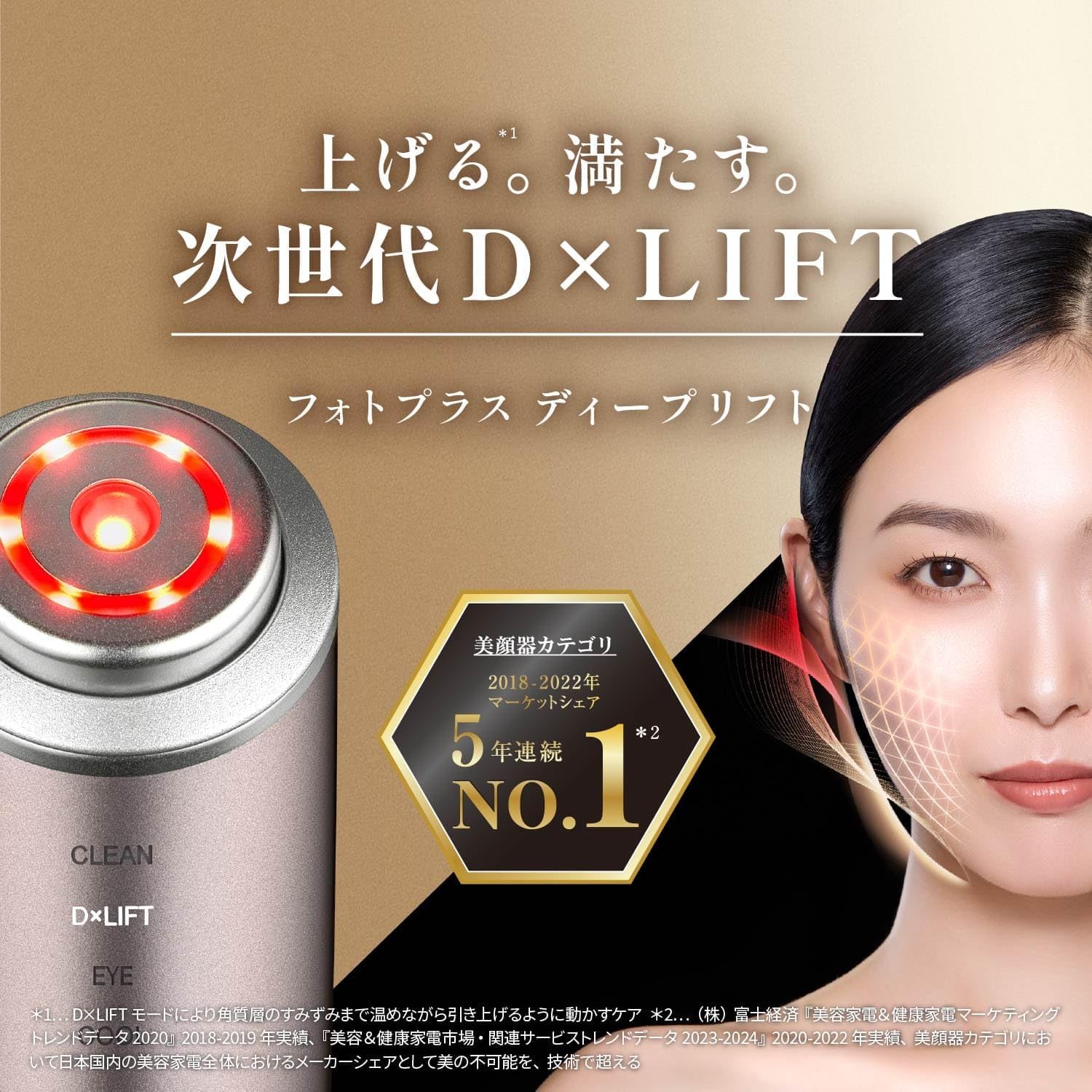
Image: Close-up of the Ya-man Photo Plus Deep Lift device highlighting its "Next Generation DXLIFT" technology.

Image: A comparison chart illustrating the features of different Photo Plus models, including the Deep Lift, Shiny Neo, and Shiny standard models, detailing RF warmth, EMS, moisture care, eye care, LED, pore/exfoliation care, and cooling functions.
4. Setup and Preparation
4.1 Charging the Device
- Connect the charging cable to the device and the AC adapter.
- Plug the AC adapter into a power outlet.
- The charging indicator light will illuminate. A full charge typically takes approximately 2.5 hours.
- Once fully charged, the indicator light will change or turn off. Disconnect the device from the charger.
4.2 Attaching Power Booster Pads
For optimal results with certain modes, attach a Power Booster Pad to the device head.
- Peel off the protective film from the Power Booster Pad.
- Carefully align the pad with the device head and press gently to secure it.
- Ensure the pad is flat and fully adhered to the device head.
5. Operating Instructions
5.1 Understanding the Modes
The device offers both DAILY and SPECIAL care modes to suit your skincare needs.

Image: A diagram explaining the DAILY and SPECIAL care modes. DAILY mode is for everyday use (approximately 3 minutes) focusing on lift care and moisture. SPECIAL care (2-3 times a week) includes CLEAN, DXLIFT, EYE CARE, and COOL modes for intensive treatment.
5.1.1 DAILY Mode (Approx. 3 minutes)
This mode is designed for daily use, combining lift care and moisture for consistent skin maintenance.
5.1.2 SPECIAL Modes (2-3 times per week)
These modes offer more intensive treatments for specific concerns.
CLEAN Mode
Utilizes ion cleansing to deeply remove impurities from pores. Use with the 'Clean' Power Booster Pad.
DXLIFT Mode (Deep Lift & Deep Moisture)
This mode combines deep RF warming and EMS for lifting effects, along with high-penetration technology for enhanced moisture. Use with the 'Hydrate' Power Booster Pad.

Image: A woman using the device, illustrating the dual benefits of Deep Lift and Deep Moisture technologies for skin care.
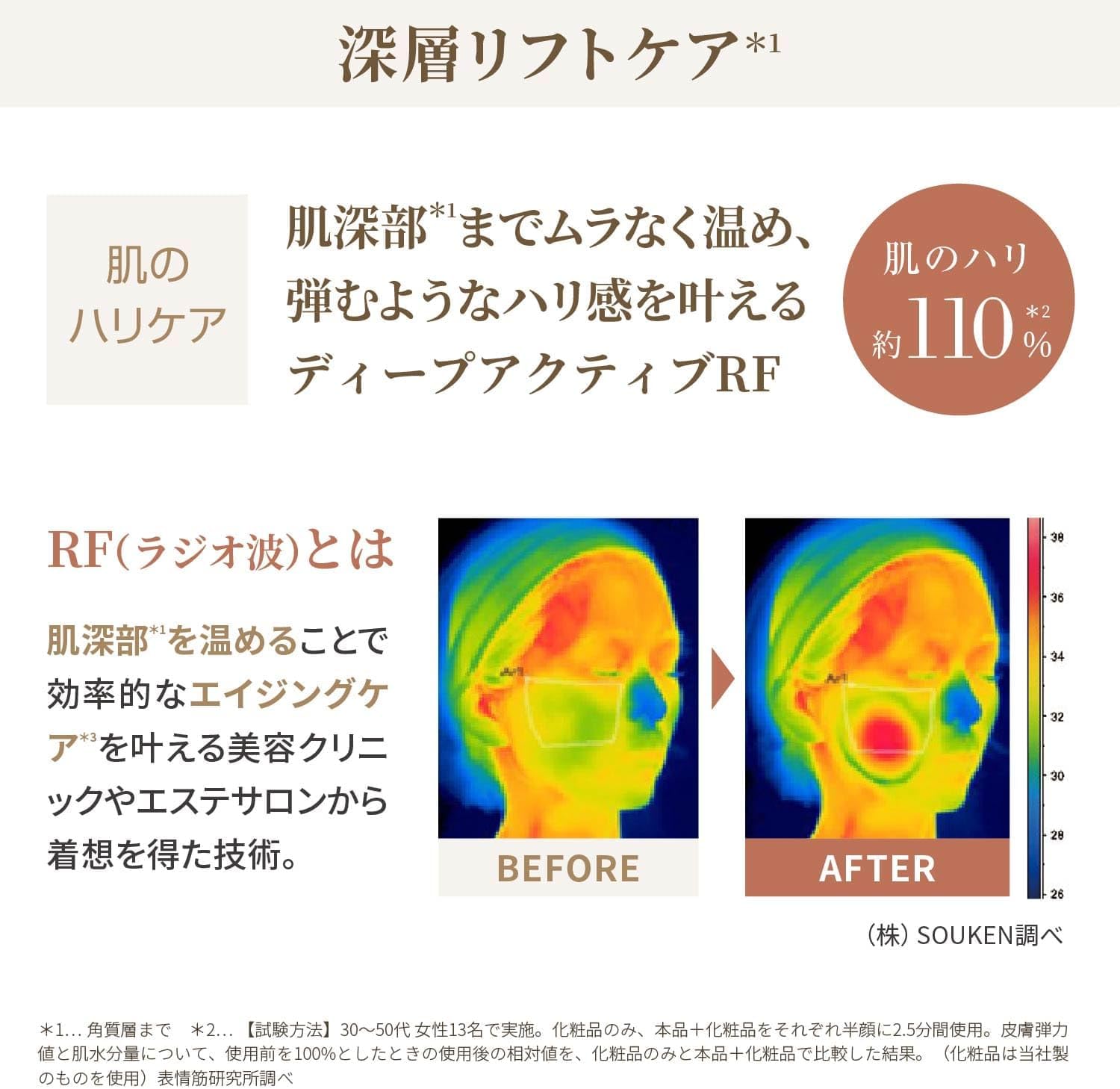
Image: Explains RF (Radio Frequency) technology, showing thermal images of skin before and after use, demonstrating how it warms deep skin layers for efficient aging care.

Image: A technical diagram comparing single RF and complex RF, showing how complex RF (1-4MHz) warms a wider and deeper area from the epidermis.

Image: Illustrates the Deep Moisture technology, showing how high voltage is applied for a short time to create pathways for beauty ingredients to penetrate efficiently.

Image: A woman demonstrating the device's use, with text indicating approximately 120% increase in skin moisture and 110% increase in skin firmness compared to using cosmetics alone.

Image: A graphic showing the enhanced penetration efficiency of beauty ingredients like Vitamin C derivatives (approx. 170%), Tranexamic Acid (approx. 140%), and Niacinamide (approx. 170%) when used with the device, compared to conventional ion introduction.
EYE CARE Mode
Gentle care specifically designed for the delicate skin around the eyes.
COOL Mode
Provides a cooling sensation to help tighten pores and soothe the skin after other treatments.
5.2 Application Areas
The device can be used on various areas of the face and neck. Refer to the illustrations for proper technique.

Image: A series of images demonstrating how to use the device on various areas of the face and neck, including around the eyes, mouth, cheeks, jawline, forehead, sternocleidomastoid muscle, and nose.
6. Power Booster Pads
The Ya-man Photo Plus Deep Lift comes with two types of Power Booster Pads, each formulated for specific skincare benefits.
Image: Close-up images of the "Power Booster Pad Clean" and "Power Booster Pad Hydrate", detailing their respective ingredients and benefits such as pore cleansing, exfoliation, hydration, and firmness.
6.1 Clean Pad
Designed for deep pore cleansing and exfoliation, helping to remove impurities and dead skin cells. Key ingredients include AHA and Artichoke Extract.
6.2 Hydrate Pad
Formulated for intense hydration and firmness, providing a plump and moisturized feel to the skin. Key ingredients include Hyaluronic Acid, Small Molecule Collagen, and Niacinamide.
7. Care and Maintenance
7.1 Cleaning the Device
- After each use, turn off the device and disconnect it from any power source.
- Wipe the device head and body with a soft, damp cloth. Do not use abrasive cleaners or solvents.
- Ensure no moisture enters the charging port or other openings.
- Allow the device to air dry completely before storing.
7.2 Storage
- Store the device in a cool, dry place, away from direct sunlight and extreme temperatures.
- Keep the device in its original packaging or a protective case to prevent damage.
8. Troubleshooting
If you encounter any issues with your device, please refer to the following common problems and solutions:
- Device does not turn on: Ensure the device is fully charged. Press and hold the power button for a few seconds.
- No sensation during use: Ensure the device head is in full contact with your skin and that sufficient gel or serum is applied. Adjust the intensity level.
- Charging indicator not working: Check if the charging cable and adapter are properly connected to both the device and the power outlet.
- Skin irritation: Discontinue use immediately. Ensure you are using the correct skincare products and not applying excessive pressure. Consult a dermatologist if irritation persists.
If the problem persists after trying these solutions, please contact customer support.
9. Product Specifications
| Feature | Specification |
|---|---|
| Manufacturer | Ya-man |
| Model Number | YJFA1T |
| Style | Premium Model with 2 types of dedicated pads, 30 sheets |
| Product Dimensions (LxWxH) | 47 x 44 x 176 mm |
| Color | Bronze |
| Battery Type | Lithium Ion |
| Battery Included | Yes |
| Package Weight | 1.11 Kilograms |
10. Warranty and Support
Your Ya-man Photo Plus Deep Lift facial device is covered by a manufacturer's warranty. Please refer to the warranty card included in your package for specific terms and conditions.
For technical support, troubleshooting assistance, or warranty claims, please contact Ya-man customer service through their official website or the contact information provided in your product documentation.


