
1. Introduction
Thank you for choosing Linkind Permanent Outdoor Lights HP5. This smart RGBTW eave lighting system is designed to provide versatile and durable outdoor illumination for your home. Featuring AI-powered lighting, AuraScape technology for smooth color transitions, and smart control options, these lights are suitable for year-round use and various occasions. This manual provides essential information for the safe and effective installation, operation, and maintenance of your new lighting system.
2. What's in the Box
Carefully unpack the contents and ensure all items are present:
- 16.6ft Outdoor Lights *6
- 10ft Extension Cable *1
- Mounting Bracket *60
- Clips *30
- Positioning Card *1
- User Manual *1
- Power Adapter *1
- Controller *1
- Screw for Lights *63
- Screw for Clips *30

Image: All components included in the Linkind Permanent Outdoor Lights HP5 package.
3. Safety Information
Please read and understand all safety instructions before installation and use. Failure to follow these instructions may result in electric shock, fire, or other hazards.
- Electrical Safety: Ensure the power supply is disconnected before installation or maintenance. Only use the provided power adapter and controller. Do not modify the product or its components.
- Outdoor Use: These lights are designed for outdoor use with IP67 waterproof protection for the lights and IP65 for the controller. Ensure all connections are secure and protected from water ingress.
- Installation: Install the lights on stable surfaces. Avoid installing near heat sources, flammable materials, or in areas prone to excessive vibration. Do not stare directly into the LED lights for extended periods.
- Children and Pets: Keep the product and its components out of reach of children and pets.
4. Setup and Installation
The Linkind Permanent Outdoor Lights HP5 feature an innovative mounting system for flexible installation on various eave types.
4.1 Planning Your Installation
Before installation, plan the layout of your lights. The recommended distance from the wall for optimal light effect is 0.16 ft to 0.32 ft (approximately 2 to 4 inches). Use the included positioning card to mark your desired light placement.

Image: Wall to Light Spacing Guide.

Image: Product Dimensions and Component Connections.
4.2 Mounting the Lights
The lights can be installed on ceilings or walls using the provided mounting brackets and screws.
- Ceiling Installation: Secure the mounting brackets to the eave ceiling using screws. Snap the lights into the brackets.
- Wall Installation: Secure the mounting brackets to the wall surface using screws. Snap the lights into the brackets.
- Use the included clips to manage excess cable and ensure a tidy appearance.

Image: Simple DIY Installation showing ceiling and wall mounting options.

Image: Ceiling Installation Method.

Image: Wall Installation Method.
4.3 Connecting the System
Connect the light strings to the controller, and then connect the controller to the power adapter. Ensure all connections are tight and secure. Plug the power adapter into a suitable outdoor power outlet.
4.4 App Setup
Download the Linkind app from your device's app store. Follow the in-app instructions to pair your lights with the app and connect them to your Wi-Fi network. This will enable smart control features.
Video: App Setup Guide for Linkind Smart Permanent Outdoor Lights. This video demonstrates the process of setting up the Linkind app and connecting it to your permanent outdoor lights.
Video: Installation Guide of Linkind Permanent Outdoor Lights HP5. This video provides a visual guide for installing the Linkind Permanent Outdoor Lights HP5.
5. Operating Instructions
Your Linkind Permanent Outdoor Lights HP5 offer a range of smart features and customization options through the Linkind app.
5.1 Basic Control
Use the Linkind app to turn the lights on/off, adjust brightness, and change colors. The lights support 16 million colors and tunable white light (2700K warm white to 6500K cool daylight).
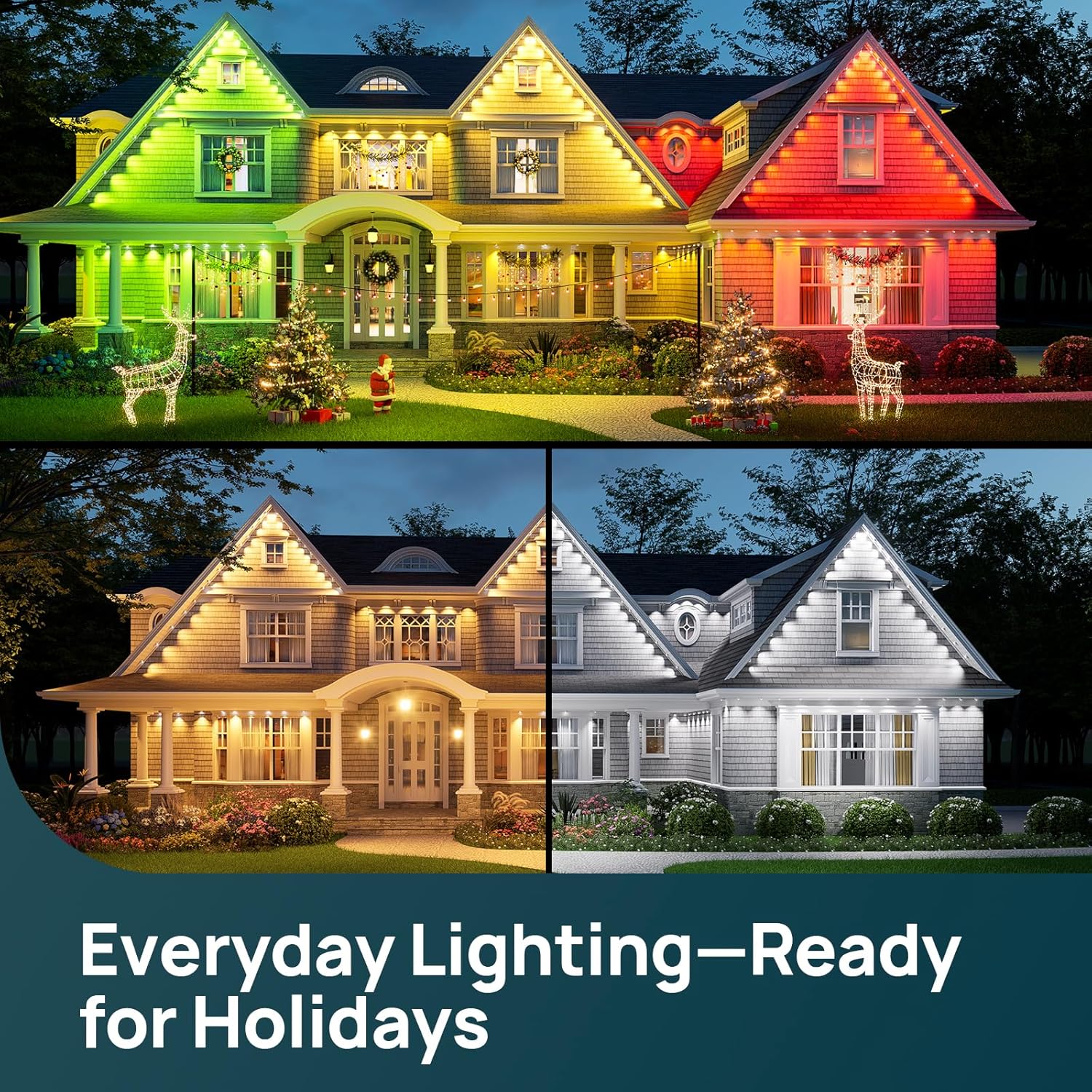
Image: Tunable White Light Options.
5.2 AI Lighting (Dotis & Dotis+)
Utilize Dotis for instant mood matching with curated scenes. For advanced customization, Dotis+ allows you to generate unique, real-time light shows based on your prompts, offering creative control over your lighting effects.

Image: AI Light Shows at a Prompt.

Image: Dotis AI Lighting Process.
5.3 Preset Scenes & DIY Lightshow
Choose from over 85 preset scenes for various holidays and moods. You can also create your own custom light patterns and effects using the DIY Lightshow feature within the app.

Image: A Range of Preset Scenes.
5.4 Music Sync
Synchronize your lights with your favorite music for dynamic light displays that react to the beat.

Image: Sync Your Lights to the Beat.

Image: Music Sync Feature.
5.5 Scheduling & Voice Control
Set daily or calendar-based schedules for your lights to turn on/off or change scenes automatically. The lights are compatible with Amazon Alexa and Google Assistant for convenient voice control.

Image: Weekly and Calendar Scheduling.

Image: Voice Control with Alexa and Google Home.
6. Maintenance
The Linkind Permanent Outdoor Lights HP5 are built for all-year durability and require minimal maintenance.
- Cleaning: Periodically wipe the light surfaces with a soft, damp cloth to remove dirt and debris. Do not use harsh chemicals or abrasive cleaners.
- Weather Resistance: The lights have an IP67 waterproof rating, and the controller has an IP65 rating, ensuring reliable operation in various weather conditions from -4 °F to 140 °F.
- Lifespan: The LEDs have a lifespan of over 50,000 hours, providing long-term illumination.
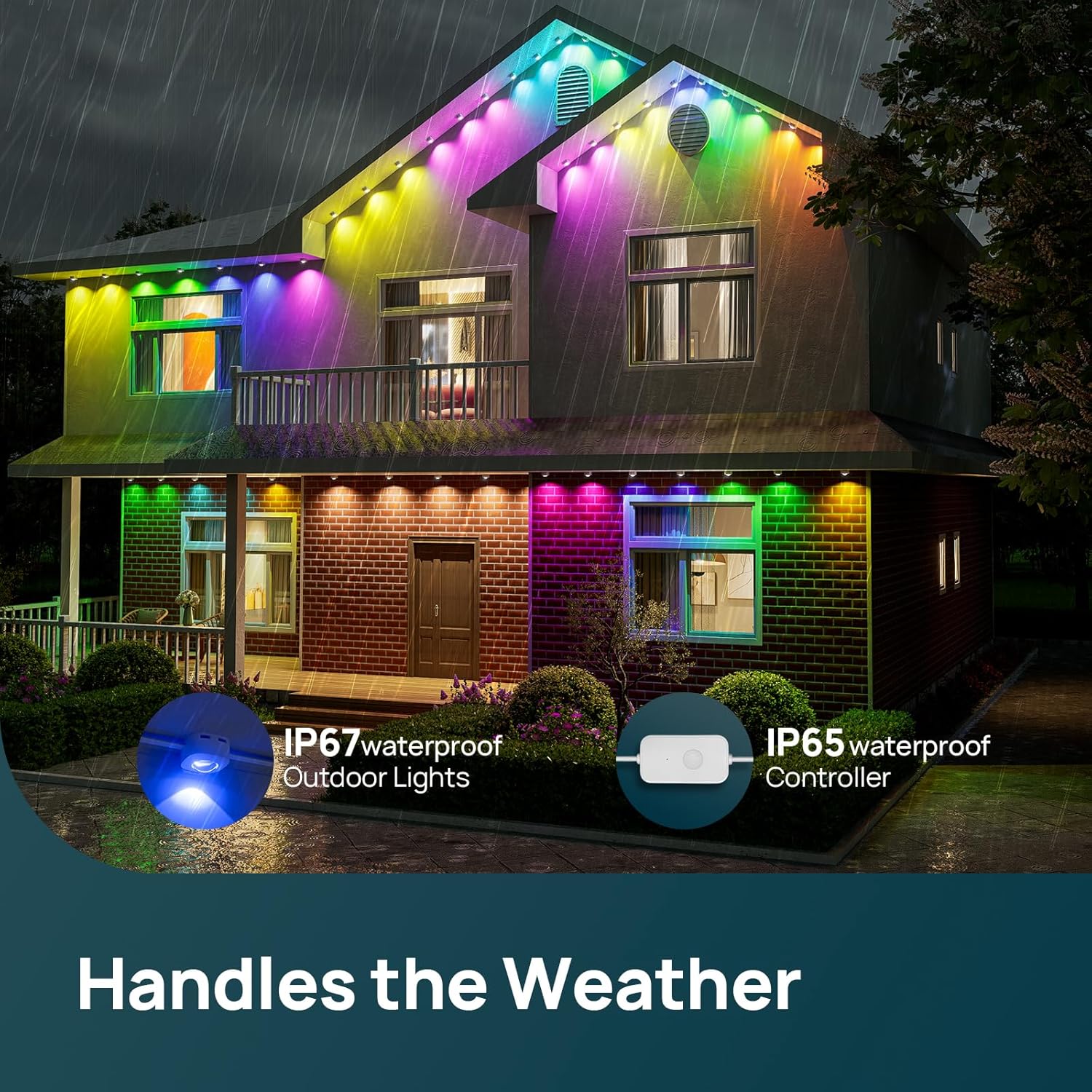
Image: Lights operating reliably in rainy conditions.

Image: All-Year Durability Features.
7. Troubleshooting
If you encounter issues with your Linkind Permanent Outdoor Lights HP5, refer to the following common problems and solutions:
| Problem | Possible Cause | Solution |
|---|---|---|
| Lights do not turn on. | No power, loose connection, faulty adapter/controller. | Check power outlet, ensure all cables are securely connected. Test with another outlet if possible. Contact support if issue persists. |
| Lights are not responding to app control. | Wi-Fi connectivity issue, app not paired, outdated app/firmware. | Ensure your Wi-Fi network is active and the lights are within range. Restart the app and the lights. Check for app and firmware updates. Re-pair the device if necessary. |
| Colors are incorrect or inconsistent. | Software glitch, individual light issue. | Restart the lights and the app. Check for any specific settings in the app that might affect color calibration. If an individual light is faulty, contact support. |
| Scheduling feature not working. | Incorrect schedule settings, conflicting routines (e.g., Alexa). | Double-check schedule settings in the Linkind app. Verify there are no conflicting routines set up in third-party smart home platforms like Alexa or Google Home. |
If these solutions do not resolve the issue, please contact Linkind customer support for further assistance.
8. Specifications
| Feature | Detail |
|---|---|
| Model Number | LELS001146 |
| Color | 16 Million Colors RGBTW |
| Indoor/Outdoor Usage | Outdoor |
| Light Source Type | LED |
| Power Source | Corded Electric |
| Light Color | Cool White, Warm White, Multicolor (16 Million Colors) |
| Controller Type | Amazon Alexa, Android, Google Assistant, iOS |
| Voltage | 36 volts |
| Wattage | 72 watts |
| White Brightness | 50 lumens |
| Control Method | App, Voice |
| Ingress Protection Code Rating | IP67 (Lights), IP65 (Controller) |
| Connectivity Protocol | Bluetooth, Wi-Fi |
| Water Resistance Level | Waterproof |
| Material Type | Plastic |
| Number of Light Sources | 60 |
| Item Weight | 5.8 pounds |
| Item Length | 100 feet |
9. Warranty and Support
Linkind provides a 3-year warranty for the Permanent Outdoor Lights HP5. This warranty covers defects in materials and workmanship under normal use.
For technical support, troubleshooting assistance, or warranty claims, please contact Linkind customer service:
- Phone: 1-877-770-5727
- Operating Hours: Monday - Friday, 9 AM – 5 PM PST
Please have your model number (LELS001146) and proof of purchase ready when contacting support.

Image: Linkind Customer Support Information.


