Introduction
Thank you for choosing the VEVOR Portable Air Conditioner, Model CF-530. This device is a versatile 4-in-1 unit, functioning as a fan, humidifier, air cooler, and a 7-color night light. It is designed to provide a comfortable and refreshing environment in various settings. This manual provides essential information for safe operation, setup, maintenance, and troubleshooting to ensure optimal performance and longevity of your product. Please read these instructions carefully before use and retain them for future reference.
Safety Instructions
- Always use the product on a stable, flat surface to prevent tipping.
- Do not immerse the unit, power cord, or plug in water or other liquids.
- Ensure the power supply voltage matches the specifications indicated on the product label.
- Unplug the unit from the power outlet before cleaning, filling, or when not in use.
- Keep the unit out of reach of children and pets.
- Do not block the air inlets or outlets. Maintain adequate clearance around the unit for proper airflow.
- Only use clean tap water in the water tank. Do not add any chemicals, oils, or other substances.
- If the power cord is damaged, it must be replaced by the manufacturer, its service agent, or similarly qualified persons to avoid a hazard.
- Do not operate the unit if it has been dropped or damaged in any way.
- Avoid placing the unit near heat sources or in direct sunlight for extended periods.
Package Contents
Verify that all items listed below are included in your package:
- 1 x VEVOR Portable Air Conditioner (Model CF-530)
- 1 x Remote Controller
- 1 x USB Cable
- 1 x Power Adapter
- 1 x User Manual
Product Overview
Familiarize yourself with the components and controls of your VEVOR Portable Air Conditioner.
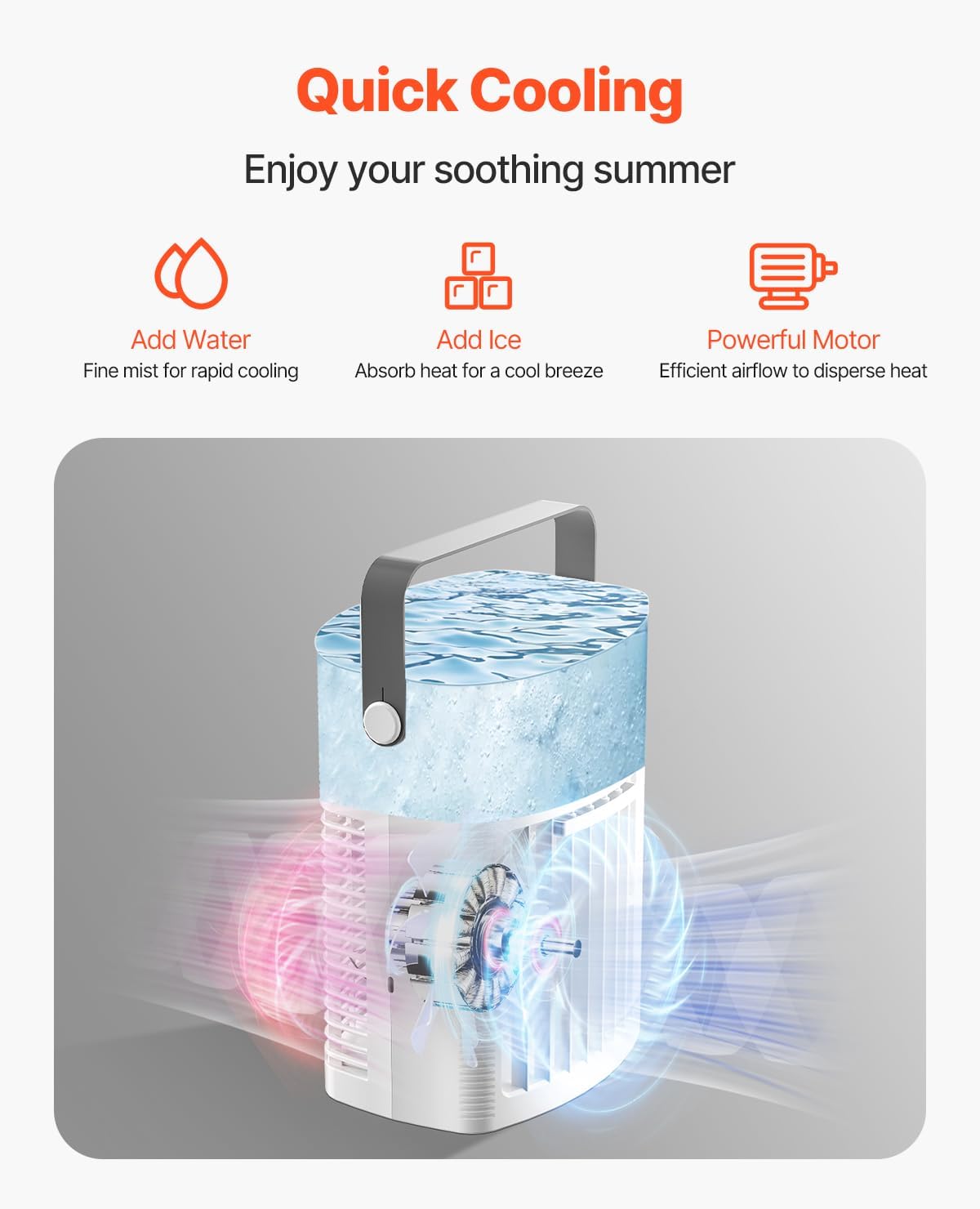
Figure 1: Front view of the VEVOR Portable Air Conditioner, highlighting the main body, control panel, and air outlet.
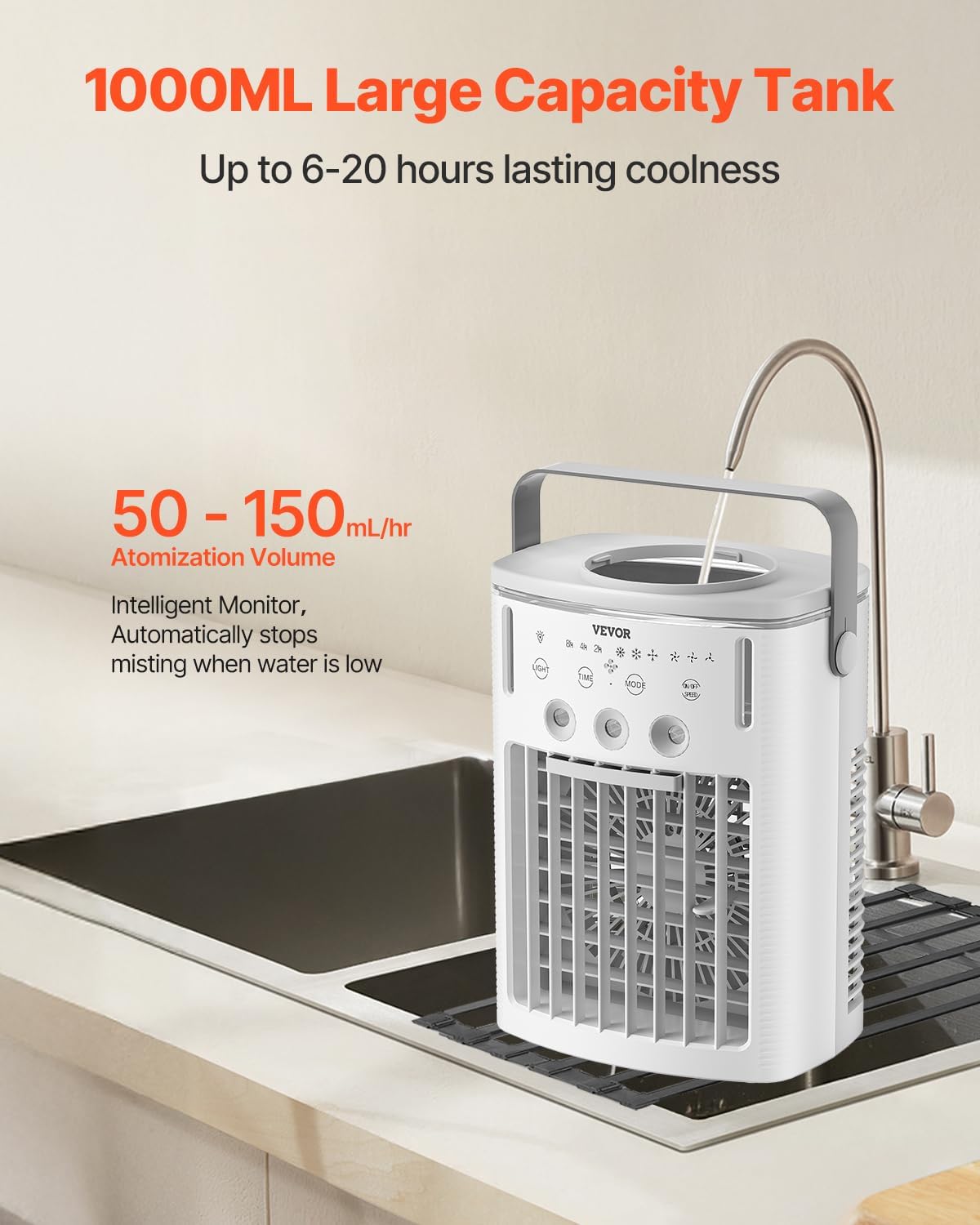
Figure 2: Top view showing the water tank opening for easy refilling. The unit features a 1000ml capacity tank.

Figure 3: The portable air conditioner can be operated via its integrated control panel or the included remote control.
Control Panel Functions:
- Power Button: Turns the unit on or off.
- Fan Speed Button: Cycles through 3 fan speeds (Low, Medium, High).
- Mist Button: Adjusts mist levels (3 levels) or turns mist function on/off.
- Timer Button: Sets the auto shut-off timer (2H, 4H, 8H).
- Light Button: Controls the 7-color night light function.
- Mode Button: Selects operating modes (e.g., oscillation).
Setup
- Unpack the Unit: Carefully remove the air conditioner and all accessories from the packaging. Retain packaging for future storage or transport.
- Placement: Place the unit on a firm, level surface. Ensure there is at least 10 cm (4 inches) of space around the unit for proper air circulation. Avoid placing it directly against walls or furniture.
- Fill Water Tank: Open the water tank cover located on the top of the unit. Fill the 1000ml water tank with clean tap water. For enhanced cooling, you may add ice cubes or ice packs to the tank. Do not overfill beyond the maximum fill line. Close the water tank cover securely.
- Connect Power: Insert the USB cable into the unit's power port, then connect the other end to the provided power adapter. Plug the adapter into a standard 110V AC electrical outlet.
Operating Instructions
Operate your VEVOR Portable Air Conditioner using the control panel or the remote control.
Power On/Off
- Press the Power Button once to turn the unit on. The fan will start at a low speed.
- Press the Power Button again to turn the unit off.
Fan Speed Adjustment
- Press the Fan Speed Button repeatedly to cycle through Low, Medium, and High fan speeds.

Figure 4: The unit offers three fan speeds: Low for a gentle breeze, Medium for comfortable cooling, and High for a powerful gust.
Mist Level Adjustment (Humidifier/Air Cooler)
- Press the Mist Button repeatedly to select one of the 3 mist levels (light, medium, strong) or to turn the mist function off.
- The unit will automatically stop misting when the water level in the tank is low. Refill the tank to resume misting.
Oscillation Function
- Press the Mode Button (or specific oscillation button if available on remote) to activate the 120° wide oscillation feature, distributing cool air more broadly. Press again to stop oscillation.

Figure 5: The 120° oscillation feature helps to distribute cool air evenly across your space.
Timer Function
- Press the Timer Button repeatedly to set the auto shut-off timer for 2, 4, or 8 hours. The unit will automatically turn off after the selected time.
Night Light Function
- Press the Light Button to turn on the 7-color night light. Press again to cycle through colors or turn off the light.
Maintenance
Regular maintenance ensures the efficiency and longevity of your air conditioner.
- Cleaning the Water Tank:
- Unplug the unit before cleaning.
- Empty any remaining water from the tank.
- Wipe the inside of the tank with a soft cloth and mild detergent. Rinse thoroughly with clean water.
- Allow the tank to air dry completely before refilling or storing.
- Clean the water tank at least once a week to prevent mold and mildew buildup.
- Cleaning the Exterior:
- Wipe the exterior surfaces with a soft, damp cloth. Do not use abrasive cleaners or solvents.
- Cleaning the Air Filter/Grille:
- The air inlet grille can be gently wiped clean to remove dust.
- Do not attempt to remove internal components for cleaning unless specified.
- Storage:
- If storing the unit for an extended period, ensure the water tank is completely empty and dry.
- Clean the entire unit as described above.
- Store the unit in its original packaging in a cool, dry place, away from direct sunlight.
Troubleshooting
Refer to this section for common issues and their solutions.
| Problem | Possible Cause | Solution |
|---|---|---|
| Unit does not turn on. | No power supply. | Check if the power adapter is securely plugged into the unit and the wall outlet. Ensure the outlet is functional. |
| No mist is being produced. | Water tank is empty or low. Mist function is off. | Refill the water tank. Press the Mist Button to activate the mist function. |
| Weak airflow. | Fan speed is set too low. Air inlets/outlets are blocked. | Increase the fan speed. Ensure there are no obstructions around the unit. |
| Unit is noisy. | Unit is not on a stable surface. Internal component issue. | Place the unit on a flat, stable surface. If noise persists, contact customer support. |
| Remote control not working. | Batteries are dead or incorrectly inserted. Obstruction between remote and unit. | Replace batteries. Ensure clear line of sight to the unit's sensor. |
If the problem persists after attempting these solutions, please contact VEVOR customer support for assistance.
Specifications
Detailed technical specifications for the VEVOR Portable Air Conditioner, Model CF-530.

Figure 6: Dimensions of the VEVOR Portable Air Conditioner (Model CF-530).
| Model Number | CF-530 |
| Rated Power | 9W |
| Voltage | 110 Volts |
| Number of Fan Speeds | 3 Levels |
| Fan Speed | 11.48 ft/s (3.5 m/s) |
| Reservoir Capacity | 1000 ml (1 Liter) |
| Mist Levels | 3 Levels |
| Timer Function | 2H / 4H / 8H |
| Oscillation Angle | 120° |
| Noise Level | 55 Decibels |
| Item Weight | 2.4 Pounds |
| Product Dimensions (D x W x H) | 5.5" x 7.9" x 11.1" (140 x 200 x 280 mm) |
| Controls Type | Remote, Panel |
Warranty and Support
VEVOR products are designed for durability and performance. For warranty information or technical support, please refer to the warranty card included with your purchase or visit the official VEVOR website. If you encounter any issues not covered in this manual, please contact VEVOR customer service for assistance.
VEVOR Customer Service: Please refer to your product packaging or the VEVOR official website for contact details.


