
Introduction
Thank you for choosing the SOCICO Digital Sports Watch Model Socico-3328. This watch is designed for active lifestyles, featuring a durable, waterproof construction and essential functions including a stopwatch, alarm, and backlight. Please read this manual carefully to understand the watch's features and ensure proper use and maintenance.
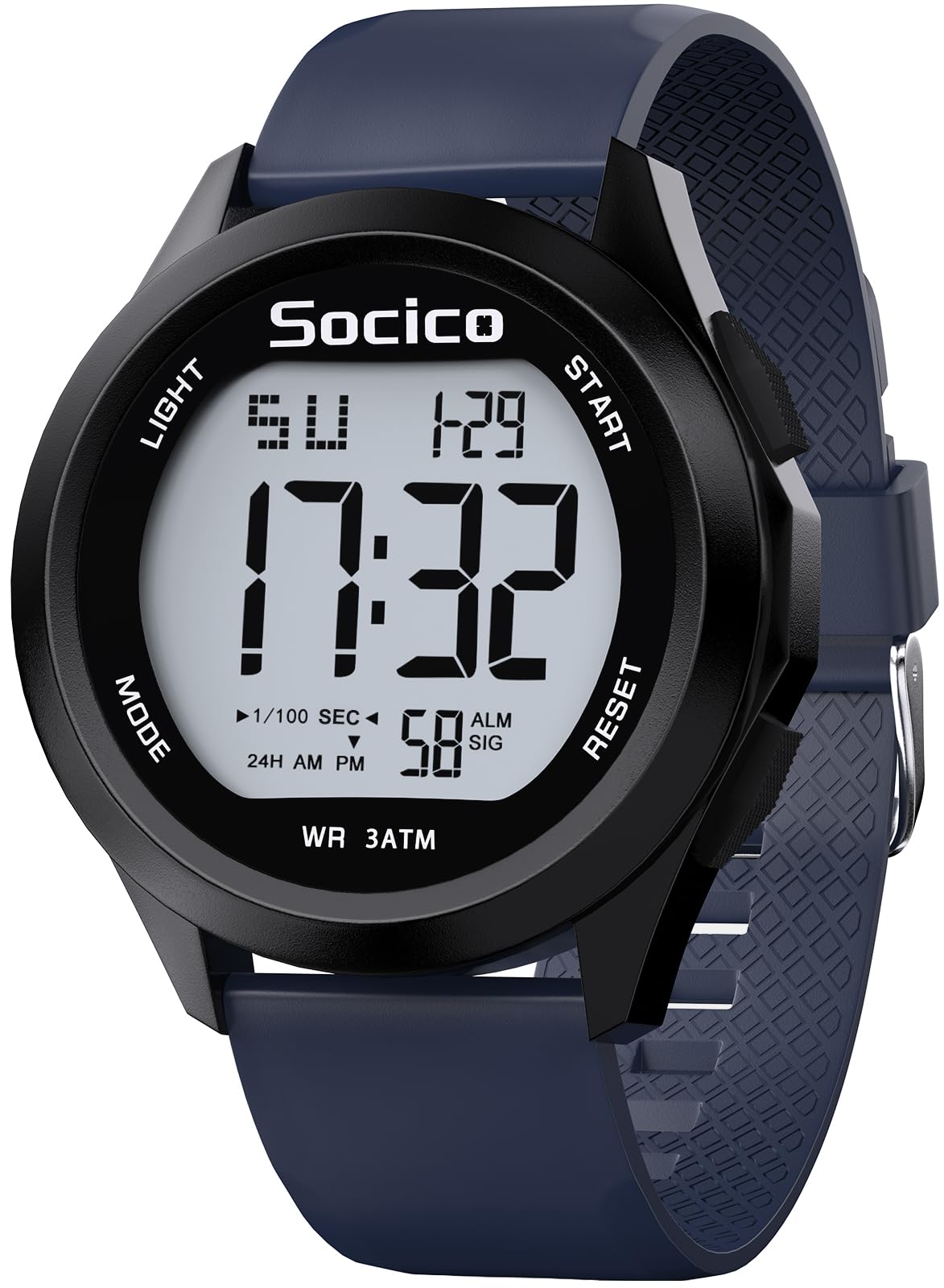
Image: The SOCICO Digital Sports Watch with a blue band, showcasing its large digital display and robust design.
Setup
Initial Time and Date Setting
- In normal time display mode, press the MODE button three times to enter time setting mode. The seconds display will flash.
- Press the RESET button to cycle through the setting options: seconds > hours > minutes > month > date > day of the week.
- Use the START button to adjust the flashing value. Hold START to quickly advance the value.
- To switch between 12-hour and 24-hour format while setting hours, press the START button. 'H' indicates 24-hour format, 'A' indicates 12-hour AM, 'P' indicates 12-hour PM.
- Once all settings are complete, press the MODE button to exit the setting mode and return to normal time display.

Image: A step-by-step diagram illustrating how to set the time and choose between 12-hour and 24-hour display formats on the SOCICO Digital Sports Watch.
Battery Information
The watch comes with one nonstandard battery included. The battery is designed for long-lasting performance. For battery replacement, it is recommended to consult a professional watch technician to ensure the waterproof seal is maintained.
Operating Instructions
Button Functions Overview
The watch features four buttons:
- LIGHT: Activates the backlight.
- MODE: Cycles through display modes (Time, Stopwatch, Alarm).
- START: Used to start/stop functions or adjust values during setting.
- RESET: Used to reset functions or select options during setting.

Image: An overview diagram highlighting the various functions of the SOCICO Digital Sports Watch, such as stopwatch, alarm, date, and backlight.
Backlight Function
Press the LIGHT button to illuminate the display for easy reading in low-light conditions. The backlight will remain active for a few seconds.
Video: This video demonstrates the watch's easy-to-read large dial and the functionality of its backlight, showing how it illuminates the display for clear visibility.
Stopwatch Function
- From normal time display, press the MODE button once to enter stopwatch mode. The display will show "00:00:00".
- Press the START button to begin timing.
- Press START again to pause the stopwatch.
- Press RESET to clear the stopwatch to zero.
- To exit stopwatch mode, press the MODE button.
Video: This video provides a clear demonstration of how to use the stopwatch function on the SOCICO Digital Sports Watch, including starting, pausing, and resetting the timer.
Alarm Setting
- From normal time display, press the MODE button twice to enter alarm setting mode. The hour digits will flash.
- Press the START button to adjust the hour.
- Press the RESET button to switch to minute setting. The minute digits will flash.
- Press the START button to adjust the minutes.
- Press the MODE button to exit alarm setting mode.
Hourly Chime
In normal time display mode, press and hold the RESET button, then press the MODE button. If all day indicators are shown, the hourly chime is active. Repeat the process to deactivate it.
Water Resistance
This watch is rated for 3ATM water resistance, meaning it can withstand splashes, rain, and brief immersion in water, such as during hand washing or swimming. It is not suitable for diving or hot water activities.

Image: The SOCICO Digital Sports Watch shown partially submerged in water with splashes, illustrating its water resistance feature.
Maintenance
Cleaning
Wipe the watch regularly with a soft, damp cloth to remove dirt and sweat. Avoid using harsh chemicals or abrasive materials that could damage the watch's finish or seals.
Water Resistance Care
To maintain the watch's water resistance, ensure all buttons are not pressed while the watch is submerged in water. Avoid exposing the watch to extreme temperature changes, as this can affect the seals. Do not open the watch case yourself, as this will compromise its water resistance.
Battery Replacement
When the display becomes dim or functions become erratic, the battery may need replacement. It is recommended to have the battery replaced by a qualified watch repair service to ensure the integrity of the watch's water resistance and internal components.
Troubleshooting
- Display is blank or dim: The battery may be low or depleted. Replace the battery.
- Buttons are unresponsive: Ensure the watch is not in a locked mode (if applicable, though this model does not feature one). If the issue persists, a reset may be required (consult a professional) or the battery may be dislodged.
- Time is incorrect: Re-set the time and date following the instructions in the Setup section. Ensure the 12/24-hour format is correctly selected.
- Water inside the watch: If water condensation appears inside the watch, stop using it immediately and have it inspected by a professional. This indicates a compromised water seal.
If you encounter issues not covered here, please refer to the support section for assistance.
Specifications
| Feature | Detail |
|---|---|
| Model Number | Socico-3328 |
| Display Type | Digital |
| Case Material | Acrylonitrile Butadiene Styrene (ABS) |
| Band Material | Thermoplastic Polyurethane (TPU) |
| Case Diameter | 1.8 Inches (46 mm) |
| Case Thickness | 0.55 Inches (14 mm) |
| Band Width | 0.94 Inches (24 mm) |
| Band Length | 9.85 Inches (250 mm) |
| Item Weight | 2.24 ounces |
| Water Resistance Depth | 30 Meters (3ATM) |
| Special Features | Stopwatch, Alarm, Backlight, Date Display, Shock Resistant |
| Power Source | Battery Powered (1 Nonstandard Battery included) |

Image: A close-up view of the SOCICO Digital Sports Watch with a ruler, indicating a dial diameter of 46mm (1.81 inches).

Image: A detailed diagram illustrating the dimensions of the watch, including case diameter, thickness, and band length, along with examples of how it fits on different wrist sizes.
Video: This video demonstrates the size and fit of the SOCICO Digital Sports Watch on both men's and women's wrists, providing a visual reference for its dimensions.
Warranty
The SOCICO Digital Sports Watch Model Socico-3328 comes with a Lifetime Warranty. This warranty covers manufacturing defects and ensures the watch functions as intended under normal use. Please retain your proof of purchase for warranty claims.
Support
If you have any questions, require assistance with setup, or encounter any issues with your SOCICO Digital Sports Watch, please refer to the contact information provided with your purchase or visit the official SOCICO website for customer support. Our team is available to help resolve any concerns you may have.
