
Introduction
This manual provides essential information for setting up, operating, maintaining, and troubleshooting your Samsung Galaxy F16 5G smartphone. Please read this guide thoroughly to ensure optimal performance and longevity of your device.
The Samsung Galaxy F16 5G features a sAMOLED FHD+ display, a 50MP main camera, a 5000mAh battery, and is powered by the Mediatek Dimensity 6300 processor, running on Android 14.
What's in the Box
Verify that all items are present in your product packaging:
- Handset (Samsung Galaxy F16 5G)
- Data Cable (USB Type C to C)
- SIM Ejection Pin
- Quick Start Guide
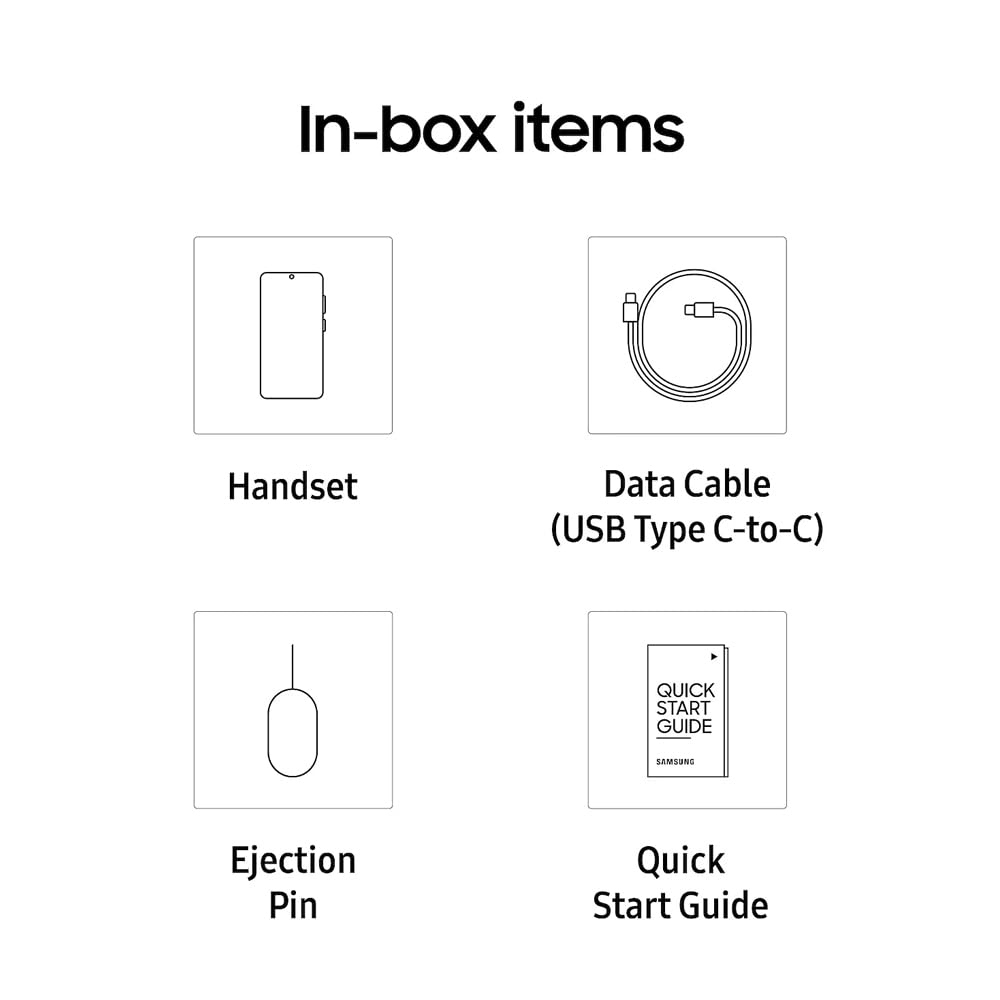
Figure 1: Included items in the Samsung Galaxy F16 5G box. This includes the smartphone, a USB Type-C to Type-C data cable, a SIM ejection pin, and a quick start guide.
Setup
- Insert SIM Card:
Locate the SIM card tray on the side of your device. Use the provided SIM ejection pin to open the tray. Insert your Nano-SIM card(s) into the tray with the gold contacts facing down. The Galaxy F16 5G supports Dual SIM functionality. Ensure the tray is securely closed.

Figure 2: Side view of the Samsung Galaxy F16 5G, illustrating the location of the SIM card tray and power/volume buttons.
- Charge the Battery:
Connect the USB Type-C data cable to the phone's charging port and the other end to a compatible 25W fast charger (sold separately). Allow the device to charge fully before initial use. The device has a 5000 mAh battery.
- Power On:
Press and hold the Power button (located on the side) until the Samsung logo appears. Follow the on-screen instructions to complete the initial setup, including language selection, Wi-Fi connection, Google account setup, and data transfer.
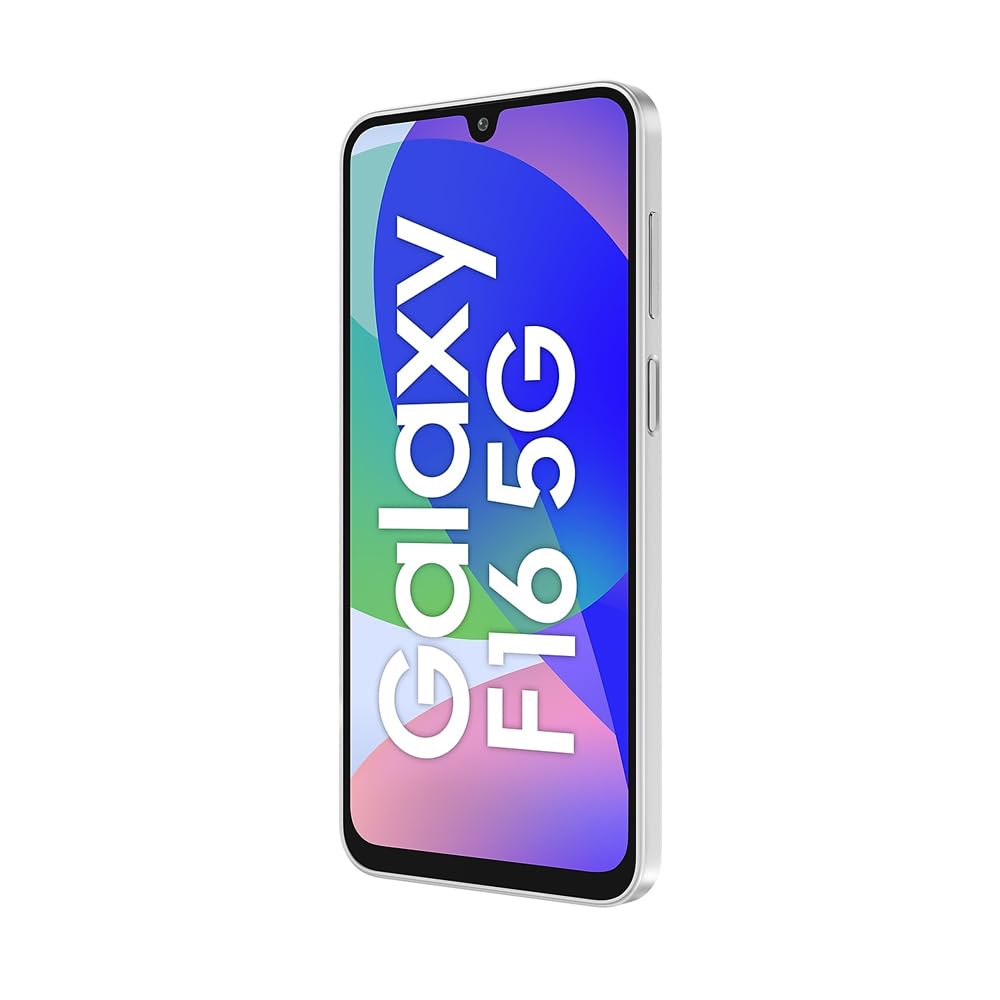
Figure 3: Front view of the Samsung Galaxy F16 5G, showcasing its sAMOLED display and front camera.
Operating Your Device
Display and Navigation
The Galaxy F16 5G features a 6.6-inch Full HD+ sAMOLED display with a 90Hz refresh rate for smooth visuals. Navigate using touch gestures, including swiping, tapping, and pinching. The device supports Always On Display for quick access to information.
Camera Features
Your device is equipped with a versatile camera system:
- Rear Cameras: 50MP Main, 5MP Ultra-wide, 2MP Depth.
- Front Camera: 13MP for selfies and video calls.
Open the Camera app to select various modes like Photo, Video, Portrait, and more. Tap the shutter button to capture images or start/stop video recording.
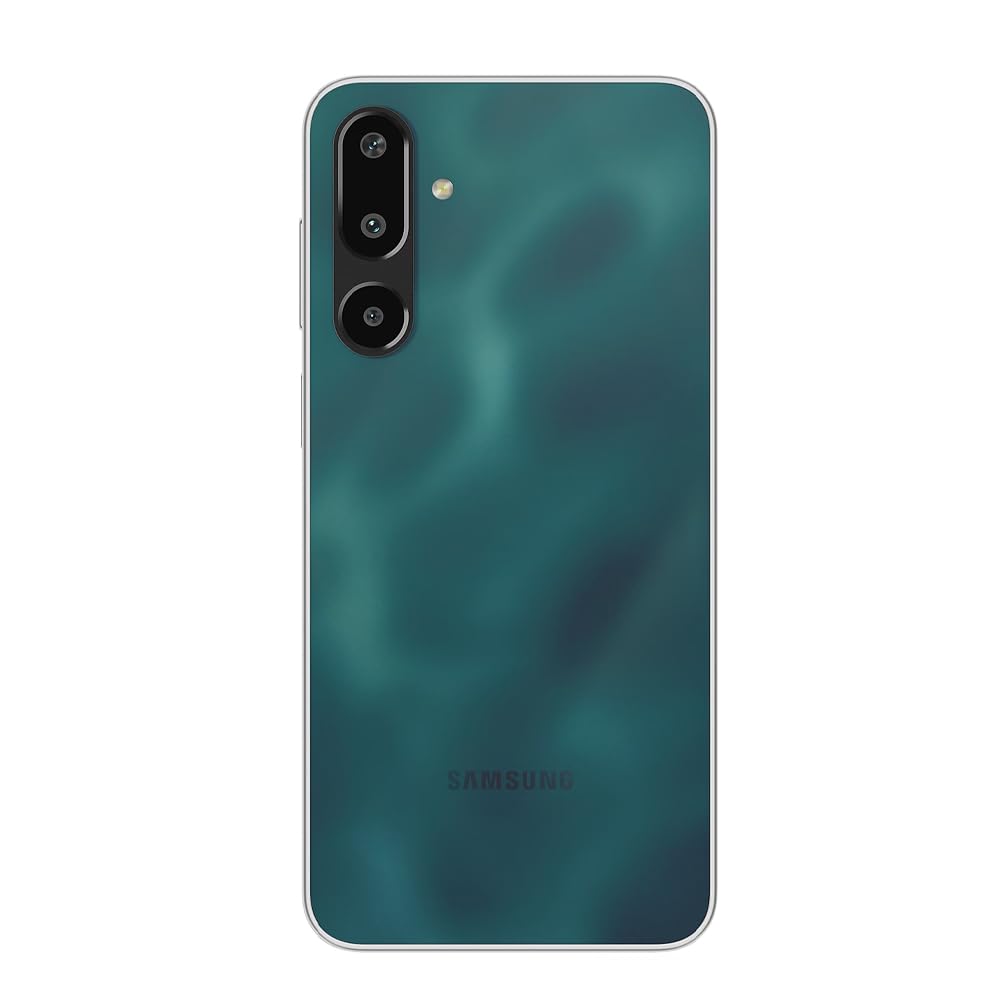
Figure 4: Back view of the Samsung Galaxy F16 5G in Glam Green, highlighting the triple camera module and Samsung branding.
Battery Management
The 5000 mAh battery provides extended usage. To optimize battery life:
- Adjust screen brightness.
- Close unused apps running in the background.
- Enable power-saving modes from Settings.
The device supports 25W fast charging. Use a compatible charger for quicker charging times.
Connectivity
The Galaxy F16 5G supports 5G cellular networks for high-speed data. It also includes Wi-Fi, Bluetooth, and USB Type-C for various connections. Ensure your SIM card is 5G compatible for 5G network access.
Security Features
Unlock your device using Face Recognition for convenient and secure access. Set up your preferred security method in the device settings.
Samsung Wallet
Utilize Samsung Wallet for contactless payments and storing digital cards. Set up your payment methods within the Samsung Wallet application.
Voice Focus
Activate Voice Focus during calls to minimize background noise and enhance voice clarity in noisy environments. This feature can be toggled during an active call.
Maintenance
Software Updates
Keep your device's software up-to-date to benefit from the latest features, security patches, and performance improvements. Samsung provides 6 generations of OS upgrades and 6 years of security updates for this model. Check for updates in Settings > Software update.
General Care
- Clean the screen and body with a soft, lint-free cloth.
- Avoid exposing the device to extreme temperatures or direct sunlight for prolonged periods.
- Protect your device from physical damage by using a protective case and screen protector.
Troubleshooting
If you encounter issues with your device, try the following common solutions:
- Device not responding: Press and hold the Power button for about 10 seconds to force restart the device.
- Battery draining quickly: Review battery usage in Settings to identify power-hungry apps. Reduce screen brightness and disable unnecessary features like GPS or Bluetooth when not in use.
- Network connectivity issues: Ensure your SIM card is properly inserted. Try toggling Airplane Mode on and off. Restart your device.
- App crashes: Clear the cache and data for the problematic app in Settings > Apps, or uninstall and reinstall the app.
- Slow performance: Close background applications. Clear unnecessary files and cache. Consider a factory reset as a last resort (back up your data first).
For more detailed troubleshooting, refer to the official Samsung support website or contact customer service.
Specifications
| Feature | Detail |
|---|---|
| Brand | Samsung |
| Model | Galaxy F16 5G |
| Operating System | Android 14 |
| Processor | Mediatek Dimensity 6300 (2.4 GHz) |
| RAM | 6 GB |
| Internal Storage | 128 GB |
| Display | 6.6-inch FHD+ sAMOLED (1080 x 2400 Pixels), 90Hz Refresh Rate |
| Rear Camera | 50 MP (Main) + 5 MP (Ultra-wide) + 2 MP (Depth) |
| Front Camera | 13 MP |
| Battery Capacity | 5000 mAh |
| Charging | 25W Fast Charging (USB Type C) |
| SIM Support | Dual SIM (Nano) |
| Cellular Technology | 5G |
| Security | Face Recognition |
| Dimensions | 12 x 8 x 4 Centimeters |
| Weight | 230 Grams |
| Box Contents | Handset, Data Cable (C to C), Sim Ejection Pin, Quick Start Guide |
Warranty Information
The Samsung Galaxy F16 5G comes with a 1-year manufacturer warranty for the device from the date of purchase. In-box accessories are covered by a 6-month manufacturer warranty. Please retain your proof of purchase for warranty claims. For detailed terms and conditions, refer to the warranty card included in the box or visit the official Samsung website.
Support
For further assistance, technical support, or service requests, please contact Samsung Customer Service or visit the official Samsung support website:
- Samsung Official Website: www.samsung.com/in/support/
- Refer to the Quick Start Guide for initial contact information.
Manufacturer Contact Information: Dixon Technologies (India) Ltd., Plot No. 6, Sector-90, Noida, Gautam Buddha Nagar, U.P. India-201305


