1. Introduction
This manual provides essential information for setting up, operating, and maintaining your Hisense 40E43QT 40-inch Full HD Smart TV. Please read it thoroughly before using the product to ensure safe and correct operation.
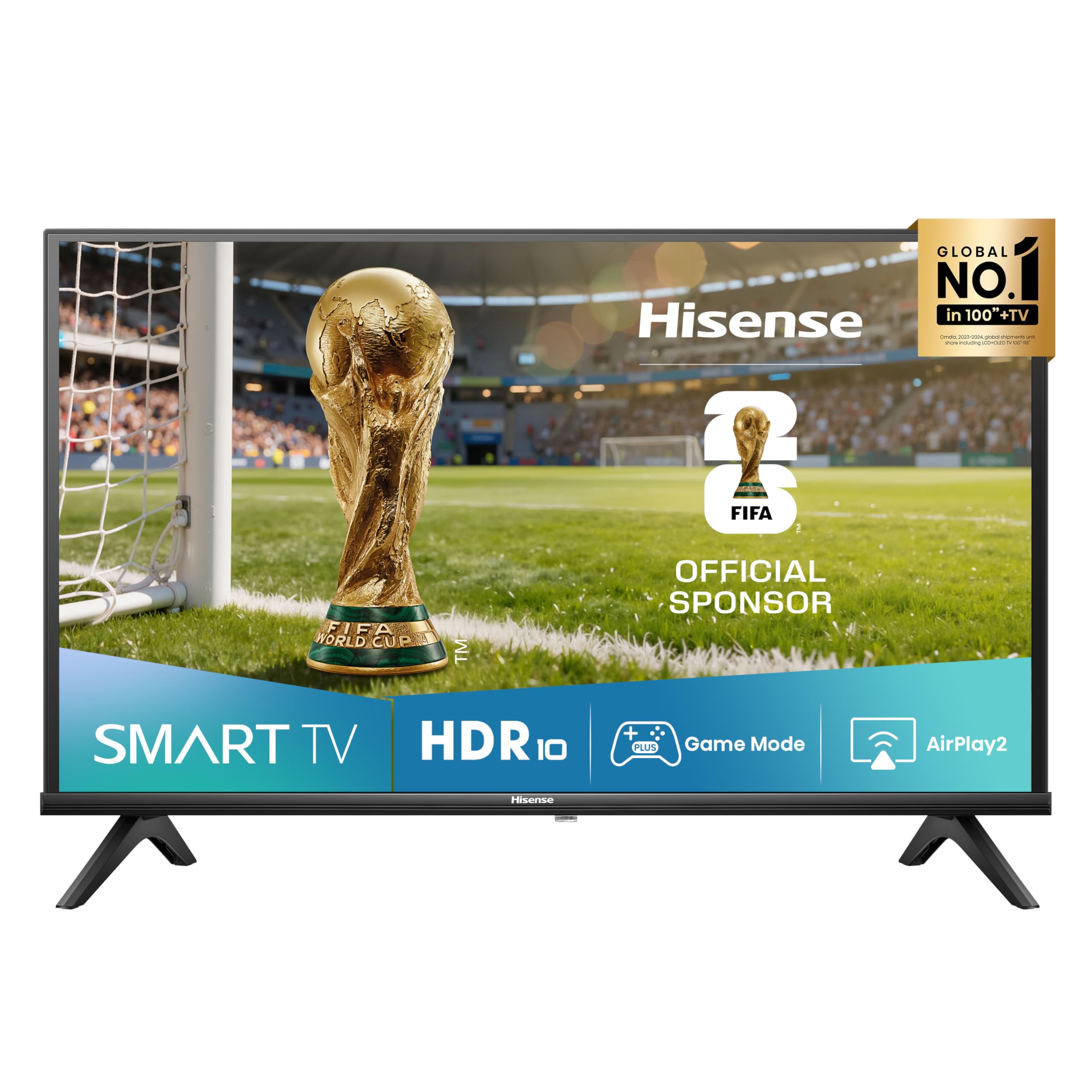
Image: Front view of the Hisense 40E43QT 40-inch Full HD Smart TV, showcasing its slim bezels and modern design.
2. What's in the Box
Carefully unpack your Hisense TV and check that all the following items are included:
- Hisense 40-inch Full HD Smart TV
- Power Cable
- Remote Control
- User Manual (this document)
- TV Stands (if not wall-mounted)
If any items are missing or damaged, please contact Hisense customer support.
3. Setup
3.1 Attaching the TV Stands
If you are not wall-mounting your TV, follow these steps to attach the included stands:
- Place the TV screen-down on a soft, flat surface to prevent damage.
- Align each stand with the corresponding slots on the bottom of the TV.
- Secure the stands using the provided screws. Ensure they are firmly attached.

Image: Front and side view of the Hisense 40E43QT TV with dimensions and stand attachment points. The image shows the TV's width (900mm), height with stand (565mm), height without stand (515mm), depth with stand (186mm), and depth without stand (85mm). It also indicates a VESA mount dimension of 200x200mm and product weight with stand (5.5 kg) and without stand (5.4 kg).
3.2 Connecting Cables
Before connecting any cables, ensure the TV and all external devices are powered off.
- Power Cable: Connect the power cable to the TV's power input and then to a wall outlet.
- Antenna/Cable: Connect your antenna or cable TV source to the "ANT" input on the TV.
- HDMI Devices: Connect devices like Blu-ray players, game consoles, or set-top boxes to the HDMI ports. This model features HDMI 2.1 (eARC) for enhanced audio return channel capabilities.
- USB Devices: For media playback or software updates, connect USB flash drives to the USB ports.
- Ethernet: For a stable wired internet connection, connect an Ethernet cable from your router to the TV's Ethernet port.
- Digital Audio Out: Connect to a soundbar or home theater system for digital audio output.
- Headphone: Connect headphones for private listening.

Image: Detailed view of the Hisense 40E43QT TV's rear panel, showing connectivity options including two USB ports, Digital Audio Out, Headphone jack, two ANT inputs, HDMI 2.1 (eARC), HDMI 2, and an Ethernet port for internet router connection.
3.3 Initial Power-On and First-Time Setup
- After connecting all necessary cables, plug the TV into a power outlet.
- Press the power button on the remote control or on the TV itself.
- The TV will guide you through the first-time setup wizard, which includes language selection, network connection (Wi-Fi or Ethernet), channel scanning, and time zone settings.
- Follow the on-screen instructions to complete the setup.
4. Operating Your TV
4.1 Remote Control Functions
The remote control allows you to navigate the TV's features and settings. Familiarize yourself with its buttons:

Image: The Hisense 40E43QT remote control, featuring standard navigation, volume, and channel controls, along with dedicated quick access buttons for popular streaming services like Disney+, YouTube, Prime Video, Netflix, YouTube Kids, Apple TV+, and a customizable VOD button.
- Power Button: Turns the TV on or off.
- Navigation Buttons (Up/Down/Left/Right/OK): Used to navigate menus and select options.
- Volume Up/Down: Adjusts the sound level.
- Channel Up/Down: Changes TV channels.
- Smart TV Buttons: Direct access to streaming apps like Netflix, Prime Video, YouTube, Disney+, and Apple TV+.
- Home Button: Returns to the Smart TV home screen (VIDAA U8).
- Input Button: Selects the input source (HDMI, AV, TV).
4.2 Smart TV Features (VIDAA U8)
Your Hisense 40E43QT TV runs on the VIDAA U8 Smart TV operating system, offering access to a wide range of applications and services.

Image: The Hisense 40E43QT TV screen showing the VIDAA Smart TV home interface, featuring icons for popular streaming services and applications such as Netflix, Disney+, YouTube, Prime Video, and more, indicating a user-friendly content hub.
- App Store: Download and install additional applications from the VIDAA App Store.
- Streaming Services: Enjoy pre-installed and downloadable streaming apps.
- Web Browser: Browse the internet directly from your TV.
- Voice Control: The TV supports "Works with Alexa" for voice commands.
4.3 Picture and Sound Enhancements
- Natural Colour Enhancer: Optimizes color reproduction for a more vibrant and realistic viewing experience.

Image: A split-screen comparison showing the effect of Natural Colour Enhancer, with one side displaying dull colors and the other vibrant, enhanced colors of a row of houses.
- Noise Reduction: Reduces visual noise in the picture for clearer, sharper images.

Image: A split-screen comparison illustrating the Noise Reduction feature, with one side showing a grainy image of a building and the other a smooth, clear version of the same scene.
- Dolby Audio & DTS HD: Provides rich, clear, and immersive sound for an enhanced audio experience.

Image: A close-up of a drum set with vibrant light effects, accompanied by the Dolby Audio and DTS HD logos, signifying superior sound quality for entertainment.
4.4 Connectivity and Sharing
- Airplay2: Stream content directly from your Apple devices to the TV.
- Share to TV: Easily cast content from your mobile devices to the TV screen.

Image: A person holding a tablet that is mirroring its content (a woman with a horse) onto the Hisense TV screen, illustrating the "Share to TV" feature for easy content casting.
4.5 Game Mode
Activate Game Mode for an optimized gaming experience with reduced input lag.

Image: A dynamic image of a motorcycle racer in action, with "Game Mode" text, indicating the TV's feature for optimizing gaming performance by reducing input lag.
5. Maintenance
To ensure the longevity and optimal performance of your Hisense TV, follow these maintenance guidelines:
- Cleaning the Screen: Gently wipe the screen with a soft, dry, lint-free cloth. For stubborn marks, slightly dampen the cloth with water or a specialized screen cleaner (never spray directly onto the screen).
- Cleaning the Body: Use a soft, dry cloth to clean the TV's frame and stand. Avoid abrasive cleaners or solvents.
- Ventilation: Ensure the ventilation openings on the back of the TV are not blocked to prevent overheating.
- Power Off: Always unplug the TV from the power outlet before cleaning or when it will not be used for an extended period.
6. Troubleshooting
If you encounter issues with your TV, refer to the following common problems and solutions:
| Problem | Possible Solution |
|---|---|
| No power | Check if the power cable is securely connected to the TV and the wall outlet. Ensure the outlet is working. |
| No picture, but sound is present | Check the input source. Ensure external devices are powered on and connected correctly. Try another HDMI cable. |
| No sound, but picture is present | Check the volume level and mute settings. Ensure external audio systems are connected and configured correctly. |
| Remote control not working | Replace the batteries. Ensure there are no obstructions between the remote and the TV's IR sensor. |
| Cannot connect to Wi-Fi | Check your router and modem. Restart the TV and your router. Re-enter the Wi-Fi password. |
| Smart TV apps not loading | Check your internet connection. Try restarting the TV. Ensure the TV's software is up to date. |
For more detailed troubleshooting, refer to the full electronic user manual or contact Hisense customer support.
7. Specifications
Below are the key technical specifications for the Hisense 40E43QT 40-inch Full HD Smart TV:
| Feature | Detail |
|---|---|
| Model Number | 40E43QT |
| Screen Size | 40 Inches (100 cm) |
| Display Technology | LED |
| Resolution | 1920x1080 (Full HD) |
| Refresh Rate | 60 Hz |
| Smart TV Platform | VIDAA U8 |
| Audio Technology | DTS HD, Dolby Audio |
| Connectivity | Wi-Fi, Ethernet, HDMI (2 ports, including 1x HDMI 2.1 eARC), USB (2 ports) |
| Special Features | Parental Controls, Frameless Design, Game Mode, Airplay2, Works with Alexa |
| Tuner | DVB-T2/S2 HEVC 10 |
| Dimensions (with stand) | 90 cm (W) x 56.5 cm (H) x 18.6 cm (D) |
| Weight (with stand) | 7.37 kg |
| Energy Efficiency Class (SDR) | F (39 kWh/1000h) |
| Energy Efficiency Class (HDR) | G (50 kWh/1000h) |

Image: The EU Energy Label for the Hisense 40E43QT TV, indicating an energy efficiency class of F for SDR content (39 kWh/1000h) and G for HDR content (50 kWh/1000h). It also shows the screen size as 40 inches (100 cm) and resolution as 1920x1080 pixels.

Image: The official Product Information Sheet (Scheda Informativa del Prodotto) for the Hisense 40E43QT, detailing various parameters such as manufacturer, model, energy classes, power consumption, screen dimensions, resolution, refresh rate, and included components. A QR code is visible, linking to the EPREL database.
For more details, refer to the EPREL Product Database.
8. Warranty and Support
Your Hisense 40E43QT TV comes with a standard manufacturer's warranty. Please refer to the warranty card included in your packaging for specific terms and conditions, including the warranty period and coverage details.
For technical assistance, troubleshooting beyond this manual, or warranty claims, please contact Hisense customer support. Contact information can typically be found on the Hisense official website or in the documentation provided with your TV.


