
Introduction
Thank you for purchasing the Paladone Creeper LED Neon Bulb Light. This lamp is designed to add a unique and playful touch to any room with its iconic Creeper-shaped LED filament. This manual provides essential information for the safe and effective use of your new lamp. Please read it thoroughly before use and retain it for future reference.

Image: The Paladone Creeper LED Neon Bulb Light, featuring a white ceramic base and a clear glass bulb with a green, Creeper-shaped LED filament illuminated.
Safety Information
Please observe the following safety precautions to prevent injury or damage to the product:
- Do not expose the lamp to water or excessive moisture.
- Ensure the power outlet voltage matches the lamp's specifications (220-240 Volts AC, 50 Hertz).
- Do not attempt to disassemble or modify the lamp or bulb.
- Keep out of reach of children and pets.
- Unplug the lamp from the power outlet before cleaning or if it will not be used for an extended period.
- Use only the supplied power cable.
Package Contents
Verify that all items are present in the package:
- Paladone Creeper LED Neon Bulb Light (Ceramic Base with E27 LED Bulb)
- Power Cable with On/Off Switch
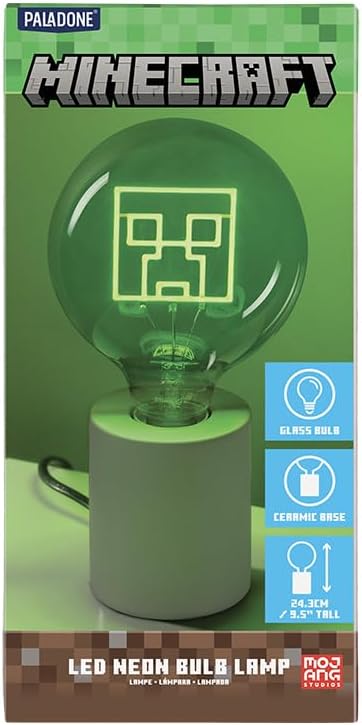
Image: Front view of the product packaging, showing the Paladone Creeper LED Neon Bulb Light inside its box, highlighting the glass bulb and ceramic base.
Setup
Setting up your Paladone Creeper LED Neon Bulb Light is simple:
- Unpack all components from the box.
- Place the lamp on a stable, flat surface.
- Ensure the E27 LED bulb is securely screwed into the ceramic base.
- Connect the supplied power cable to the lamp's power input port.
- Plug the power cable into a standard electrical outlet (220-240V AC, 50Hz).

Image: The Paladone Creeper LED Neon Bulb Light from a slightly elevated angle, showing the power cable connected to the base.
Operating Instructions
To operate your Paladone Creeper LED Neon Bulb Light:
- Once the lamp is plugged into a power outlet, locate the on/off switch on the power cable.
- Flip the switch to the 'ON' position to illuminate the Creeper LED filament. The bulb will emit a fun green glow.
- To turn off the lamp, flip the switch to the 'OFF' position.
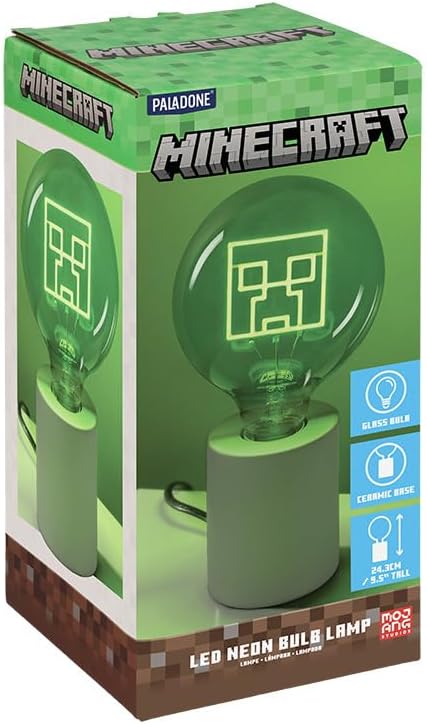
Image: The Paladone Creeper LED Neon Bulb Light illuminated in a room, demonstrating its green glow and decorative presence.
Maintenance
To maintain your Paladone Creeper LED Neon Bulb Light:
- Cleaning: Ensure the lamp is unplugged before cleaning. Wipe the ceramic base and glass bulb with a soft, dry cloth. Do not use abrasive cleaners or liquids.
- Bulb Replacement: The LED bulb is designed for long-term use and is not typically user-replaceable. If the bulb fails, please refer to the warranty information.
Troubleshooting
| Problem | Possible Cause | Solution |
|---|---|---|
| Lamp does not light up. | Not plugged in; power switch off; faulty outlet. | Ensure power cable is securely plugged into both the lamp and a working electrical outlet. Check the on/off switch on the cable. Test the outlet with another device. |
| Light is flickering. | Loose bulb; unstable power supply. | Unplug the lamp, then gently tighten the E27 bulb. Ensure the power supply is stable. |
| Lamp is hot to the touch. | Normal operation (slight warmth); prolonged use. | A slight warmth is normal for LED lamps. If it feels excessively hot, unplug immediately and contact support. Ensure adequate ventilation around the lamp. |
Specifications
- Brand: Paladone
- Model: 14242
- Light Type: LED
- Bulb Base: E27
- Light Color: Green
- Voltage: 220-240 Volts (AC)
- Frequency: 50 Hertz
- Dimensions: Approximately 24.5 cm (9.5 inches) high
- Weight: Approximately 1.63 pounds (0.74 kg)
- Material: Ceramic base, Glass bulb
- Special Feature: Unique Creeper design filament
Warranty and Support
For warranty information and customer support, please refer to the documentation included with your purchase or visit the official Paladone website. Keep your proof of purchase for warranty claims.
Manufacturer: Paladone
Website: Visit the Paladone Store on Amazon