
Yunirvana 86221-1
Yunirvana Oscillating Multi Tool Model 86221-1 Instruction Manual
Comprehensive guide for safe and effective use
1. Introduction
Thank you for choosing the Yunirvana Oscillating Multi Tool Model 86221-1. This versatile tool is designed for a variety of tasks including cutting, sanding, grinding, and scraping. With its 1.5A motor and 22,000 oscillations per minute, it provides efficient performance for both DIY enthusiasts and professionals. Please read this manual thoroughly before operation to ensure safe and optimal use of your tool.
2. Safety Instructions
Always follow basic safety precautions when using electric tools to reduce the risk of fire, electric shock, and personal injury.
- Work Area Safety: Keep your work area clean and well-lit. Cluttered or dark areas invite accidents. Do not operate power tools in explosive atmospheres, such as in the presence of flammable liquids, gases, or dust.
- Electrical Safety: Power tool plugs must match the outlet. Never modify the plug in any way. Avoid body contact with earthed or grounded surfaces such as pipes, radiators, ranges, and refrigerators.
- Personal Safety: Always wear eye protection. Use hearing protection when operating for extended periods. Dress properly; avoid loose clothing or jewelry that can get caught in moving parts.
- Tool Use and Care: Do not force the power tool. Use the correct power tool for your application. Disconnect the plug from the power source before making any adjustments, changing accessories, or storing power tools.
- Maintenance: Maintain power tools. Check for misalignment or binding of moving parts, breakage of parts, and any other condition that may affect the power tool’s operation.
3. Package Contents
Verify that all items are present upon unpacking:
- 1 x Yunirvana Oscillating Multi Tool (Model 86221-1)
- 3 x Saw Blades (various types for wood, metal, etc.)
- 1 x Semi-Circle Blade
- 1 x Sanding Plate
- 6 x Sanding Papers
- 1 x Allen Key (for accessory changes)

Image 3.1: The Yunirvana Oscillating Multi Tool shown with all included accessories, including various saw blades, a sanding plate, sanding papers, and an Allen key.
4. Product Overview
The Yunirvana Oscillating Multi Tool is engineered for efficiency and user comfort. Key features include:
- Powerful 1.5A Motor: Delivers 22,000 oscillations per minute for effective cutting, sanding, and trimming.
- Durable Construction: Features a robust metal gear head for long-lasting performance.
- Ergonomic Design: Compact with an ergonomic soft grip handle to reduce vibration and improve handling in tight spaces.
- Universal Interface System: Allows for quick and easy attachment changes using a universal screw and the provided Allen key.
- Fixed Speed Operation: Simple on/off switch for straightforward use.
- Extended Reach: A 2-meter power cord provides ample working space.

Image 4.1: A diagram highlighting the key components of the Yunirvana Multi Tool, including the soft grip, ON/OFF switch, aluminum gear head, and accessory attachment point.

Image 4.2: The tool illustrating its 3-degree oscillation angle and the universal interface system for attaching various accessories.
5. Setup
Proper attachment of accessories is crucial for safe and effective operation.
5.1 Attaching Accessories
- Ensure Power is Disconnected: Always unplug the tool from the power outlet before changing any accessories.
- Loosen the Universal Screw: Use the provided Allen key to loosen the universal screw located on the tool head.
- Position the Accessory: Align the desired accessory (saw blade, sanding plate, etc.) onto the tool head's interface system. Ensure it sits flush and securely.
- Tighten the Universal Screw: Hand-tighten the universal screw, then use the Allen key to firmly secure the accessory. Do not overtighten.
The universal interface system is designed for compatibility with a wide range of oscillating tool accessories.
6. Operating Instructions
This multi-purpose tool is suitable for various applications on materials such as wood, PVC, soft metals, plasterboard, laminates, carpets, and ceramic tiles.
6.1 General Operation
- Select the Correct Accessory: Choose the appropriate blade or sanding pad for the material and task. For example, use a wood blade for cutting wood, or a sanding pad for finishing surfaces.
- Secure Workpiece: Always secure your workpiece to prevent movement during operation.
- Plug In and Power On: Connect the tool to a suitable power outlet. Use the ON/OFF switch located on the top of the tool to start it. Note that this tool operates at a single speed.
- Begin Work: Apply gentle, consistent pressure. Allow the tool to do the work; do not force it. The oscillating action is designed for precise and controlled material removal.
- Power Off and Unplug: After completing your task, switch the tool off and unplug it from the power source.
6.2 Specific Applications
- Cutting: Use appropriate saw blades for cutting wood, PVC pipes, or soft metals. The oscillating action allows for plunge cuts and flush cuts in tight spaces.
- Sanding: Attach the sanding plate and desired grit sanding paper. Ideal for preparing surfaces, removing paint, or fine-finishing.
- Scraping: Use a scraping blade for removing old paint, adhesive, or caulk.

Image 6.1: The Yunirvana Multi Tool being used to sand a wooden surface, demonstrating its sanding capability.

Image 6.2: The Yunirvana Multi Tool in action, cutting a PVC pipe, highlighting its versatility for different materials.
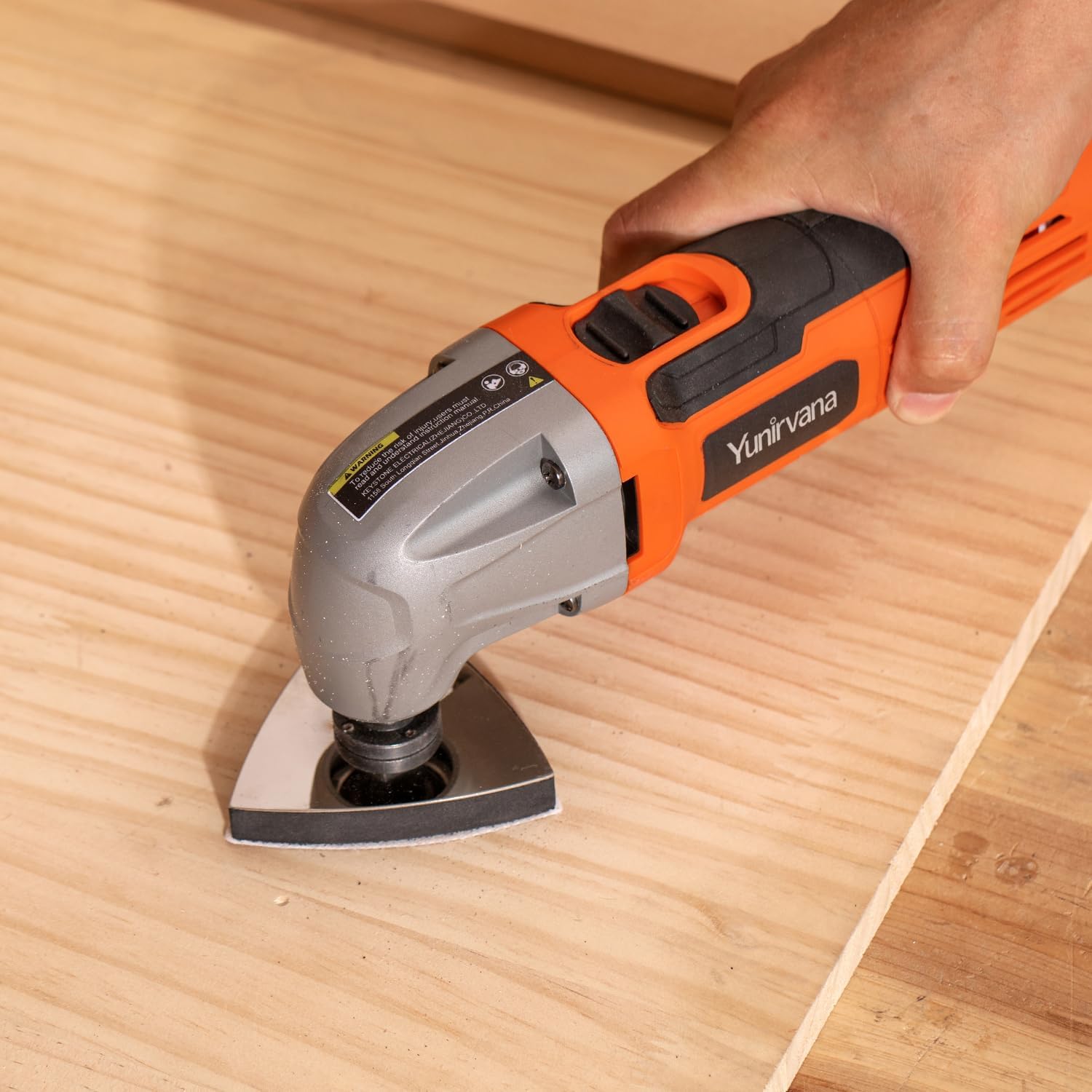
Image 6.3: A user demonstrating cutting a wooden board with the oscillating multi tool.

Image 6.4: The Yunirvana Multi Tool being used for scraping, effectively removing material from a wooden surface.
7. Maintenance
Regular maintenance ensures the longevity and optimal performance of your tool.
- Cleaning: After each use, unplug the tool and clean the exterior with a damp cloth. Remove any dust or debris from the ventilation openings to prevent overheating.
- Accessory Inspection: Regularly inspect blades and sanding pads for wear and tear. Replace dull or damaged accessories to maintain cutting efficiency and safety.
- Cord Inspection: Check the power cord for any cuts, fraying, or damage. Do not use the tool if the cord is damaged.
- Storage: Store the tool and its accessories in a dry, secure place, out of reach of children.
8. Troubleshooting
If you encounter issues with your Yunirvana Oscillating Multi Tool, refer to the following common problems and solutions:
- Tool Does Not Start:
- Ensure the power cord is securely plugged into a functional electrical outlet.
- Check if the ON/OFF switch is fully engaged.
- Verify that the circuit breaker or fuse for the outlet has not tripped.
- Reduced Performance / Excessive Vibration:
- Check if the accessory is securely attached and not loose.
- Inspect the accessory for damage or excessive wear; replace if necessary.
- Ensure you are not applying excessive pressure, which can bog down the motor.
- Overheating:
- Ensure the ventilation slots are clear of dust and debris.
- Avoid continuous heavy-duty operation without breaks.
If problems persist after attempting these solutions, please contact customer support.
9. Specifications
| Specification | Detail |
|---|---|
| Manufacturer | Yunirvana |
| Model Number | 86221-1 |
| Item Weight | 3.3 pounds |
| Product Dimensions | 12.6 x 3.3 x 4.7 inches |
| Power Source | AC |
| Voltage | 120 Volts |
| Wattage | 180 watts |
| Oscillation Angle | 3 degrees |
| Oscillations Per Minute (OPM) | 22,000 |
| Included Components | 1 Oscillating multi tool, 3 Saw Blades, 6 Sanding Papers |
| Batteries Required? | No |
10. Warranty and Support
For warranty information or technical support, please refer to the documentation included with your purchase or contact Yunirvana customer service directly. Keep your purchase receipt as proof of purchase.
Yunirvana Customer Service: Please visit the official Yunirvana website or refer to the contact information provided on the product packaging.
Ask a question about this manual
Ask about setup, troubleshooting, compatibility, parts, safety, or missing instructions. Manuals+ will review the question and use this page’s manual context to help answer it.