Introduction
This manual provides comprehensive instructions for the safe and effective use of your Tnw T26 Selfie Stick and Mini Tripod. This versatile 3-in-1 device functions as a mini phone holder, a selfie stick, and a tripod, designed for capturing photos and videos with ease and stability. Please read this manual thoroughly before first use and retain it for future reference.
Product Overview & Components
The Tnw T26 is constructed from durable ABS and aluminum alloy, ensuring both longevity and portability.


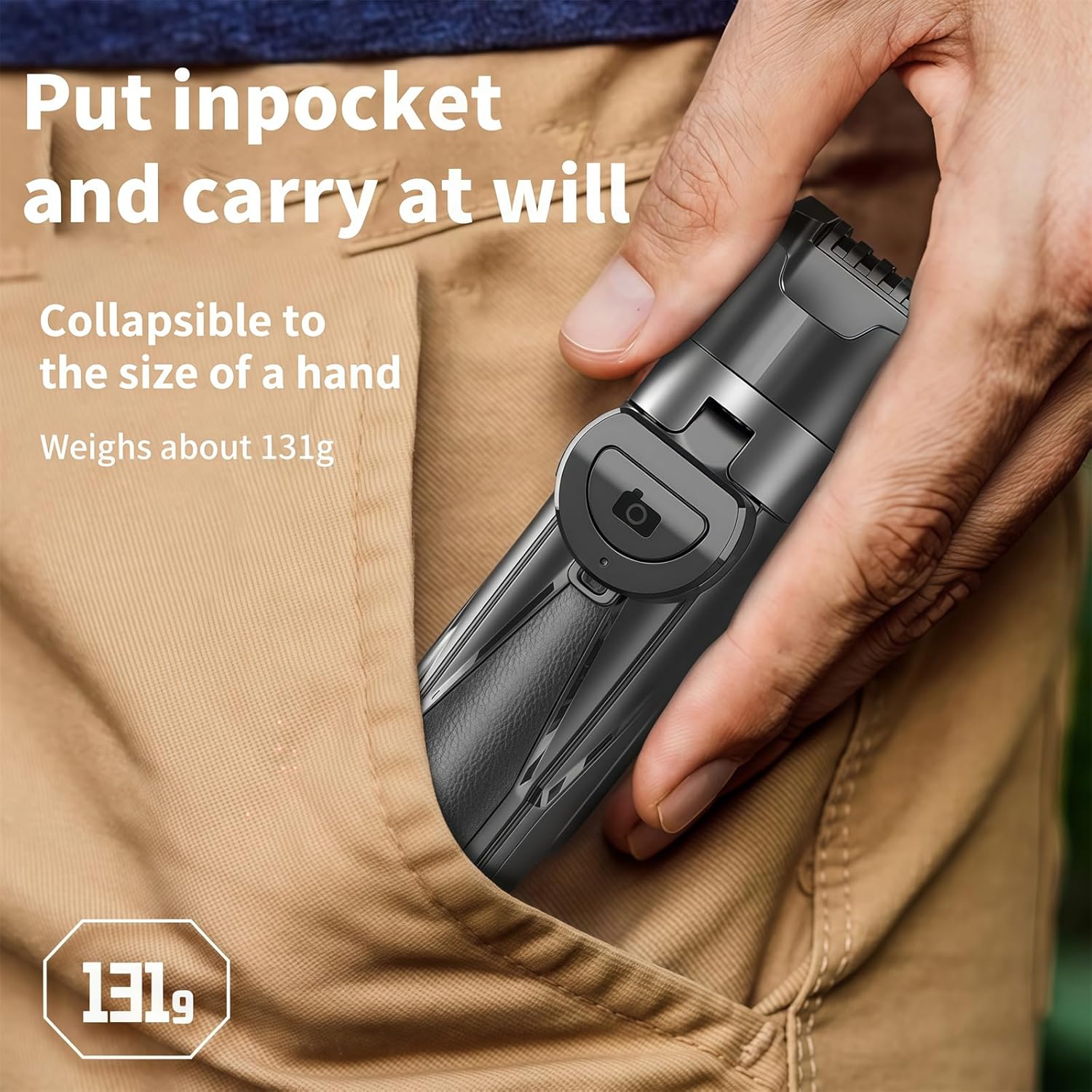
What's in the Box:
- 1 x Tnw T26 Selfie Stick & Mini Tripod
- 1 x Charging Cable (for Bluetooth Remote)
Setup & Assembly
1. Unfolding the Device:
Gently unfold the Tnw T26 from its compact state. The legs of the tripod will extend outwards. Ensure all parts click securely into place.

2. Bluetooth Remote Pairing:
- Locate the detachable Bluetooth remote control on the handle. Slide it out.
- Press and hold the button on the remote until the indicator light flashes, indicating it's in pairing mode.
- On your smartphone, go to Bluetooth settings and search for available devices.
- Select "Tnw T26" (or similar name) from the list to pair. The indicator light will stop flashing once successfully paired.
- The remote is now ready to use for capturing photos and videos.
3. Attaching Your Smartphone:
Extend the phone clamp and carefully insert your smartphone. The clamp is designed to securely hold most smartphone models. Ensure your phone is centered and stable within the clamp.

Operation
1. Using as a Selfie Stick:
Hold the handle firmly. Extend the telescopic pole to your desired length (up to 41.5 cm). Use the Bluetooth remote to capture photos or start/stop video recording.
2. Using as a Mini Tripod:
Unfold the tripod legs completely and place the device on a flat, stable surface. Adjust the height by extending the telescopic pole. This mode is ideal for stable shots, group photos, or video calls.
3. Adjusting Angles and Orientation:
The phone clip offers a 360° horizontal and vertical rotation, allowing you to easily switch between portrait and landscape modes without re-mounting your phone. It also features a 225° adjustable tilt for finding the perfect shooting angle.
4. Versatile Usage Scenarios:
The Tnw T26 is designed to adapt to various needs, from handheld selfies to stable tripod shots for vlogging or video conferencing.

Care & Maintenance
- Cleaning: Wipe the device with a soft, dry cloth. Do not use abrasive cleaners or solvents.
- Storage: Store the Tnw T26 in a cool, dry place when not in use. Collapse it to its most compact size to prevent damage.
- Battery Care (Bluetooth Remote): If the remote's battery is low, connect it to a power source using the provided charging cable. Avoid overcharging.
- Avoid Water: This device is not waterproof. Keep it away from water and high humidity.
Troubleshooting
| Problem | Possible Cause | Solution |
|---|---|---|
| Remote not pairing with phone. | Remote battery low; Bluetooth not enabled on phone; remote not in pairing mode; interference. | Charge the remote. Ensure Bluetooth is on. Press and hold remote button to enter pairing mode. Move away from other Bluetooth devices. |
| Selfie stick/tripod feels unstable. | Legs not fully extended/locked; phone not centered; placed on uneven surface. | Ensure tripod legs are fully extended and locked. Center your phone in the clamp. Place on a flat, stable surface. |
| Telescopic pole difficult to extend/retract. | Dust/debris in joints; mechanism stiff. | Gently clean the pole sections. Apply minimal force; do not force if stuck. |
Specifications
| Feature | Detail |
|---|---|
| Model Name | Tnw T26 |
| Material | ABS + Aluminum Alloy |
| Adjustable Size (Length) | 11.7 cm to 41.5 cm (4.6 to 16.3 inches) |
| Weight | Approximately 131g |
| Phone Clip Rotation | 360° Horizontal and Vertical |
| Phone Clip Tilt | 225° Adjustable |
| Control | Detachable Bluetooth Remote Control |
| Compatible Devices | Smartphones, iPhones, Cameras (if compatible with standard tripod mount) |
Warranty & Support
This product is covered by a standard manufacturer's warranty against defects in materials and workmanship. For specific warranty terms, please refer to the product packaging or contact BIBIFACTORY customer support.
For technical assistance, troubleshooting, or warranty claims, please contact BIBIFACTORY customer service through their official website or the retailer where the product was purchased. Please have your product model number (Tnw T26) and purchase information ready.


