
FUNMILY B0F1D6MLT7
FUNMILY Incline Walking Pad Treadmill User Manual
Model: B0F1D6MLT7 | Brand: FUNMILY
Product Overview
The FUNMILY Incline Walking Pad Treadmill is a versatile 4-in-1 fitness machine designed for home and office use. It features an adjustable incline, a powerful yet quiet motor, and a compact folding design for easy storage. This manual provides essential information for setup, operation, and maintenance to ensure optimal performance and safety.
1. Setup
1.1 Unboxing and Package Contents
The FUNMILY Incline Walking Pad Treadmill comes fully assembled, requiring no complex setup. Carefully remove all packaging materials from the box. The package includes the treadmill unit, a power cord, a remote control, an Allen wrench, silicone lubricant, a user manual, an iPad holder, and a safety key.

Figure 1: Main product view showing the treadmill with its handle bar and remote control.
1.2 Initial Setup Steps
- Place the treadmill on a flat, stable surface.
- Plug the power cord into the treadmill's power input and then into a wall outlet.
- Ensure the safety key is properly placed on the console. The treadmill will not operate without the safety key in position.
- If using the handle bar, raise it to the upright position and secure the quick release wrenches on both sides.
- Install the iPad holder by simply clicking it into place on the handle bar.
Video 1: Demonstrates the unboxing and initial setup of the FUNMILY Incline Walking Pad Treadmill, including securing the handle bar and attaching the phone holder.
2. Operating Modes
The FUNMILY treadmill offers four versatile operating modes to suit various fitness needs:
- Walking Pad Mode (Handle Bar Down): Ideal for under-desk use or light walking. Speed range: 0.6-4 km/h (approx. 0.4-2.5 mph).
- Climbing/Running Mode (Handle Bar Up): For more intense workouts, including incline walking, jogging, or light running. Speed range: 0.6-7.5 km/h (approx. 0.4-4.7 mph).
2.1 Speed and Incline Adjustment
- Speed Control: Adjust speed using the remote control or the touch keyboard on the handle bar. The remote allows for precise adjustments and includes preset speed buttons (2, 4, 6 mph).
- Incline Adjustment: The treadmill features a manual incline adjustment up to 8%. To adjust, pull out the fixing screw on the side, raise the incline adjustment device, and turn the middle footpad counterclockwise to secure the desired incline.

Figure 2: Illustrates the treadmill's versatility across working, incline, and running modes.
Video 2: Shows the 4-in-1 incline under-desk treadmill in action, demonstrating its various uses.
Video 3: Provides a detailed demonstration of the incline walking pad treadmill with its handle bar.
3. Features and Design
- Powerful and Quiet Motor: Equipped with a 2.5HP low-noise motor, supporting users up to 300 lbs for a smooth and quiet workout experience.
- Advanced Running Belt: Features a 7-layer, non-slip running belt (37" x 15" surface) with silicone shock absorbers to protect knees and joints.
- Smart LED Display: Monitor real-time data including speed, distance, time, and calories. Includes 12 engaging workout routines.
- Compact and Portable: Folds quickly to a compact size (54"D x 27"W x 6"H) for easy storage under a bed or sofa. Weighs just 55 lbs and includes front transport wheels for effortless movement.
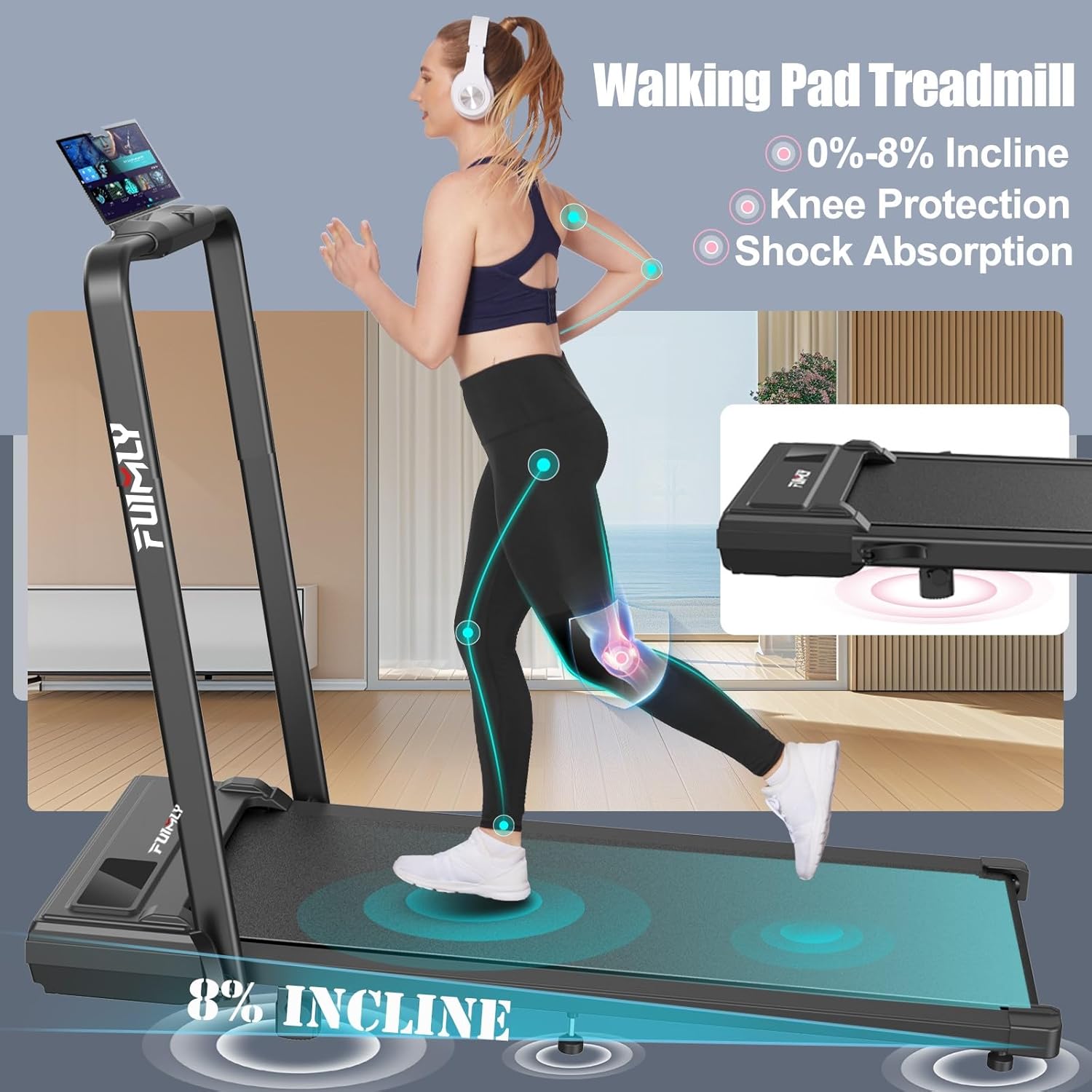
Figure 3: Details the treadmill's incline capabilities and protective features for joints.

Figure 4: Highlights key specifications like motor power, weight capacity, and running belt features.

Figure 5: Illustrates the treadmill's quiet operation due to multi-level noise absorption.

Figure 6: Shows the treadmill being used as an under-desk walking pad.

Figure 7: Provides detailed dimensions of the running belt and highlights its anti-slip and shock absorption properties.

Figure 8: Demonstrates the treadmill's ease of movement and compact storage capabilities.
4. Maintenance
4.1 Lubrication
Regular lubrication of the running belt is crucial for maintaining the treadmill's performance and longevity. Use the provided silicone lubricant. Lift the edge of the running belt and apply a small amount of lubricant evenly across the deck. Refer to the user manual for recommended lubrication frequency based on usage.
4.2 Cleaning
Wipe down the treadmill's surfaces with a damp cloth after each use to remove sweat and dust. Avoid using abrasive cleaners or solvents that could damage the finish.
5. Troubleshooting
If you encounter any issues with your FUNMILY treadmill, please refer to the detailed troubleshooting section in the comprehensive user manual. For common problems such as unexpected stops or display errors, ensure the safety key is correctly placed and the power connection is secure. If problems persist, contact customer support for assistance.
6. Specifications
| Feature | Specification |
|---|---|
| Brand | FUNMILY |
| Model | B0F1D6MLT7 |
| Product Dimensions | 54"D x 27"W x 6"H |
| Item Weight | 55 Pounds |
| Material | Alloy Steel |
| Maximum Speed | 7.5 Miles per Hour |
| Maximum Horsepower | 2.5 Horsepower |
| Weight Capacity | 300 lbs |
| Special Feature | Incline Treadmill, 4-in-1 Walking Pad, Remote Control, LED Touch Screen |
7. Warranty and Support
FUNMILY offers a one-year replacement guarantee on the motor, frame, and any treadmill parts. For customer support or warranty claims, please reach out to FUNMILY's dedicated customer service team.
Ask a question about this manual
Ask about setup, troubleshooting, compatibility, parts, safety, or missing instructions. Manuals+ will review the question and use this page’s manual context to help answer it.