
Introduction
This manual provides comprehensive instructions for the MCHOSE Jet 75 Rapid Trigger RGB Gaming Keyboard. It covers setup, operation, customization, maintenance, and troubleshooting to ensure optimal performance and user experience. The MCHOSE Jet 75 is a 75% layout wired mechanical keyboard equipped with Hall Effect magnetic switches, adjustable actuation, and vibrant RGB backlighting.
What's in the Box
- Jet 75 Keyboard
- USB Cable
- Keycap Puller
- Extra Switches
Video: Unboxing the MCHOSE Jet 75 Keyboard. This video demonstrates the contents of the product packaging, including the keyboard, USB cable, keycap puller, and extra switches.
Setup
To set up your MCHOSE Jet 75 keyboard, connect the provided USB-C cable to the keyboard's port and then to an available USB port on your PC or Mac. The keyboard is a wired device and does not require batteries. Once connected, your operating system should automatically detect the device.

Image: The MCHOSE Jet 75 keyboard connected to a computer via its USB-C cable, ready for use.
Operating Instructions
Hall Effect & Kailh Magnetic Switches
The MCHOSE Jet 75 features high-performance Kailh magnetic switches, designed for e-Sports gaming. These switches offer a total travel of 3.5mm and a trigger force of 35±5gf. The keyboard allows for ultra-precise 0.01mm actuation adjustment, with an adjustable trigger point ranging from 0.01mm to 3.4mm, providing granular control over keystrokes.

Image: An exploded diagram illustrating the internal structure of the MCHOSE Jet 75 keyboard, highlighting the Kailh magnetic switches, aluminum alloy positioning plate, Poron foam, PCB, silicone pad feet, and bottom case.
Video: This video showcases the Kailh magnetic switches in the MCHOSE Jet 75 keyboard, demonstrating their functionality and responsiveness.
8K Hz Polling Rate & 0.1ms Low Latency
The keyboard boasts a 128K ultra-high scan rate and 0.1ms competitively low latency. It supports advanced functions such as Rapid Trigger (RT), SOCD (Simultaneous Opposite Direction), MT/TGL/RS, which eliminate the limitations of traditional macros. The 8000 Hz polling rate significantly increases accuracy and minimizes input delay, crucial for competitive gaming.
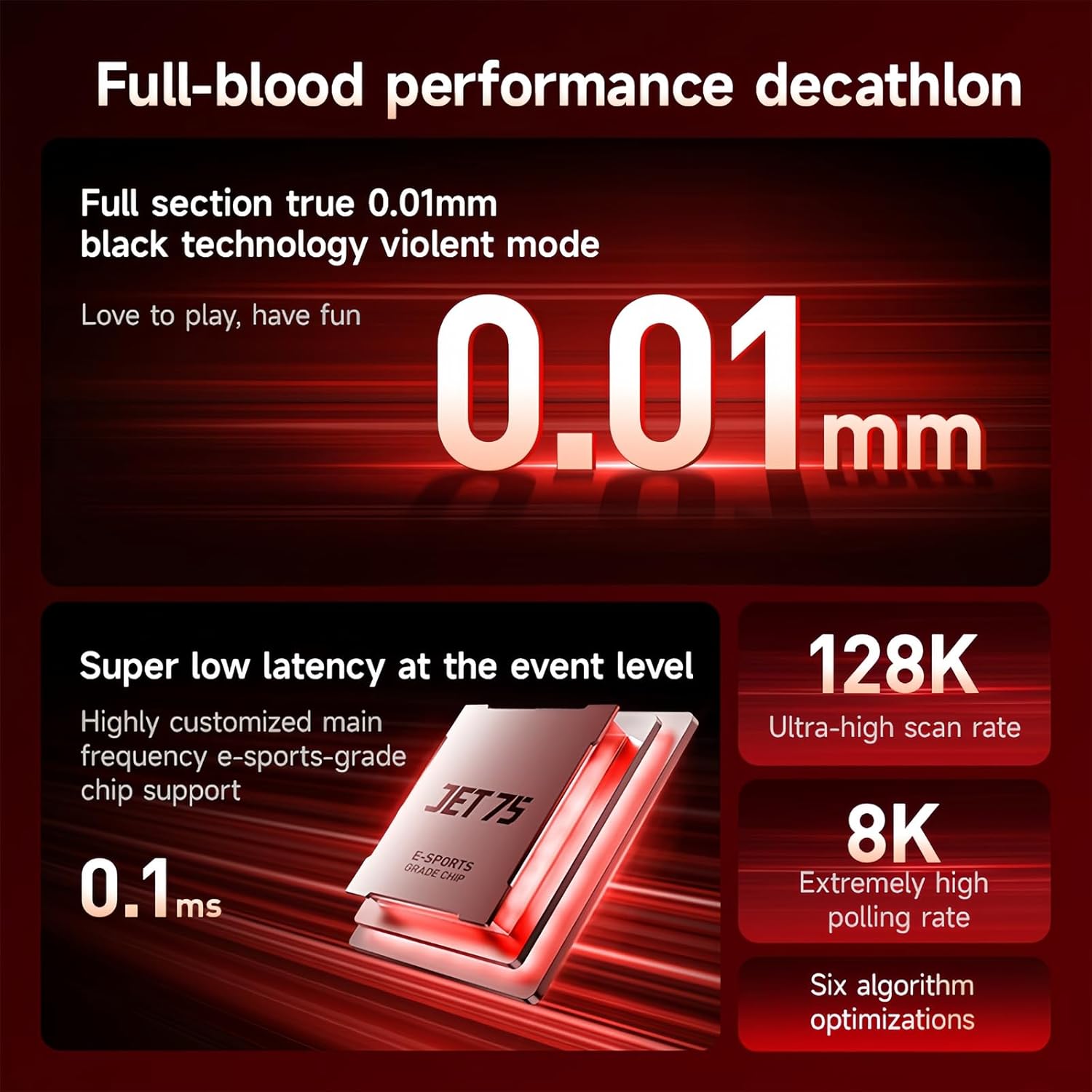
Image: A visual representation of the keyboard's e-sports grade chip, emphasizing its super low latency (0.1ms), ultra-high scan rate (128K), and extremely high polling rate (8K).
Personalized RGB Backlight & Translucent Keycaps
Customize your gaming setup with 16.8 million colors of RGB backlight. The MCHOSE JET75 Series features north-facing LEDs for optimal visibility. The translucent PBT keycaps allow the RGB lighting to shine through, enhancing the aesthetic appeal and readability of the keys.
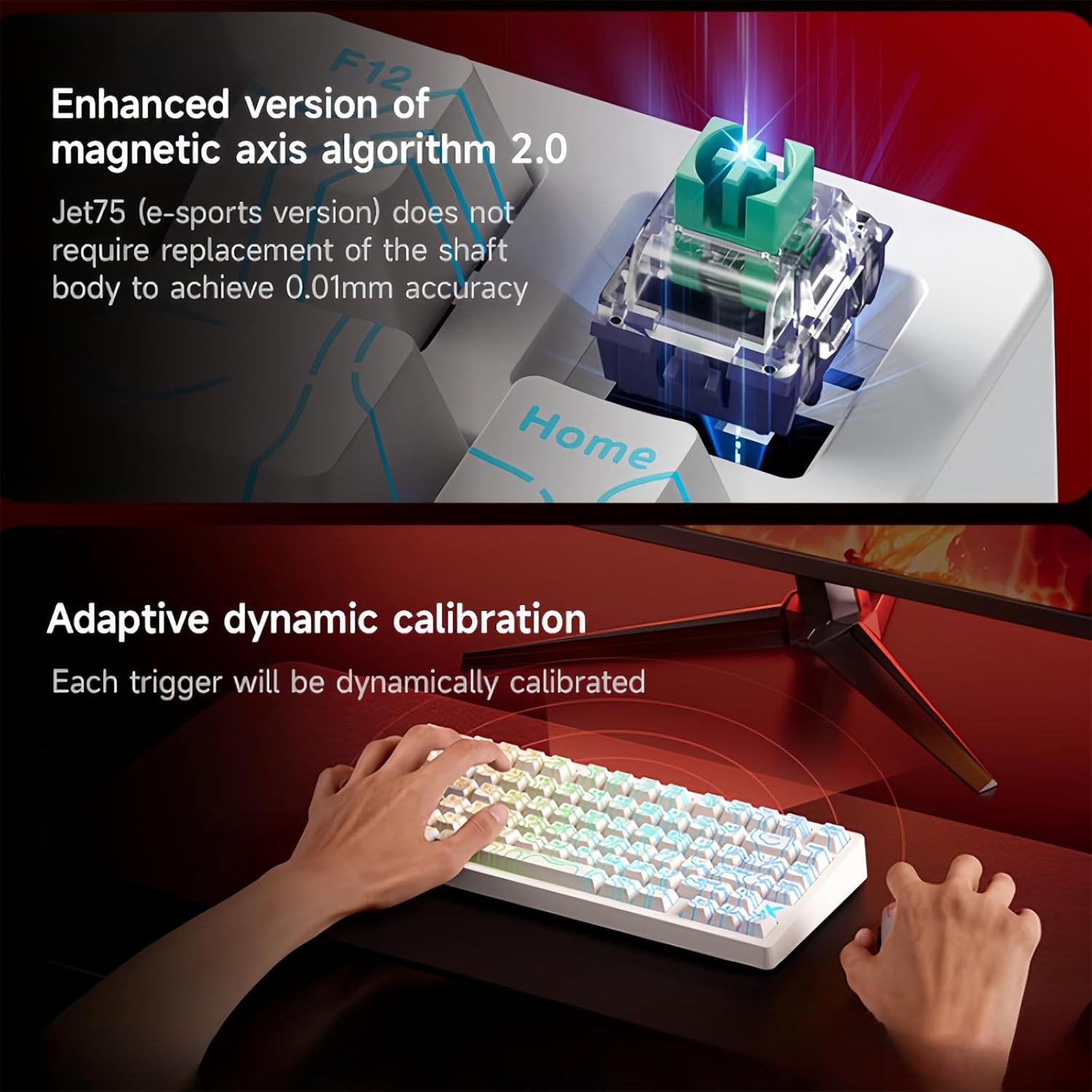
Image: The MCHOSE Jet 75 keyboard displaying its customizable RGB backlighting through translucent keycaps, creating a dynamic visual effect.
Video: This video demonstrates the reactive RGB lighting effects of the MCHOSE Jet 75 keyboard, showcasing how the lights respond to key presses.
Video: A short video illustrating various light switch effects and patterns available on the MCHOSE Jet 75 Rapid Trigger Gaming Keyboard.
Web Driver for Customization
The MCHOSE Jet 75 custom keyboard supports customization via a Web+HUB driver. This web-based driver eliminates the need for software downloads, offering extensive customization options for RT adjustment, key combinations, macros, and key remapping. It provides easy access and compatibility across all operating systems.

Image: The MCHOSE Web+HUB driver interface, showing options for lighting settings, trigger settings, key remapping, advanced keys, and performance settings.
Key Remapping and Advanced Keys
Utilize the Web+HUB driver to remap any key to suit your preferences. The advanced keys section allows configuration of functions like:
- RS (Rapid Stop): Quickly stops two selected keys and activates any further press.
- SOCD (Simultaneous Opposite Direction): Handles simultaneous opposite direction inputs according to your chosen setting.
- DKS (Dynamic Key Press): Allows one key to perform different operations based on press depth.
- MT (HoldTap): One key achieves two functions: hold for one, tap for another.
Performance Settings
The performance settings in the Web+HUB driver allow fine-tuning of the keyboard's responsiveness:
- Polling Rate Setting (Hz): Adjust the polling rate from 1K to 8K Hz to reduce input delay.
- Key Repeat Optimization: Enable to optimize key repeat issues.
- Berserk Mode: Increases accuracy and improves stability, preventing missed inputs.
- Adaptive Dynamic Calibration (Beta): Dynamically calibrates each trigger event for precise actuation.
- Win Key Lock: Locks the Windows key to prevent accidental presses during gaming.
- Switch to Mac Mode: Changes the keyboard layout to macOS.
Maintenance
To ensure the longevity and optimal performance of your MCHOSE Jet 75 keyboard, follow these maintenance guidelines:
- Cleaning Keycaps: Use the provided keycap puller to carefully remove keycaps. Clean them with a soft, damp cloth and mild soap if necessary. Ensure they are completely dry before reattaching.
- Cleaning Switches: Use compressed air to remove dust and debris from around the switches. Avoid spraying liquids directly into the switches.
- General Cleaning: Wipe the keyboard's surface with a soft, lint-free cloth. Avoid abrasive cleaners or solvents.
- Cable Care: Handle the USB cable gently to prevent damage. Avoid sharp bends or excessive pulling.
Troubleshooting
If you encounter issues with your MCHOSE Jet 75 keyboard, refer to the following common solutions:
- Keyboard Not Responding: Ensure the USB cable is securely connected to both the keyboard and your computer. Try a different USB port or cable. Restart your computer.
- RGB Lighting Not Working/Incorrect: Check the lighting settings in the Web+HUB driver. Ensure the keyboard is in the correct mode (PC/Mac).
- Keys Not Registering: Remove the keycap and inspect the switch for any obstructions. If using extra switches, try replacing the faulty switch.
- Driver/Software Issues: Ensure your web browser is up-to-date. Clear browser cache and cookies if experiencing issues with the Web+HUB driver.
- Actuation Point Inconsistency: Perform a calibration through the Web+HUB driver's trigger settings.
For further assistance, please visit the ZMX support website or contact customer service.
Specifications
| Product Dimensions | 12.6 x 5.4 x 1.6 inches |
| Item Weight | 2 pounds |
| Manufacturer | MCHOSE |
| Item Model Number | JET 75 |
| Brand | ZMX |
| Compatible Devices | Gaming Console, PC |
| Connectivity Technology | USB-C |
| Keyboard Description | Mechanical |
| Special Features | 128K Scan Rate & 0.1ms Low Latency, Adjustable Actuation, Hot-Swappable, Programmable Keys, RGB Backlit Keycaps |
| Color | Black-Topographic Keycaps (RGB Backlighting) |
| Date First Available | March 16, 2025 |
Warranty and Support
The MCHOSE Jet 75 keyboard comes with a standard manufacturer's warranty. For detailed information regarding warranty coverage, terms, and conditions, please refer to the product packaging or the official ZMX website. For technical support, troubleshooting assistance, or any product-related inquiries, please contact ZMX customer support through their official channels.
You can find additional resources and support on the ZMX Store on Amazon.