
kokit 5'' Video Baby Monitor Instruction Manual
Model: KK50
Product Overview
The kokit 5'' Video Baby Monitor provides parents with a reliable and secure way to monitor their baby. Featuring a large 5-inch HD IPS LCD screen and a 720P PTZ camera, this monitor offers crystal-clear video and a wide range of features to ensure your peace of mind. Its no-WiFi FHSS 2.4GHz technology guarantees a private and stable connection, free from internet security concerns.

The kokit 5'' Video Baby Monitor system, showcasing the parent unit and the baby camera.
What's in the Box
Your kokit Baby Monitor package includes all necessary components for immediate setup and use:
- 5'' Screen Monitor (Parent Unit)
- 720P PTZ Camera (Baby Unit)
- Charging Cables (for both units)
- Instruction Manual
A complete view of all items included in your kokit Baby Monitor package.
Setup Guide
- Charge the Parent Unit: Connect the 5'' Screen Monitor to a power outlet using the provided charging cable. Ensure it is fully charged before first use for optimal battery performance.
- Position the Baby Unit (Camera): Place the 720P PTZ Camera in your baby's room, ensuring a clear view of the crib or play area. The camera can be placed on a flat surface or mounted to a wall (mounting hardware not included in this specific model, but general wall mounts can be used).
- Power On Both Units: Turn on the Parent Unit and the Baby Unit. They are pre-paired from the factory and should automatically connect within seconds.
- Test Connection: Verify that the video feed from the camera appears on the monitor screen. Adjust the camera's position as needed using the pan and tilt controls on the parent unit.
Operating Instructions
The kokit Baby Monitor is designed for intuitive operation. Here's how to use its key functions:
- Navigation: Use the directional buttons on the right side of the parent unit to navigate through menus and control camera movement. The 'OK' button confirms selections.
- Pan & Tilt: From the live view, press the directional buttons to remotely pan the camera 355° horizontally and tilt 120° vertically, ensuring full room coverage.
- Digital Zoom: Press the zoom button (magnifying glass icon) to digitally zoom in 1X, 2X, or 4X for a closer look at your baby.
- Two-Way Talk: Press and hold the microphone button on the parent unit to speak to your baby through the camera's speaker. Release the button to hear your baby.
- Lullabies & White Noise: Access the music menu to select from 8 gentle lullabies, ocean sounds, or white noise to soothe your baby. You can set a timer for 15, 30, or 60 minutes.
- VOX Mode (Voice Activated): Activate VOX mode to conserve battery. The screen will automatically turn on when the camera detects sound above a set sensitivity level (Low, Mid, High).
- Temperature Monitoring: The monitor displays the real-time temperature of the baby's room. Set alerts for low or high temperature thresholds.
- Night Vision: The camera automatically switches to invisible infrared night vision in low-light conditions, providing a clear black-and-white view without disturbing your baby.
- Multi-Camera View: If you have additional cameras (sold separately), you can switch between individual camera views or use the split-screen function to view multiple rooms simultaneously.
Key Features Explained
Crystal-Clear HD View with 3X Zoom
Experience every tiny detail with the 720P HD camera and 3X digital zoom. Unlike standard definition monitors, the kokit monitor provides a crisp, clear image, allowing you to see your baby's expressions and movements with exceptional clarity.

The 720P resolution provides a significantly clearer image compared to 480P.
All-Night Peace with Up to 36-Hour Battery
Say goodbye to constant charging. The parent unit boasts an impressive battery life, lasting up to 36 hours in audio-only mode and 11 hours with the display on. This extended battery life is perfect for overnight monitoring, travel, or unexpected power outages.

Enjoy extended monitoring with the long-lasting battery, reducing the need for frequent recharges.
355° Full-Room Coverage & Invisible Night Vision
Monitor every corner of your baby's room with the camera's wide 355° pan and 120° tilt capabilities. The invisible infrared LEDs provide crystal-clear night vision without emitting any red light, ensuring your baby's sleep is undisturbed.

Remote pan and tilt functions allow for comprehensive monitoring of the nursery.
Two-Way Talk, Lullabies & Smart Alerts
Soothe your baby with your voice or choose from 8 pre-programmed lullabies. The VOX mode activates the screen when your baby cries, and temperature sensors alert you to ensure optimal room conditions, providing complete comfort and peace of mind.

Engage with your baby and receive smart alerts for a worry-free experience.
Ultra-Secure, No-WiFi FHSS Connection
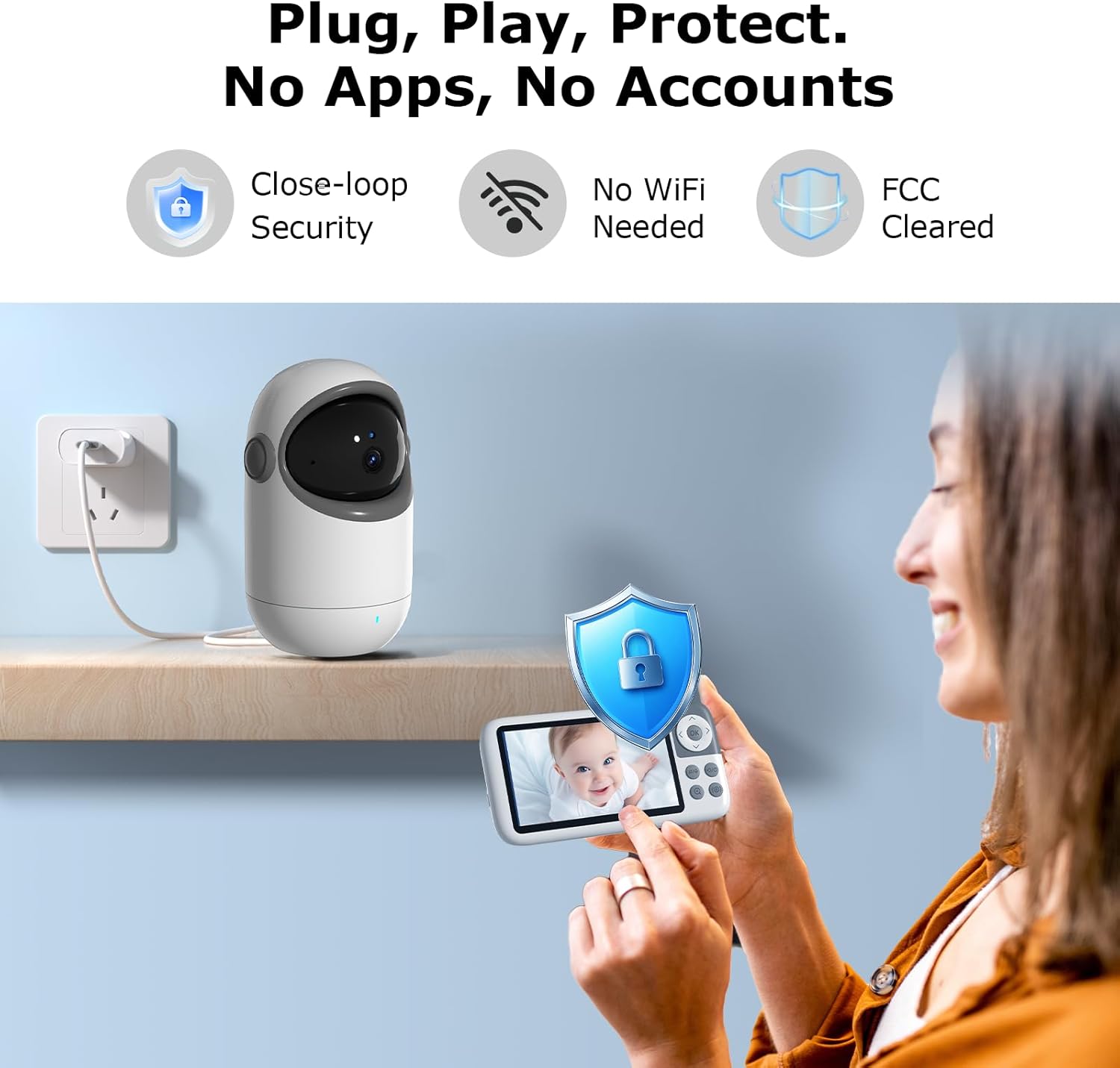
Enjoy a true plug-and-play setup with military-grade FHSS 2.4GHz encryption. This non-WiFi monitor ensures a stable, private, and hack-proof connection, even through walls, without the need for apps or passwords. Your privacy and security are paramount.
Secure and private connection without the risks associated with WiFi-enabled monitors.
Specifications
| Feature | Detail |
|---|---|
| Model Name | KK50 |
| Screen Size | 5 inches LCD IPS |
| Video Capture Resolution | 720p |
| Optical Zoom | 3x |
| Pan Angle | 355 Degrees |
| Tilt Angle | 120 Degrees |
| Battery Power (Monitor) | 3050 mAh |
| Night Vision Range | 25 Feet |
| Connectivity Technology | No WiFi 2.4GHz FHSS Technology |
| Two-Way Audio | Yes |
| VOX Mode | Yes |
| Lullabies | 8 melodies |
| Temperature Sensor | Yes |
| Power Source | Baby Monitor (Battery-powered), Baby Camera (Corded Electric) |
| Material | Plastic, Acrylonitrile Butadiene Styrene (ABS) |
Maintenance
- Cleaning: Use a soft, dry cloth to clean the monitor screen and camera lens. Do not use abrasive cleaners or solvents.
- Battery Care: To prolong battery life, avoid fully discharging the parent unit frequently. Charge it regularly, especially if storing for extended periods.
- Storage: Store the monitor in a cool, dry place away from direct sunlight and extreme temperatures when not in use.
Troubleshooting
- No Signal/Poor Connection:
- Ensure both units are powered on and within range (up to 1200 feet in open space, less indoors).
- Move the units closer to each other.
- Avoid placing units near large metal objects or other electronic devices that may cause interference.
- No Sound/Poor Audio:
- Check the volume settings on the parent unit.
- Ensure the microphone on the baby unit is not obstructed.
- Screen Freezes/No Display:
- Restart both the parent and baby units by turning them off and then on again.
- Ensure the parent unit has sufficient battery charge or is connected to power.
Warranty and Support
kokit offers a 1-year warranty for your peace of mind. For any quality issues or technical support, please contact the kokit support team. They are committed to resolving any concerns within 12 hours.
Manufacturer: Kokit
For further assistance, please refer to the contact information provided in your included Instruction Manual.