
Introduction
This manual provides detailed instructions for the setup, operation, and maintenance of your SAPPHERO SO2210 Analog Quartz Chronograph Watch. Please read this manual thoroughly to ensure proper use and longevity of your timepiece.
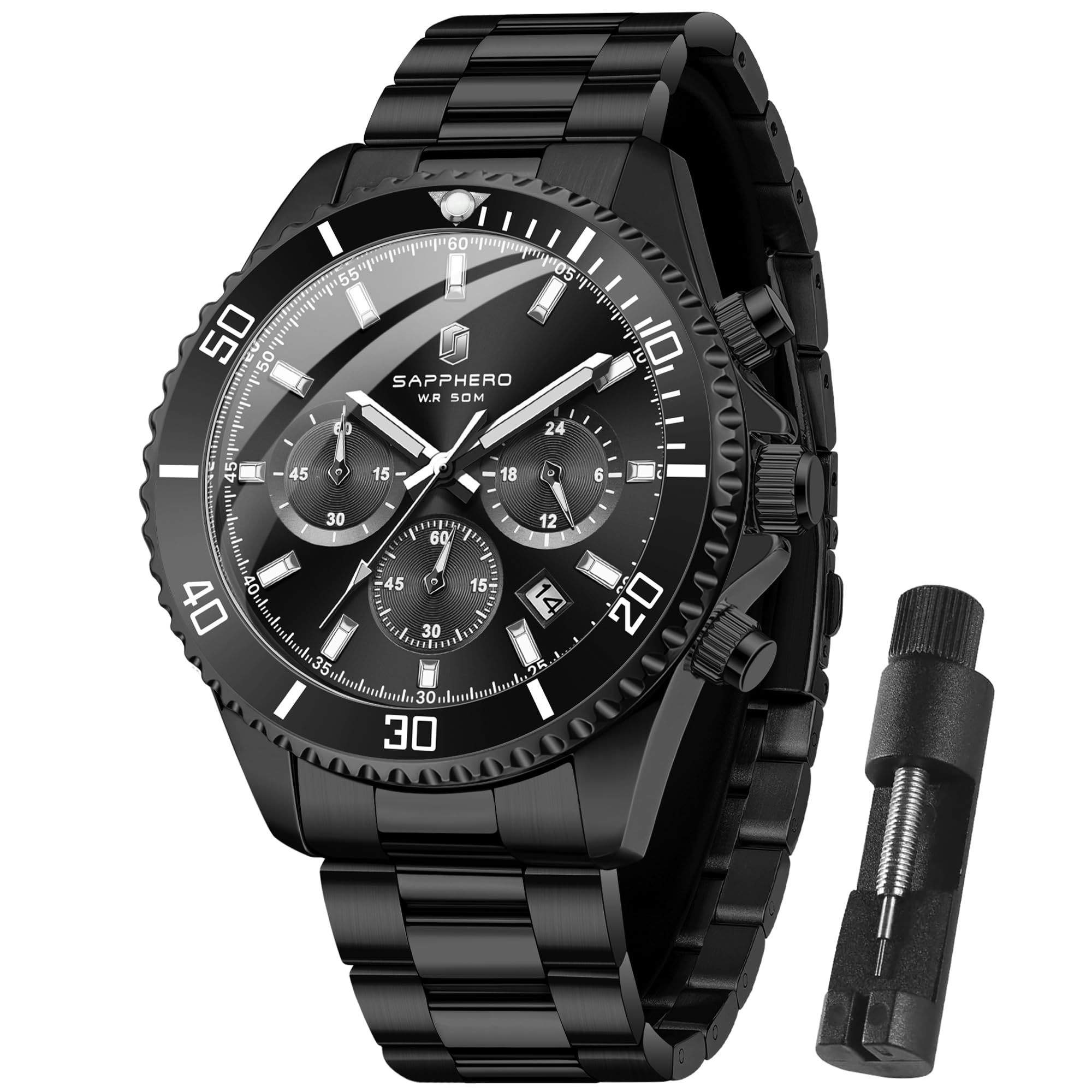
Image: The SAPPHERO SO2210 Analog Quartz Chronograph Watch in its black and black variant.
Setup
1. Time and Date Adjustment
The watch features a crown and two push-buttons for setting the time, date, and operating the chronograph functions.
- Adjusting the Time: Pull the crown out to the second position. Rotate the crown to set the hour and minute hands. Push the crown back to the first position to start the watch.
- Adjusting the Date: Pull the crown out to the first position. Rotate the crown to set the date. Push the crown back to the first position. Avoid adjusting the date between 9 PM and 3 AM to prevent damage to the movement.

Image: A diagram illustrating the watch's functions, including the 24-hour subdial, minute subdial, second subdial, and the crown/push-button controls for start/stop, date adjustment, time adjustment, and reset.
2. Chronograph Operation
The chronograph function allows for precise timing of events.
- Start/Stop: Press the top push-button to start the chronograph. Press it again to stop the chronograph.
- Reset: After stopping the chronograph, press the bottom push-button to reset all chronograph hands to their zero positions.
3. Band Adjustment
The stainless steel bracelet can be adjusted to fit your wrist size. A tool is included for removing or adding links. If you are unsure, it is recommended to have a professional jeweler adjust the band.
Video: A brief showcase of the SAPPHERO SO2210 watch, demonstrating its appearance and features. This video is provided by the seller.
Operating the Watch
1. Water Resistance
Your SAPPHERO SO2210 watch is water-resistant up to 50 meters (5 ATM / 165 feet). This rating means the watch is suitable for daily use, such as washing hands, light rain, and accidental splashes. It is not suitable for swimming, diving, or use in hot water environments (e.g., showers, saunas), as temperature changes can affect the seals.

Image: A close-up view of the watch highlighting its 50M water resistance, high hardness mineral glass, stainless steel bracelet, and original quality movement.
2. Luminous Display
The watch hands and hour markers feature a luminous coating. After absorbing sufficient light energy, the luminous elements will glow in dark environments, allowing for clear time reading.
Maintenance
1. Cleaning
Wipe the watch case and bracelet regularly with a soft, dry cloth to remove dust and dirt. For stubborn grime, a slightly damp cloth can be used, followed by immediate drying. Avoid using chemical cleaners, as they can damage the watch's finish and seals.
2. Water Resistance Care
Always ensure the crown is fully pushed in before exposing the watch to water. If the watch is exposed to saltwater, rinse it with fresh water and dry it thoroughly. Do not operate the crown or push-buttons while the watch is wet.
3. Battery Replacement
The watch is powered by one LR44 battery. When the watch stops or the second hand begins to jump erratically (indicating low battery), it is time for a battery replacement. It is recommended to have the battery replaced by a qualified watch technician to ensure proper sealing and maintain water resistance.
4. Crystal Protection
The watch features a high-hardness mineral crystal mirror designed to resist scratches. However, avoid direct impact and contact with abrasive surfaces to prevent damage.
Troubleshooting
| Problem | Possible Cause | Solution |
|---|---|---|
| Watch not running | Depleted battery | Replace battery (professional service recommended). |
| Incorrect time/date | Time/date not set correctly or accidentally adjusted. | Refer to "Time and Date Adjustment" section to reset. |
| Chronograph hands not resetting to zero | Requires calibration or internal issue. | Consult customer support for assistance. |
| Moisture inside the watch | Water resistance compromised (e.g., crown not fully pushed in, exposure to hot water). | Immediately seek professional service to prevent further damage. |
If you encounter issues not listed here or if the suggested solutions do not resolve the problem, please contact SAPPHERO customer support.
Specifications
- Model Name: SO2210
- Watch Movement Type: Quartz
- Display: Analog
- Case Material Type: Stainless Steel
- Band Material Type: Stainless Steel
- Clasp Type: Foldover Clasp
- Crystal: Mineral Glass
- Water Resistance Depth: 50 meters (5 ATM)
- Case Diameter: 42 millimeters
- Case Thickness: 11 millimeters
- Band Width: 14.7 millimeters
- Band Length: 23 centimeters
- Batteries: 1 LR44 battery (included)
- Additional Features: Chronograph, Luminous, Water Resistant

Image: A detailed diagram outlining the product parameters and dimensions of the SAPPHERO SO2210 watch.
Warranty and Support
SAPPHERO provides a 2-year after-sales service for any watch problems. If you have any questions or require assistance with your SAPPHERO SO2210 watch, please contact our customer support team via email. We are committed to providing a satisfactory solution for our customers.
For warranty claims or support inquiries, please retain your proof of purchase.