
1. Introduction
The Cantonape 2000W Sump Pump Backup Battery System is designed to provide continuous power to your sump pump during power outages. This system features a pure sine wave output, ensuring compatibility with various loads, and includes an integrated 20A battery charger for efficient battery management. It automatically switches to battery power when the main power supply is interrupted, maintaining essential operations.
2. Safety Information
Read all safety instructions before operating the device. Failure to follow these instructions may result in electric shock, fire, or serious injury.
- Ensure proper ventilation around the unit to prevent overheating.
- Do not expose the unit to water, rain, or excessive moisture.
- Do not open the unit casing. There are no user-serviceable parts inside.
- Keep children away from the device during operation.
- Connect the unit only to a 12V battery system.
- The system includes multiple protection functions: overheat protection, short circuit protection, low voltage protection, and overcharge protection.
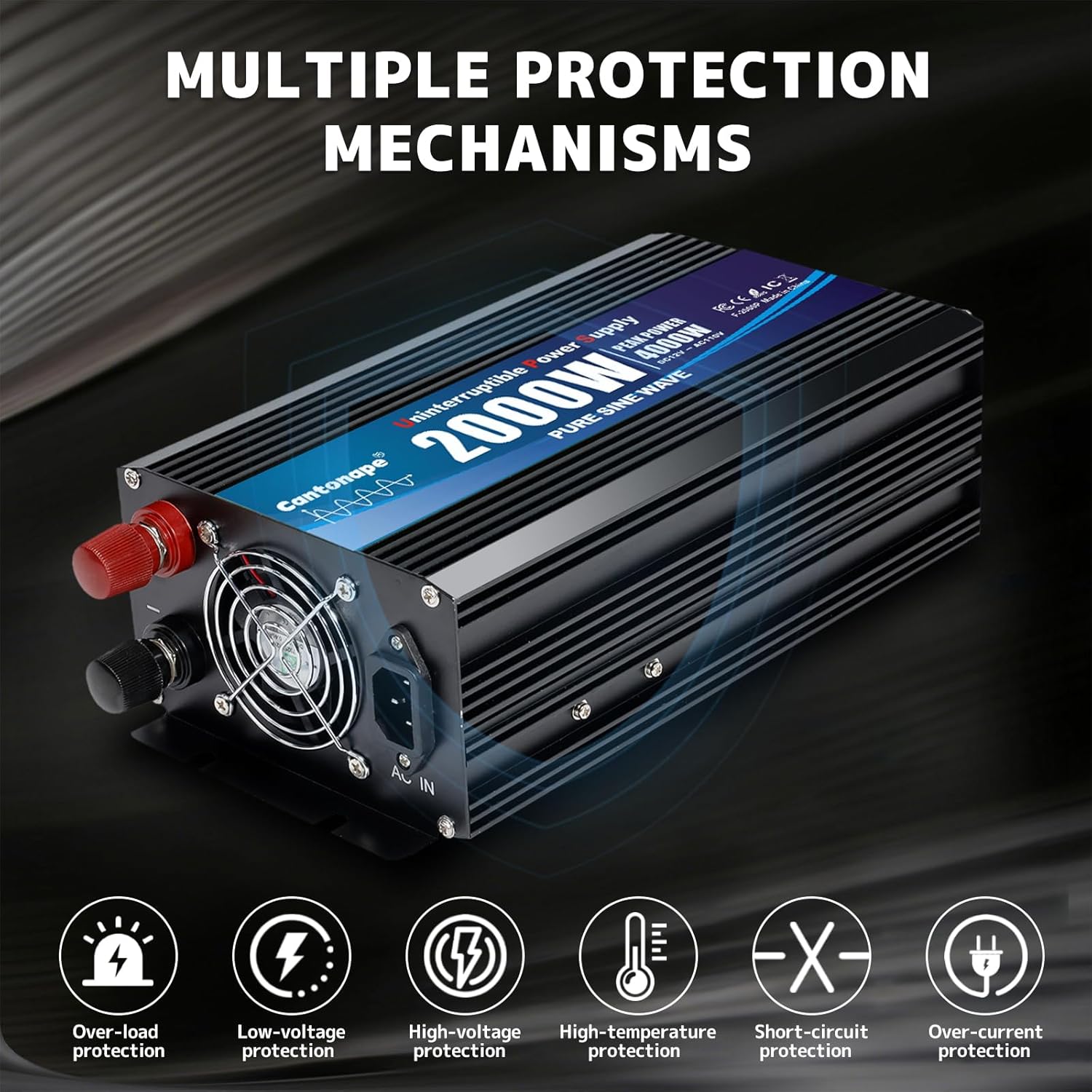
Image: The system is equipped with multiple protection mechanisms including overload, low-voltage, high-voltage, high-temperature, short-circuit, and over-current protection to ensure safe operation and extended device lifespan.
3. Package Contents
Verify that all items are present in the package:
- Cantonape 2000W 12V Sump Pump Backup Power Inverter
- Battery Cables (Red and Black)
- AC Cable
- User Manual (this document)
4. Product Overview
The Cantonape 2000W Sump Pump Backup Battery System features a robust design with clear indicators and essential connection points.

Image: This image highlights key components: Positive Terminal (red), Negative Terminal (black), Smart Cooling Fan, AC Charge Input, three 120V AC Output sockets, a power Switch, and an LED display showing Battery Voltage and AC Voltage.
- Positive Terminal: Connects to the positive terminal of the 12V battery.
- Negative Terminal: Connects to the negative terminal of the 12V battery.
- Smart Cooling Fan: Automatically activates to dissipate heat and maintain optimal operating temperature.
- AC Charge Input: For connecting the system to a standard AC power outlet to charge the connected battery.
- AC Outputs (x3): Provides 120V AC power for connected devices, such as sump pumps. Each socket is rated for 15A.
- LED Display: Shows real-time information including battery voltage and AC output voltage.
- Switch: Controls the power to the inverter.
5. Setup
Follow these steps for proper installation and connection of your sump pump backup system.
- Battery Selection: This inverter requires a 12V GEL, AGM/SLA, or Flooded/Wet battery for backup power operation. Ensure the battery is fully charged before initial use for optimal performance.

Image: The system is compatible with 12V GEL, AGM/SLA, and Flooded/Wet battery types. The table indicates Bulk/Absorption and Float voltage settings for each battery type, typically 14.4V and 14.4V respectively.
- Connect Battery Cables: Connect the supplied red battery cable to the positive terminal of the inverter and the positive terminal of your 12V battery. Connect the black battery cable to the negative terminal of the inverter and the negative terminal of your 12V battery. Ensure connections are secure.
- Connect AC Input: Plug the provided AC cable into the AC Charge Input port on the inverter and then into a standard wall outlet (120V AC). This will initiate the battery charging process.
- Connect Sump Pump: Plug your sump pump's power cord into one of the 120V AC Output sockets on the inverter. The system is designed to power up to three sump pumps with a maximum combined wattage under 2000 watts.
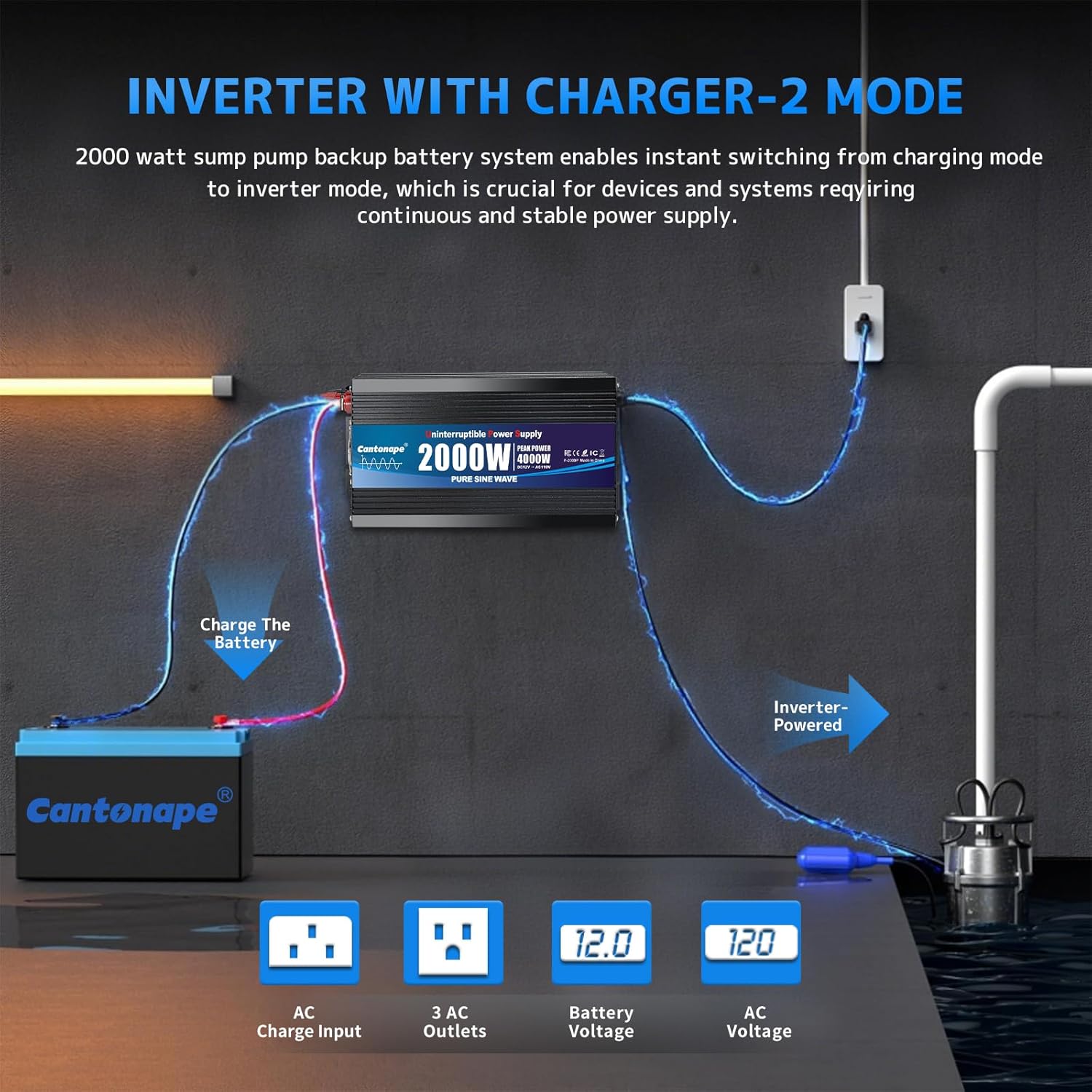
Image: This diagram shows the system connected to a battery for charging, and then providing inverter-powered output to a sump pump. It highlights the AC Charge Input, 3 AC Outlets, and the LED display for Battery Voltage and AC Voltage.
- Power On: Turn on the inverter using the power switch. The LED display will show battery voltage and AC output voltage.
6. Operating Instructions
The Cantonape Sump Pump Backup System operates in two primary modes: Charging Mode and Inverter Mode, with automatic switching capabilities.
6.1. Charging Mode
When connected to AC power, the built-in 20A battery charger will automatically charge the connected 12V battery. The system employs a three-stage charging process (Constant Current, Constant Voltage, Float Charging) to ensure fast and safe charging without damaging the battery.

Image: This diagram illustrates the three-stage charging process: Constant Current Charging Mode (10A), Constant Voltage Charging Mode (14.2A), and Float Charging Mode (13.5A), ensuring efficient and safe battery charging.
6.2. Inverter Mode (Backup Power)
In the event of a power outage, the system will automatically switch from AC power to battery inverter power. This transition is seamless, ensuring continuous operation of your sump pump and other connected devices. The pure sine wave output provides stable and clean power, suitable for sensitive electronics.

Image: The 2000W sump pump backup system is shown providing power to multiple sump pumps, demonstrating its capacity to handle up to 2000 watts of combined load.
The LED display provides real-time monitoring of battery voltage and AC output voltage, allowing you to stay informed about the system's status.
7. Maintenance
Regular maintenance ensures the longevity and reliable operation of your Cantonape Sump Pump Backup Battery System.
- Cleaning: Keep the unit clean and free from dust and debris. Use a dry, soft cloth for cleaning. Do not use liquid cleaners.
- Ventilation: Ensure the smart cooling fan and ventilation openings are not obstructed. Periodically check for dust buildup and gently clean if necessary to maintain efficient cooling.
- Battery Check: Regularly inspect battery terminals for corrosion and ensure connections are tight. Check the battery's charge level, especially if the unit has been in storage or not regularly used.
- Storage: If storing the unit for an extended period, disconnect it from the battery and store it in a cool, dry place. Ensure the battery is fully charged before storage and recharge it every few months to prevent deep discharge.
8. Troubleshooting
This section addresses common issues you might encounter with your sump pump backup system.
| Problem | Possible Cause | Solution |
|---|---|---|
| Unit does not power on. |
|
|
| Inverter beeps continuously. |
|
|
| No AC output. |
|
|
| Battery not charging. |
|
|
9. Specifications
Key technical specifications for the Cantonape 2000W Sump Pump Backup Battery System.
| Feature | Detail |
|---|---|
| Model Number | F-2000P |
| Power Output | 2000W Continuous, 4000W Peak |
| Output Waveform | Pure Sine Wave |
| Input Voltage | 12V DC |
| Output Voltage | 110V/120V AC |
| AC Outlets | 3 (15A each) |
| Built-in Charger | 20A |
| Dimensions (L x W x H) | 11.73" x 5.91" x 3.5" (29.8cm x 15cm x 8.9cm) |
| Material | Metal (Durable Aluminum Alloy) |
| Color | Black |
| Compatible Battery Types | 12V GEL, AGM/SLA, Flooded/Wet |
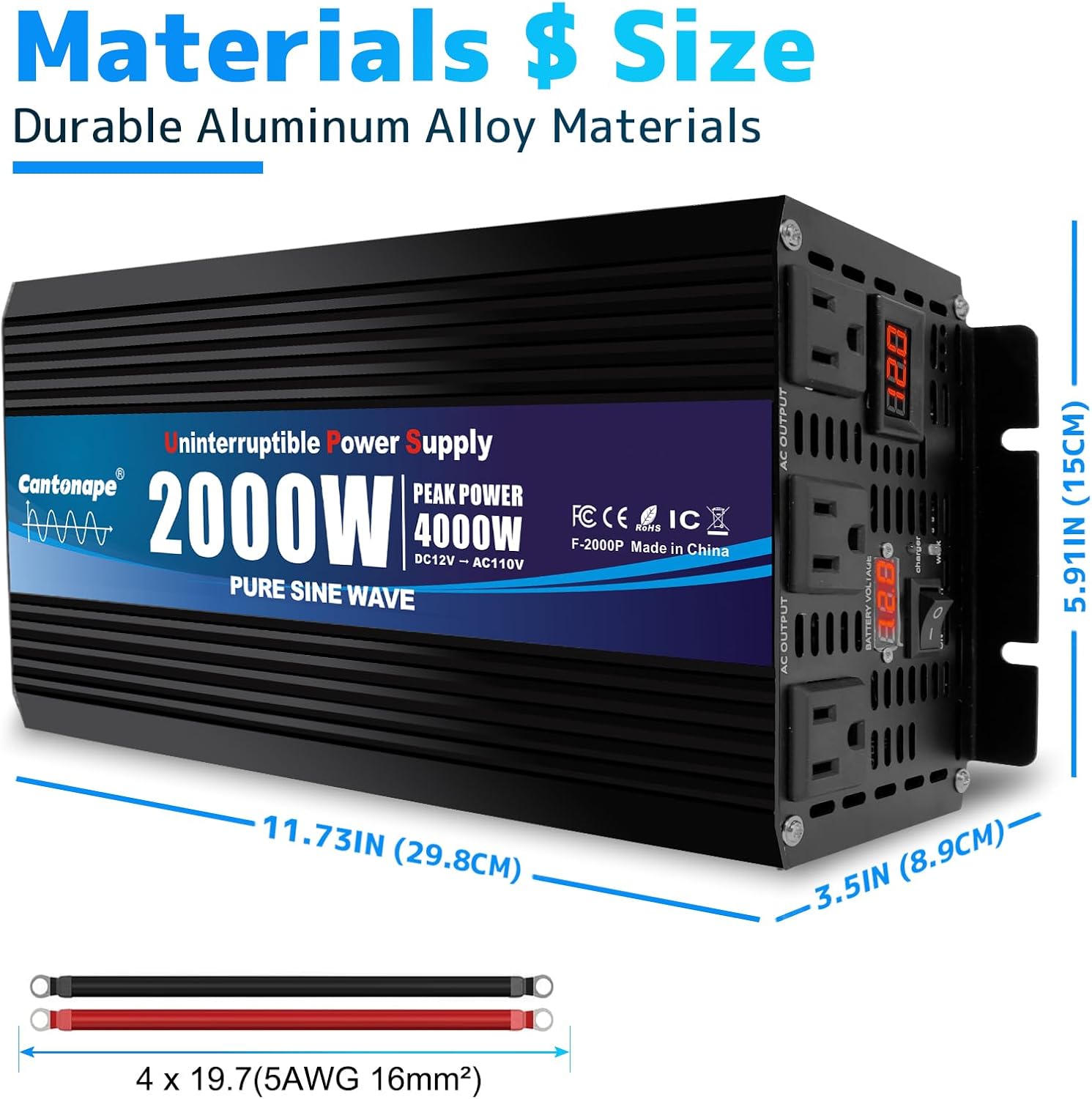
Image: This image provides the physical dimensions of the inverter: 11.73 inches (29.8 cm) in length, 5.91 inches (15 cm) in width, and 3.5 inches (8.9 cm) in height. It also shows the included 4 x 19.7 inch (5AWG 16mm²) battery cables.
10. Warranty and Support
Cantonape provides a 12-Months Warranty for this product. If you encounter any issues or have questions regarding the Cantonape 2000W Sump Pump Backup Battery System, please contact our customer support team.
For support, refer to the contact information provided with your purchase or visit the official Cantonape website.