
1. Introduction
Thank you for choosing the JAPOUCA K71 Portable Karaoke Machine. This manual provides essential information for the safe and efficient operation of your device. Please read it thoroughly before use and retain it for future reference.

Figure 1.1: JAPOUCA K71 Portable Karaoke Machine with included accessories.
2. Safety Information
- Do not expose the device to rain or moisture.
- Do not disassemble the unit. Refer all servicing to qualified personnel.
- Keep the device away from heat sources and direct sunlight.
- Ensure proper ventilation to prevent overheating.
- Use only the specified charging cables and power adapters.
- Keep out of reach of children.
3. Package Contents
Verify that all items are present in the package:
- JAPOUCA K71 Karaoke Machine (1 unit)
- Wireless Microphones (2 units)
- USB Charging Cable (1 unit)
- AUX Cable (1 unit)
- User Manual (1 unit)
4. Product Overview
4.1 Main Unit and Microphones
The K71 features a portable design with dual speakers and integrated disco lights. Two wireless microphones are included for vocal performance.
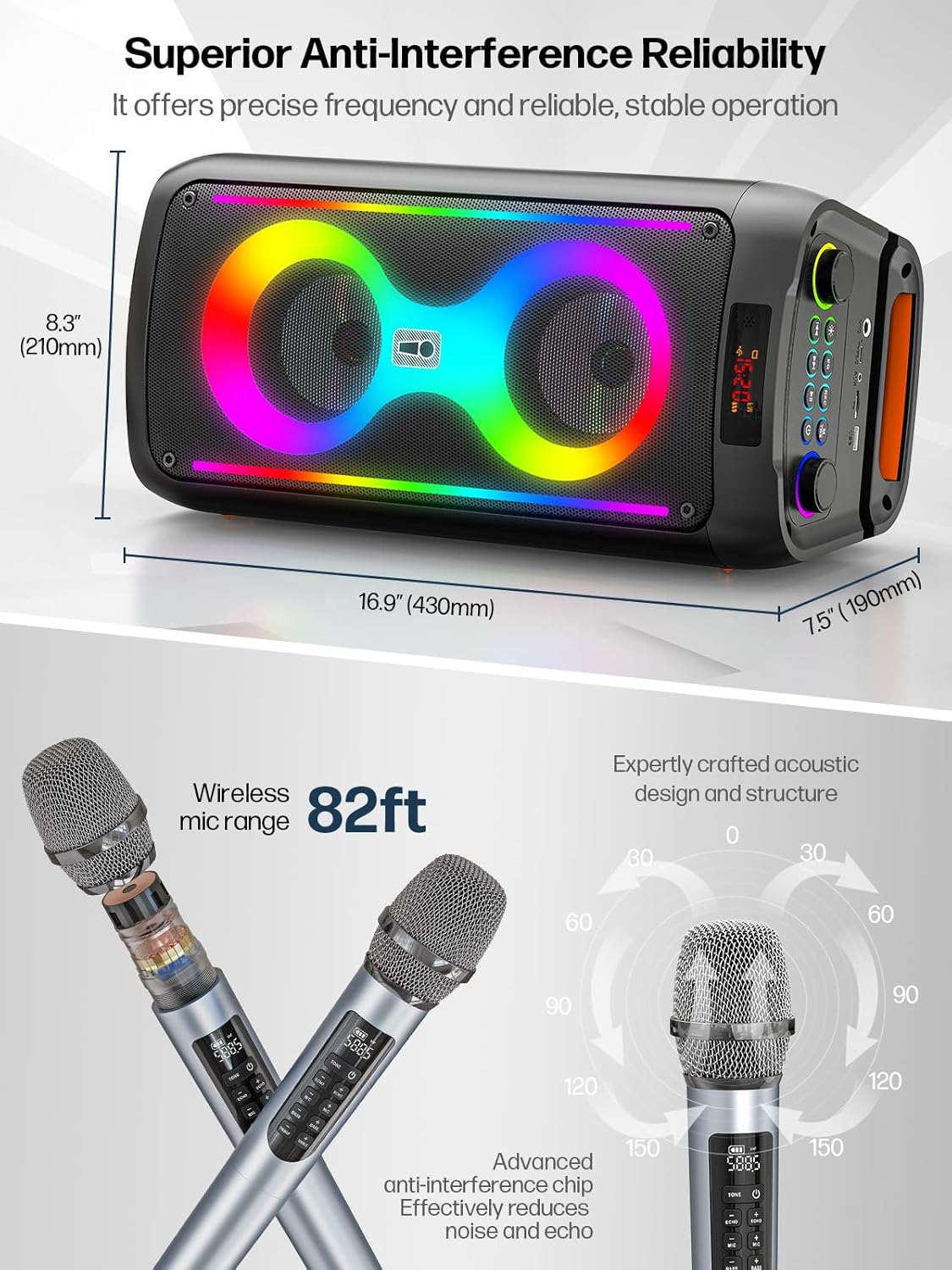
Figure 4.1: K71 dimensions (8.3" H x 16.9" W x 7.5" D) and wireless microphone range (82ft).
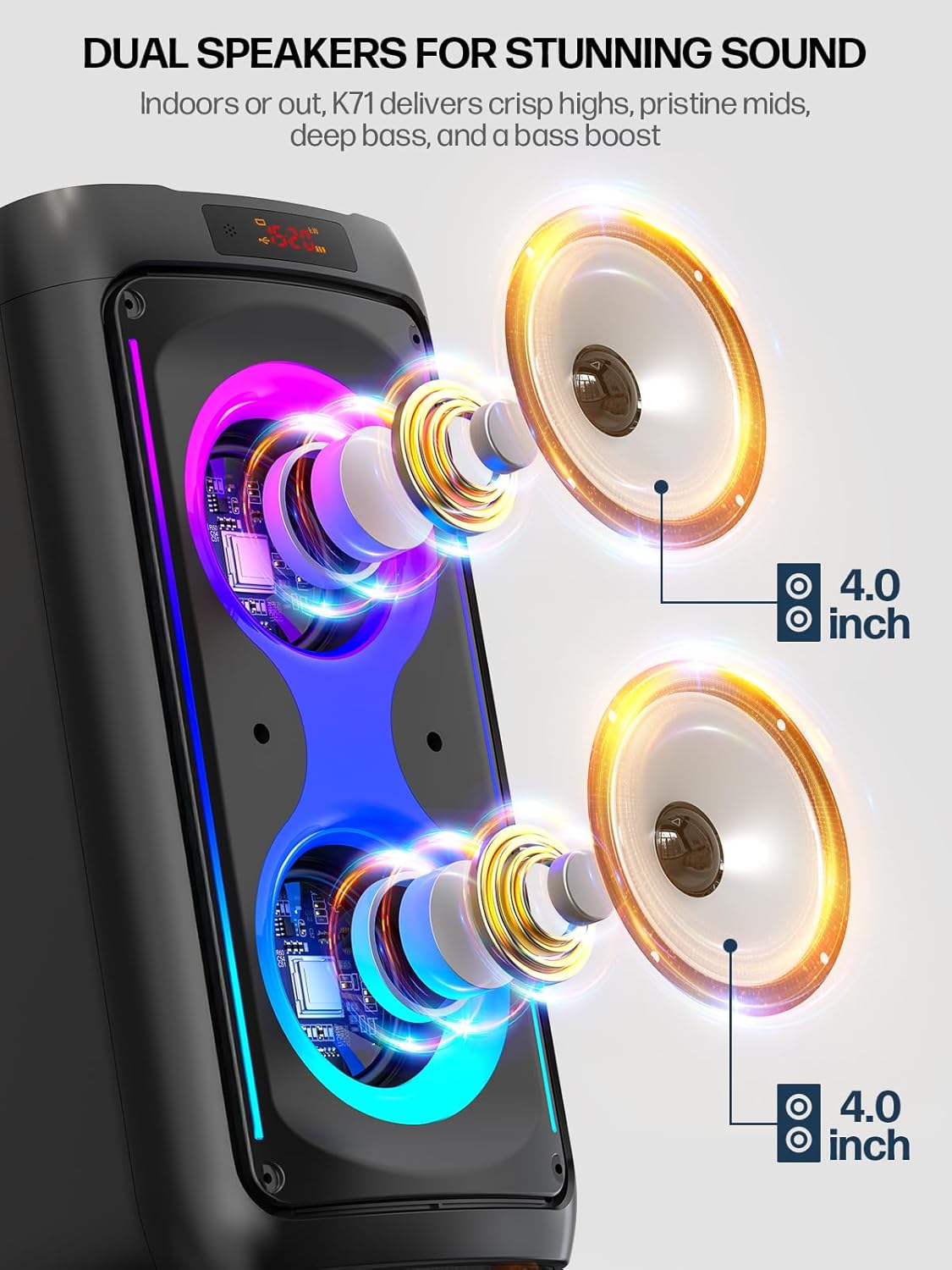
Figure 4.2: Internal view highlighting the dual 4.0-inch speakers.
4.2 Control Panel and Interfaces
The top panel of the K71 unit houses all control buttons, knobs, and input/output ports.

Figure 4.3: K71 Control Panel Layout.

Figure 4.4: Detailed view of interfaces, buttons, and LED display.
Key Controls:
- Power Button: Turns the unit on/off.
- Volume Knob: Adjusts the main speaker volume.
- Echo Knob: Adjusts microphone echo effect.
- EQ Button: Toggles between Indoor (balanced sound) and Outdoor (bass-boosted) modes.
- Light Button: Controls the disco lights.
- REC Button: Initiates recording (requires USB/TF storage).
- M/TWS Button: Mode selection and True Wireless Stereo pairing.
- Playback Controls: Play/Pause, Previous Track, Next Track.
Interfaces:
- MIC Input: For wired microphone connection (if applicable).
- Type-C Port: For charging the unit.
- AUX Input: For connecting external audio devices via AUX cable.
- TF Card Slot: For playing music from a TF card.
- USB Port: For playing music from a USB drive or recording.
5. Setup
5.1 Charging the Karaoke Machine
- Connect the provided USB charging cable to the Type-C port on the K71 unit.
- Connect the other end of the USB cable to a compatible USB power adapter (not included) or a computer USB port.
- The LED display will indicate charging status. A full charge provides approximately 10 hours of playback.
5.2 Installing Microphone Batteries
Each wireless microphone requires 3 AAA batteries (included). Open the battery compartment at the bottom of the microphone and insert the batteries, observing polarity.

Figure 5.1: Wireless Microphone Controls.
6. Operating Instructions
6.1 Power On/Off
Press and hold the Power button on the control panel to turn the unit on or off.
6.2 Bluetooth Connection
- Turn on the K71 unit. It will automatically enter Bluetooth pairing mode.
- On your device (smartphone, tablet, laptop), enable Bluetooth and search for available devices.
- Select "JAPOUCA K71" from the list to connect. A confirmation sound will indicate successful pairing.

Figure 6.1: Bluetooth 5.3 Connectivity.
6.3 Microphone Usage
- Turn on the wireless microphones. They will automatically connect to the K71 unit.
- Adjust microphone volume, bass, treble, and echo effects using the dedicated controls on the microphone or the main unit.
6.4 Audio Input Modes (USB/TF/AUX)
Insert a USB drive into the USB port or a TF card into the TF card slot. The unit will automatically switch to the corresponding mode and begin playback. For AUX input, connect an external audio device using the provided AUX cable.
6.5 Disco Lights
Press the Light button on the control panel to cycle through different light modes or turn the lights off.

Figure 6.2: Dynamic Colorful Atmosphere Lights.
6.6 EQ Modes
Press the EQ button to switch between "Indoor" mode for balanced sound and "Outdoor" mode for enhanced bass, suitable for open environments.
6.7 True Wireless Stereo (TWS) Function
To connect two K71 units for a stereo sound experience:
- Ensure both K71 units are powered on and not connected to any Bluetooth device.
- On one unit, press and hold the M/TWS button until you hear a pairing tone.
- The two units will automatically connect to each other.
- Once connected, pair your device via Bluetooth to the primary K71 unit. Audio will play through both units in stereo.

Figure 6.3: TWS Connection for Stereo Sound.
6.8 Recording Function
To record your performance:
- Insert a USB drive or TF card into the respective slot.
- Press the REC button to start recording.
- Press the REC button again to stop recording. The recording will be saved to the inserted storage device.
7. Maintenance
- Clean the unit with a soft, dry cloth. Do not use abrasive cleaners or solvents.
- Store the device in a cool, dry place when not in use.
- If the unit will not be used for an extended period, charge it periodically to maintain battery health.
8. Troubleshooting
| Problem | Possible Cause | Solution |
|---|---|---|
| No power | Battery is depleted. | Charge the unit using the provided USB cable. |
| No sound from speaker | Volume is too low or muted. Incorrect input mode. | Increase volume. Ensure correct input mode (Bluetooth, USB, TF, AUX) is selected. |
| Microphone not working | Microphone batteries are low or incorrectly inserted. Microphone is not paired. | Replace microphone batteries. Ensure microphones are powered on and within range. |
| Bluetooth connection unstable | Device is too far from the K71. Interference. | Move the device closer to the K71. Avoid obstacles or other wireless devices. |
9. Specifications
| Feature | Detail |
|---|---|
| Model Number | K71 |
| Brand | JAPOUCA |
| Output Wattage | 60 Watts (Peak Power 120W) |
| Product Dimensions | 8.3 x 7.6 x 16.7 inches |
| Item Weight | 8.93 pounds |
| Connectivity | Bluetooth 5.0, AUX, USB, TF Card |
| Battery Type | Lithium Ion (4500mAh) |
| Battery Life | Approximately 10 hours |
| Microphone Batteries | 3 AAA batteries (included) |
| Special Features | Built-In Microphone, Portable, Rechargeable, Disco Lights, EQ Modes, TWS Function |
| Compatible Devices | Laptop, Smartphone, Tablet, Television |

Figure 9.1: K71 Product Specifications Overview.

Figure 9.2: K71 Battery Life for Outdoor Use.
10. Warranty and Support
The JAPOUCA K71 Portable Karaoke Machine comes with a standard manufacturer's warranty. For detailed warranty information, product support, or service inquiries, please refer to the contact information provided on the product packaging or the official JAPOUCA website.