
Oilsky M303
Oilsky M303 Android 9.0 MP3 Player User Manual
Model: M303
1. Introduction
The Oilsky M303 is a versatile digital audio and video player running on Android 9.0. It features a 4-inch full-touch screen, 8-core processor, 2GB RAM, 16GB internal storage (expandable with a 64GB microSD card included), Wi-Fi, and Bluetooth connectivity. This manual provides essential information for operating your device.
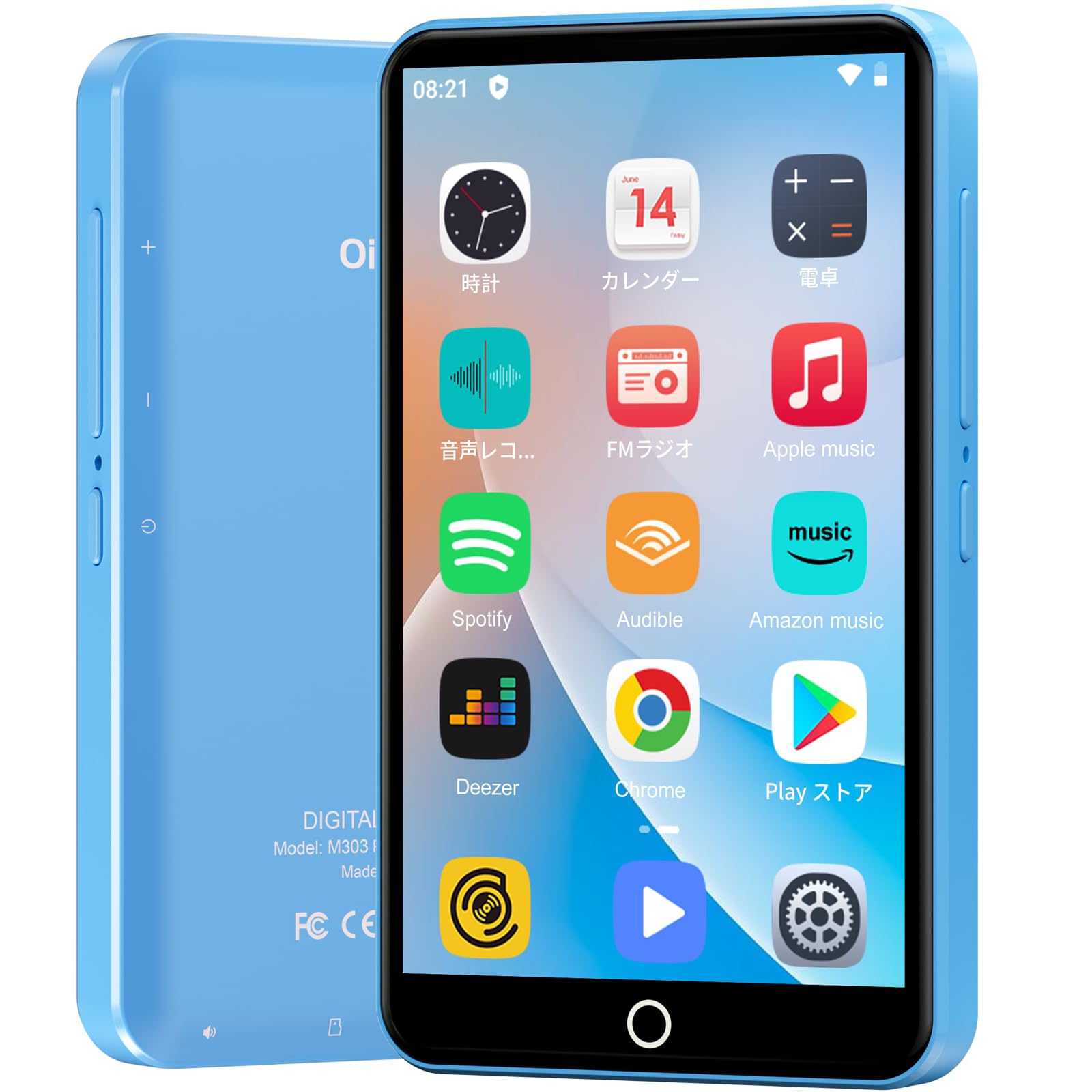
Image: Front view of the Oilsky M303 MP3 Player, showcasing its compact design and touchscreen interface.
2. What's in the Box
Please check that all the following items are included in your package:
- Oilsky M303 Main Unit
- Earphones
- Type-C Data Cable
- Protective Film (one pre-installed, one spare)
- Multi-language User Manual (including Japanese)
- Silicone Protective Case
- 64GB Memory Card

Image: All included accessories for the Oilsky M303 MP3 Player, neatly arranged.
3. Product Overview
Familiarize yourself with the device's physical features and controls.
3.1. Device Layout

Image: Side view of the Oilsky M303, highlighting the volume buttons, power button, and USB-C port.
- Power Button: Press and hold to power on/off or restart. Short press to turn the screen on/off.
- Volume Buttons: Adjust the audio volume.
- USB-C Port: For charging and data transfer.
- 3.5mm Headphone Jack: Connect wired earphones.
- MicroSD Card Slot: Insert a microSD card for expanded storage.
- Built-in Speaker: For audio playback without headphones.
4. Setup
4.1. Initial Charging
Before first use, fully charge the device. Connect the provided Type-C data cable to the player and a USB power adapter (not included). A full charge takes approximately 3 hours. The device has a 2000mAh battery for extended use.
4.2. Power On/Off
- To Power On: Press and hold the Power button until the screen lights up.
- To Power Off: Press and hold the Power button, then select "Power off" from the options.
- Screen On/Off: Short press the Power button to turn the screen on or off.
4.3. Language Settings
Upon first boot, you may need to set the language. Navigate to Settings > System > Languages & input > Languages to select your preferred language, such as English or Japanese.
4.4. Wi-Fi Connection
To access online features and download apps, connect to a Wi-Fi network:
- Go to Settings > Network & internet > Wi-Fi.
- Toggle Wi-Fi On.
- Select your desired network from the list and enter the password if prompted.
4.5. Google Play Store
The Oilsky M303 supports Google Play Store, allowing you to download various applications.
- Ensure you are connected to Wi-Fi.
- Open the Play Store app from the home screen.
- Sign in with your Google account.
- Search for and install desired applications like YouTube, Spotify, or other streaming services.

Image: The Oilsky M303 screen showing the Google Play Store interface with various app icons.
5. Operating Instructions
5.1. Music Playback
The device supports various audio formats including MP3, WMA, WAV, FLAC, OGG, AAC, APE, and M4A.
- Transfer Music: Connect the player to your computer using the Type-C cable and transfer audio files to the device's internal storage or the microSD card.
- Play Music: Open the Music app. You can browse by artist, album, song, or create custom playlists.
- Equalizer: Adjust sound settings using the built-in equalizer for a personalized audio experience.
- Online Lyrics: The player supports displaying online lyrics for songs.

Image: The Oilsky M303 displaying its music playback interface, showing options for song classification, search, playlist creation, and equalizer settings.
5.2. Video Playback
Enjoy videos on the 4-inch IPS full-touch screen with 480x800px resolution, supporting up to 1080P Full HD video playback. Supported formats include RM, AVI, RMVB, FLV, MP4, DAT, MKV, MPG, MOV, TS.
- Transfer Videos: Transfer video files from your computer to the device.
- Play Videos: Open the Video app and select your desired video.
- Playback Options: Features include loop or random playback, variable speed playback, sleep timer, and gesture controls for zoom.

Image: The Oilsky M303 displaying a video on its 4-inch screen, illustrating its video playback capabilities.
5.3. Bluetooth Connection
Connect your player to Bluetooth headphones, speakers, or car audio systems.
- Go to Settings > Connected devices > Bluetooth.
- Toggle Bluetooth On.
- Make sure your Bluetooth accessory is in pairing mode.
- Select the accessory from the list of available devices to pair.

Image: The Oilsky M303 demonstrating its Bluetooth connectivity with various audio devices like speakers and headphones.
5.4. FM Radio
The device includes an FM radio function. Connect wired earphones to act as an antenna for optimal reception.
5.5. Voice Recorder
Use the built-in voice recorder for capturing audio notes or lectures. Open the Sound Recorder app to start recording.
5.6. File Management
The player comes with 16GB of internal storage and a 64GB microSD card, providing a total of 80GB usable storage. This can be expanded further up to 512GB using a larger microSD card. Use the File Manager app to organize your media and documents.
6. Maintenance
- Cleaning: Use a soft, dry cloth to clean the device. Avoid liquid cleaners or abrasive materials.
- Storage: Store the device in a cool, dry place away from direct sunlight and extreme temperatures.
- Battery Care: To prolong battery life, avoid fully discharging the battery frequently. Charge it regularly.
- Software Updates: Check for system updates periodically in Settings > System > Advanced > System update to ensure optimal performance and security.
7. Troubleshooting
| Problem | Possible Solution |
|---|---|
| Device does not power on. | Ensure the battery is charged. Connect to a charger for at least 30 minutes before attempting to power on again. |
| Cannot connect to Wi-Fi. | Check if Wi-Fi is enabled in settings. Ensure the password is correct. Restart the device and your Wi-Fi router. |
| Bluetooth connection is unstable or disconnects. | Ensure the player and Bluetooth accessory are within close range. Avoid areas with strong electromagnetic interference. Try re-pairing the devices. |
| Apps are slow or unresponsive. | Close unnecessary background applications. Clear app cache (Settings > Apps & notifications > See all apps > [App Name] > Storage & cache > Clear cache). Restart the device. |
| Device gets warm during use. | It is normal for the device to warm up during intensive use (e.g., video playback, gaming). If it becomes excessively hot, close applications and let it cool down. |
| Cannot charge with USB-C PD charger. | The device may not support USB-C Power Delivery (PD) protocols. Use a standard USB-A to USB-C cable with a compatible USB-A power adapter (5V, up to 900mA). |
8. Specifications
| Brand | Oilsky |
| Model | M303 |
| Operating System | Android 9.0 |
| Screen | 4-inch Full-touch IPS LCD (480x800px) |
| Processor | 8-core (MTK 8-Core) |
| RAM | 2GB |
| Internal Storage | 16GB |
| Expandable Storage | MicroSD card up to 512GB (64GB card included) |
| Battery | 2000mAh |
| Connectivity | Wi-Fi, Bluetooth |
| Supported Audio Formats | MP3, WMA, WAV, FLAC, OGG, AAC, APE, M4A |
| Supported Video Formats | RM, AVI, RMVB, FLV, MP4, DAT, MKV, MPG, MOV, TS (up to 1080P) |
| Dimensions (D x W x H) | 1 x 6.1 x 10.3 cm |
| Features | Touchscreen, Voice Recorder, Built-in Speaker, Video Playback, FM Radio, Calculator, Calendar, Alarm |
| Origin | China |
9. Warranty and Support
The Oilsky M303 MP3 Player comes with a 1-year warranty from the date of purchase. Please retain your proof of purchase for warranty claims.
For technical support or warranty inquiries, please contact the retailer or manufacturer directly. Refer to the contact information provided in the packaging or on the official Oilsky website.
Related documentsM303


Ask a question about this manual
Ask about setup, troubleshooting, compatibility, parts, safety, or missing instructions. Manuals+ will review the question and use this page’s manual context to help answer it.