1. Product Overview
The UGREEN USB C to 3.5mm Audio Cable and Charger is a versatile 2-in-1 adapter designed to provide simultaneous audio output and fast charging for your USB-C devices. It allows you to connect your device to 3.5mm audio equipment like car stereos, home speakers, or headphones while also charging it at speeds up to 60W PD or 18W QC.

Image 1.1: Overview of the UGREEN 2-in-1 USB C to 3.5mm Audio Cable and Charger, illustrating its dual functionality for audio and charging.
This cable integrates a high-performance Digital-to-Analog Converter (DAC) chip, supporting up to 48KHz/16bit audio for clear, high-fidelity sound without current noise. It features a durable nylon braided cable and an aluminum alloy case for enhanced longevity and heat dissipation.
2. Package Contents
- UGREEN USB C to 3.5mm Audio Cable and Charger (Model 45009)
Please inspect the package contents upon receipt to ensure all items are present and undamaged.
3. Setup and Connection
Follow these steps to connect your UGREEN 2-in-1 adapter:
- Connect to Audio Device: Plug the 3.5mm auxiliary (TRS) connector of the UGREEN cable into the 3.5mm audio input port of your car stereo, home speaker, or headphones.
- Connect to USB-C Device: Insert the USB-C male connector of the UGREEN cable into the USB-C port of your smartphone, tablet, laptop, or other compatible device.
- Connect to Power Source (Optional): For simultaneous charging, connect a USB-C power adapter to the USB-C charging port on the UGREEN adapter, or a USB-A power adapter to the USB-A charging port. Ensure the power adapter supports PD fast charging for optimal performance.

Image 3.1: The UGREEN adapter connected in a car, showing the 3.5mm male plug connected to the car's aux input and the USB-C end connected to a phone, with charging via a car charger.
Once connected, your device should automatically recognize the audio output. You can then play music or other audio through your connected 3.5mm device while your USB-C device charges.
4. Operating Instructions
4.1 Audio Playback
The adapter facilitates unidirectional audio transmission from your USB-C device to a 3.5mm audio input. Simply start playing audio on your USB-C device, and the sound will be routed through the connected 3.5mm audio system.

Image 4.1: Diagram illustrating unidirectional audio transmission from a USB-C tablet to a speaker via the 3.5mm aux cable.
4.2 Charging Functionality
The adapter supports fast charging protocols including PD3.0 and QC3.0. The USB-C charging port supports up to 60W Power Delivery (PD), while the USB-A charging port supports up to 18W Quick Charge (QC). For optimal fast charging, use a compatible PD or QC wall adapter or car charger.

Image 4.2: Visual representation of the fast charging capabilities, showing USB-C PD 60W and USB-A QC 18W charging ports.
The adapter is designed to identify and meet the voltage and current requirements of different devices, ensuring stable and safe charging.
4.3 High-Resolution Audio
Equipped with a high-performance DAC chip, this cable converts digital signals to analog audio with precision, supporting up to 48KHz/16bit. This ensures a high-fidelity audio experience with effective noise reduction.
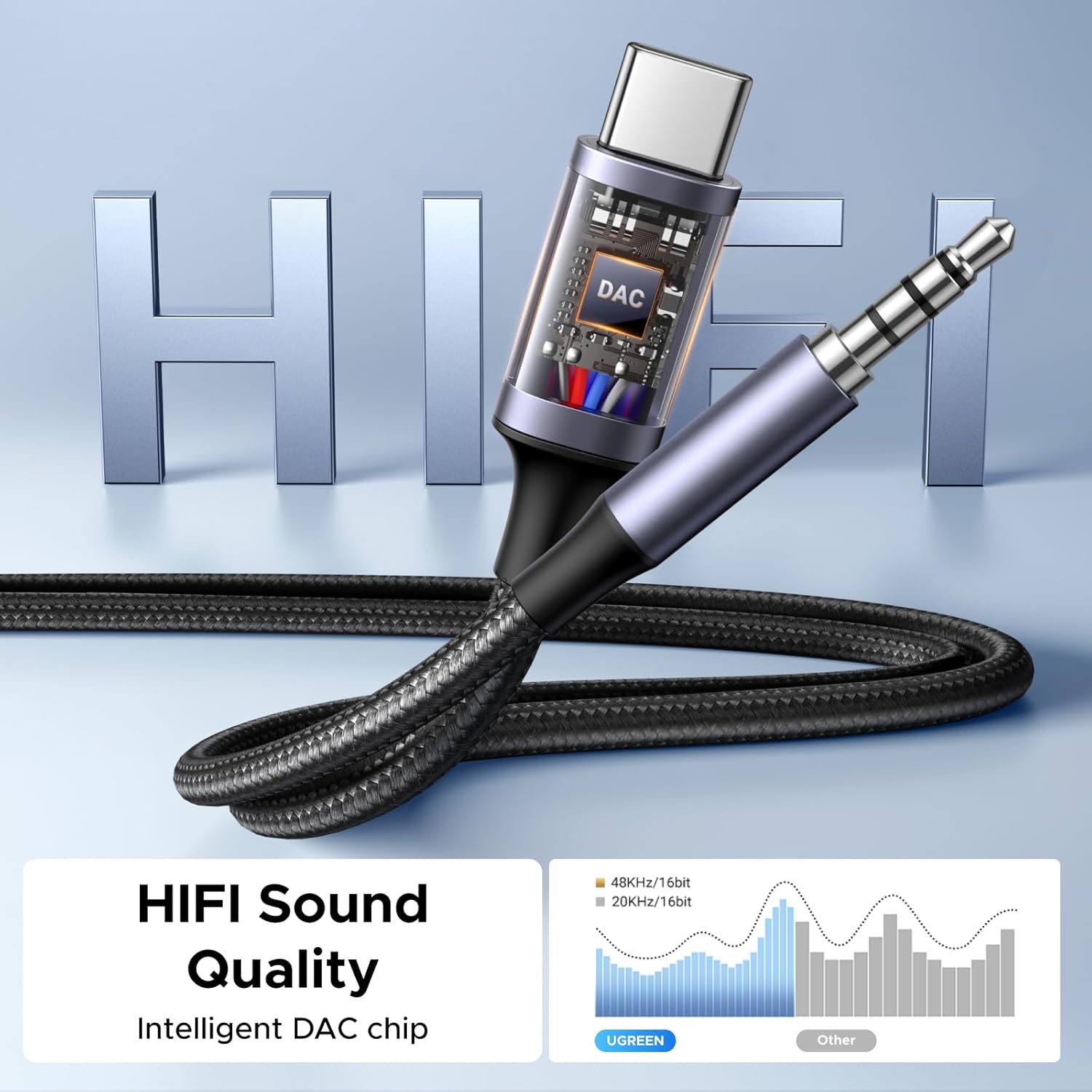
Image 4.3: Close-up of the adapter highlighting the integrated DAC chip for HiFi sound quality.
5. Maintenance and Care
To ensure the longevity and optimal performance of your UGREEN USB C to 3.5mm Audio Cable and Charger, follow these maintenance guidelines:
- Storage: Store the cable in a clean, dry place away from direct sunlight and extreme temperatures.
- Cleaning: Use a soft, dry cloth to clean the cable and connectors. Avoid using harsh chemicals or abrasive materials.
- Handling: Avoid sharp bends or excessive pulling on the cable, especially near the connectors. The nylon braided exterior and aluminum alloy case are designed for durability, but proper handling extends product life.
- Disconnection: Always grasp the connector housing when plugging or unplugging the cable, rather than pulling on the cable itself.

Image 5.1: Close-up view showcasing the durable construction of the cable, including its nylon braided jacket and aluminum alloy connectors.
6. Troubleshooting
| Problem | Possible Cause | Solution |
|---|---|---|
| No audio output. |
|
|
| Device is not charging. |
|
|
| Humming or static noise during audio playback. |
|
|
| Intermittent audio or charging. |
|
|
7. Specifications
- Model Number: 45009
- Connector Type: USB Type C (Male), 3.5mm Auxiliary (Male), USB Type C (Female for charging), USB Type A (Female for charging)
- Audio Output: 3.5mm TRS
- DAC Chip: Supports up to 48KHz/16bit Hi-Res audio
- Charging Protocols: PD3.0, QC3.0
- USB-C Charging Output: Up to 60W (Power Delivery)
- USB-A Charging Output: Up to 18W (Quick Charge)
- Cable Material: Nylon Braided
- Connector Housing Material: Aluminum Alloy
- Item Weight: 3.17 ounces
- Color: Gray
7.1 Compatibility
This adapter is compatible with most USB-C devices. Please refer to the list below for common compatible devices. Note that data transmission is not supported, only audio and charging.

Image 7.1: A visual guide to compatible devices and charging methods for the UGREEN 2-in-1 adapter.
- Compatible USB-C Devices:
- iPhone 17 Pro Max/17 Pro/Air/17/16 Pro Max/16 Pro/16 Plus/16
- Samsung Galaxy S25 Ultra/S25+/S25, S24/S24+/S24 Ultra, S23 Ultra/S23/S23+, S22/S22+/S22 Ultra, Note 20, Samsung Tablet S9
- Google Pixel 10 Pro/10 Pro XL/10/10 Pro Fold/9 Pro/9
- OnePlus 9 Pro/8
- iPad Pro/Air/mini 2020-2024, iPad min 6
- MacBook Pro/Air 2024
- Dell XPS 17/13
- HP Chromebook x360
- Surface Book 3
- Valve Steam Deck
- Nintendo Switch 2
- HUAWEI Mate 60pro
- PS5
- Not Compatible With:
- Windows 7
- XBOX
- Dell XPS15
- Amazon Fire Max 11
8. Warranty and Support
UGREEN is committed to providing innovative and valuable products. For warranty information or technical support, please refer to the official UGREEN website or contact their customer service directly. Keep your purchase receipt for warranty claims.
Online Support: Visit the UGREEN Store on Amazon for product information and support resources.


