
Mirage SETCVF261E
Mirage V32 Inverter Minisplit Air Conditioner SETCVF261E User Manual
Model: SETCVF261E
1. Introduction and Overview
Thank you for choosing the Mirage V32 Inverter Minisplit Air Conditioner, model SETCVF261E. This advanced air conditioning unit is designed to provide efficient and comfortable cooling for your space. Featuring inverter technology, it optimizes performance while significantly reducing energy consumption. With a cooling capacity of 24,000 BTU (2 Tons), this minisplit is suitable for larger areas, delivering rapid and effective cooling. Its 'SOLO FRIO' (Cooling Only) functionality makes it ideal for maintaining a comfortable environment during warmer periods. The Mirage SETCVF261E boasts an impressive 17.7 SEER energy efficiency rating, ensuring high performance with low energy usage. By choosing this unit, you contribute to energy savings and environmental care.

Image 1.1: Front view of the Mirage V32 Inverter Minisplit indoor unit.
2. Safety Information
Please read all safety instructions carefully before installation and operation to prevent injury or damage to the unit. Keep this manual for future reference.
- Professional Installation: Installation, maintenance, and repair must be performed by qualified service personnel. Improper installation can lead to electric shock, fire, or water leakage.
- Electrical Safety: Ensure the power supply matches the unit's requirements (220V/1/60Hz). Do not use extension cords. Always disconnect power before cleaning or servicing.
- Refrigerant: This unit uses R32 refrigerant. Handle with care and ensure proper ventilation during installation and servicing. R32 is a mildly flammable refrigerant.
- Children and Vulnerable Persons: This appliance is not intended for use by persons (including children) with reduced physical, sensory, or mental capabilities, or lack of experience and knowledge, unless they have been given supervision or instruction concerning use of the appliance by a person responsible for their safety.
- Clearance: Maintain adequate clearance around the indoor and outdoor units for proper airflow and performance.
3. Product Features
The Mirage V32 Inverter Minisplit is equipped with advanced features designed for superior comfort and environmental responsibility:
- Ozone Care: Utilizes R32 refrigerant, which has zero ozone depletion potential, contributing to the protection of the ozone layer.
- Pro-Planet: Features a design that results in 70% less impact on global warming compared to other refrigerants.
- X-Cool: Engineered for superior cooling performance, providing a colder environment with minimal effort and optimized energy use.
- Inverter Technology: Continuously adjusts compressor speed to maintain desired temperature, leading to significant energy savings and quieter operation.
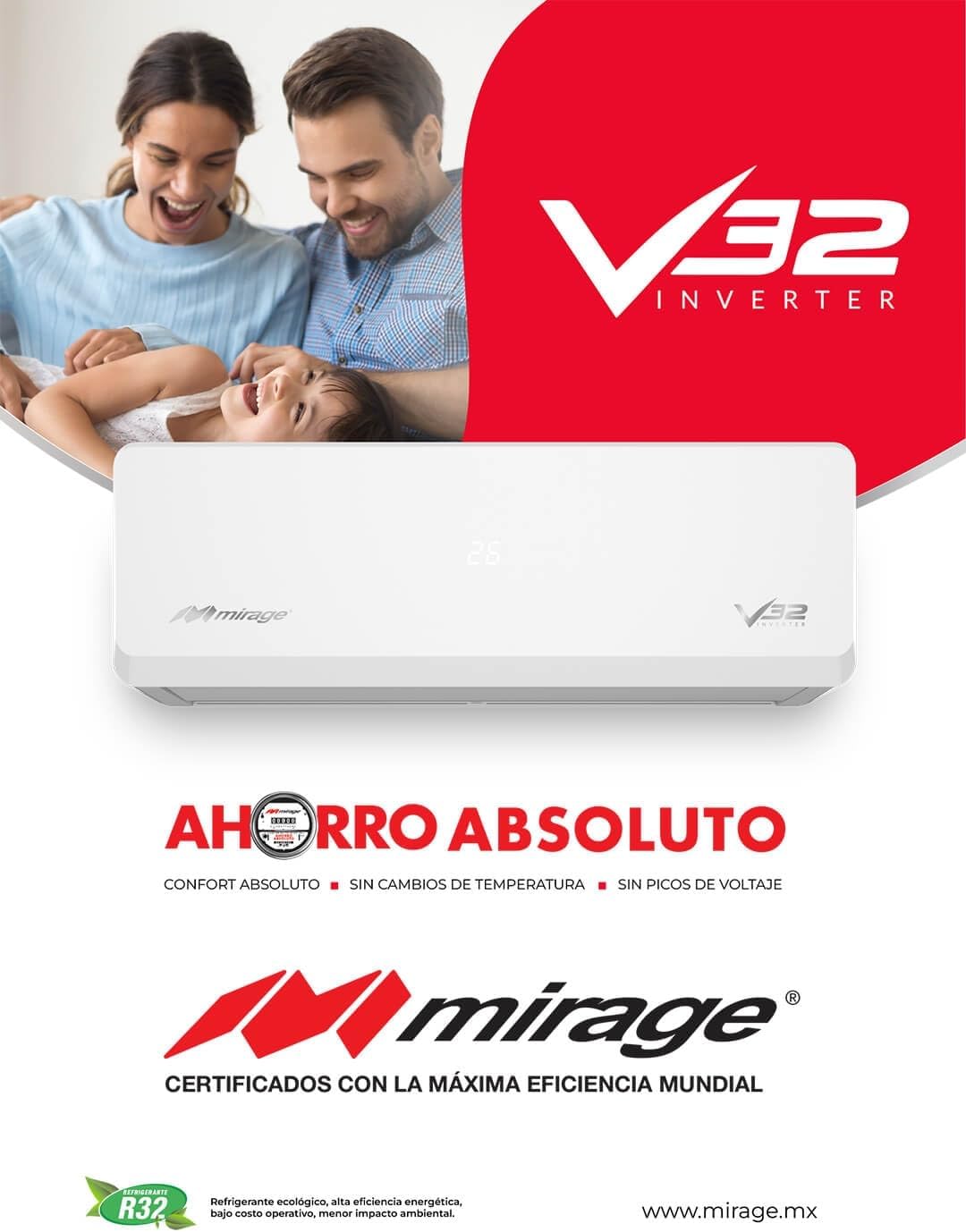
Image 3.1: Promotional image highlighting the V32 Inverter technology and its benefits.
4. Setup and Installation
Proper installation is crucial for the optimal performance and longevity of your Mirage V32 Inverter Minisplit. It is strongly recommended that installation be carried out by a certified HVAC professional.
- Site Selection: Choose a location for the indoor unit that allows for even air distribution and is away from direct sunlight or heat sources. The outdoor unit should be placed in a well-ventilated area, free from obstructions.
- Electrical Connection: Ensure the electrical supply is 220V/1/60Hz and has a dedicated circuit breaker. All wiring must comply with local electrical codes.
- Refrigerant Piping: The refrigerant lines (liquid and gas) must be properly connected and sealed to prevent leaks. The unit uses R32 refrigerant.
- Drainage: Ensure the condensate drain line is correctly installed with a downward slope to allow for proper water drainage.
- Vacuuming: After connecting the refrigerant lines, the system must be thoroughly vacuumed to remove any air and moisture before releasing refrigerant.
5. Operating Instructions
Your Mirage V32 Inverter Minisplit is designed for user-friendly operation, primarily through its remote control. Familiarize yourself with the remote control functions for optimal use.
- Power On/Off: Press the 'ON/OFF' button on the remote control to start or stop the unit.
- Mode Selection: As a 'SOLO FRIO' unit, its primary mode is cooling. Select the 'COOL' mode using the 'MODE' button.
- Temperature Adjustment: Use the 'TEMP UP' and 'TEMP DOWN' buttons to set your desired room temperature. The recommended comfortable temperature range is typically between 22°C and 26°C (72°F and 79°F).
- Fan Speed: Adjust the fan speed (Auto, Low, Medium, High) using the 'FAN' button to control airflow and noise levels.
- Swing Function: Activate the 'SWING' function to automatically move the air deflector for wider air distribution.
- Timer Function: Use the 'TIMER' buttons to set the unit to turn on or off automatically at a specified time.
6. Maintenance
Regular maintenance ensures efficient operation, prolongs the life of your unit, and maintains indoor air quality.
- Air Filter Cleaning: The air filters should be cleaned every two weeks or more frequently depending on usage and air quality. Open the front panel of the indoor unit, remove the filters, wash them with lukewarm water and mild detergent, rinse thoroughly, and dry completely before reinstalling.
- Outdoor Unit Cleaning: Periodically check the outdoor unit for debris, leaves, or dirt that may obstruct airflow. Carefully clean the coils with a soft brush or vacuum cleaner. Ensure power is disconnected before cleaning.
- Coil Cleaning: The indoor and outdoor coils should be professionally cleaned annually to remove accumulated dirt and grime that can reduce efficiency.
- Drainage Check: Ensure the condensate drain line is clear and free of blockages to prevent water leakage.
- Seasonal Inspection: Before the cooling season, it is advisable to have a qualified technician inspect the unit for refrigerant levels, electrical connections, and overall system health.
7. Troubleshooting
Before contacting service, please refer to the following common issues and their potential solutions:
- Unit Does Not Start: Check if the unit is plugged in, the circuit breaker is not tripped, and the remote control batteries are working.
- Insufficient Cooling: Ensure air filters are clean, doors and windows are closed, the temperature setting is appropriate, and there are no obstructions to airflow.
- Unusual Noises: A slight gurgling sound is normal due to refrigerant flow. Loud or persistent noises may indicate a problem and require professional inspection.
- Water Leakage from Indoor Unit: This often indicates a clogged drain line. Turn off the unit and contact a technician to clear the blockage.
- Remote Control Not Working: Check battery orientation and replace if necessary. Ensure there are no obstructions between the remote and the indoor unit's receiver.
If the problem persists after attempting these solutions, please contact qualified service personnel.
8. Specifications
Detailed technical specifications for the Mirage V32 Inverter Minisplit Air Conditioner, model SETCVF261E.
| Specification | Value |
|---|---|
| Manufacturer | Mirage |
| Model Number | SETCVF261E |
| Product Dimensions | 31.9 x 102.5 x 23.3 cm (Indoor Unit); 52.4 kg |
| Capacity | 2 Tons (24,000 BTU) |
| Special Feature | Inverter Compressor, Advanced Cooling |
| Seasonal Energy Efficiency Ratio (SEER) | 17.7 |
| Color | White |
| Voltage | 230V |
| Noise Level | 46 Decibels |
| Power Source | Corded Electric |
| Form Factor | Minisplit |
| Refrigerant Type | R32 |

Image 8.1: Technical specifications and dimensional diagrams for the Mirage V32 Inverter Minisplit.
9. Warranty and Support
For warranty information, please refer to the warranty card included with your product or contact your authorized Mirage dealer. Keep your purchase receipt as proof of purchase for any warranty claims.
If you require technical assistance, service, or have questions not covered in this manual, please contact Mirage customer support or your local service center. Contact details can typically be found on the manufacturer's website or in your product documentation.
Related documentsSETCVF261E


Ask a question about this manual
Ask about setup, troubleshooting, compatibility, parts, safety, or missing instructions. Manuals+ will review the question and use this page’s manual context to help answer it.