
1. Introduction
This manual provides detailed instructions for the installation, operation, and maintenance of your Swann AdvancedX Wired NVR 4K Security Camera System. This system features 8 channels, 8 Power over Ethernet (PoE) cameras, 1TB HDD storage, color night vision, smart AI video analytics, and 24/7 recording capabilities. Please read this manual thoroughly before setting up and using your system to ensure optimal performance and safety.
2. What's in the Box
- 8 Channel NVR with 1TB Hard Drive
- NHD-ADVANCXB Cameras with Spotlights x 8
- Ethernet Cable x 5 (60ft/18m x 4, 3ft/1m x 1)
- Power Adapter
- Mounting Screws & Hardware
3. System Setup
3.1 Initial Connection
The Swann AdvancedX system utilizes Power over Ethernet (PoE) technology, simplifying installation by providing both power and video transmission through a single Ethernet cable. Connect each camera directly to the NVR using the provided Ethernet cables. Ensure all connections are secure.
1. Connect the NVR to a power source using the supplied power adapter.
2. Connect the NVR to a monitor via HDMI or VGA for initial setup.
3. Connect the NVR to your network router using an Ethernet cable for remote access features.
4. Power on the NVR. Follow the on-screen prompts to set up an administrator password and configure basic settings.

Figure 3.1: Swann AdvancedX NVR and 8 PoE Cameras.
3.2 Camera Placement and Mounting
Strategically place your cameras to cover critical areas. The cameras are designed for outdoor use with a sturdy weatherproof design. Use the provided mounting screws and hardware to secure the cameras in desired locations. Ensure the camera's field of view is clear and unobstructed.
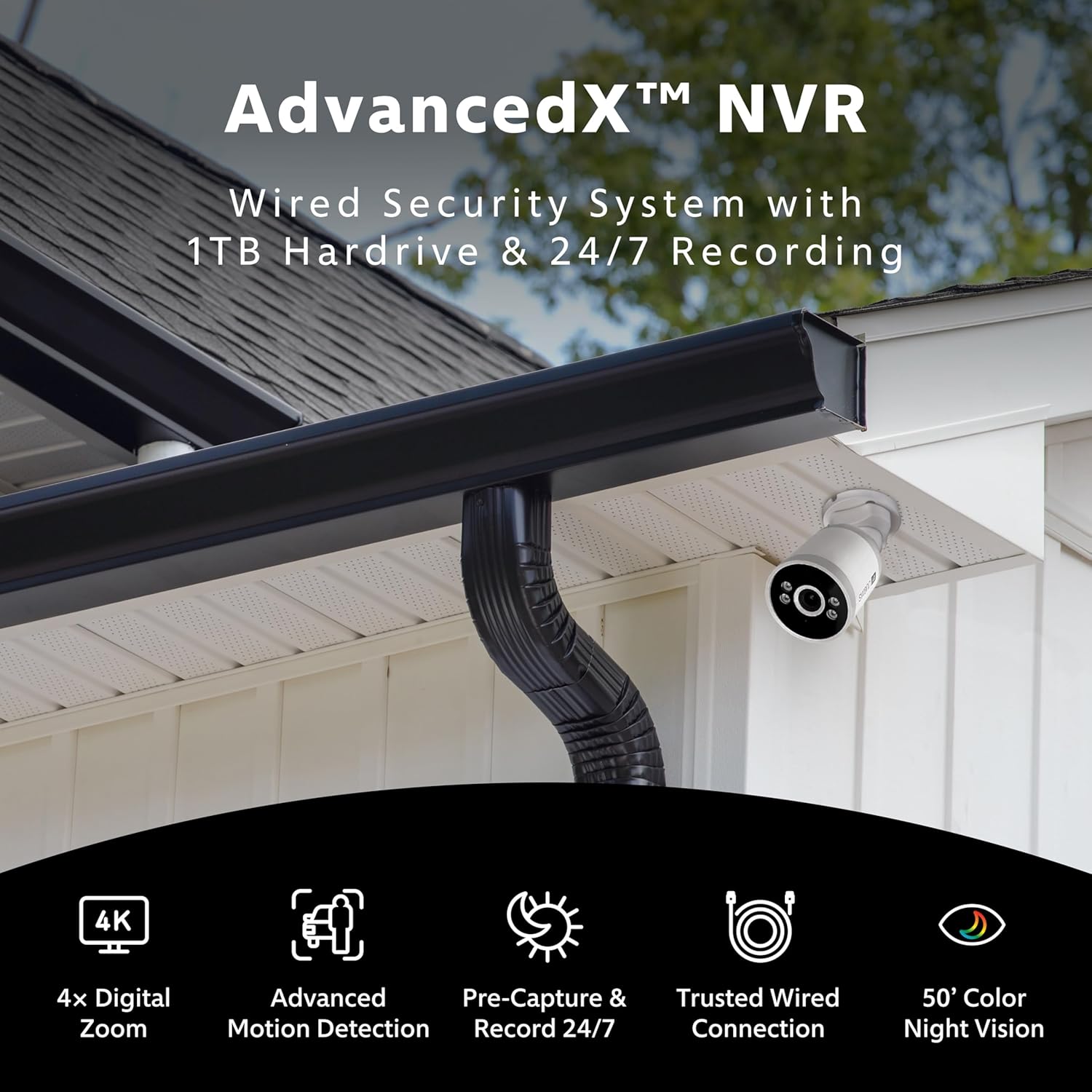
Figure 3.2: Example of a Swann AdvancedX camera mounted on a building.
3.3 Swann Security App Setup
Download the Swann Security app from your smartphone's app store. Follow the in-app instructions to pair your NVR system. This enables remote viewing, alerts, and system control from your mobile device.
Video 3.1: Overview of the Swann AdvancedX Wired NVR 4K Security Camera System, demonstrating key features and setup.
4. Operating the System
4.1 4K Ultra HD Resolution
The system's 4K (8MP) Ultra HD image sensors provide clear video, allowing for identification of faces, license plates, and other important details. You can view live footage or playback recorded events with high clarity. The system supports digital zoom to examine specific areas of interest.

Figure 4.1: Multi-camera view on a monitor, showcasing 8 channels in 4K UHD resolution.
4.2 Night Vision (Night2Day)
The cameras are equipped with Night2Day color night vision, providing full-color video up to 50 feet (15 meters) in low-light conditions. For complete darkness, traditional black and white night vision extends up to 100 feet (30 meters).

Figure 4.2: Comparison of traditional night vision and Night2Day color night vision.
4.3 Audio Recording
Each camera includes a built-in microphone to record audio, providing additional context to video footage. This feature can assist in identifying important details during incident review.

Figure 4.3: Swann AdvancedX camera features, including the microphone for audio recording.
4.4 Smart AI Video Analytics and Alerts
The system incorporates advanced AI video analytics to accurately detect and differentiate between people, vehicles, and other motion. This reduces false alarms and ensures you receive relevant notifications.
- True Detect: Motion and heat sensing technology triggers recording and alerts only for significant activity.
- Person & Vehicle Detection: Identifies human and vehicle presence, minimizing alerts from environmental factors.
- Line Crossing Detection: Triggers an alert when an object crosses a predefined virtual line.
- Sound Detection: Detects significant audio events.
- Perimeter Intrusion Detection: Alerts when an object enters or exits a specified area.

Figure 4.4: Smart detection capabilities for reducing false alarms.
When an event is detected, the cameras' super bright spotlights can deter intruders and illuminate the area. Real-time mobile alerts are sent to your Swann Security app, allowing you to monitor your property remotely.

Figure 4.5: Instant app alert notification on a smartphone.
4.5 Pre-Recording
The system features a pre-recording function that captures footage 10 seconds before an event is detected and continues recording until the activity ends. This ensures that critical moments leading up to and during an event are fully captured.

Figure 4.6: Pre-capture and 24/7 recording ensures no moment is missed.
5. Storage
The NVR includes a 1TB security-grade hard drive, capable of storing months of continuous footage. The system also offers 1-day cloud backup for incident video, with optional extended cloud plans available.
You can transfer incident video to your personal Dropbox account for secure off-site storage and easy sharing.
6. Maintenance
The cameras feature a sturdy weatherproof design, built to withstand various weather conditions including rain and snow, ensuring year-round operation.
- Regular Cleaning: Periodically clean camera lenses with a soft, damp cloth to ensure clear image quality.
- Cable Inspection: Check all Ethernet cables for wear, damage, or loose connections.
- Software Updates: Ensure your NVR firmware and Swann Security app are updated to the latest versions for optimal performance and security features.
7. Troubleshooting
- No Video Feed: Check power connections to the NVR and ensure Ethernet cables are securely connected between cameras and the NVR. Verify the monitor connection.
- Poor Image Quality: Clean camera lenses. Ensure cameras are not pointed directly into strong light sources. Check for obstructions in the field of view.
- No Remote Access: Verify the NVR is connected to your network router and has internet access. Ensure your Swann Security app is correctly configured and updated.
- False Alerts: Adjust the sensitivity settings for motion detection and AI analytics within the NVR settings or Swann Security app. Ensure detection zones are appropriately configured.
- System Not Recording: Check the NVR's hard drive status. Ensure recording schedules are correctly set.
For further assistance, refer to the comprehensive help section within the Swann Security app or visit the official Swann support website.
8. Specifications
| Feature | Specification |
|---|---|
| Brand | Swann |
| Model Number | SWNVK-8ADVANX8B-US |
| Connectivity Technology | Wired (PoE) |
| Video Capture Resolution | 4K (8MP) |
| Number of Channels | 8 |
| Memory Storage Capacity | 1 TB HDD |
| Special Features | App Control, Audio Recording, Human Detection, Motion Sensor, Color Night Vision, Spotlights |
| Night Vision Range | 50 Feet (Color), 100 Feet (B&W) |
| Power Source | Corded Electric |
| Recommended Uses | Surveillance |
| Compatible Devices | Smartphones, Tablets |
| Product Dimensions | 14.77 x 11.03 x 11.81 inches |
| Item Weight | 15.77 pounds |
9. Warranty and Support
For warranty information and technical support, please refer to the official Swann website or contact Swann customer service directly. Keep your proof of purchase for warranty claims.


