
Introduction
The iROCKER All Around 11 7.0 Inflatable Stand Up Paddle Board is designed for versatility, offering a balance of speed, maneuverability, and stability. It is suitable for all skill levels and can accommodate extra passengers or gear without compromising performance. This manual provides essential information for the proper setup, operation, and maintenance of your iROCKER SUP.
Included Components
Your iROCKER All Around 11 7.0 SUP package includes the following items:
- 1 x 11’/3.4m ALL AROUND iROCKER SUP
- 3 x Removable Nylon SUP Fins (1 Center Fin and 2 Side Fins)
- 1 x 10'/3m Leash With Key Stash Spot
- 1 x 3-Piece Hexa-Edge Carbon Paddle
- 1 x iROCKER Universal Carry Strap
- 1 x Electric Pump (12V)
- 1 x Repair Kit (Patches And Valve Wrench, Glue Sold Separately)
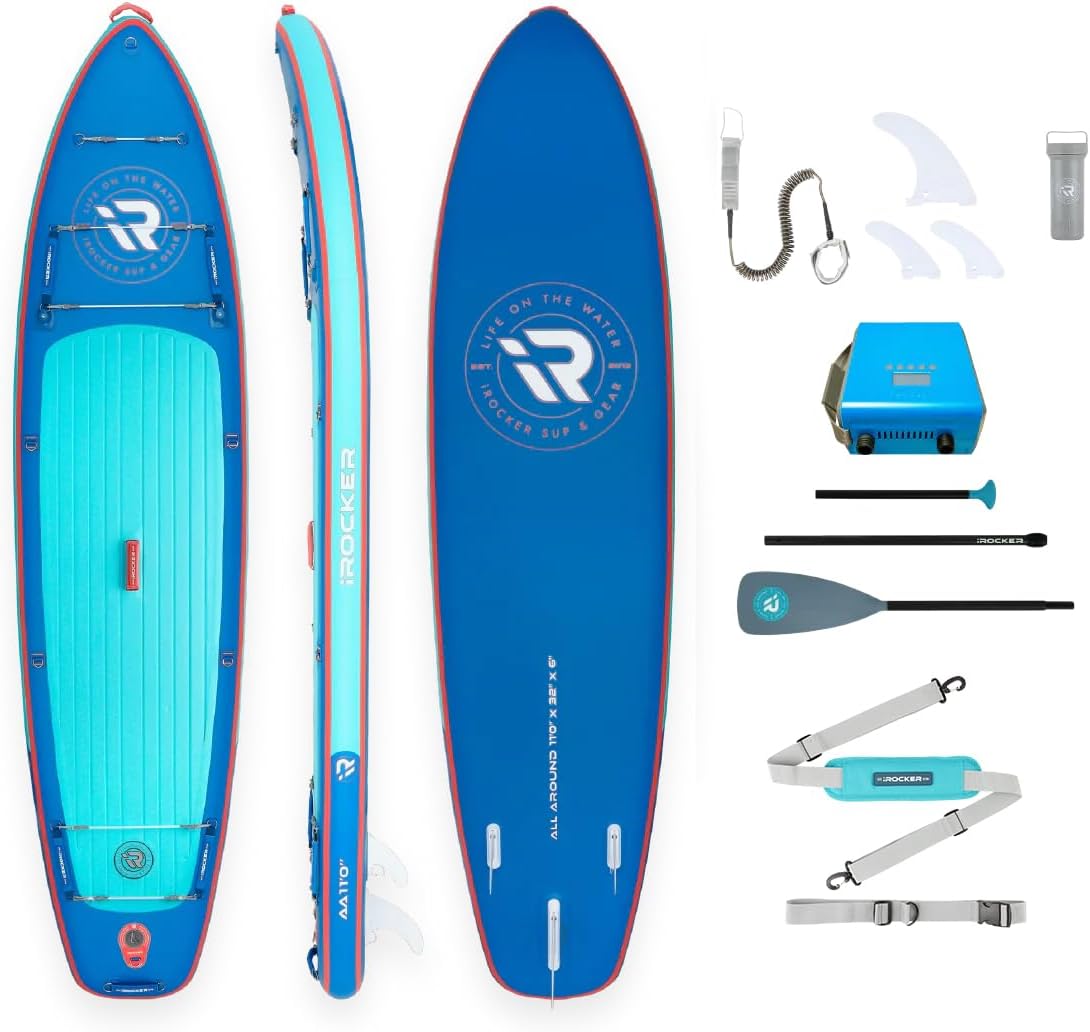
The included 12V electric pump simplifies setup, allowing you to inflate your SUP in 12 minutes or less by connecting directly to a power point, cigarette lighter, or a portable 12V battery (sold separately).
Setup
- Unpack the SUP: Carefully remove the paddle board and all accessories from the carry bag.
- Locate a Flat Surface: Lay the SUP flat on a clean, level surface, free from sharp objects.
- Inflate the Board: Connect the 12V electric pump to the board's valve. Ensure the valve is in the 'up' position for inflation. Inflate the board to the recommended PSI (typically 12-15 PSI, refer to the board's valve area for exact pressure). The electric pump will automatically stop when the desired pressure is reached.
- Attach the Fins: Slide the three removable nylon fins into their respective fin boxes on the underside of the board. Secure them with the provided clips.
- Assemble the Paddle: Connect the three pieces of the Hexa-Edge Carbon Paddle. Adjust the paddle length to your height, ensuring a comfortable grip.
- Attach the Leash: Secure the 10'/3m leash to the D-ring at the tail of the board. The other end of the leash should be attached to your ankle during use for safety.
Operating Instructions
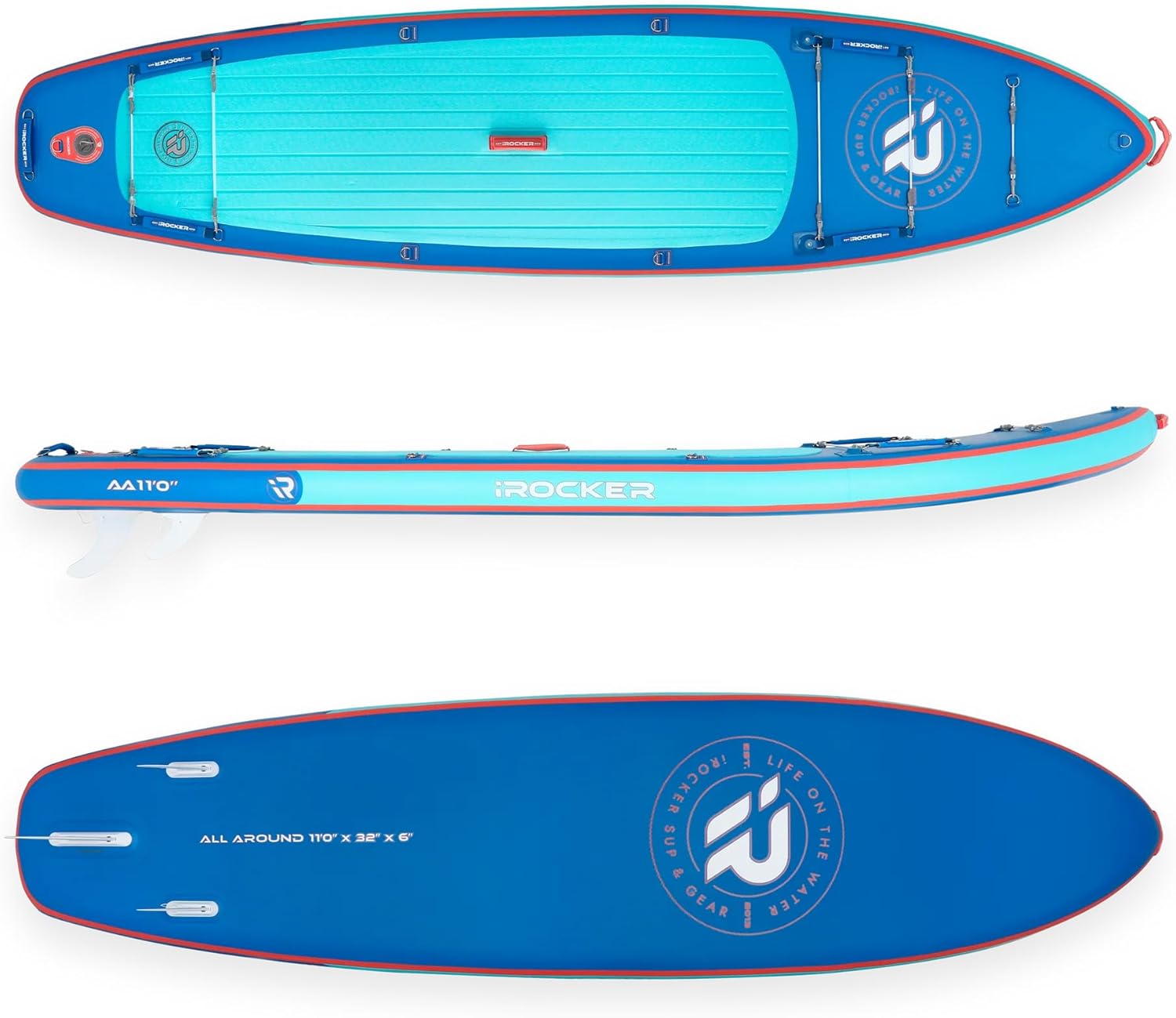
The iROCKER All Around 11 7.0 is designed for stability and ease of use, making it suitable for both beginners and experienced paddlers. Its large deck area provides ample space for standing, sitting, or kneeling.

- Entering the Water: Carry the inflated board to the water's edge using the central handle. Gently push the board into the water until it floats freely.
- Mounting the Board: Start by kneeling on the center of the board, just behind the carrying handle. Once stable, you can slowly stand up, placing your feet shoulder-width apart and parallel to the rails.
- Paddling Technique: Hold the paddle with one hand on the top of the T-grip and the other on the shaft. Insert the paddle blade fully into the water and pull it back towards your feet. Alternate sides to maintain a straight course.
- Stability and Maneuverability: The board's design offers excellent stability, allowing for comfortable cruising on calm lakes or tackling small surf and choppy bays with ease.
- Safety Leash: Always wear the ankle leash to ensure the board remains close to you if you fall into the water.


Maintenance
Proper maintenance will extend the life of your iROCKER SUP:
- Cleaning: After each use, rinse the board thoroughly with fresh water to remove salt, sand, and dirt. Use mild soap and water for stubborn stains.
- Drying: Ensure the board is completely dry before deflating and storing to prevent mold and mildew.
- Storage: Store the deflated board in a cool, dry place away from direct sunlight and extreme temperatures. Avoid folding it too tightly or placing heavy objects on top. The compact design allows for easy storage in the included carry bag.
- Valve Care: Keep the valve clean and free of debris. Periodically check for air leaks around the valve.
- Minor Repairs: Use the included repair kit for small punctures. Follow the instructions provided with the repair kit for proper application of patches and valve wrench use. (Note: Glue is sold separately).
Troubleshooting
| Problem | Possible Cause | Solution |
|---|---|---|
| Board loses air quickly | Loose valve, puncture, or damaged seam | Check valve for tightness. Inspect board for punctures and use repair kit. Contact customer service if seam is damaged. |
| Difficulty inflating | Valve in 'down' position, pump not connected properly, or pump malfunction | Ensure valve is in 'up' position. Reconnect pump securely. Check pump's power source and functionality. |
| Board feels unstable | Under-inflated, fins not properly installed, or improper weight distribution | Inflate to recommended PSI. Ensure fins are securely attached. Distribute your weight evenly on the board. |
Specifications
| Feature | Detail |
|---|---|
| Model Name | ALL AROUND 11' 7.0 |
| Product Dimensions (L x W) | 132" x 32" (11' x 2'8") |
| Material | Triple-Layer, Military-Grade PVC with Drop-Stitch Core |
| Maximum Weight Recommendation | 400 Pounds |
| Skill Level | Intermediate |
| UPC | 810136412185 |
| Manufacturer | iRocker |
Warranty & Support
iROCKER stands behind the quality of its products. The iROCKER All Around 11 7.0 Inflatable Stand Up Paddle Board comes with a 3-Year Manufacturer Warranty. This warranty covers defects in materials and workmanship under normal use.
For warranty claims, technical support, or any questions regarding your iROCKER SUP, please contact iROCKER customer service. You can expect best-in-industry customer service from iROCKER.
Visit the official iROCKER Store for more information and support: iROCKER Store on Amazon